Pet Battle Notebook
- By
Daily Pet Battle Companion - Save team loadouts for dailies and open-world/pvp battles.
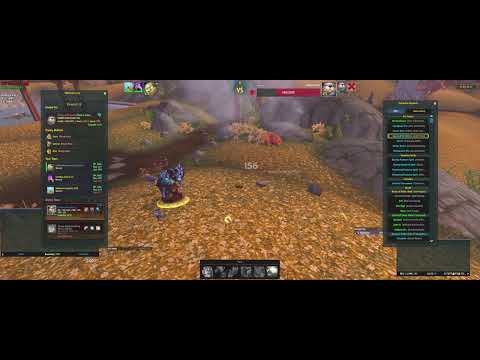
PBNScreen1.png
PBNScreen2.png
PBNScreen3.png
Description
Pet Battle Notebook
Pet Battle Notebook is a World of Warcraft addon designed for Mists of Pandaria Classic.
It’s your companion for pet battle dailies — letting you keep notes, store team loadouts, and track your progress against NPCs, Beasts, and Pandaren Spirits.
Key Highlights
- Track completion of pet dailies with integrated TomTom waypoints
- See a visual indicator of which NPCs are in your current zone
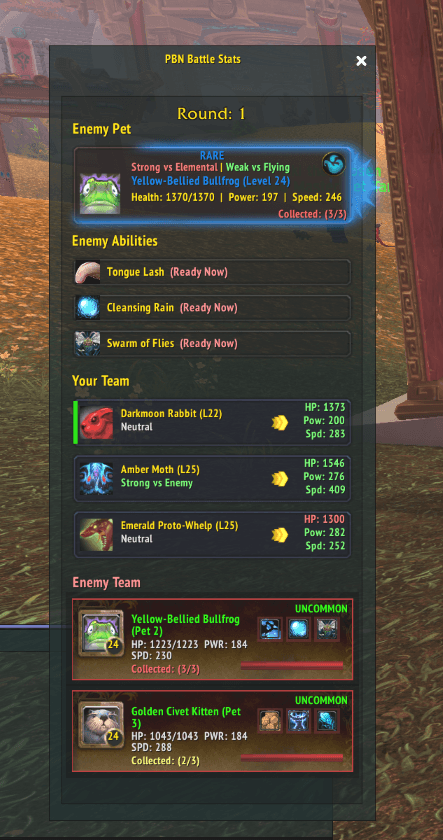
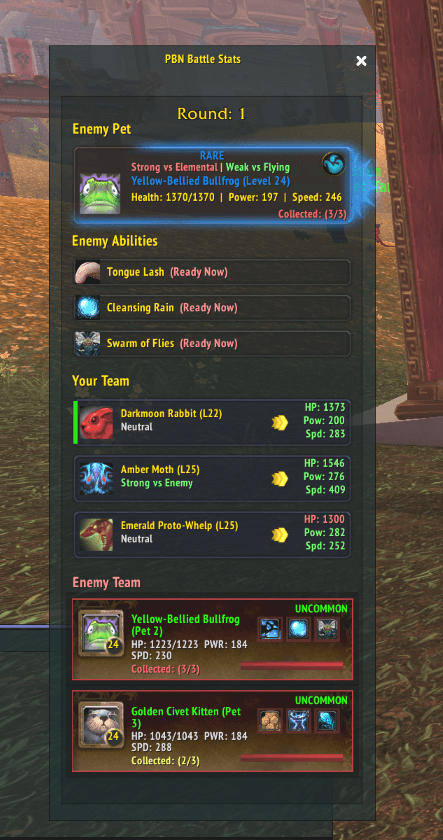
- Use the Battle Stats window during combat to monitor enemy cooldowns and quickly reference strengths and weaknesse
Features
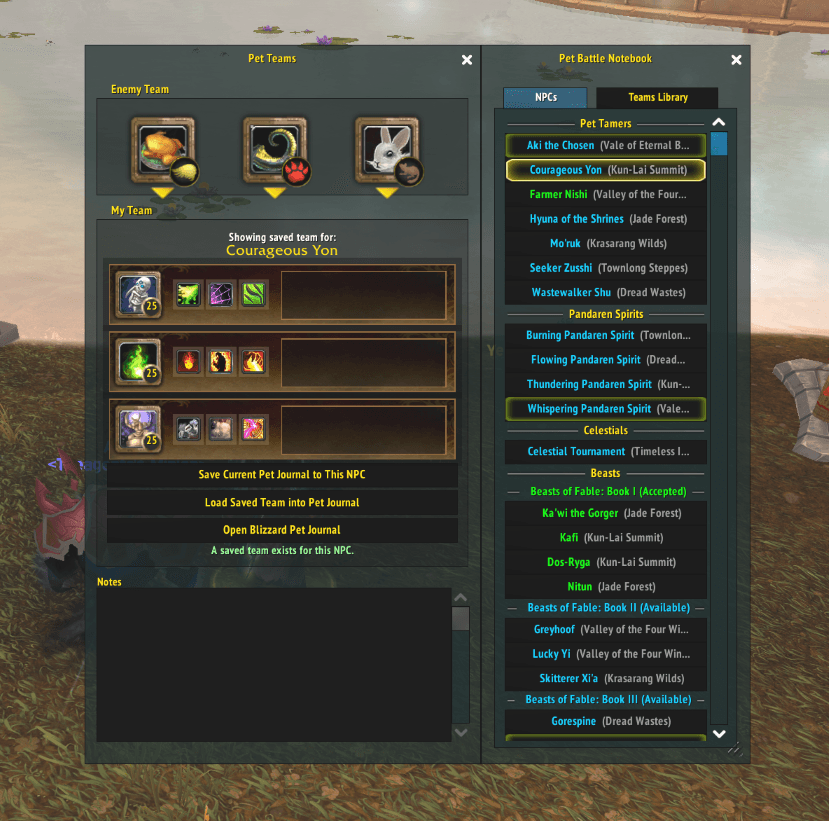
NPC List with Tab System
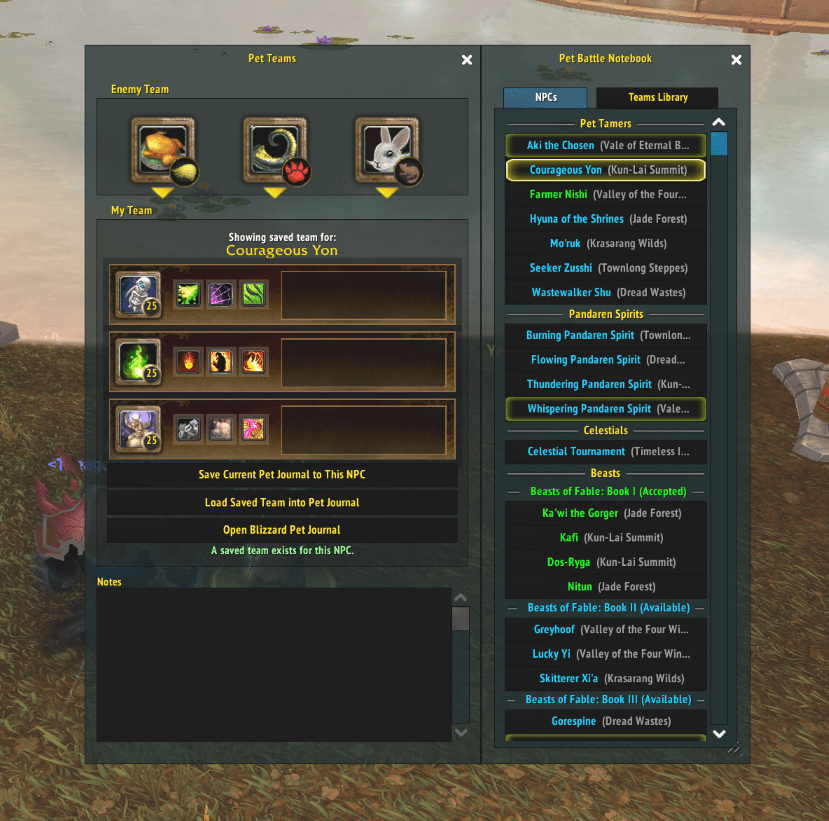
- NPCs Tab: Browse pet tamers, spirits, celestials, and beasts
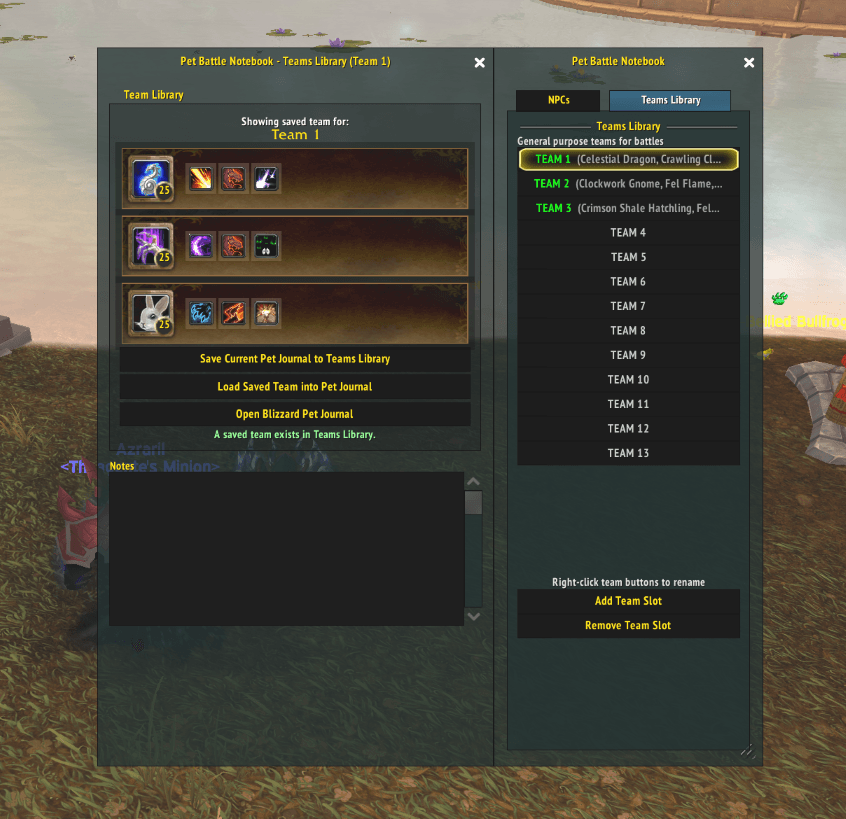
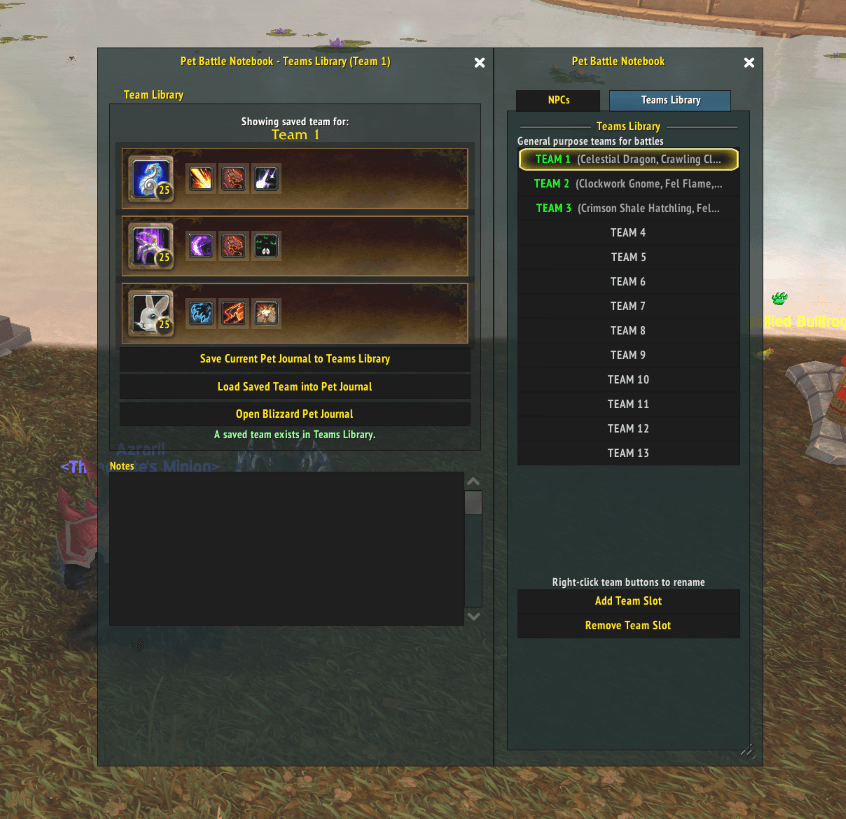
- Teams Tab: Access your general team library for PvP and open-world battles
Enemy Pet Information
- View enemy pet stats, abilities, and cooldowns during battles with Battle Stats.
- Rarity detection with animated borders for rare/uncommon capturable pets
Team Management
- Save and load teams per NPC encounter
- 10 general team slots (TEAM 1–10) by default
- Add or remove slots for flexible team storage
- Rename team slots with a simple right-click
Integration
- TomTom waypoint support (right-click NPCs to set waypoints)
- Quest status tracking (Accepted, In-Progress, Completed)
- Focus targeting a Daily Pet Battle NPC opens a dialogue to load your saved team into the Pet Journal
- Collected pets with level, breed type, quality, and stats displayed in tooltip when hovering over a pet in the wild. Tags also added in Battle Stats to show the breed type and quality type owned. Breed Data uses Data set and calculations from BattlePetBreedID (recommend downloading that addon as well for more breed type info)
Options
- Middle-click minimap icon to open options
- UI Scaling
- Docking options
- Enable / Disable Battle Stats during battles.
Account‑Wide vs Per‑Character Data
You can choose whether your saved Teams Library entries, per‑NPC teams, and NPC notes are stored per character or shared across your entire account.
- Open the addon options (Middle‑click the minimap button or use Interface > AddOns > Pet Battle Notebook).
- In the Data Sharing section toggle "Account‑Wide Data" on or off.
- When turned ON, data is read from / written to a single shared account.
- When turned OFF, data is stored in the current character profile.
- Options allow you to:
- Copy current shared (account) data into an empty character profile.
- Force copy local (character) data into the shared store (overwrite).
- Reset (wipe) the shared store if you want a clean slate
Installation
- Download the addon files.
- Extract the contents into your World of Warcraft AddOns directory:
World of Warcraft/_classic_/Interface/AddOns/PetBattleNotebook/- Launch World of Warcraft and enable the addon in the AddOns menu.
Usage
-
Left-click the minimap button to open or close the Pet Battle Notebook UI
-
Middle-click to change docking options
Pet Battle Notebook Team