PepetTouch StreamEdge
- By
PepetTouch StreamEdge is the in-game half of a World of Warcraft + Stream Deck combo. With its companion Stream Deck plugin, it mirrors your character frame, action bars (with cooldowns),etc
Capture d'écran 2026-11-03 231855.png
apercu-xeneon-edge.png
gallery-3-1920x960 (1).png
thumbnail-1920x960 (3).png
gallery-4-1920x960 (4).png
Description
I AM WAITING FOR APPROVAL FROM THE ELGATO MARKETPLACE BEFORE I CAN PROVIDE THE LINK TO THE PLUGIN; APOLOGIES FOR THE WAIT AND ANY INCONVENIENCE CAUSED.
**World of Warcraft on your Stream Deck, live.
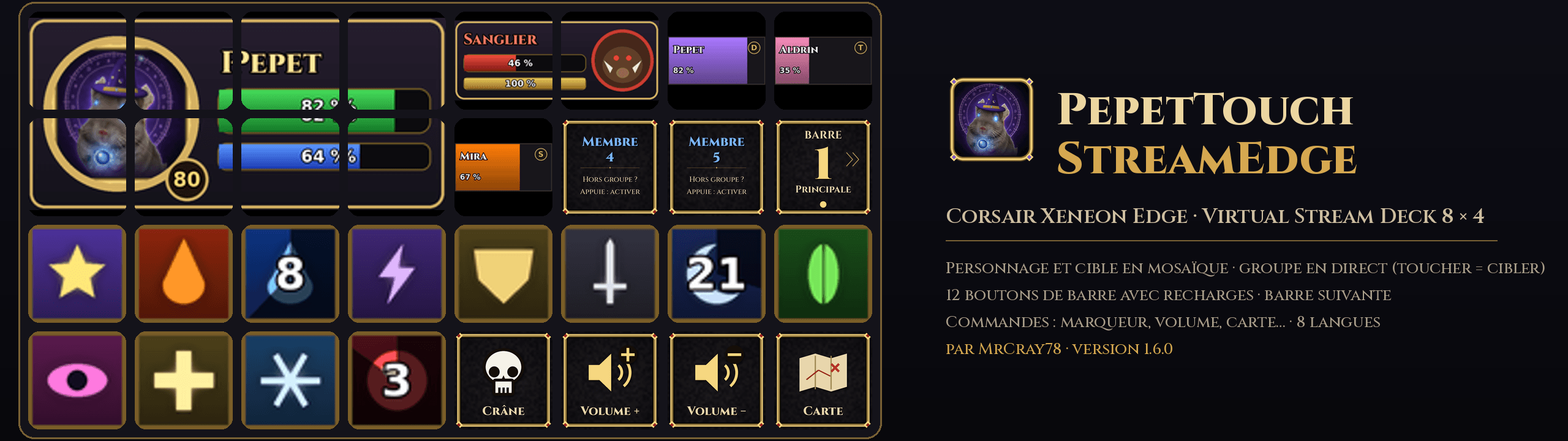
Your character frame, your action bars with their real cooldowns, your target and your party, plus 95 animated command keys, on a Corsair Galleon 100 SD, a Corsair Xeneon Edge (Virtual Stream Deck) or any Stream Deck.
This is the in-game half of PepetTouch StreamEdge.
It works together with the free **PepetTouch StreamEdge** plugin for the Stream Deck app (Elgato Marketplace). The add-on alone does not change your game.
What you get on your keys -
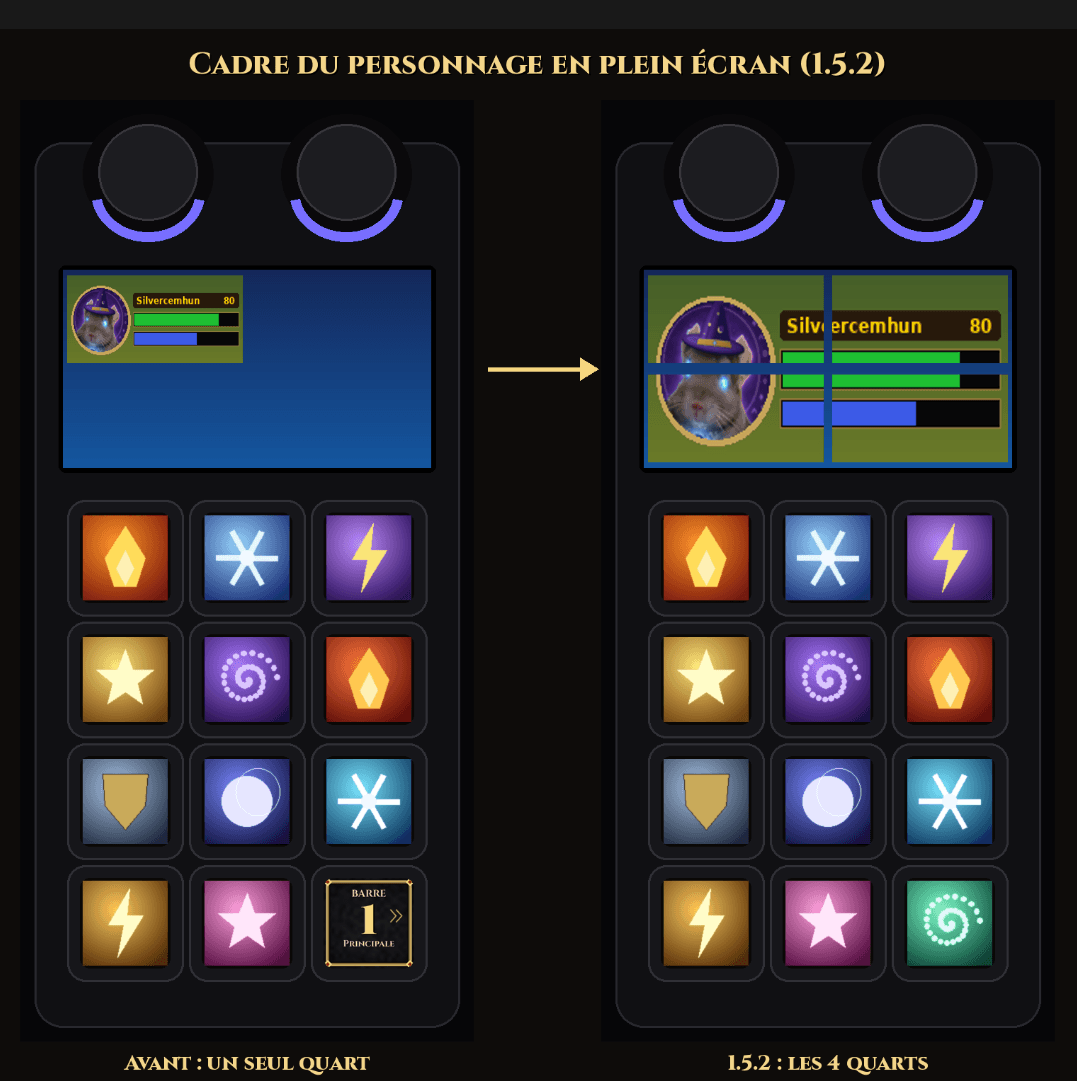
**Live character frame** on a dial screen, on one key, or stretched across several keys.
- **Action bars with real cooldowns.
- ** Each key shows its button as WoW draws it. Press the key to cast, even in combat. Switch between your bars with a single key.
- - **Interface zones:** target, focus, party, boss timeline, damage meter, essential and utility cooldowns, tracked buffs. -
- **Party member keys:** one key per member, in screen order. Press to target that member, even when the party is sorted by role or changes in combat. -
- **95 animated command keys**, each with its own animation and its title in 8 languages: -
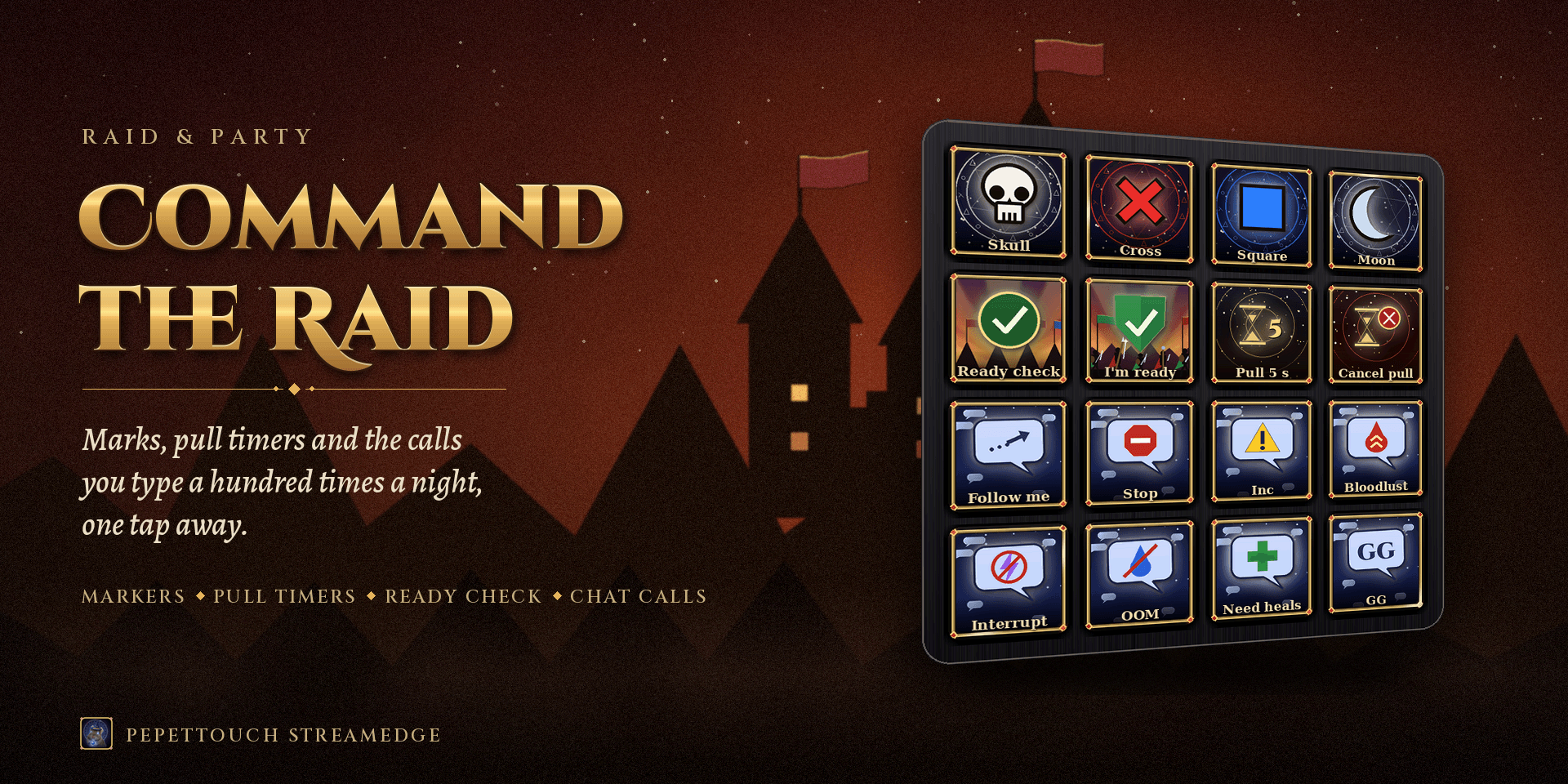
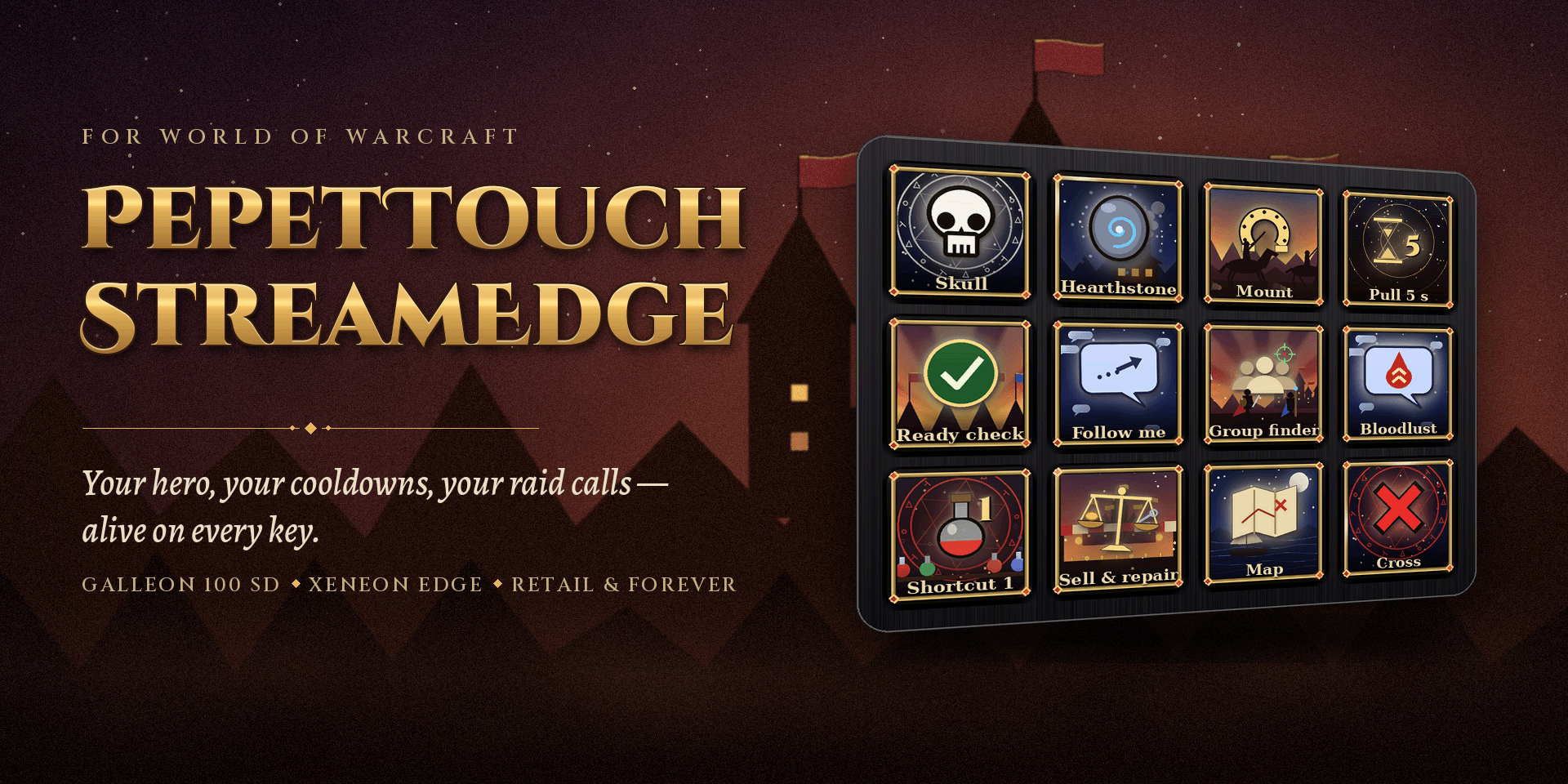
- **Raid:** target markers, world markers (placed under your cursor), ready check, "I'm ready", 10 s countdown, pull 5 s / 20 s, cancel pull. -
- **Targeting:** target self, set focus, target focus, assist. -
- **Windows:** map, bags, character, spellbook, talents, collections, achievements, adventure journal, quests, group finder, cooldown settings, professions, guild, game menu, screenshot. -
- **Sound and camera:** master volume up / down, sound on / off, music, camera zoom (also on dials). - **Emotes:** wave, bow, cheer, dance, thank, laugh, applaud, roar. -
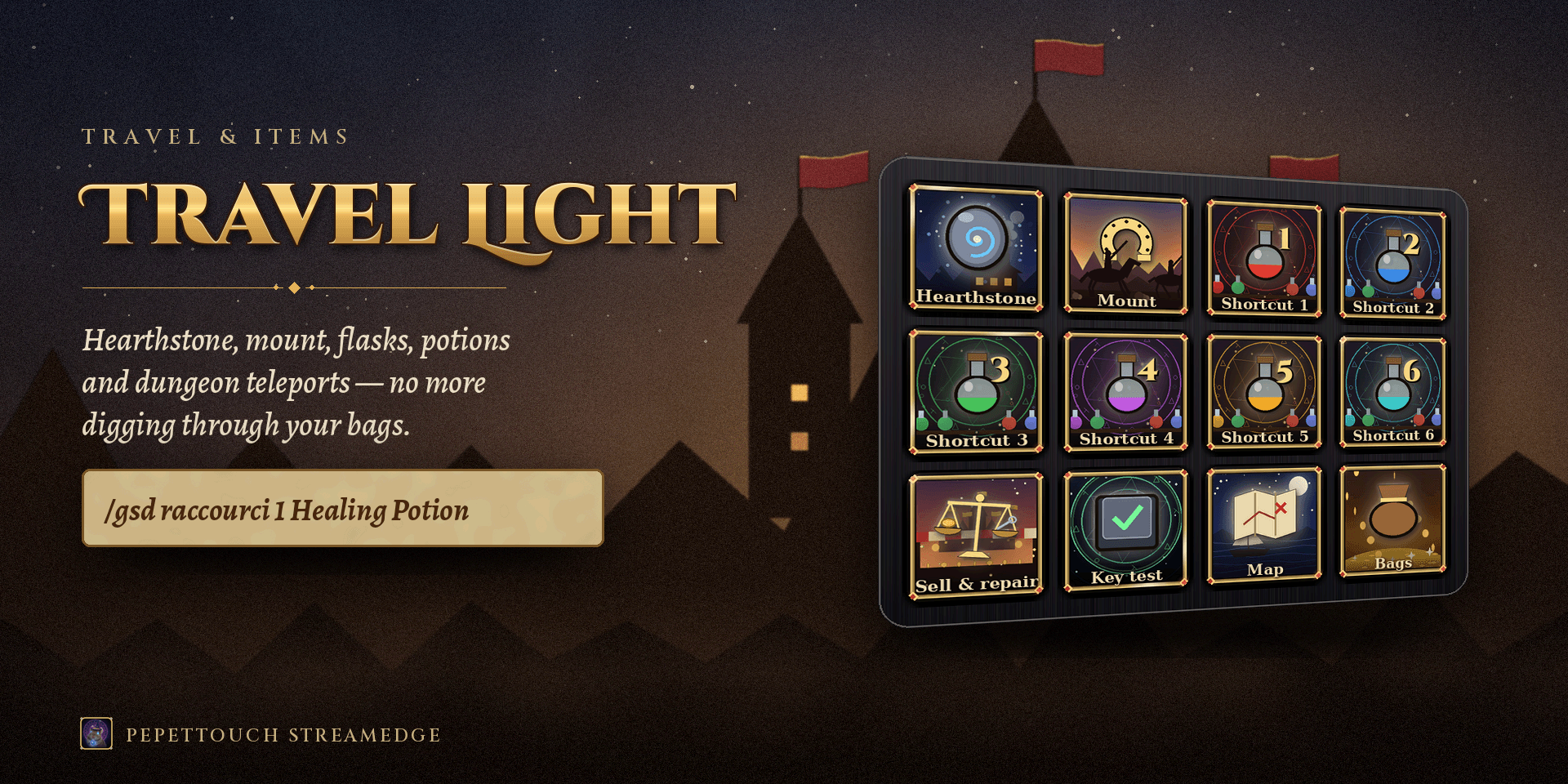
- **Chat messages:** 20 of the calls players type most in dungeons and raids (follow me, stop, stack, spread, pulling, inc, patrol, interrupt, Bloodlust / Heroism, OOM, ready, BRB, GG…), plus 5 custom messages. Each one goes to the right channel automatically (instance, raid, party, or say when solo). - **Travel & items:** Hearthstone, a random favorite Mount (press again to dismount, never while flying), and 9 shortcut keys for flasks, food, potions, runes, dungeon teleports or toys. - **Tools:** sell grey items and repair at a merchant (guild funds first when they cover the cost), and a key test. ## Works with your interface - **Blizzard's default interface, ElvUI, Bartender4, Dominos, or any other action bar or unit frame add-on.** It is detected automatically, with no setting and no special version. Bar numbers follow your UI add-on (its bar 3 is "Bar 3"). - **WoW Forever and WoW Retail** (interfaces 16001 and 12.1.x). - **Light:** UI detection is spread over several frames (about 1 ms per frame at most). Bar tracking creates no temporary data while nothing moves. ## Fair play - **One key press = one action.** The Stream Deck plugin sends a single keyboard shortcut per press, and only when WoW is the active window. There is no automation, no rotation and no macro chaining. -
- **Combat values are not read.** Health, resources and cooldowns are secret values in WoW. The plugin reads the screen around tiny gold-rimmed markers placed by this add-on. Your interface is not modified. - **Your key bindings are not touched.
- ** The add-on adds its own override bindings (Ctrl / Alt / Shift with F-keys and the numpad), which disappear with the add-on. `/gsd keys` turns them off and on. -
- **Actions go through WoW's own secure buttons,** exactly like a macro on your bar. ## Requirements - Windows 10 or 11. - The Stream Deck app 7.2 or later, with the **PepetTouch StreamEdge** plugin. - WoW in **Windowed (Fullscreen)** mode.
- A Corsair Galleon 100 SD, a Corsair Xeneon Edge (Virtual Stream Deck), or any Stream Deck with keys. Dials are supported on Stream Deck +.
- ## Getting started
- 1. Install this add-on and the Stream Deck plugin.
- 2. In the Stream Deck app, drag "PepetTouch StreamEdge" actions onto your keys: character frame, action bar buttons, next bar, party members, and the animated commands.
- 3. Log in. Your character frame and visible bars appear on your keys within a second or two.
- 4. Press the **Key test** key (Tools page). It prints "key received" in your chat with the add-on version, and warns you if WoW reads these keys as its self cast key.
- 5. Type `/gsd info` to see what the add-on tracks, including the bars it recognised from your UI add-on. ## Commands (optional) `/gsd`, `/pepet` or `/pts`: - `/gsd info`: status of the frame, bars, zones and key bindings. - `/gsd zones` · `/gsd zone NAME`: list zones, or turn one on or off (target, focus, party, boss timeline, damage meter, essential cooldowns, utility cooldowns, tracked buffs). - `/gsd shortcut N item`: set Shortcut N (1 to 9) to an item, spell, toy, Shift-click link or `/…` macro line. `/gsd shortcut hearth NAME` and `/gsd shortcut mount NAME` change those two keys. `/gsd shortcut` lists them. - `/gsd message N text`: set custom message N (1 to 5). `/gsd message` lists them. - `/gsd calibrate`: show the bar calibration line again for 4 seconds. - `/gsd keys`: remove or restore the add-on's key bindings. - `/gsd bar N`: ignore or track again bar N (`/gsd bar all` restores every bar). - `/gsd size N`: marker size, 3 to 8 pixels (default 4). `/gsd style minimal` removes the gold rim. - `/gsd markers`: hide or show all markers. - `/gsd lang CODE`: language of the add-on messages (en, us, fr, es, de, zh, ja, auto). ## Languages Add-on messages: English, French, Spanish, German, Chinese and Japanese. They follow your WoW client by default. Chat messages are sent in the add-on's language. The Stream Deck plugin is fully translated into 8 languages: English (UK and US), French, Spanish, German, Chinese, Japanese and Arabic. ## Good to know - World markers are placed under your mouse cursor, as in WoW. Ready checks and countdowns need leader or assistant in a group. -
- Since Midnight, WoW blocks add-on chat messages during instanced boss fights.
- The add-on tells you, and messages work again after the boss. - Spell icons are not included (they belong to Blizzard): your keys show what your game shows. All other images are original artwork made for this project.
- Made by MrCray78. Not affiliated with Blizzard Entertainment. World of Warcraft is a trademark of Blizzard Entertainment, Inc.
PepetTouch StreamEdge Team