PeaversMiniMap
- By
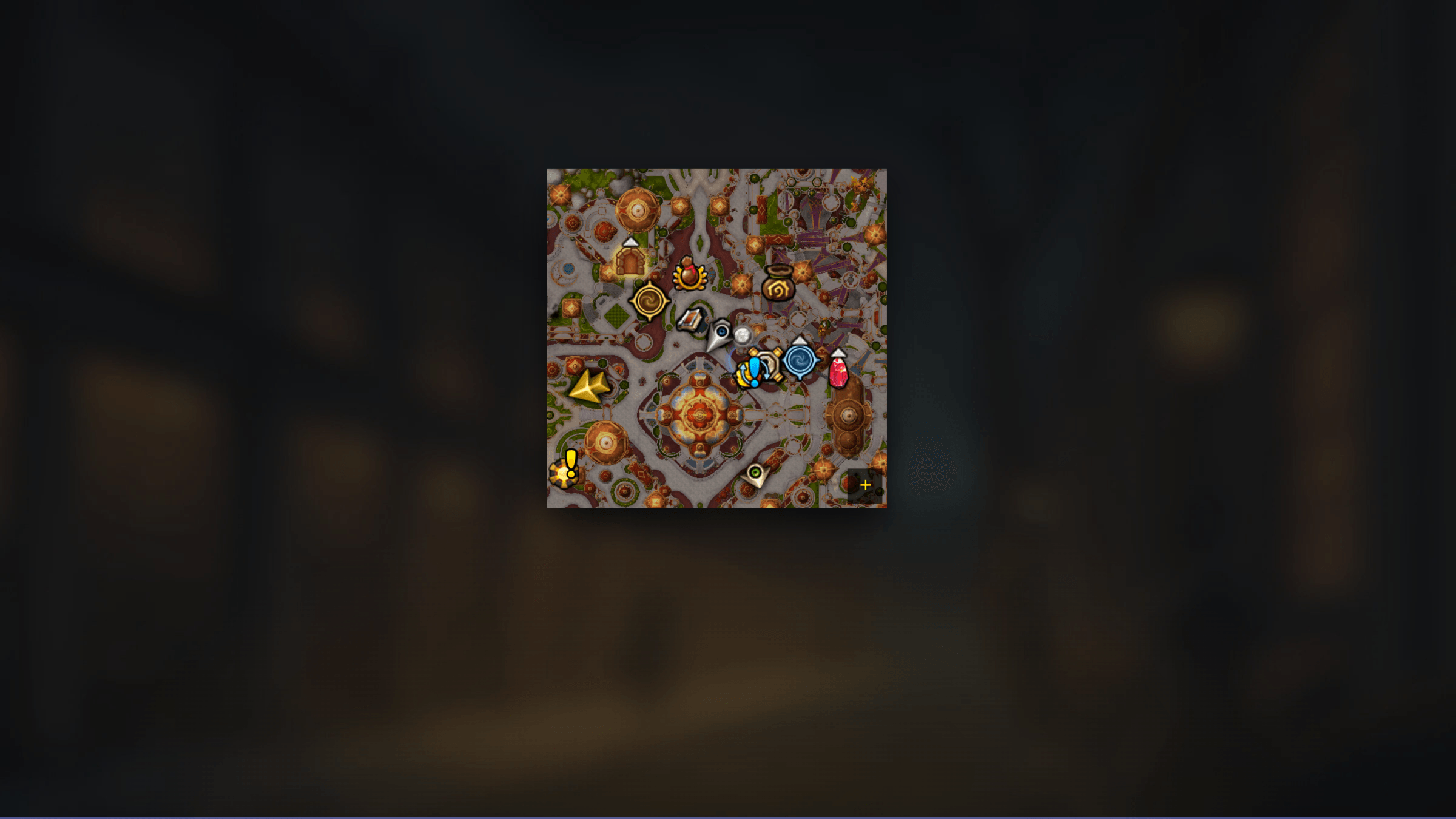
A World of Warcraft addon that turns the minimap into a clean square pinned to a corner of your screen, and gathers every addon button that scatters itself around the edge into one tidy grid.
PeaversMiniMap.png
Description
PeaversMiniMap


A World of Warcraft addon that squares the minimap, pins it to a corner of the screen, and gathers the addon buttons scattered around its edge into one tidy grid.
Part of the Peavers Ultra Performance family: addons that hold themselves to a published budget, measured on every push.
Measured performance
A minimap addon lays the map out once and then gets out of the way, so the claim
here is a negative one — no per-frame work at all, and nothing left on a timer
once login has settled. A negative claim is exactly the kind that rots quietly,
so it is measured rather than asserted. The table below is regenerated on every
push by the
Ultra Performance harness,
which loads this addon's real source into a Lua VM, drives a full login, then
hunts down every OnUpdate handler the addon installed on any frame it created
and ticks them for a simulated second. If any number goes outside
perf/budget.json, the build fails.
Measured on every push by the Ultra Performance harness. The build fails if any number here exceeds the budget in
perf/budget.json.
| Check | Measured | Budget | |
|---|---|---|---|
| Packaged size | 86.4 KB | 110 KB | pass |
| Bundled libraries | 0 | 0 | pass |
| Widget calls per frame | 0 | 0 | pass |
| Widget calls per second while idle | 0 | 0 | pass |
Scenarios driven against the real addon source, outside the game:
| Scenario | Calls/frame | Notes |
|---|---|---|
| login: square applied, 32 buttons collected | 0.00 | 823 client calls, one-off |
| 10 addons register buttons in one frame | 0.00 | 326 client calls, 1 coalesced layout pass, 42 buttons in the grid |
| steady state, 144fps | 0.00 | 0 OnUpdate handler(s) across 144 frames; 0 tick(s) |
| steady state, 60fps | 0.00 | 0 OnUpdate handler(s) across 60 frames; 0 tick(s) |
| idle, one second at 144fps | 0.00 | 0 handler(s), 0 queued timer(s) |
| disable and restore Blizzard's minimap | 0.00 | 487 client calls, one-off |
<sub>2,348 lines of Lua · 86.4 KB packaged · no bundled libraries</sub>
The zeroes are the whole point, so they are worth explaining:
- It takes work away as well as avoiding it. Collected buttons lose their drag handlers, which is what a LibDBIcon button uses to run an
OnUpdatefor as long as you hold one. - Repeated changes cost one pass. Twenty addons registering buttons during login produce a single layout, not twenty. The coalescing uses a one-shot timer that fires and stops, never a ticker.
- A hidden grid is genuinely free. WoW does not tick hidden frames, so buttons parked in a collapsed grid cost nothing at all.
- Reapplies are event driven. The square survives Edit Mode through hooks that fire only when something else moves the map, so holding the layout costs nothing while nothing is happening.
- Login settles to silence. Three one-shot sweeps catch addons that register late and then stop for good — the harness asserts no timers are left queued afterwards.
Features
- Square minimap, pinned to whichever screen corner you choose
- Addon buttons collected into a grid that they cannot wander out of
- Blizzard's own buttons too - calendar, Omnium Folio, addon compartment - each one into the grid, onto a corner, or gone
- The group finder eye and difficulty flag can be pinned to any corner of the map and resized
- Stops the quest tracker being dragged across the screen with the minimap
- Adjustable size, scale and border, with the clutter hidden out of the box
- Fully reversible: turning it off restores Blizzard's minimap exactly, with no reload
- Runs nothing per frame and nothing on a timer
Usage
The addon squares and repositions the minimap as soon as you log in. Everything else is optional and lives in the settings, under /pmm.
Addon buttons are collected into a grid beside the map. The grid can sit below, above or to either side, and can be shown always, only while the pointer is over the minimap, or behind a small button on the map's corner.
Blizzard's own minimap buttons get the same three choices - in the grid, on a corner of the map, or hidden - from the Blizzard settings page, along with position and size for anything sitting on the map.
Slash Commands
/pmm- Open settings/pmm size N- Set the square's edge length in pixels (100-400)/pmm scan- Look for addon buttons that appeared late/pmm buttons- List every collected button/pmm enable//pmm disable- Turn the addon on, or restore Blizzard's minimap/pmm info- Print minimap diagnostics
The button grid
Buttons are identified by exclusion rather than by a list of known addons, so a button from an addon released tomorrow is collected too. Once a button is in the grid it cannot move itself again - that is the whole point, and it is why buttons stop scattering across the corners of a square map.
Any button you would rather leave alone can be excluded from the Buttons page in the settings; excluded buttons go straight back to wherever their own addon put them.
The grid can sit below, above or to either side of the map, and can be shown always, only while the pointer is over the minimap, or behind a small button on the map's corner. If you set it to hover or click-to-open, remember that anything you have put in the grid is hidden with it - including the group finder eye.
Blizzard's own buttons
A round minimap had room around its edge for the calendar, the group finder eye, the Omnium Folio button and the addon compartment. A square one does not, so the Blizzard settings page gives each of them the same three choices: in the grid, on the map's corner, or hidden.
Out of the box the Omnium Folio and world map buttons go to the grid; the mail icon, difficulty flag and group finder eye stay on the map, because they are status lights as much as buttons and are no use in a grid you can collapse; and the tracking button, calendar, addon compartment, clock and zoom buttons are hidden. Nothing is lost by hiding those - right-clicking the map still opens the tracking menu, and the calendar and addon compartment are both reachable elsewhere.
Every one of them is three clicks from being somewhere else, so if those choices are not yours, change them.
Anything sitting on the map can be placed and resized from the Placement controls on the same page: pick the widget, pick a corner (or the centre), then nudge it with the offset sliders and size it with the scale slider. Offsets measure inward from the anchor, so the same numbers read the same way whichever corner you choose. Bear in mind the difficulty flag, mail icon and eye only appear when they have something to say - you may need to be in an instance or a queue to see a change.
The quest tracker
Blizzard's default layout anchors the objective tracker to the minimap, so pinning the map to a corner drags the quest list along with it. The addon gives the tracker an anchor of its own the first time it moves the map, which leaves it where it was - and you can still move it in Edit Mode afterwards. Set it back to "let it follow the minimap" if you would rather Blizzard kept control.
Installation
Recommended: PeaversUpdater
Download and install PeaversUpdater, the desktop updater for the whole Peavers collection. It installs PeaversMiniMap together with its required dependencies and delivers updates before they reach CurseForge.
Alternative: CurseForge
- Download from CurseForge
- Ensure PeaversCommons is also installed
- Ensure PeaversConfig is also installed
- Enable the addon on the character selection screen
Part of the Peavers addon collection · Report an issue · Support development on Patreon
PeaversMiniMap Team

Owner