Capture d'écran 2026-10-10 145537.png
Description
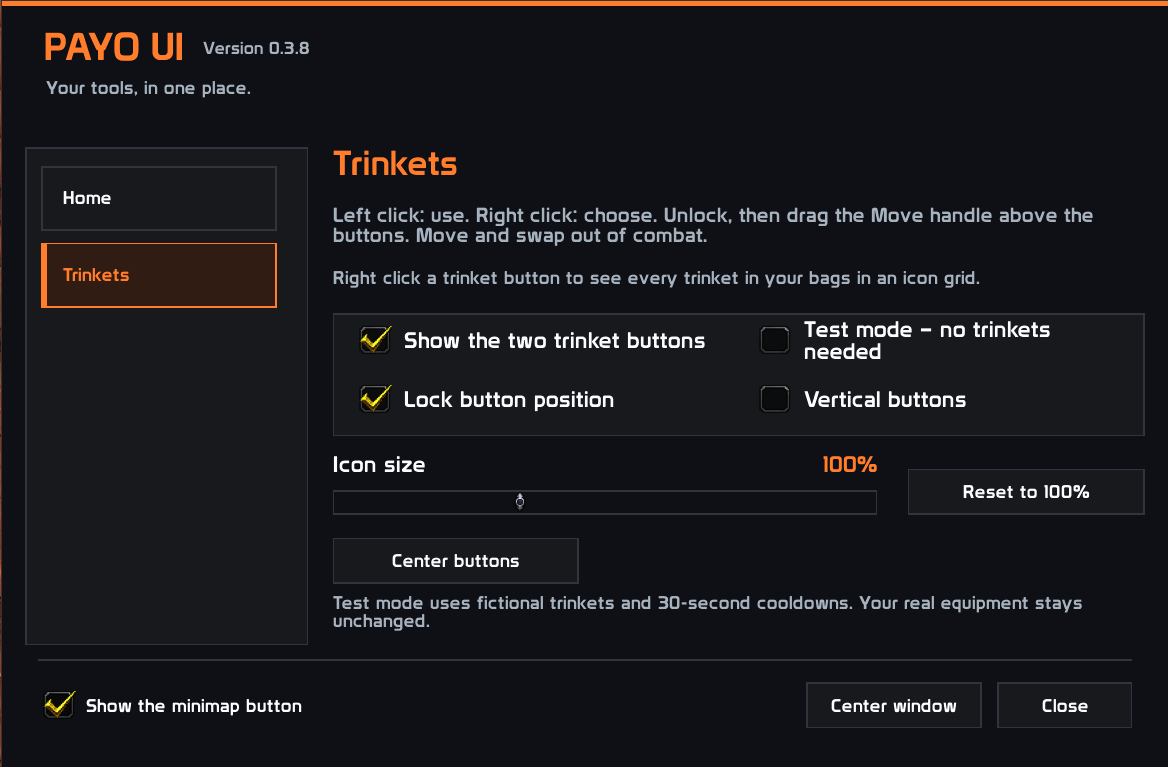
Payo UI makes managing your trinkets quick and convenient. Two compact buttons display your equipped trinkets and their cooldowns, using Blizzard’s action button appearance.
Features
- Left-click to use an equipped trinket, including during combat.
- Right-click to browse the trinkets in your bags.
- Quick swapping — select a trinket to equip it and immediately close the picker.
- Single-item tooltips — see only the hovered item’s tooltip.
- Customizable placement — horizontal or vertical layout, saved position, and optional position locking.
- Clickable while unlocked — keep using your trinkets while adjusting their placement.
- Test mode — try the interface with simulated trinkets and cooldowns.
- Minimap button for easy access to settings.
To move the buttons, unlock their position and drag either button with the middle mouse button. Moving the buttons and swapping trinkets require being out of combat.
Payo UI Team