Area's PartyDash
- By
Organize dungeon groups, chat, roles and remembered gear in a compact dashboard with optional music controls.
Screenshot 2026-11-13 085545.png
Screenshot 2026-11-13 085522.png
Screenshot 2026-11-13 085513.png
Screenshot 2026-11-13 085506.png
Screenshot 2026-11-13 085454.png
Description
PartyDash
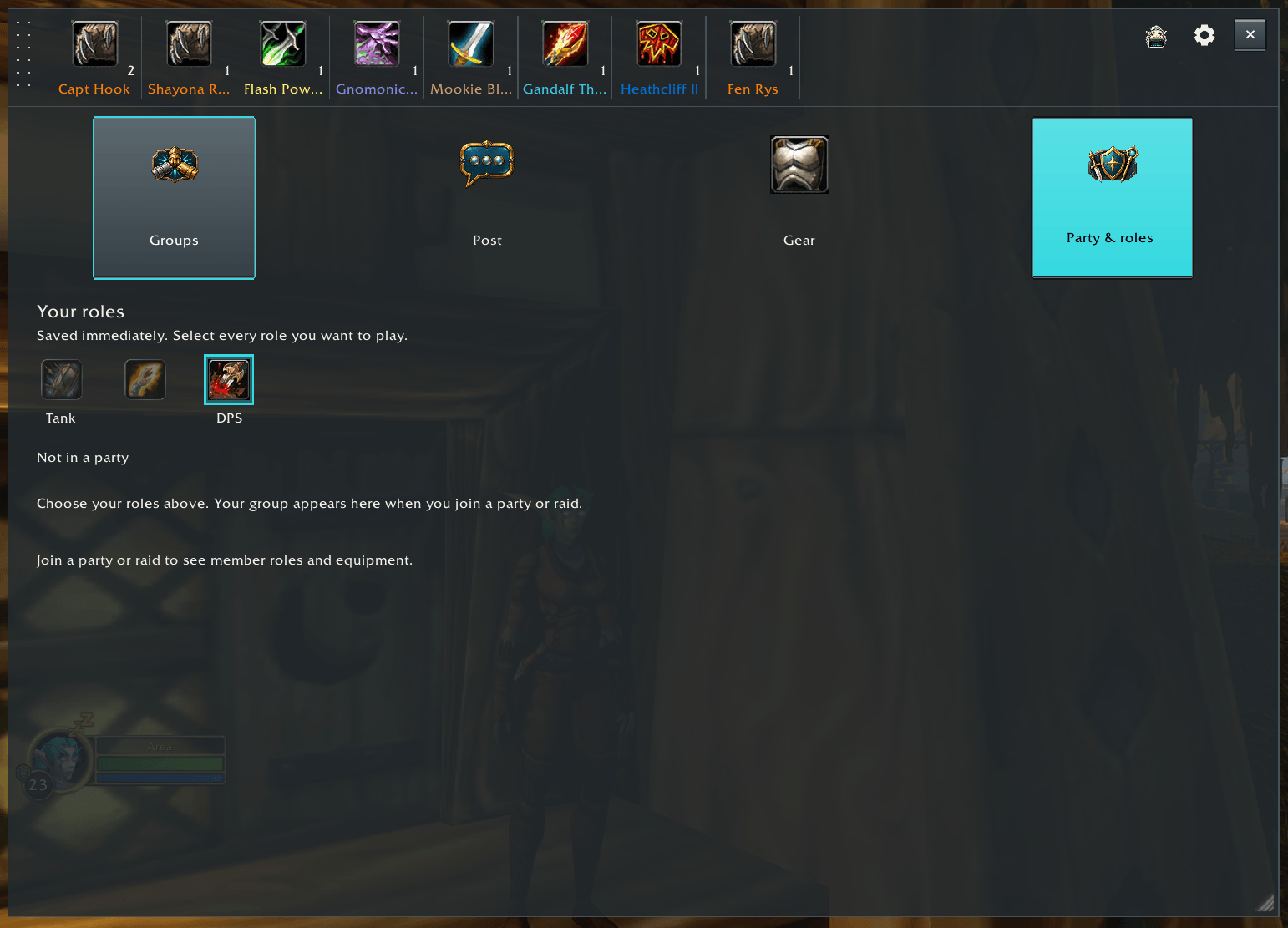
PartyDash puts group posts, dungeon filters, party roles and remembered player details in one dashboard. Keep it open while you look for a group, or collapse it into a small bar while you play.
Built for WoW Forever 1.60.1.
Groups and chat
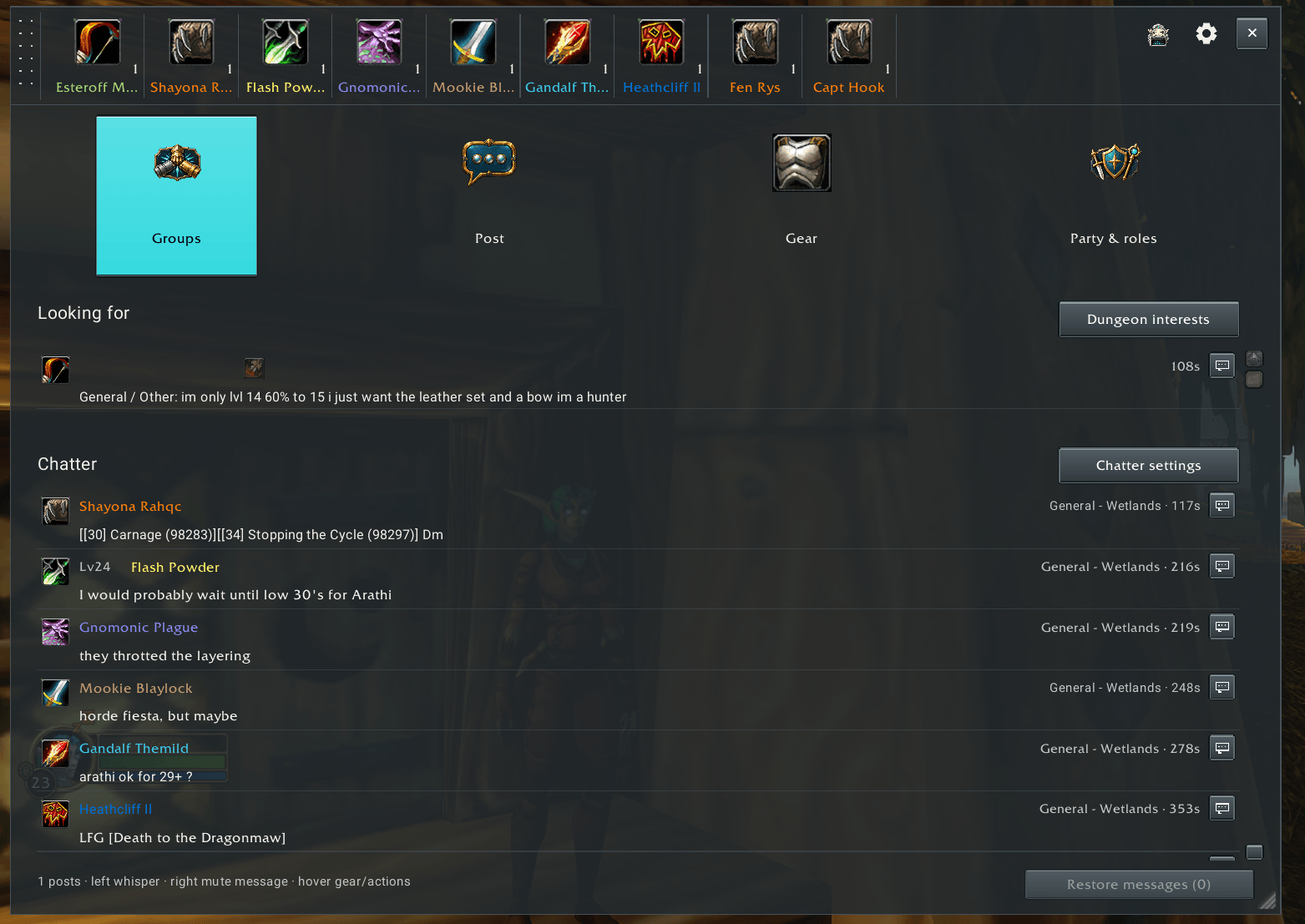
- Find recognized group posts in the chat your character receives, then filter by the dungeons and roles you care about.
- Keep matching group listings in the compact bar, with an optional view of recent Chatter activity.
- Choose party roles and open player actions from the same window.
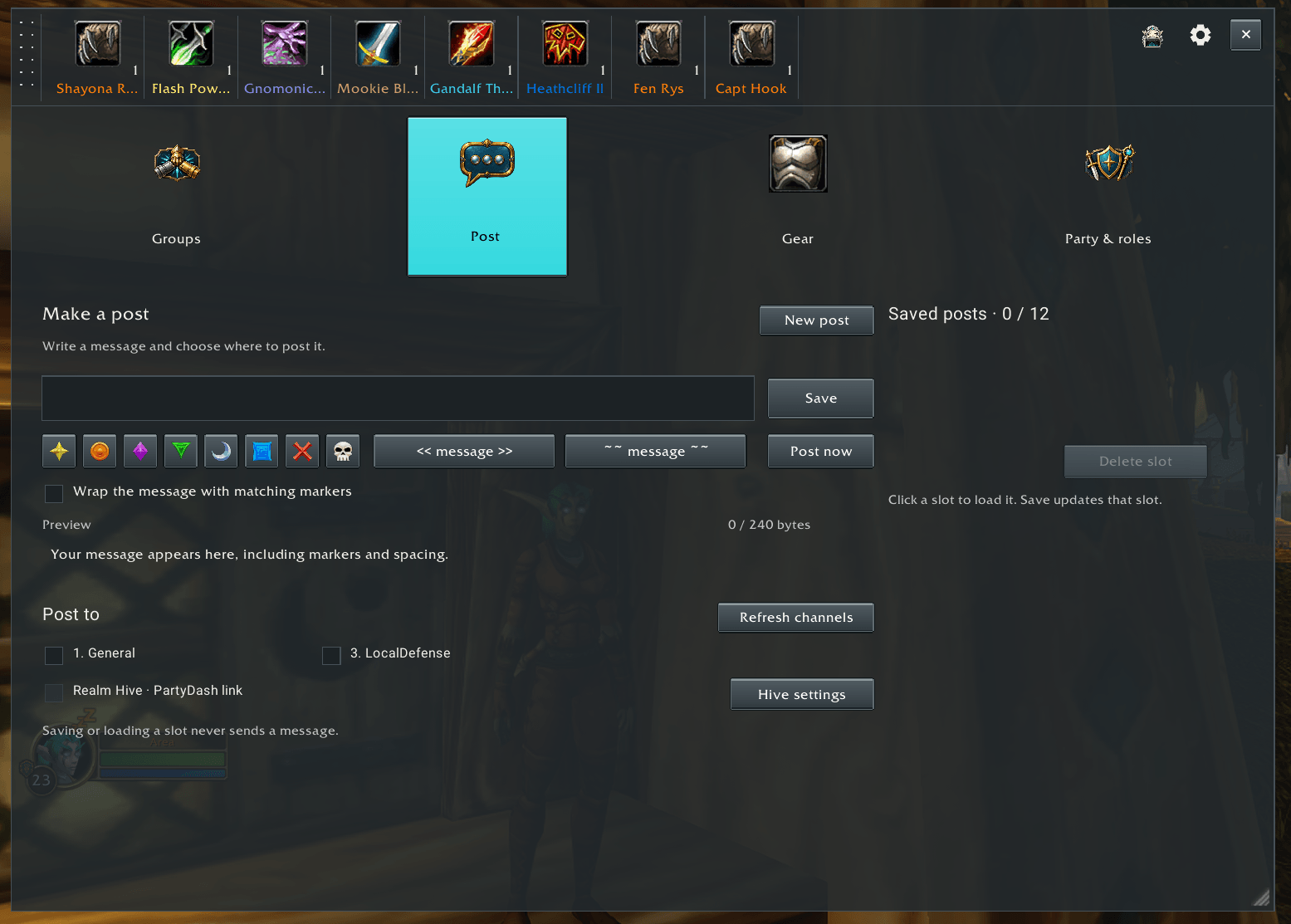
- Save up to twelve message templates and post to your selected chat channels when you press Post.
- Temporarily mute an individual message, then bring it back with Restore messages or Undo.
PartyDash works with the chat you can see. It does not scan an entire realm or guarantee that every group is listed. You choose when to post; there is no automatic repost loop.
Gear and player memory
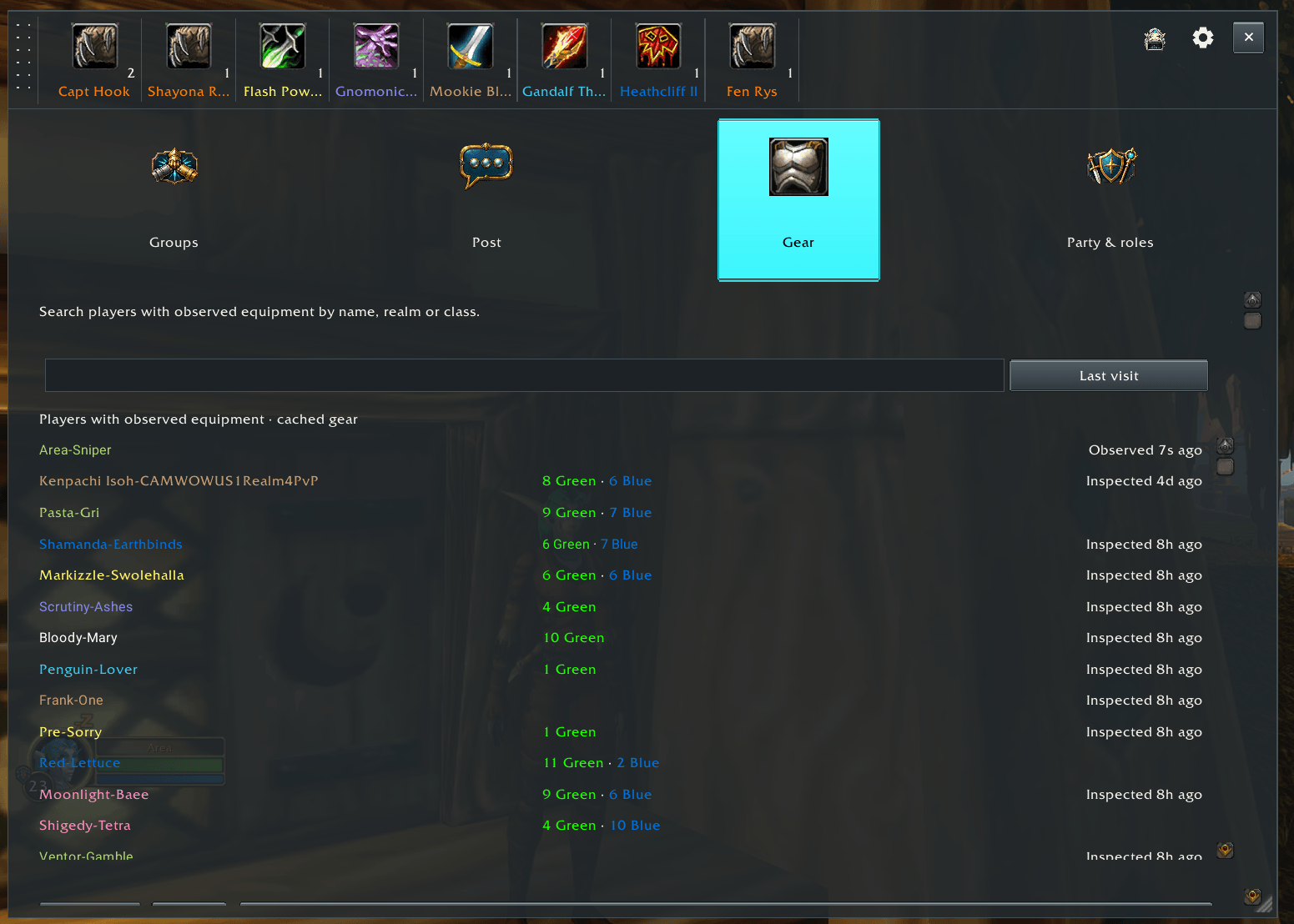
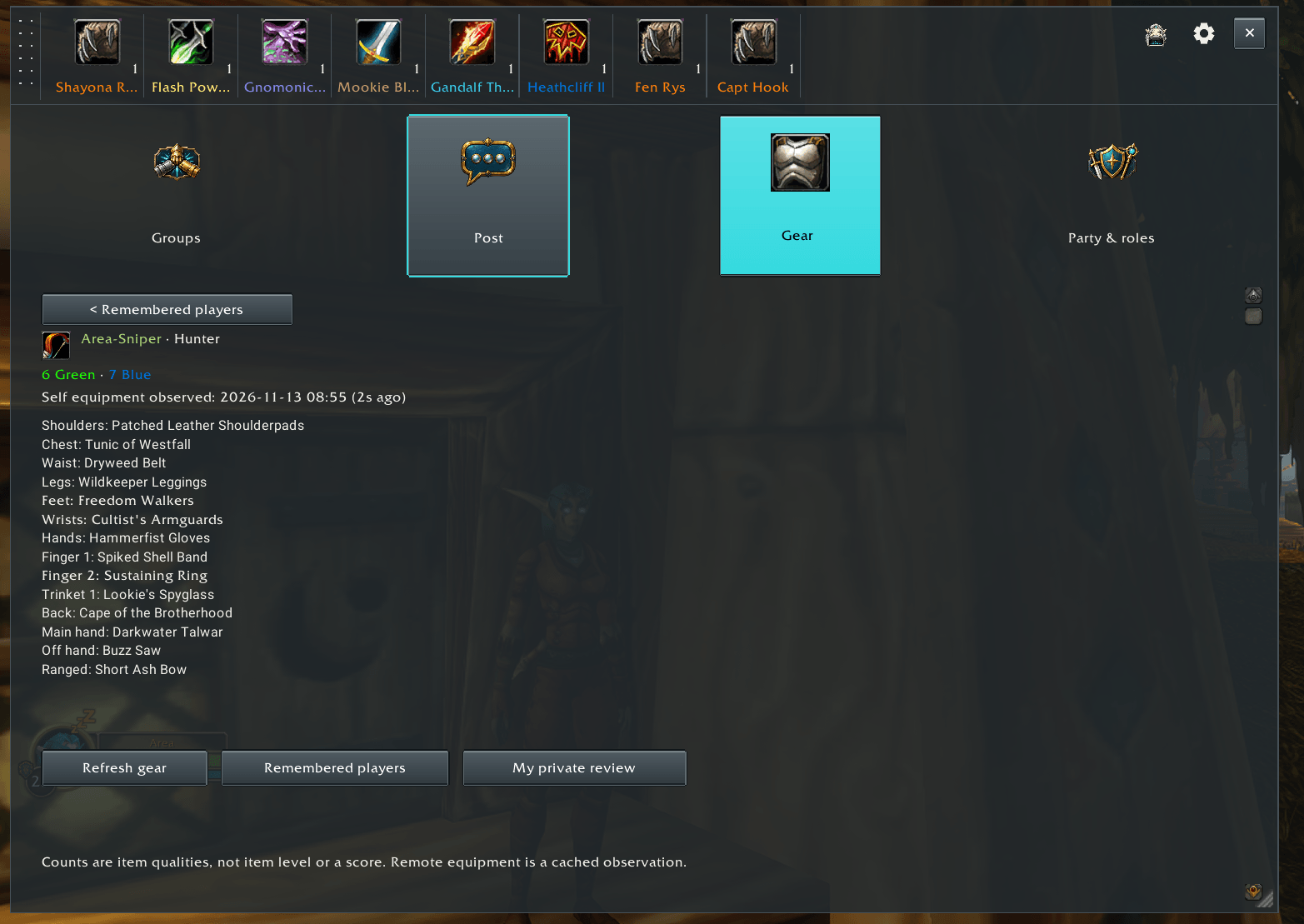
Open the Gear tab for your own equipment, or use a player's Gear action to see the equipment PartyDash has observed. Remembered players can include last-known class, level, gear and local instance visit history, along with your own private role ratings and notes.
Inspection depends on the game exposing a nearby, inspectable player. Stored details are observations and can become outdated. A recorded instance visit does not claim that a dungeon was completed.
ElfAmp and OrcAmp
The optional music player is ElfAmp on Alliance characters and OrcAmp on Horde characters. Choose from 193 game music cues referenced from the client, or import your own MP3, OGG or WAV files. Opening the player or selecting a track stays quiet until you press Play.
Replace zone music is optional. When you play a track, it temporarily quiets the normal zone music; Stop restores the previous music setting. Close hides the player while playback continues.
Appearance and controls
Move and resize the dashboard, use the compact bar, and adjust colors, opacity and text size. The regular WoW font is the default; Roboto is available as an alternative. The circular minimap button uses the smaller size of the other Area add-ons.
/pdopens Groups./pd settingsopens filters and appearance./pd postopens the composer and saved messages./pd gearopens your equipment./elfampor/orcampopens the music player; addfullorcompactto choose its view./pd helpshows more commands.
Minimap controls: left-click for Groups, Shift-left-click for Party and roles, and right-click for Settings.
Your data
Your private ratings, notes and remembered equipment stay in local addon data. Optional role sharing sends your selected roles through party or raid addon messages. Realm Hive is a separate, optional in-game channel for PartyDash posts; both features start off for new settings. The optional version notice feature exchanges addon versions with party, raid or guild peers; it does not check CurseForge directly or download updates.
Manual posts go to the destinations you select. Review names and private notes before sharing screenshots or SavedVariables in a bug report.
Install and update
Install the PartyDash folder in your Forever client's Interface/AddOns folder, then fully restart WoW. The folder should contain PartyDash.toc directly. No separate LFG Bulletin Board or music addon is required.
Existing PartyDashBeta testers should back up their addon and saved settings while WoW is closed, then follow the included migration guide. Enable only one PartyDash identity at a time.
This release targets Forever 1.60.1. Other WoW branches are not included in its compatibility claim. If you find a problem, include your addon version, exact client build, steps and any Lua error, without posting your entire private saved-data file.
Created by Area51Labs. Original PartyDash code and artwork are All Rights Reserved. Adapted LFG Bulletin Board data retains its included MIT/BSD notices. Roboto Regular is distributed with its Apache 2.0 license and notice.
Area's PartyDash Team