WorldMap & Battlefield Minimap
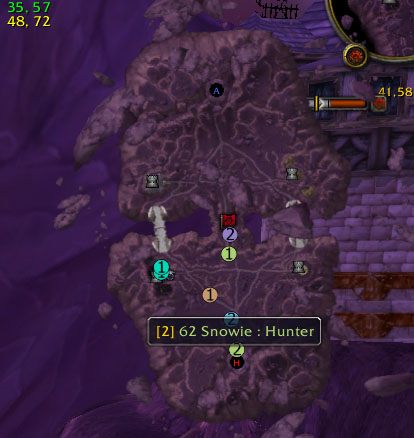
PartySpotter Combined Viewing
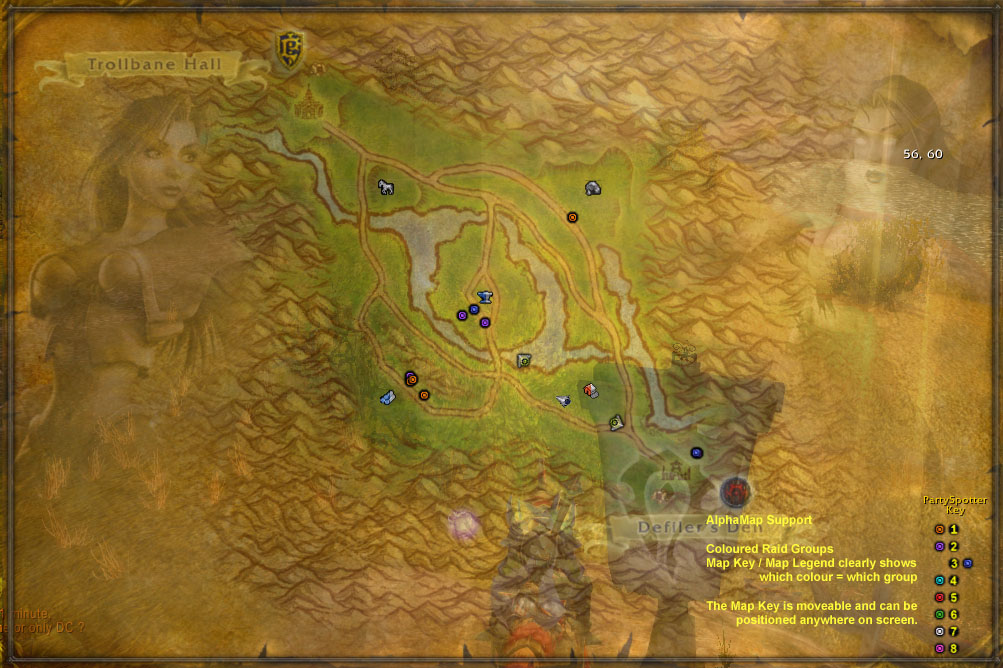
AlphaMap with Coloured Raid Groups
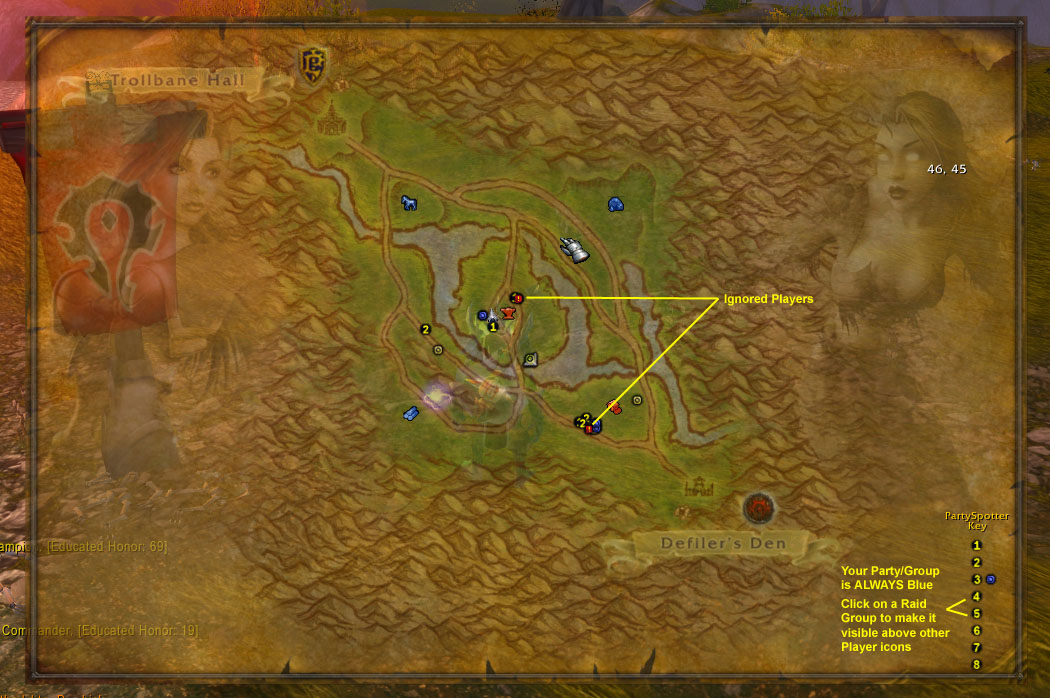
AlphaMap with Numbered RaidGroups
Description
PartySpotter
Telic has been kind (crazy) enough to allow me to take over the care and feeding of this beast. Please be patient with me a bit while I get up to speed on the code. I'll get regular updates going as soon as I can. In the meantime, please feel free to visit PartySpotter's official technical support forum in the "Support" section at http:forums.nUIaddon.com for any questions or comments you may have on this addon.
Summary
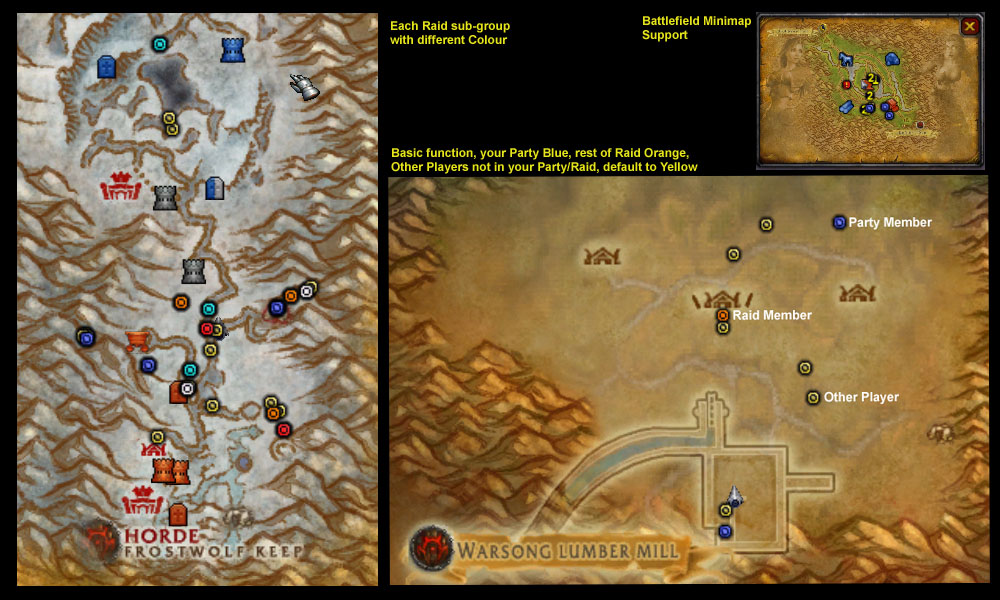
Small, standalone Modification that adds extra information to the Party/Raid dots and tooltips (compatible with BG Raid groups). Compatible with WorldMap, BattlefieldMinimap, AlphaMap (including AlphaMap Battleground maps).
Has Multiple viewing modes - just use the provided key binding or Left-Click on the WorldMap PartySpotter button to cycle through them when in a Raid/Battleground and see which mode you find most useful.
Default mode displays player dots as numbered icons showing the Raid Group they belong to, and are also coloured based on the character class of that player.
Rings around player dots will also indicate when players are : Corpses (Black ring) Ghosts (Grey ring) AFK/Inactive (Pink ring) In Combat (Red ring)
Now integrated with both the Raid Frame, and the Battlefield Score Board : mouse over players to flash their position on the map. : mouse over Class buttons to highlight all players of that class on the map. : Alt-Click on Players to permanently highlight them and track them via the minimap
Individual groups can be highlighted on the map by clicking on that group number in the PartySpotter Map Key (Map Legend).
Chat messages can be prefixed with the number of the Raid Group a player is in, and/or they can be coloured based on the Raid group the player is in if viewing Coloured Raid group dots.
Can also highlight Friends or Ignores or Guild Mates in the Raid. Key binding or WorldMap Button can be used to cycle through the different highlighting modes.
Use a key binding or <Control>-Left-Click on the WorldMap PartySpotter button to show/hide Map Keys.
Can also track the Raid Leader via slash command
USE "/pspot" FOR A STATUS REPORT AND A FULL LIST OF SLASH COMMANDS.
IMPORTANT KEY BINDINGS INTENDED AS THE MAIN / EASIEST WAY TO CHANGE PARTYSPOTTER BEHAVIOUR ====== Your title here...
- Key binding to highlight your Party members only so you can check where they are Press again to go back to the viewing mode you were using previously
- Key binding to cycle through the main PartySpotter modes 1.) Show Numbered Raid sub-groups coloured by Character Class 2.) Show Differently Coloured Raid sub-groups 3.) Show Numbered Raid sub-groups 4.) Show Player dots Coloured based on Character Class 5.) Show All Other Raid sub-groups in the same colour NOTE: Left-Click on the WorldMap PartySpotter Button to cycle through the above viewing modes
- Key binding to cycle through the PartySpotter highlighting functions 1.) Friends 2.) Ignores 3.) Guild mates 4.) No Highlighting NOTE: Right-Click on the WorldMap PartySpotter Button to cycle through the highlighting modes
- Key binding to Show/Hide the Map Keys NOTE: <Control>-Left-Click on the WorldMap PartySpotter Button to Show/Hide the Map Keys
Slash Commands
/pspot : Displays PartySpotter Status, & the full list of slash commands
Please see the enclosed Readme.txt file for other commands, or use the basic /pspot command in-game.
PartySpotter Team

Owner