


Parsed - Top Players' Gear, M+ Talents & Group Finder
- By
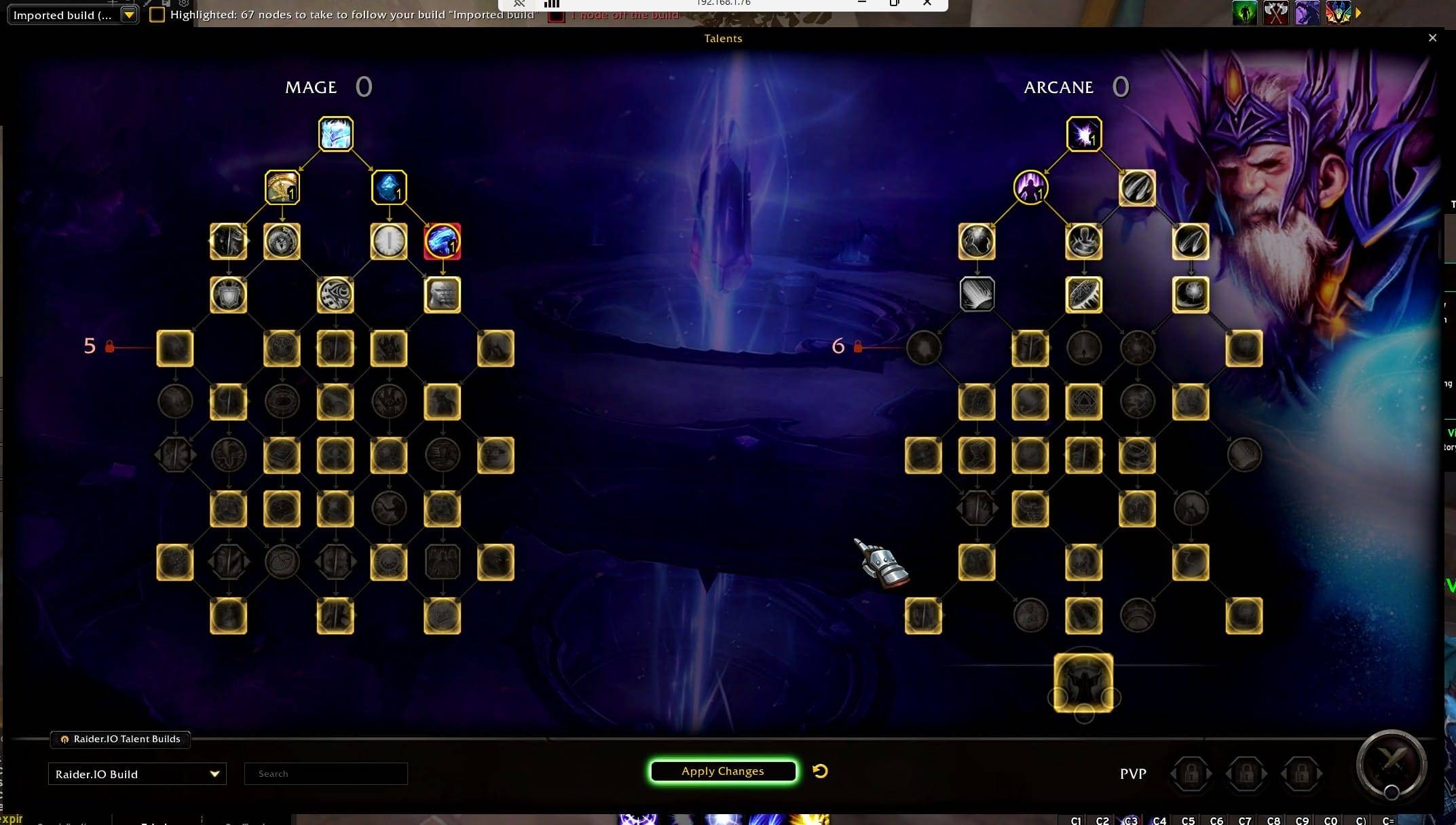
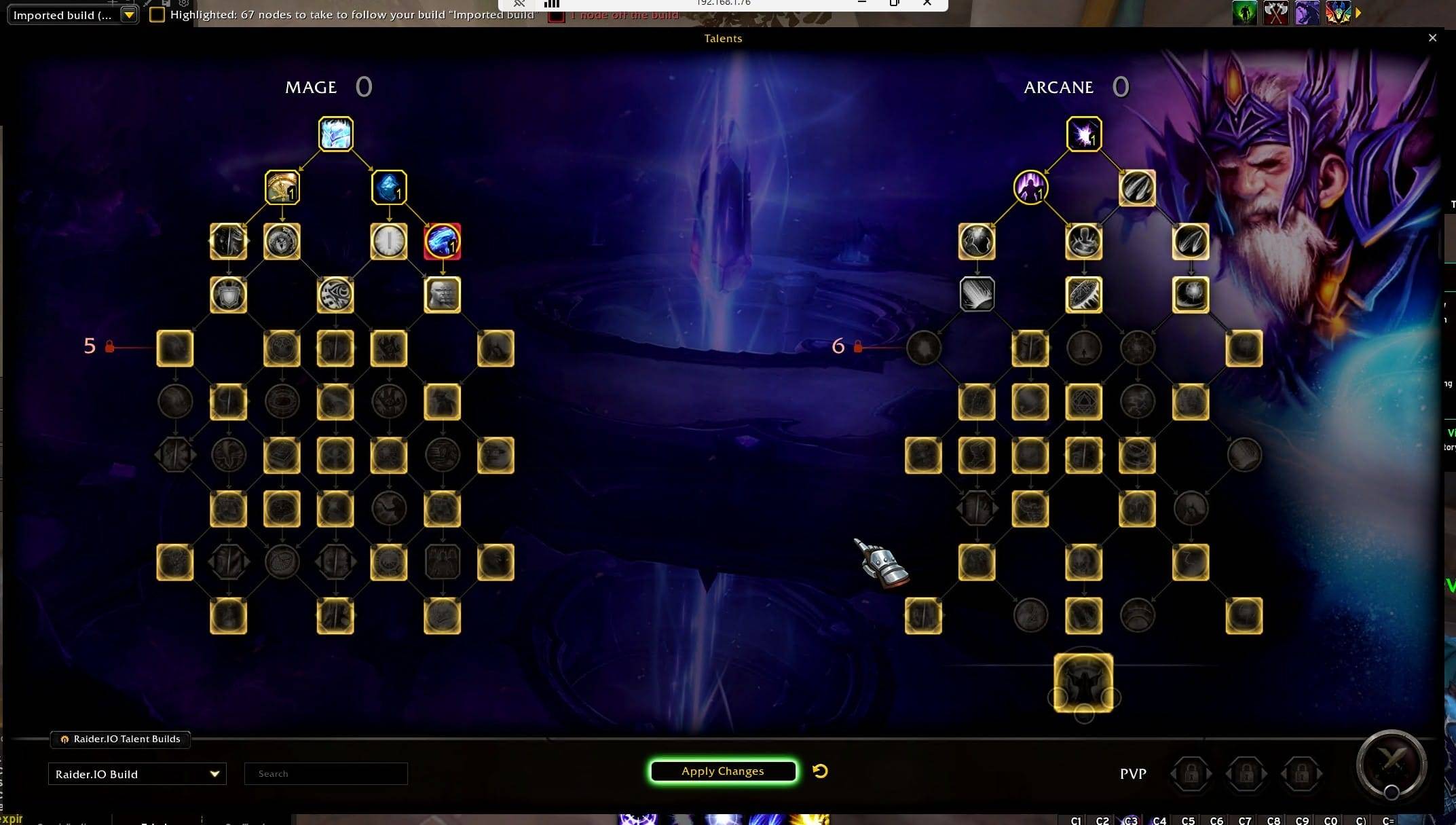
The Mythic+ build of the top players of your spec, highlighted node by node in the game's talent window. A point spent off the build lights up in red.
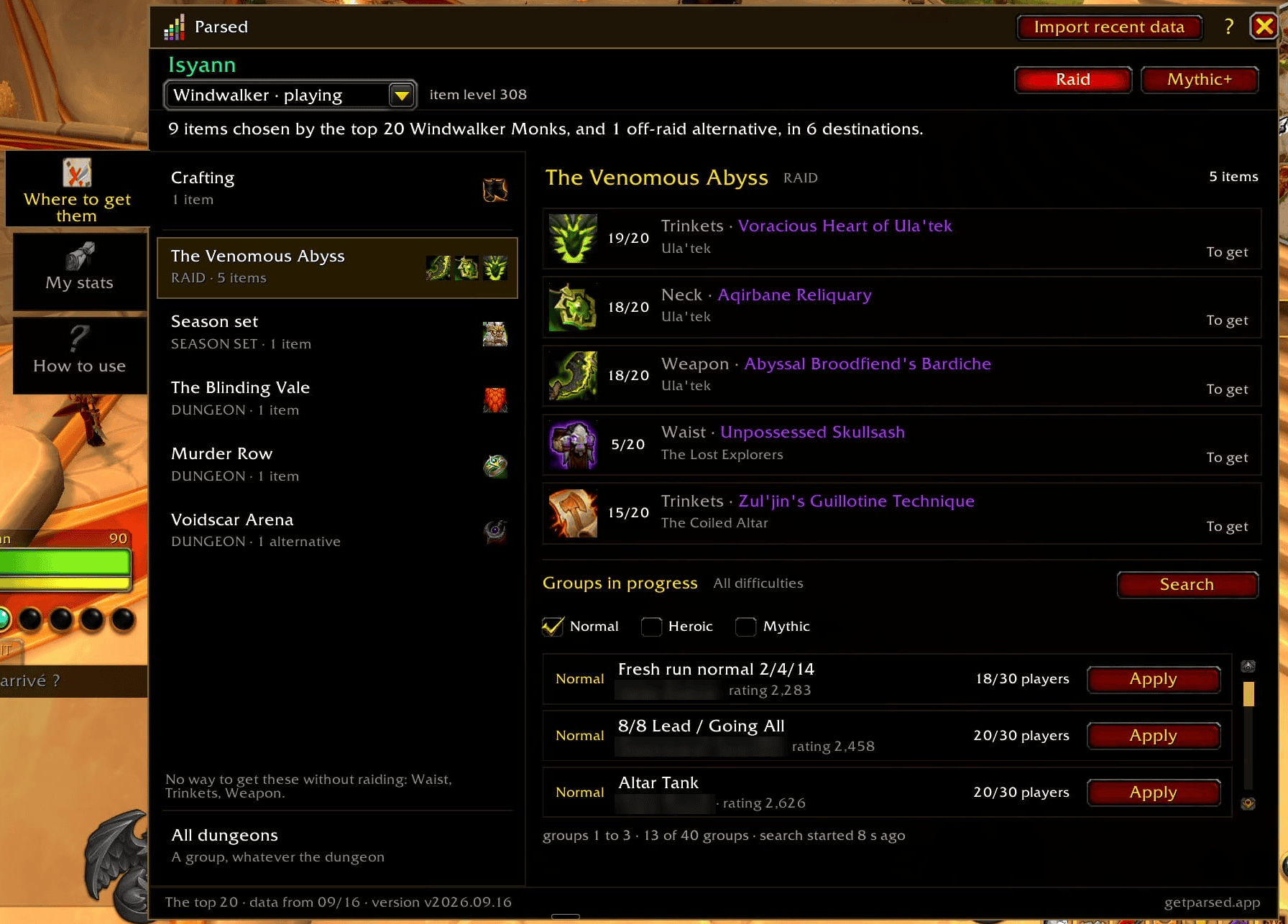
What the top 20 players of your spec wear, grouped by destination. Each item shows how many of them wear it and whether you already own it — with the groups heading there right below.
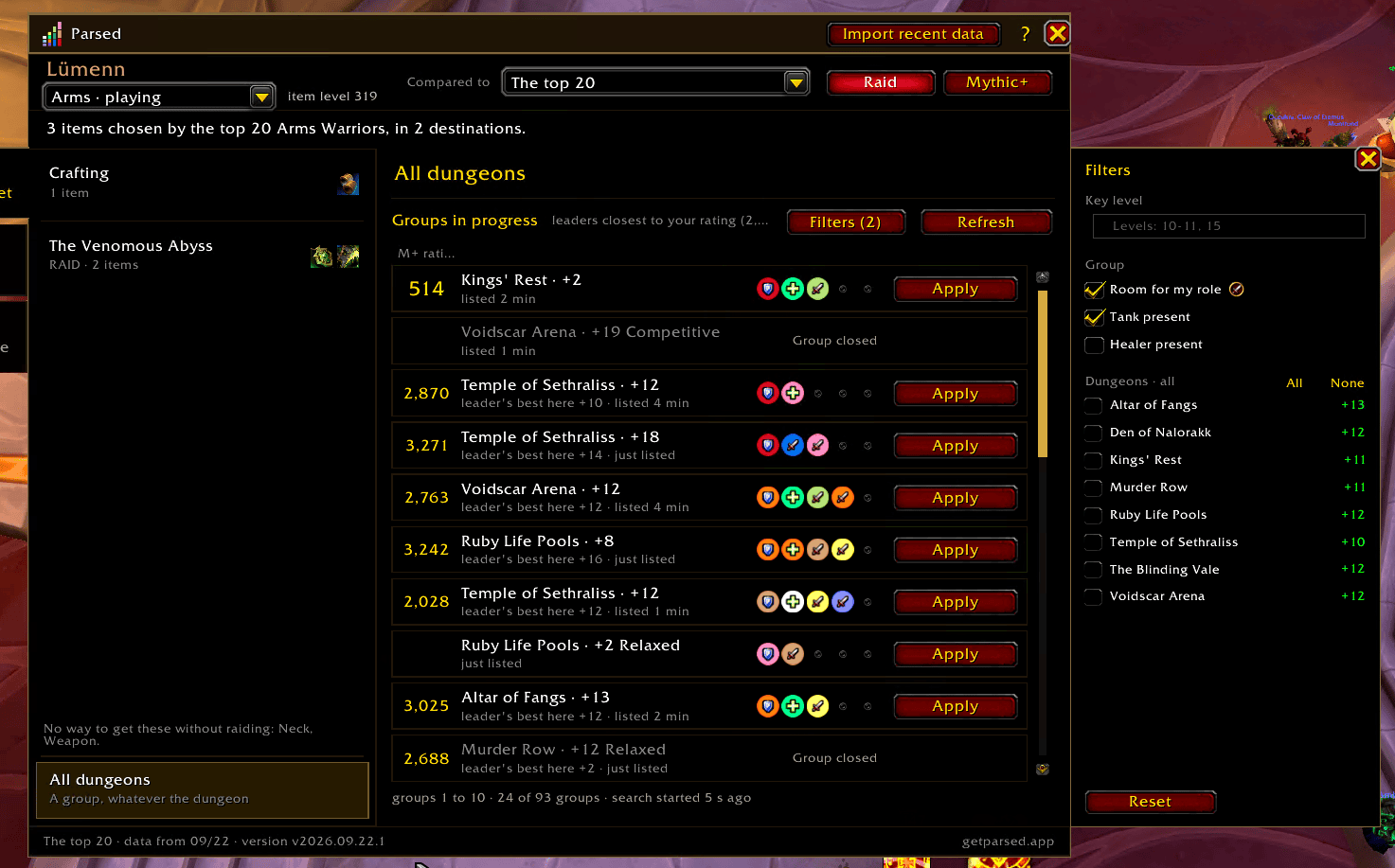
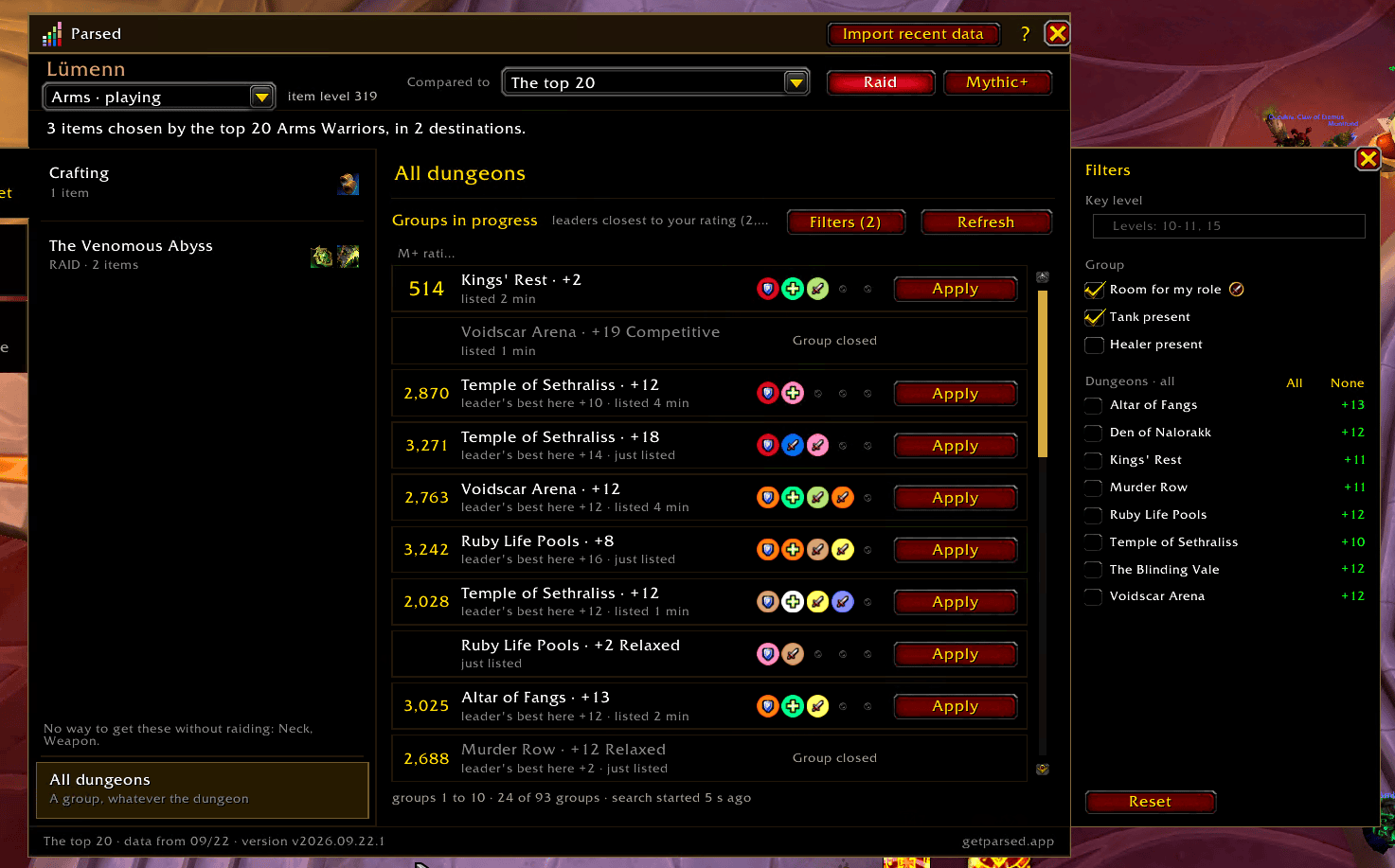
Groups currently listed for each destination. Filter by key level, group makeup, dungeons and raid difficulty; double-click a row to sign up.
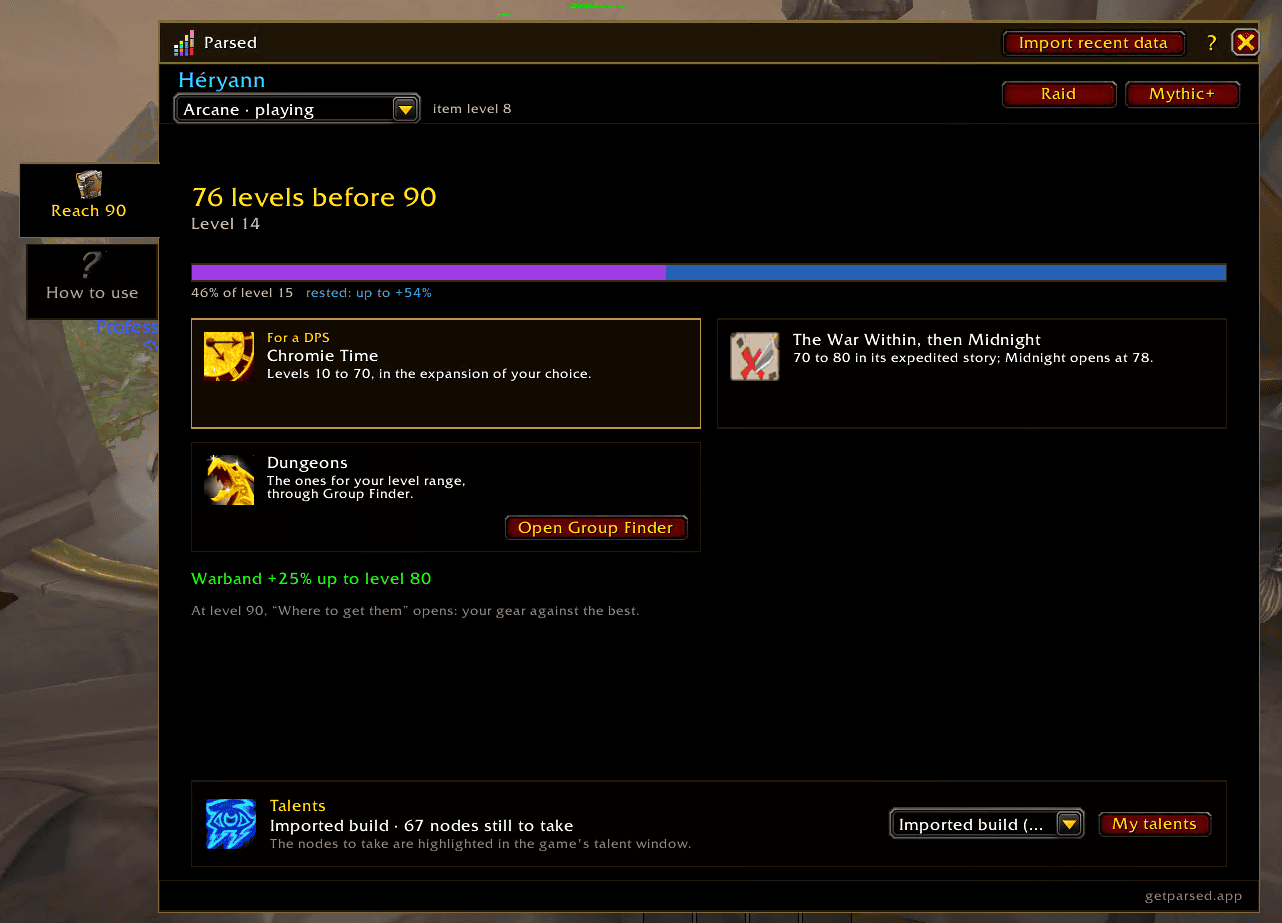
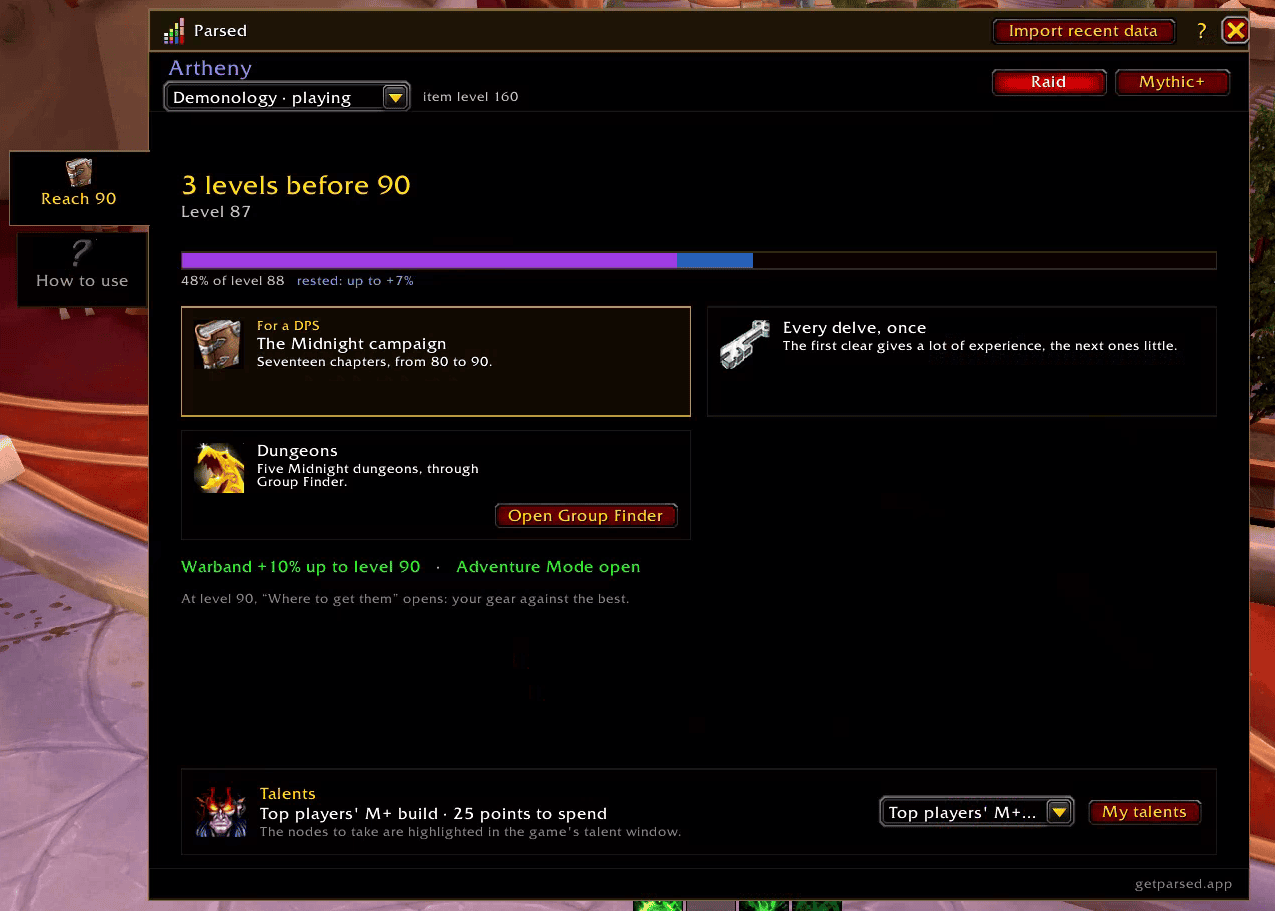
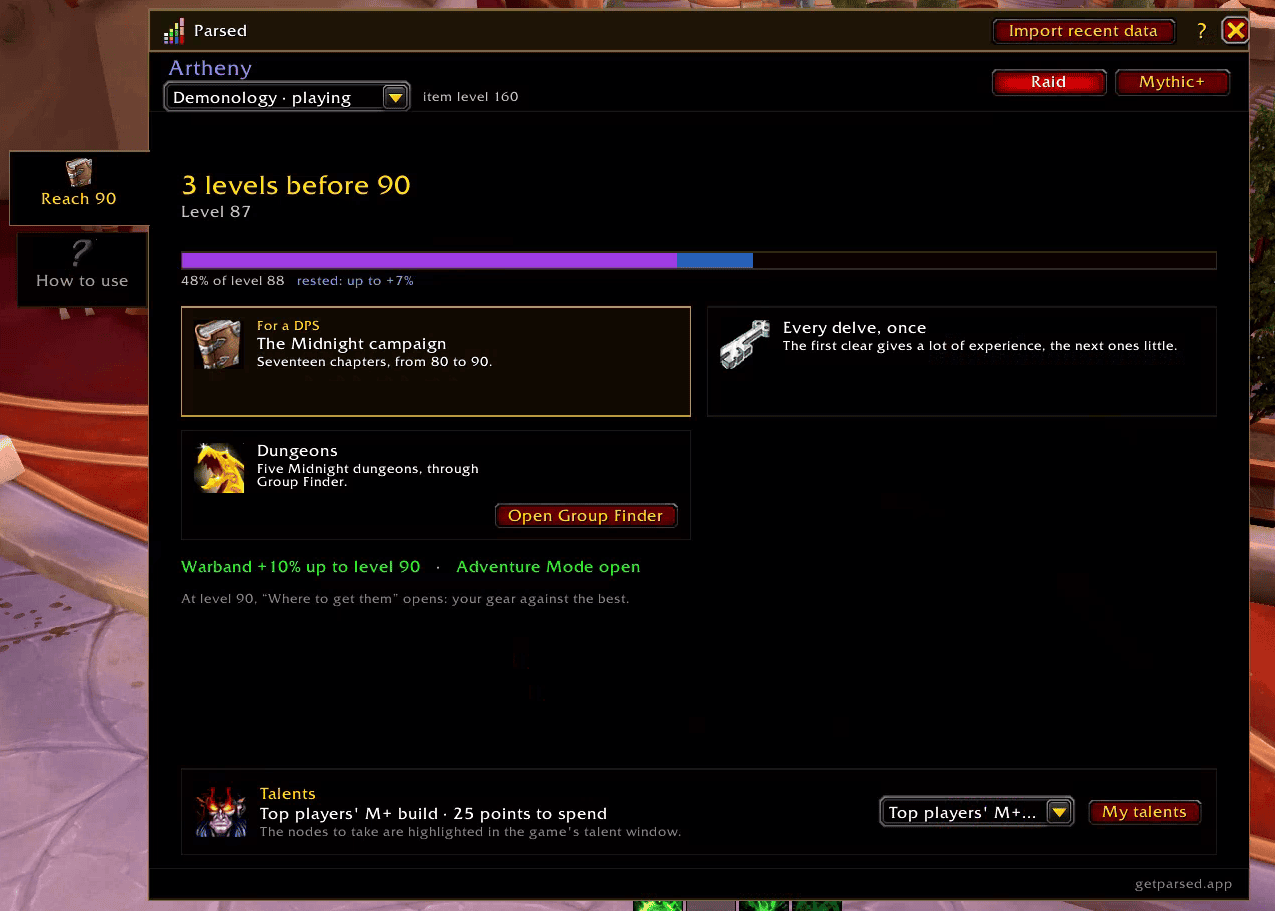
Your experience and rested experience, the leveling paths picked for your level and role, and your Warband bonus.
Before your first Mythic+ key: the activities that beat your current gear, the pieces to replace first, and a weekly routine to check off.
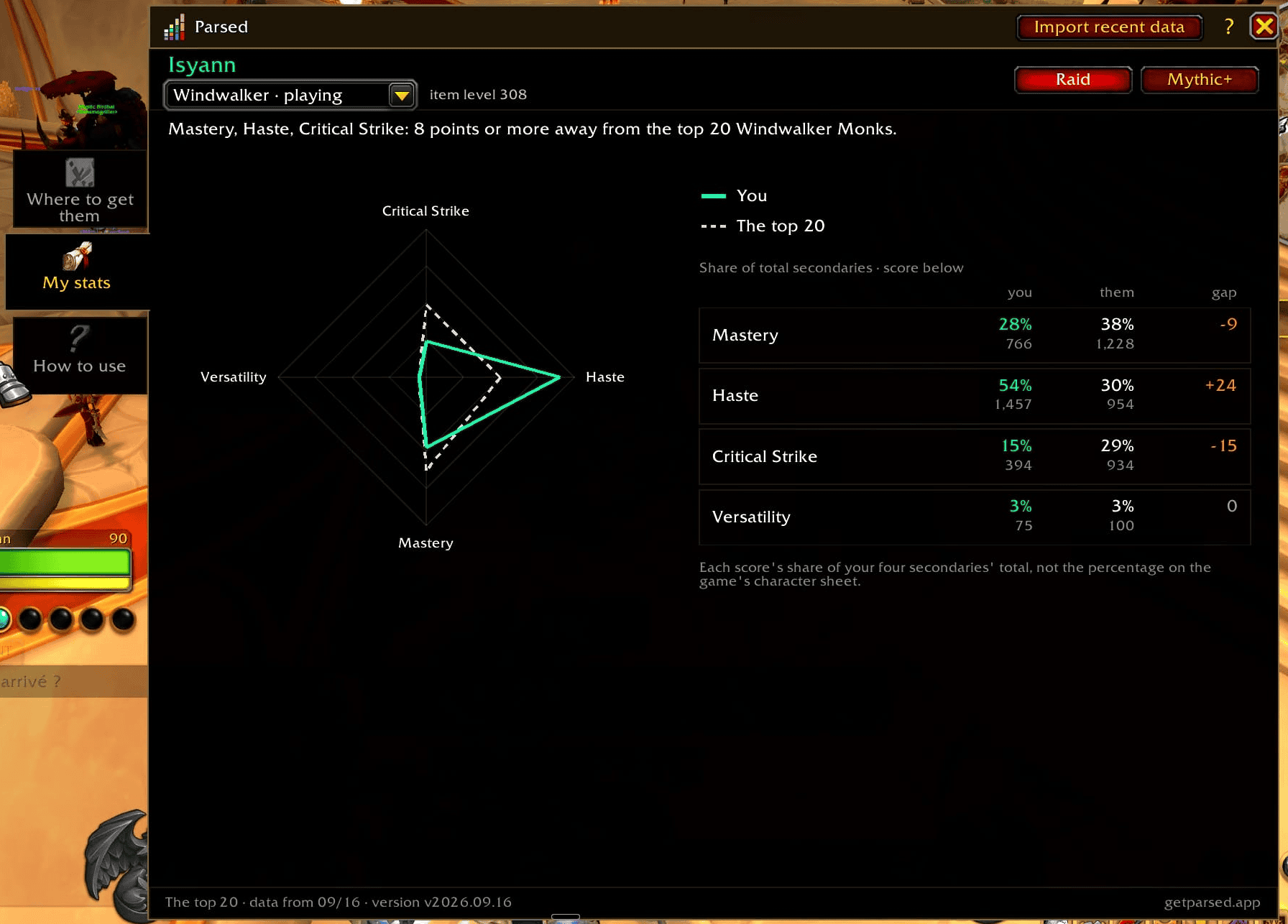
Your secondary stats next to the top 20 of your spec: share of each stat, raw score, and the gap to close.
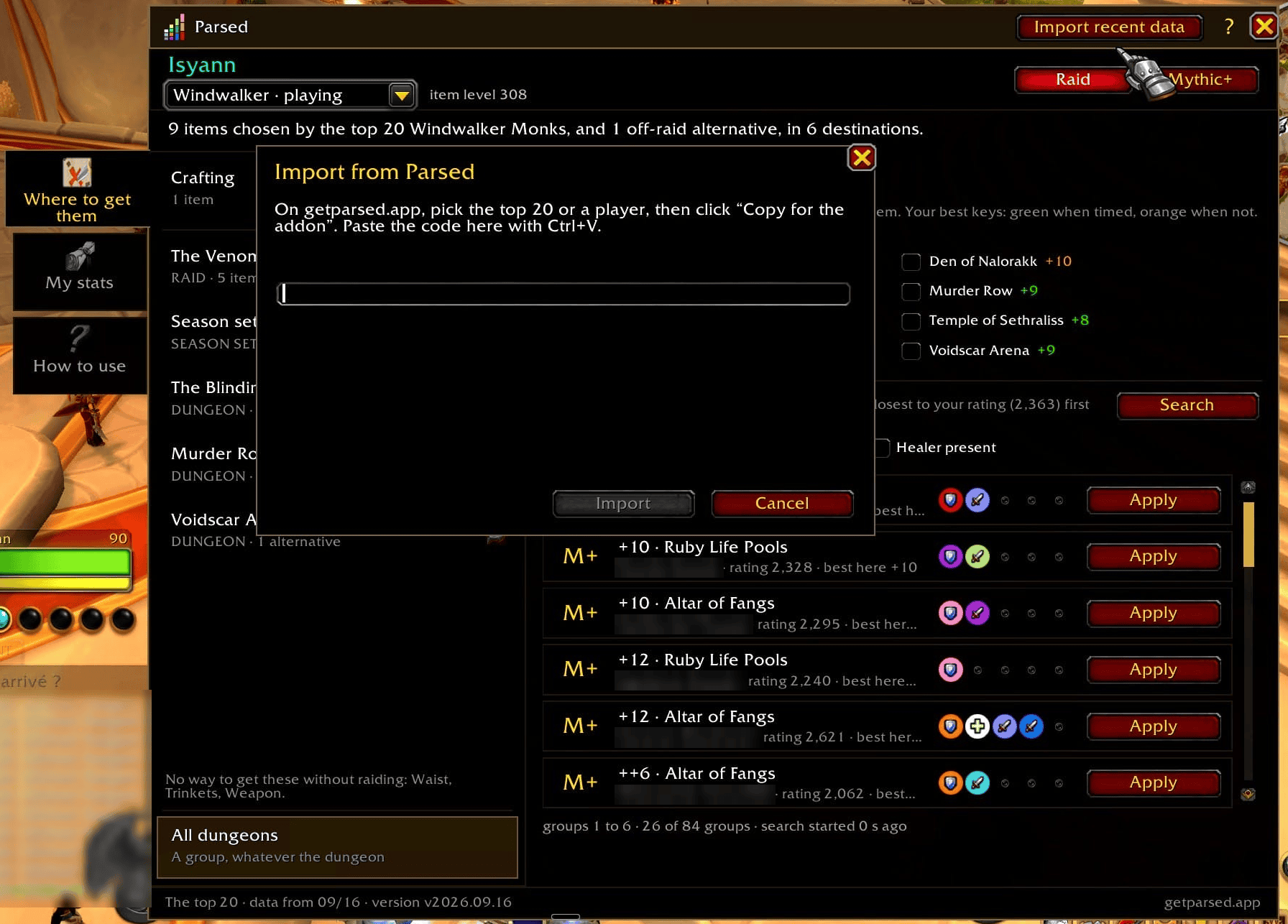
Pick today's list, or one specific player, on getparsed.app, click "Copy for the addon", then "Import recent data" in the addon window.
Description
Parsed
What the top 20 players of your spec wear and play, checked against your own gear.
What's new in v2026.09.28
- The group finder list no longer shifts between two Refresh clicks, and the filters move to a side panel: key level, group makeup, dungeons, raid difficulty.
- Type the key level straight into the game's search box: “10-11”, “15”.
Full changelog in the Files tab.
Where to get them
For each slot, the items the top 20 players of your spec wear, in raid and in Mythic+, how many of them wear each one, and the boss or dungeon that drops it. What you already own, equipped or in your bags, is marked.
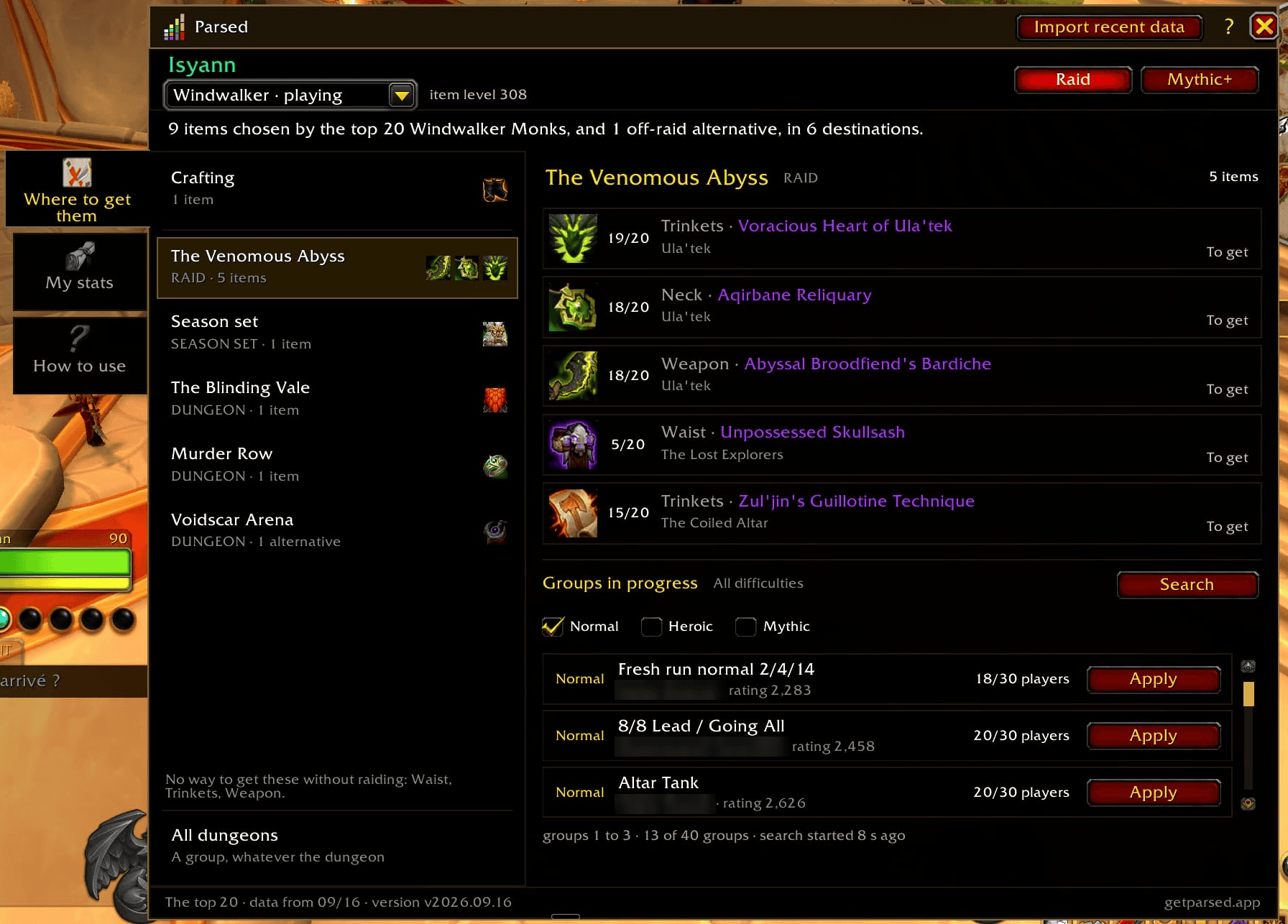
The groups heading there
Right under each destination, the groups currently listed in the Group Finder. Filter by key level, group makeup, dungeons (with your best key on each) and raid difficulty. Double-click a row to sign up with the role of the spec you're playing.
Their Mythic+ talents, in your talent tree
The Mythic+ build of the top players of your spec, highlighted node by node in the game's talent window, at any level. Or follow one of your own builds, imported from an in-game code or a build website. A point spent off the build lights up in red.
A guide for where you are
- Reach 90, below level 90: your experience and rested experience, the leveling paths picked for your level and role, and your Warband bonus.
- Gear up, at level 90 before your first Mythic+ key of the season: the activities that beat your current gear, the pieces to replace first, and a weekly routine to check off.
My stats
Your secondary stats next to those of the top 20 players of your spec.
Fresher data from the website
The addon's data is updated every week. For today's list, or to compare yourself with one specific player, pick it on getparsed.app, click Copy for the addon, then Import recent data in the addon window.
How to open it
- Type
/parsed - Or set a key binding: Options › Keybindings › AddOns › Parsed
- Or click the Parsed button under the game's Group Finder window (opened with I by default)
- Or use the addon compartment button, under the minimap
English and French.
Data
The top players' gear and talents come from public rankings on Warcraft Logs and from the Blizzard API; items, sources and names come from the Blizzard API. The data is bundled with the addon and updated every week: nothing is sent from your game.
Parsed is not affiliated with, approved or endorsed by Blizzard Entertainment or Warcraft Logs.
Parsed (français)
Ce que portent et jouent les 20 meilleurs de votre spé, comparé à votre propre équipement.
Nouveautés de la v2026.09.28
- La liste de la recherche de groupe ne bouge plus entre deux « Actualiser », et les filtres passent dans un panneau à droite : niveau de clé, composition du groupe, donjons, difficulté du raid.
- Le niveau de clé se tape directement dans la boîte de recherche du jeu : « 10-11 », « 15 ».
Le journal complet est dans l'onglet Files.
Où aller les chercher
Pour chaque emplacement, les objets que portent les 20 meilleurs de votre spé, en raid et en Mythique+, combien d'entre eux portent chacun, et le boss ou le donjon qui le donne. Ce que vous possédez déjà, sur vous ou dans vos sacs, est signalé.
Les groupes qui y vont
Sous chaque destination, les groupes en cours dans la recherche de groupe. Filtres par niveau de clé, composition du groupe, donjons (avec votre meilleure clé sur chacun) et difficulté du raid. Un double-clic sur une ligne vous inscrit avec le rôle de la spé jouée.
Leurs talents Mythique+, dans votre arbre
Le build Mythique+ des meilleurs de votre spé, surligné nœud par nœud dans la fenêtre de talents du jeu, à tout niveau. Ou l'un de vos propres builds, importé d'un code du jeu ou d'un site de builds. Un point posé hors du build s'allume en rouge.
Un guide selon votre étape
- Monter au 90, sous le niveau 90 : votre expérience et votre expérience reposée, les voies de montée choisies pour votre niveau et votre rôle, et votre bonus de bataillon.
- S'équiper, au niveau 90 avant votre première clé Mythique+ de la saison : les activités qui battent votre équipement, les pièces à remplacer en premier, et une routine de la semaine à cocher.
Mes stats
Vos statistiques secondaires face à celles des 20 meilleurs de votre spé.
Des données plus fraîches depuis le site
Les données de l'addon sont mises à jour chaque semaine. Pour la liste du jour, ou pour vous comparer à un joueur précis, choisissez-la sur getparsed.app, cliquez sur Copier pour l'addon, puis sur Importer des données récentes dans la fenêtre de l'addon.
L'ouvrir
- Tapez
/parsed - Ou configurez un raccourci clavier : Options › Raccourcis › Extensions › Parsed
- Ou cliquez sur le bouton Parsed sous la fenêtre de recherche de groupe du jeu (touche I par défaut)
- Ou passez par le bouton du tiroir d'extensions, sous la minicarte
En français et en anglais.
Les données
L'équipement et les talents des meilleurs viennent des classements publics de Warcraft Logs et de l'API Blizzard ; les objets, leur provenance et leurs noms viennent de l'API Blizzard. Les données sont livrées avec l'addon et mises à jour chaque semaine : rien n'est envoyé depuis votre jeu.
Parsed n'est affilié ni à Blizzard Entertainment ni à Warcraft Logs, qui ne l'approuvent ni ne le soutiennent.
Parsed - Top Players' Gear, M+ Talents & Group Finder Team
