PanzaUI
- By
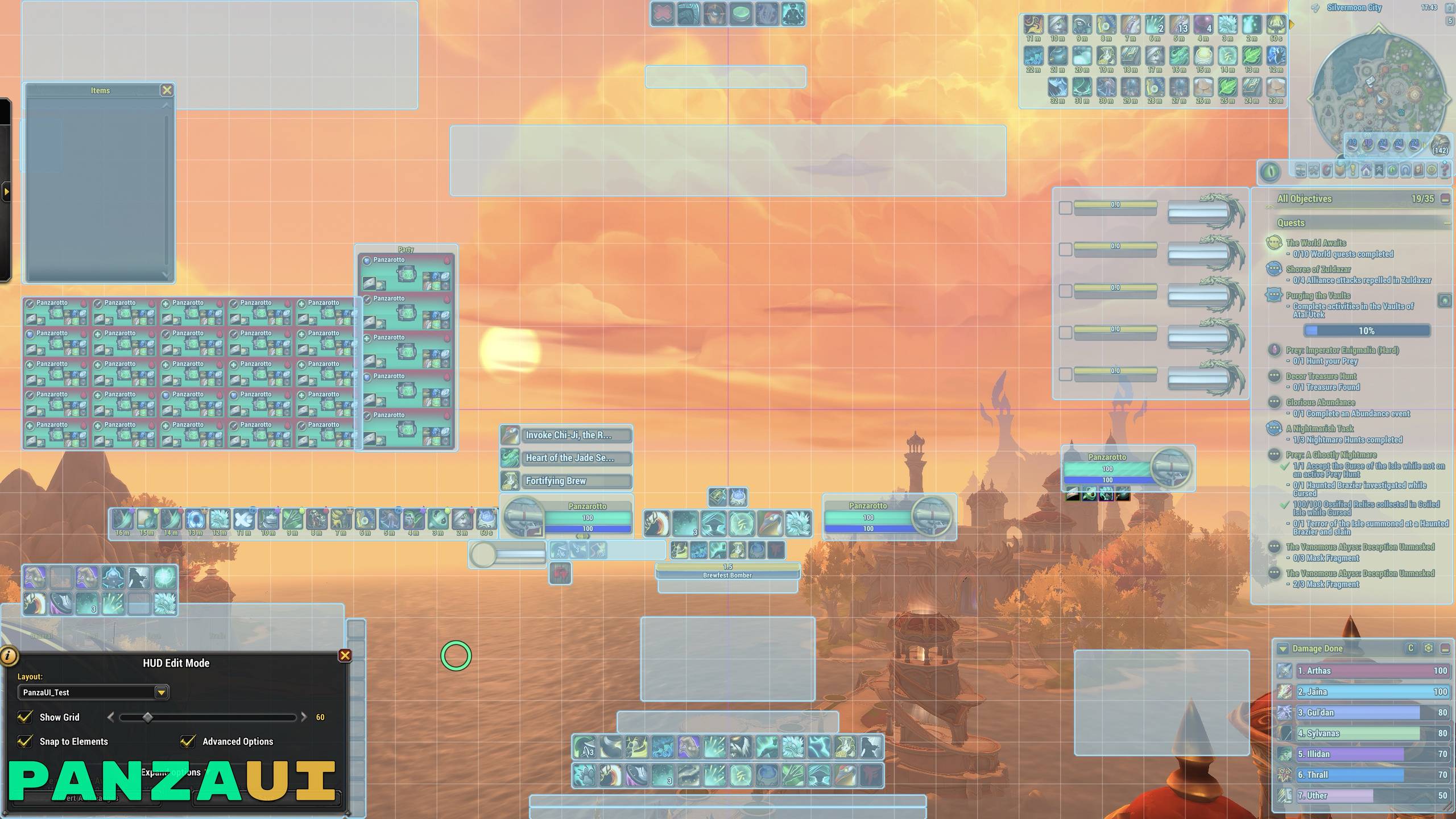
Edit Mode
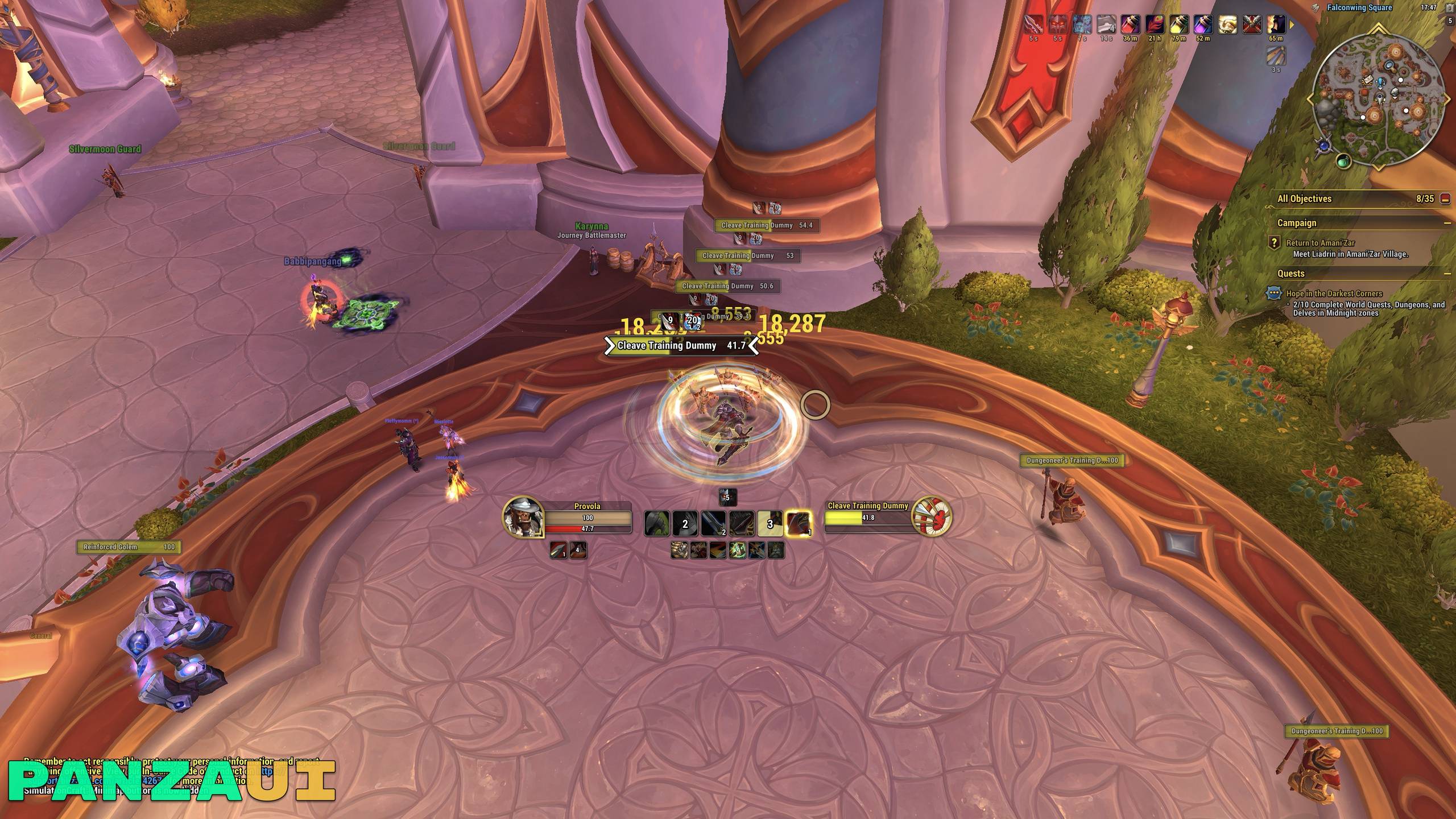
Combat
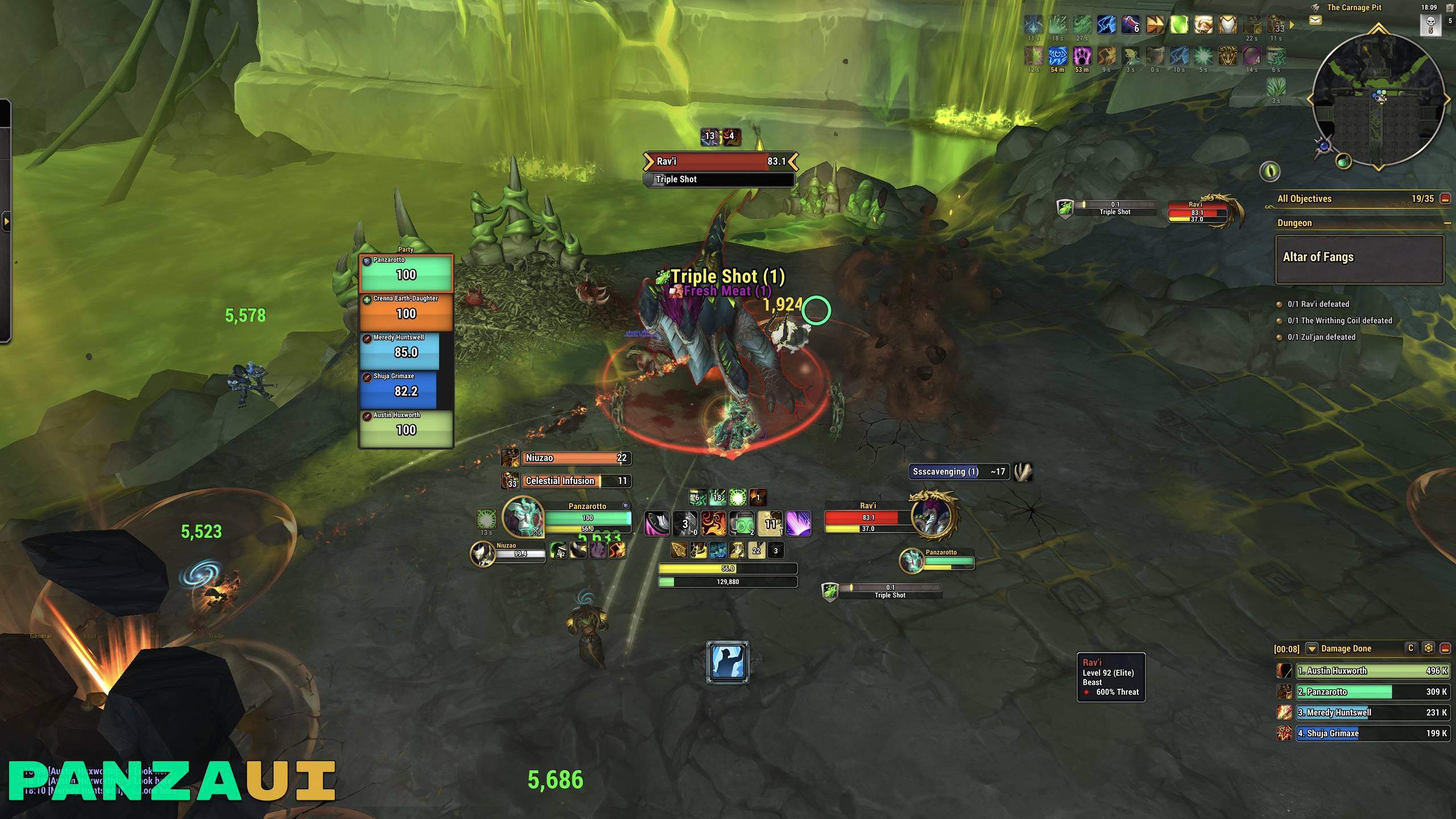
Party
Description
PanzaUI
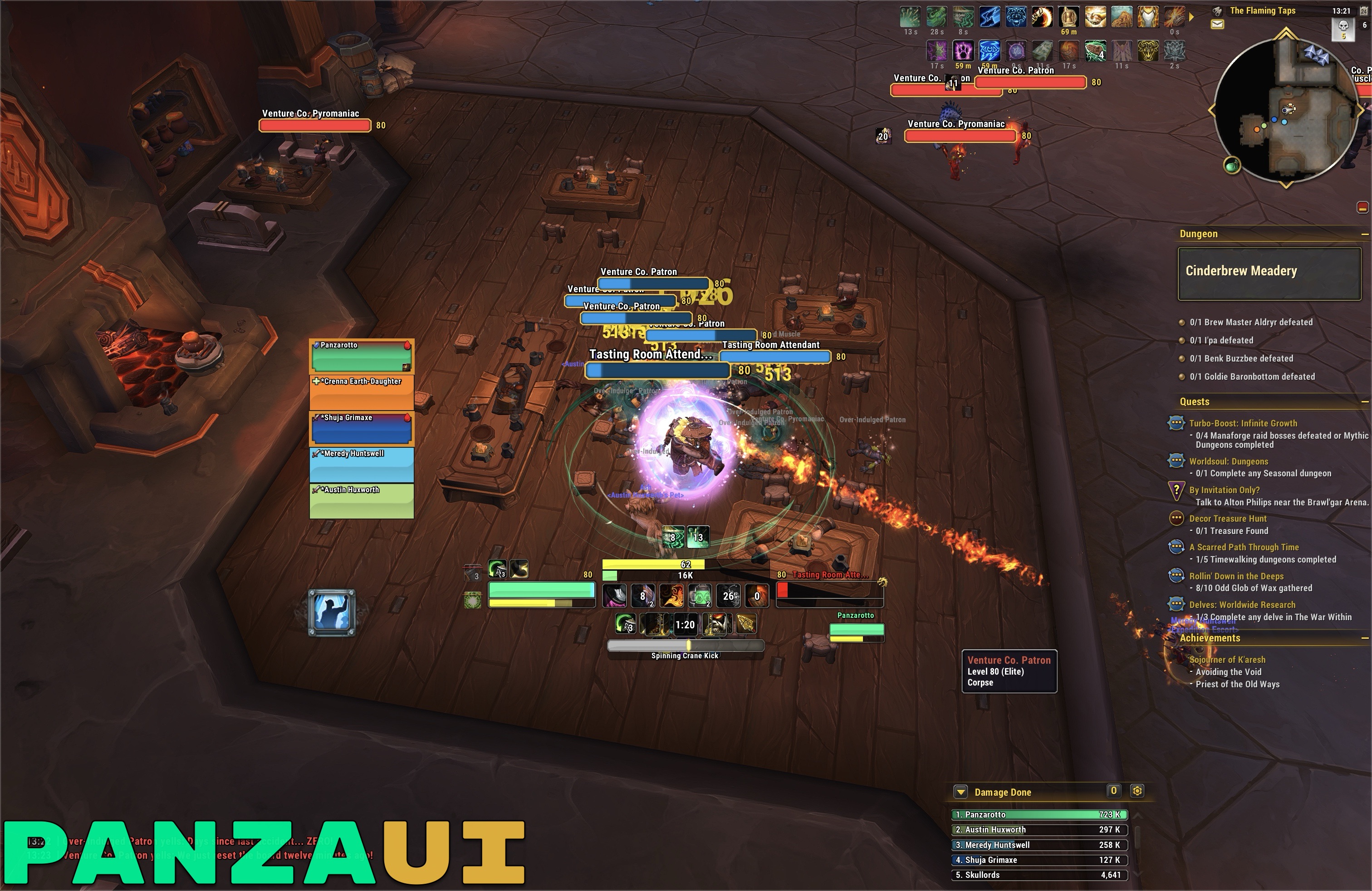
PanzaUI is a lightweight addon that makes the default World of Warcraft UI cleaner, sharper and more comfortable to play with, without replacing it.
No heavy frameworks, no custom frames to learn: you keep the Blizzard interface you already know, just polished. Every feature has its own toggle, so you only keep what you like.
✨ Why PanzaUI?
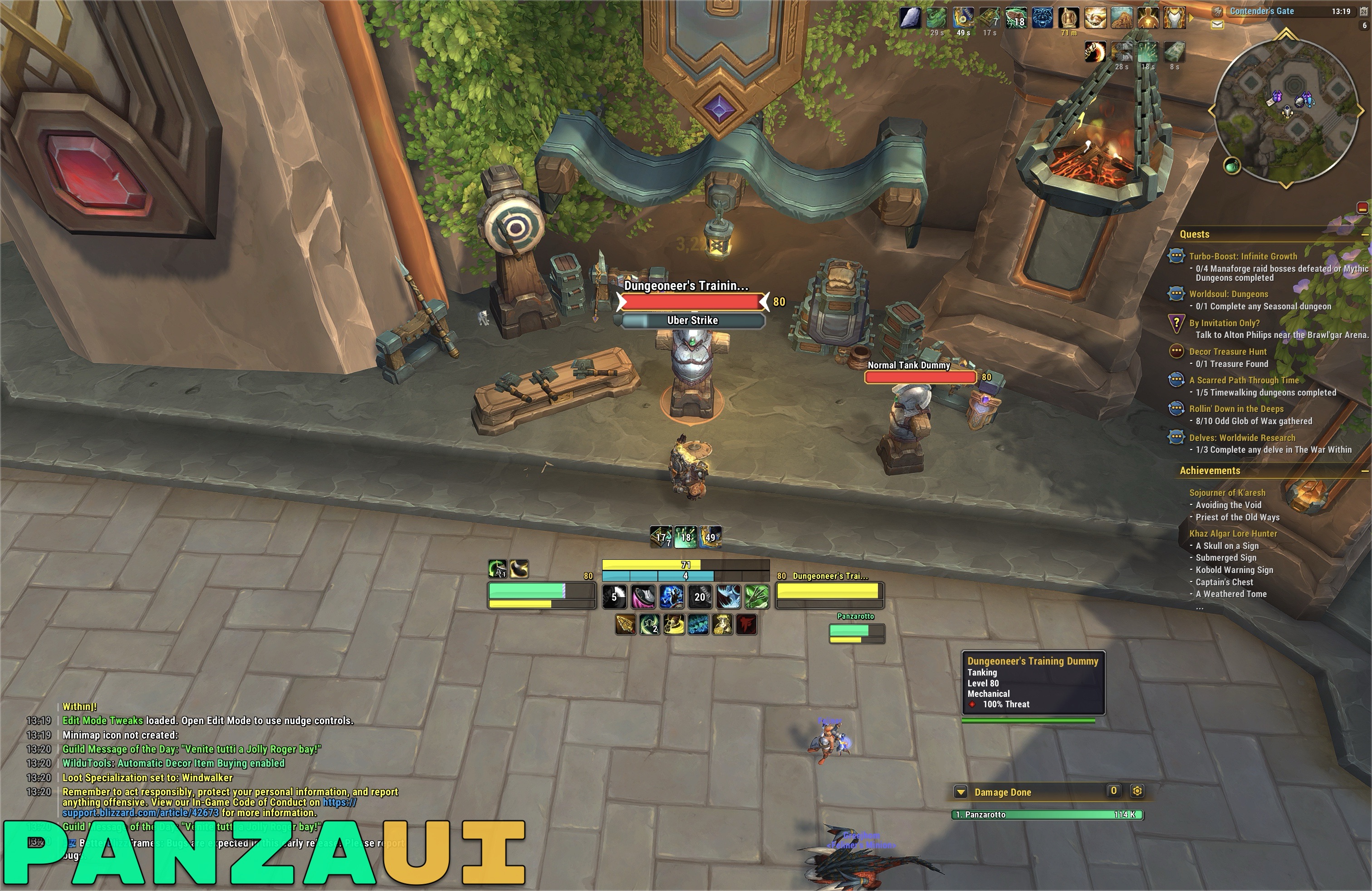
- Feels like Blizzard, only better - it improves the default frames instead of replacing them, so Edit Mode and every Blizzard feature keep working as usual.
- Light as a feather - tiny memory footprint and almost no CPU usage, even in raids.
- Built for Midnight - designed from the ground up around the new addon restrictions.
- Fully modular - turn every feature on or off from a single, simple menu.
🧩 Features
General
- Refined text: a clean outlined font across the whole UI, from unit frames to menus and tooltips
- Class colors on the health bars, with reaction colors for NPCs
- Custom bar textures for unit frames, cast bars, Cooldown Manager, Personal Resource Display, Damage Meter and progress bars
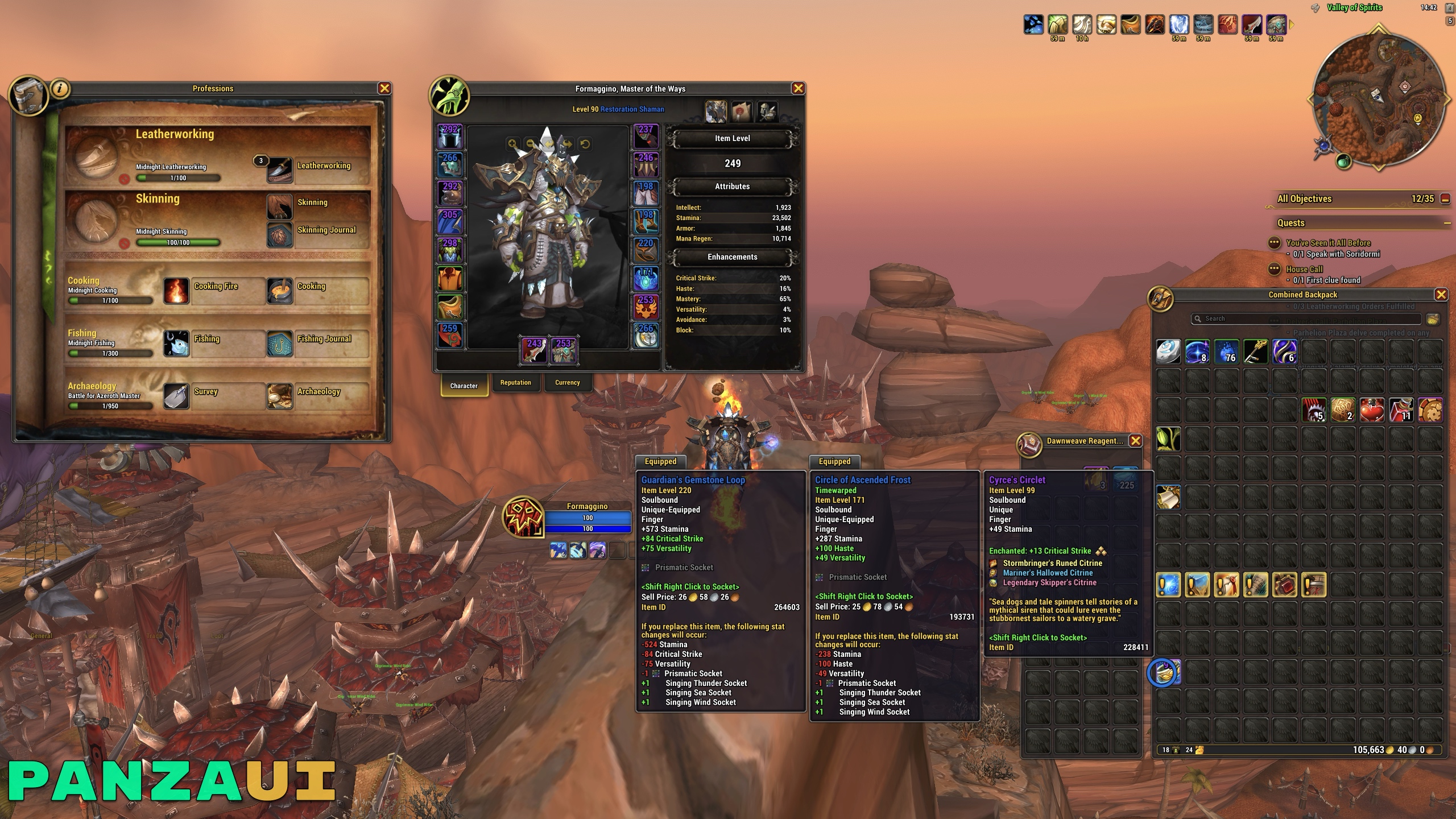
- Refined borders: rounded icons in the action bar style across Blizzard panels (rewards, professions, currency, equipment sets), colored by item quality, and a cleaner border for tooltips, pop-ups, Delves and Edit Mode windows
- Profiles: the PanzaUI Edit Mode layout and the Platynator and BigWigs profiles, imported with one click
Action Bars
- Cleaner buttons, with no macro names or keybindings
- Icon zoom to hide the old borders of classic icons
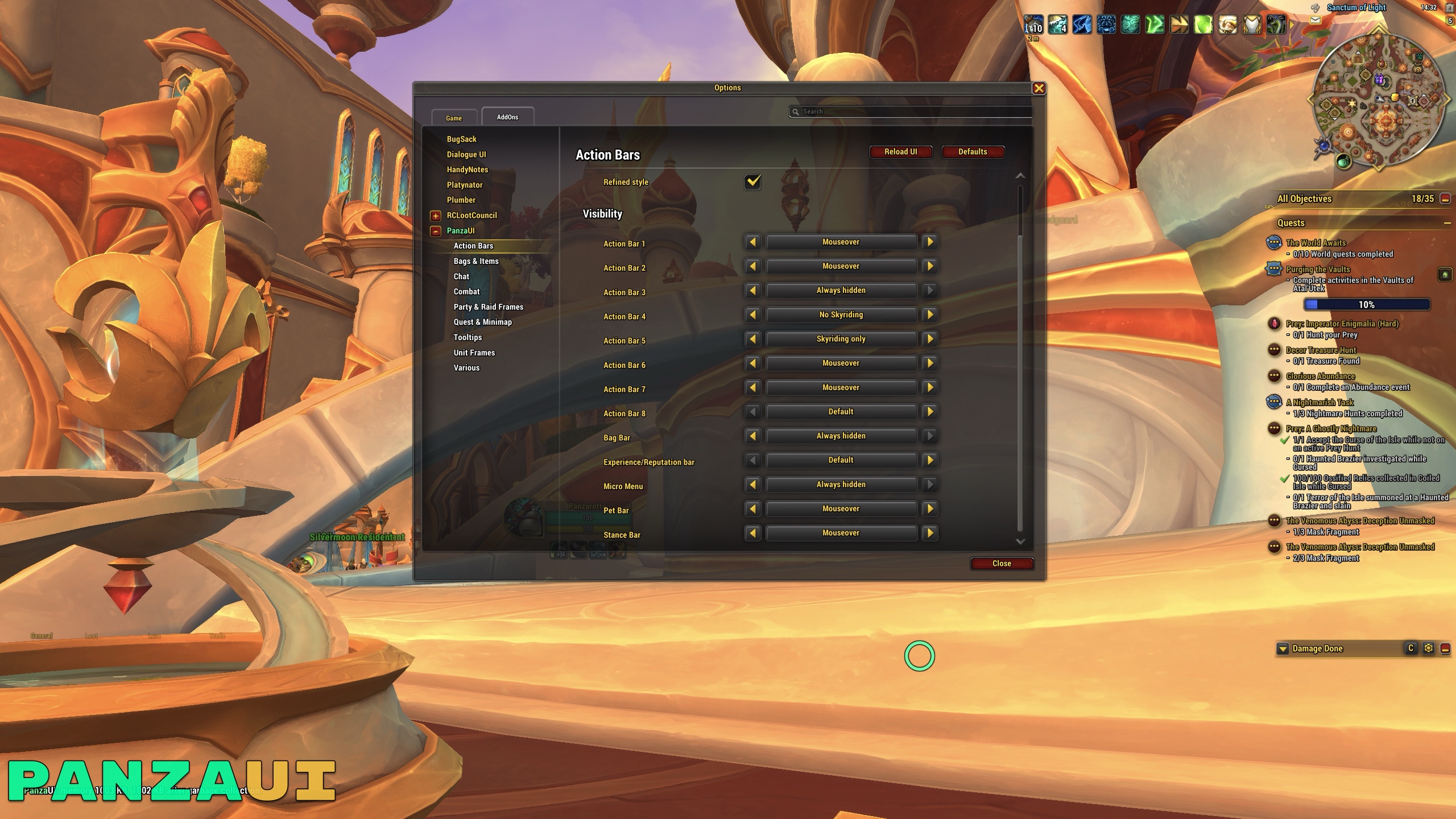
- Visibility for every bar: always, on mouseover, only while Skyriding, never while Skyriding or hidden (also for Micro Menu, Bag Bar and XP bar)
- Want my setup? Check this guide
Bags & Items
- Item level on equipment in bags, banks and the Character and Inspect panels, colored by quality
- Auto-repair and auto-sell of junk items at merchants
Chat
- Cleaner chat windows, timestamps and short channel names
- Clickable web links, with a box to copy them
- No more minor messages: guild message of the day, loot of other players, online/offline and join/leave notices, group settings, spells learned when changing specialization, and more
Combat
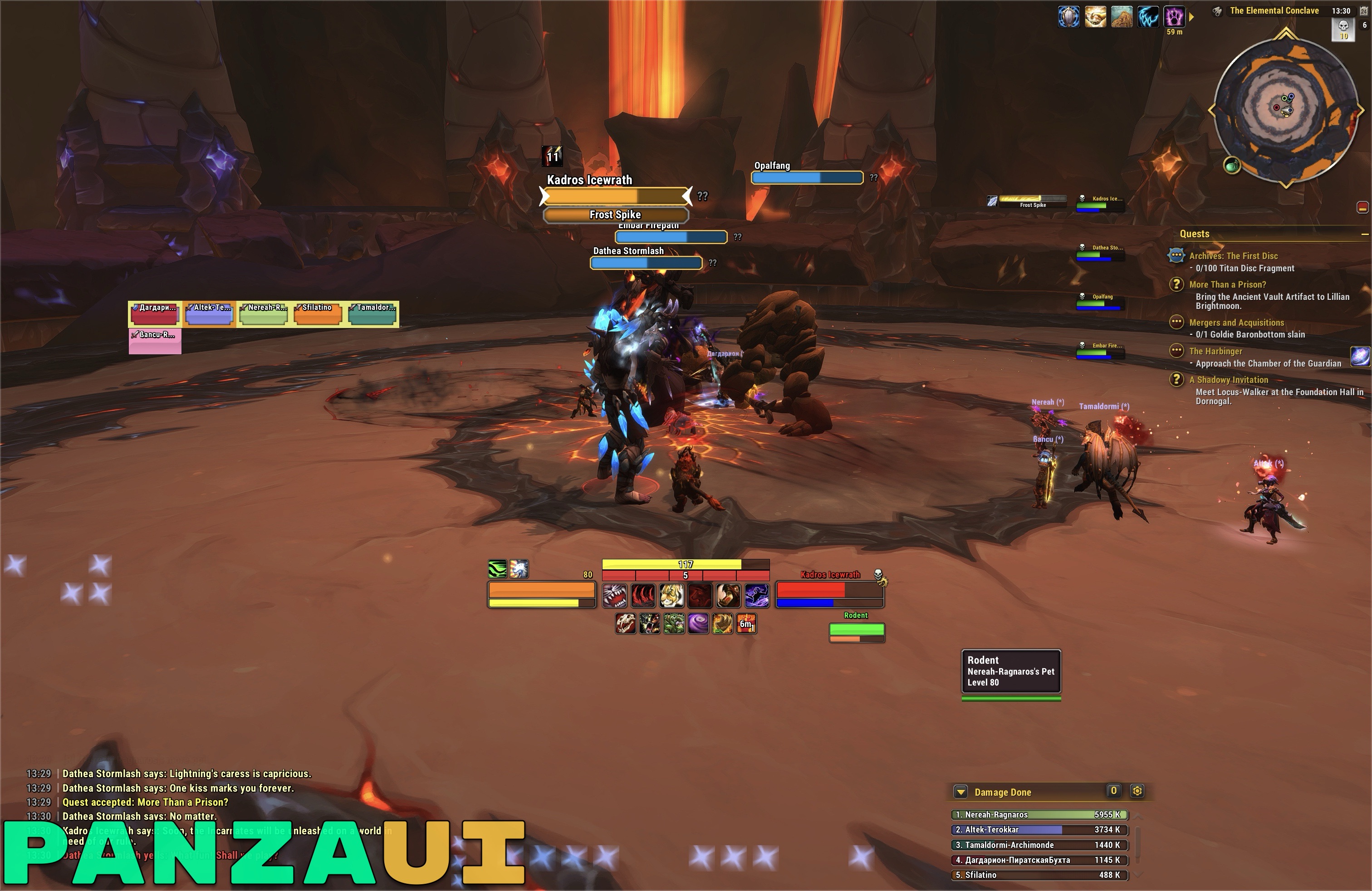
- Rounded icons for buffs, debuffs, Cooldown Manager and Damage Meter
- Elapsed time on the cast bars
- Dynamic Cooldown Manager layout, always packed with no gaps
- Cleaner Personal Resource Display with health and power as a percentage
Party & Raid Frames
- Names without server and health as a percentage
- Cleaner shields, heal prediction and aggro border
- Sharper role icons
Quest & Minimap
- Cleaner minimap and a quest counter in the tracker header
- Quest Tracker hidden during boss fights, Mythic+ and instance combat, so you can focus on the fight
Tooltips
- Class colored names, Mythic+ rating and item level of players
- Item and spell IDs
- Mount of players, with its icon
Unit Frames
- Refined Player, Target, Focus, Boss and Pet frames: centered names, health and power as a percentage
- Less clutter: PvP icons, glows, combat text and other minor elements hidden
- Class icon instead of the portrait for players, if you prefer it
Various
- Cursor ring in your class color
- Fast auto-loot and fast item delete
- Current expansion filter set automatically in the Auction House
- Destination shown while flying on a flight path
/waycommand to set map waypoints from coordinates- Rounded icons and a matching HD border for Platynator nameplates
- Refined style for BigWigs bars (Blizzard style), Battle Res icon and queue timer
- No more flashing micro menu alerts
⚙️ Options
Everything is in Options → AddOns → PanzaUI, or just type /pui in chat.
Handy chat commands:
| Command | What it does |
|---|---|
/pui |
Opens the PanzaUI options |
/rl |
Reloads the UI |
/rc |
Starts a ready check |
/pl |
Starts a 10-second pull timer |
🎨 The full PanzaUI look
PanzaUI works on its own with any layout. To get the PanzaUI layout of the frames and the profiles for Platynator and BigWigs, just click Import in the Profiles section of the options. If you want the exact look of the screenshots, the GitHub page also has the fonts and the Cooldown Manager class profiles, with a short installation guide.
🤖 AI Disclaimer
PanzaUI is designed, tested in game and maintained by me. During development I used an AI assistant to help write and review the code, track down bugs and improve performance. Every change has been checked and tested in game before being released.
🐞 Bugs and feedback
Found a bug or have an idea? Open an issue on GitHub and I'll help as much as I can.
☕ Support
PanzaUI is and will always be free. If you enjoy it and want to offer me a beer, be my guest on Ko-fi!
PanzaUI Team