Palettes (DaylightUI Plugin)
- By
A DaylightUI plugin for WoW: Forever that restyles your entire UI with curated presets, colour palettes, and frame, cast bar, action bar, and nameplate looks.
Screenshot 2026-11-27 233546.png
Screenshot 2026-11-27 233555.png
Screenshot 2026-11-27 233602.png
Description
Give DaylightUI a new look in a few clicks—curated full-UI presets, 35 colour palettes, and 7 independent frame, cast bar, and action bar look categories, all previewed live before you apply. Your layout never moves, and class and combat colours stay exactly as DaylightUI paints them, so fights remain just as readable.
Requirements
- DaylightUI, installed and enabled. Palettes is a plugin (listed under DaylightUI Plugins in your in-game AddOns list) and does nothing on its own.
Presets
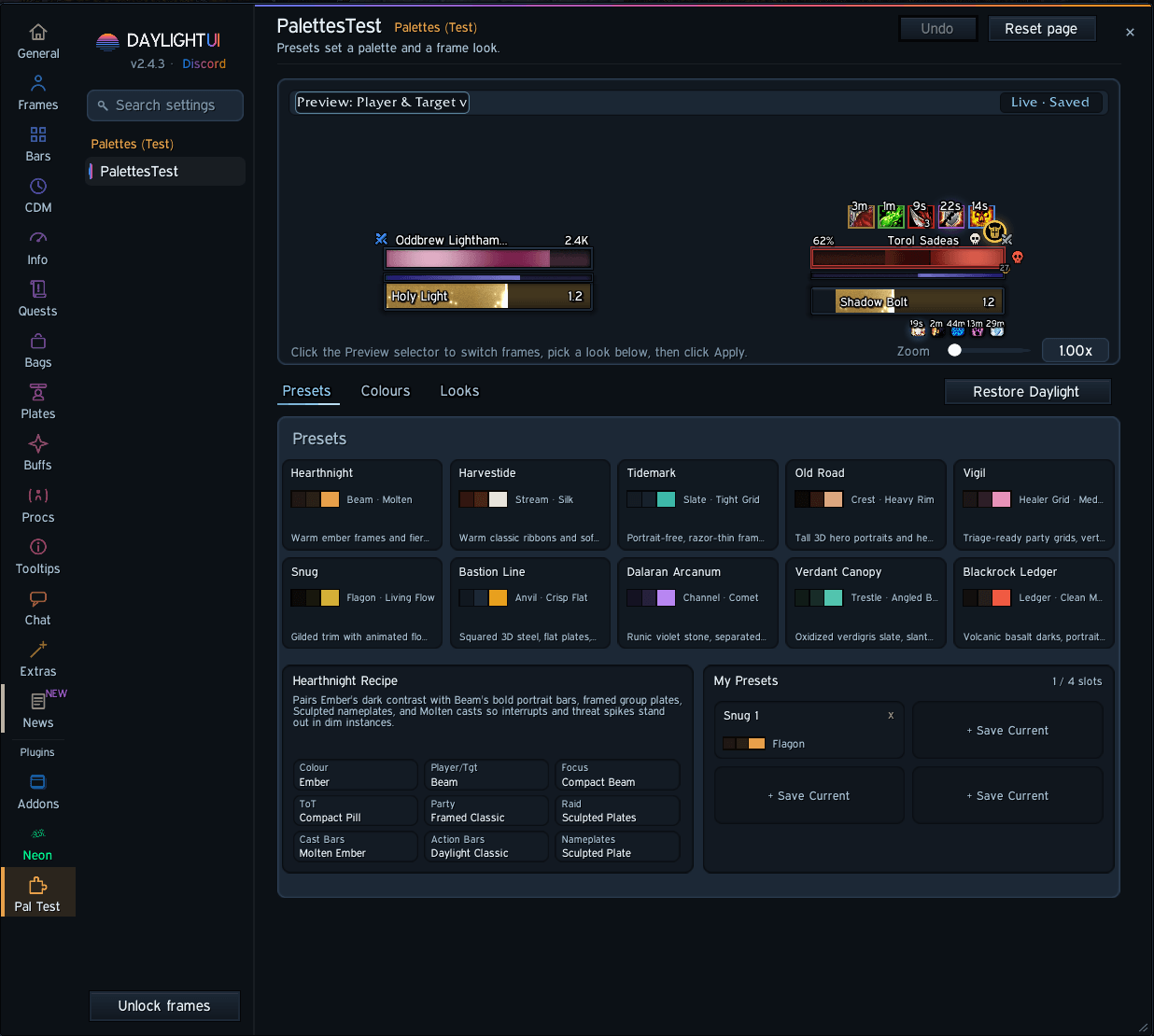
- 6 Curated 8-Layer Presets: One-click themes that style your colours, unit frames, cast bars, and action bars together—Hearthnight (combat/raiding), Harvestide (classic all-rounder), Tidemark (minimalist portrait-free raiding), Old Road (tall 3D portraits & heavy rim), Vigil (healer triage), and Snug (gilded animated flow).
- Interactive Preset Recipe: See every layer a preset changes and why. Click any layer to jump straight to that tab, and if you tweak a piece, Palettes tracks it as a custom mix so you always know where you started.
- My Presets (4 Custom Slots): Save, reload, or delete up to 4 of your own custom combinations.
Colours
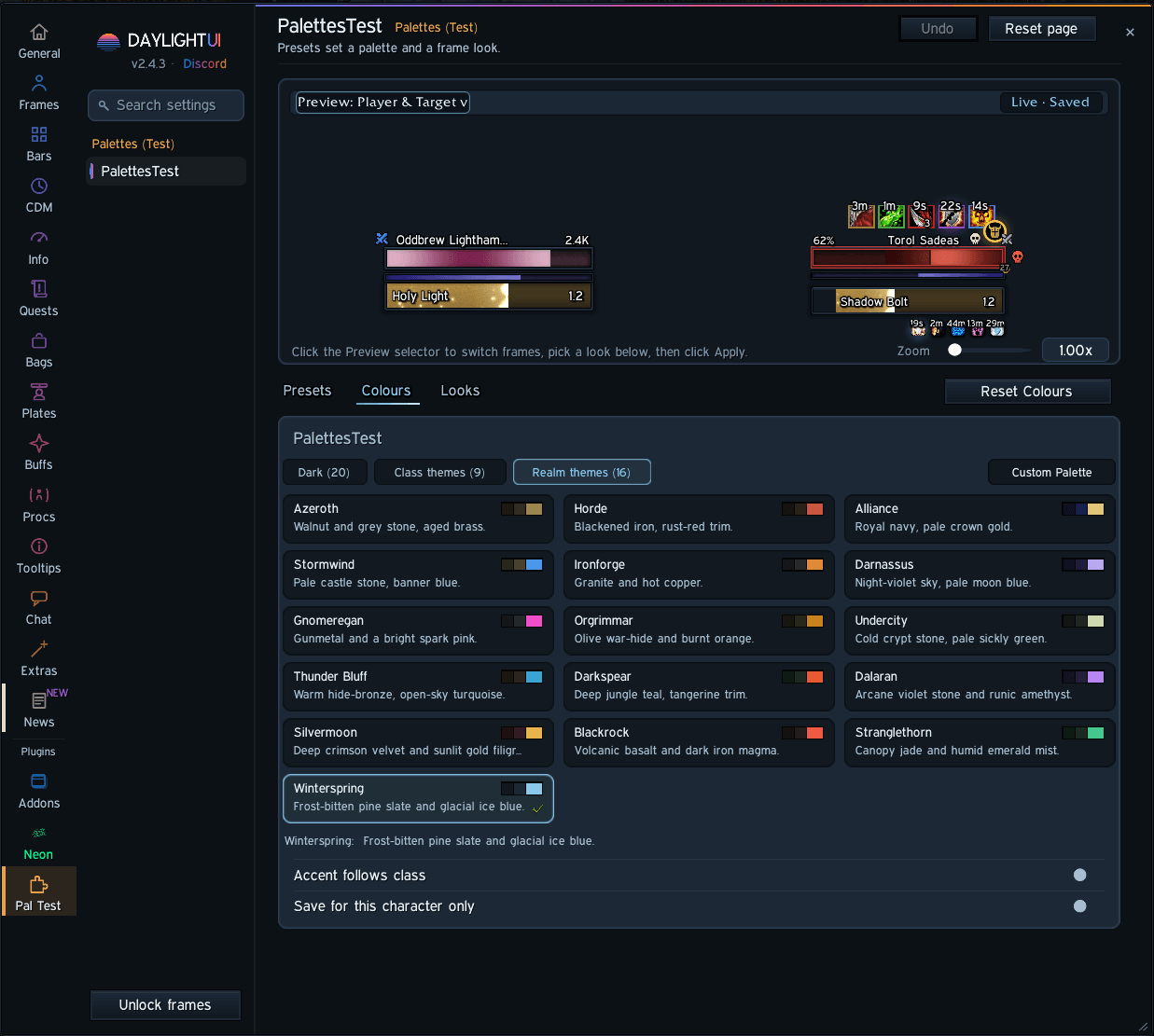
- 35 Built-In Palettes: Filter across Dark (15), Class themes (9), and iconic WoW Realm themes (11 — Azeroth, Horde, Alliance, Stormwind, Ironforge, Darnassus, Gnomeregan, Orgrimmar, Undercity, Thunder Bluff, Darkspear).
- Custom Palette Editor: Mix your own base and accent colours while keeping text readable.
- Accent Follows Class: Automatically tints the window accent to a readable shade of your current class colour.
Looks
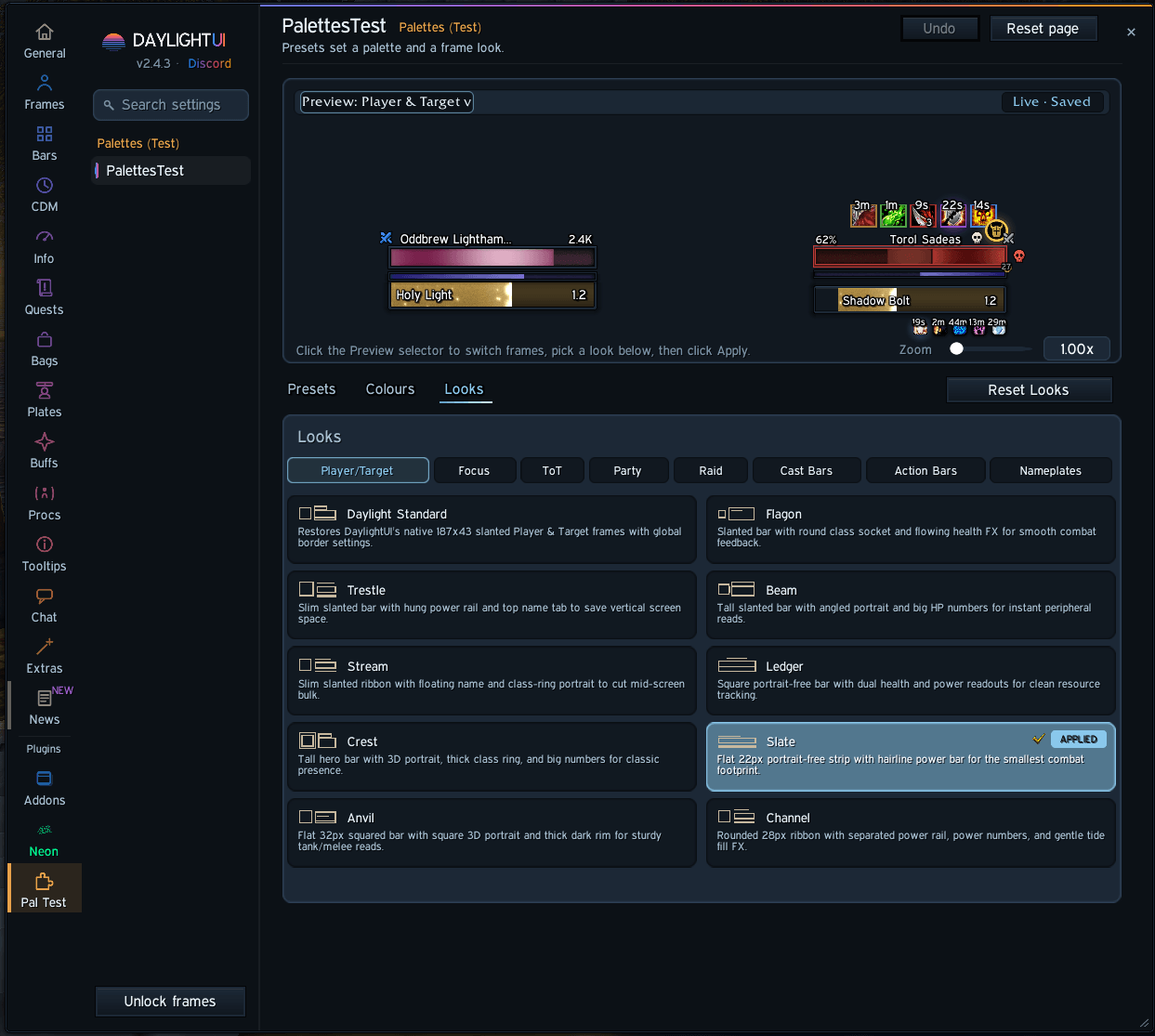
Style 7 categories independently from a single-row bar synced to the preview:
- Player & Target: 7 distinct silhouettes—from animated flow bars (Flagon) and tall 3D hero frames (Crest) to portrait-free minimalist strips (Ledger, Slate).
- Focus & Target of Target: Pick dedicated compact styles or use Match Player & Target to stay unified.
- Party & Raid: Choose between classic portraits, slim compact bars, tall healer triage grids, and dense 40-man raid cells.
- Cast Bars: 6 finishes from flat matte and silk sheen to brushed metal, animated Living Flow, Tidal Glass, and Molten Ember.
- Action Bars: 6 button shapes and borders—including Daylight Classic, Crisp Flat, Borderless Zoom, Heavy Rim, Rounded Medallion, and Shield Crest.
Features
- Live Preview Deck & Zoom: Inspect real DaylightUI frames across all 3 tabs (Presets, Colours, and Looks) with a frame switcher and Zoom slider before committing a single change.
- Mix-and-Match Multi-Tab Staging: Previews are instant and non-destructive—pick a Preset, swap a Colour, tweak a few Looks across tabs, and commit everything at once with Apply Live (Looks-only) or Apply (Reloads UI) (Colours/Presets). Back out cleanly anytime with Cancel Preview or Undo.
- Safe Resets: Per-tab reset buttons (Restore Daylight, Reset Colours, Reset Looks) stage into the preview first so a misclick never wipes your setup, and your own DaylightUI Appearance tweaks are preserved.
- Account-Wide or Per-Character: One look across all characters by default, or tick Save for this character only for character-specific styling.
- DaylightUI Profile Integration: Your Palettes setup travels with your DaylightUI profiles when you switch or share them via DaylightUI's built-in profile sharing.
- Slash Commands: Use
/palettesfollowed by a palette name, or/looksfollowed by a preset or look name (type either on its own to see what's active and list options). Use/palettes offor/looks offto restore DaylightUI's defaults.
Good to Know
- Palettes starts switched off, so your first login looks exactly like DaylightUI.
- Changes made in combat are queued and apply cleanly once combat ends.
- Editing DaylightUI's Accent or Window tint directly switches the active palette off so your manual colours win; pick a palette again to bring it back.
- Class, reaction, power, item quality, and money colours—plus tooltips and chat—always stay as DaylightUI paints them.
- Looking for button/target glows? Glow styles are now handled by DaylightUI's dedicated Neon plugin.
Bugs & Ideas
Open an issue on GitHub or leave a comment here on CurseForge. Let me know what you did, what you expected, and what happened instead—a screenshot or error text helps a lot.
If Palettes helps your UI, you can also support development on Ko-fi.
Palettes (DaylightUI Plugin) Team