


Paka Key InTime – Mythic+ Forecast
- By
screenshot10.PNG

screenshot13.PNG
screenshot7.PNG
screenshot8.PNG
screenshot11.PNG
screenshot9.PNG
screenshot12.PNG
screenshot14.PNG
Description
Paka Key InTime – Mythic+ Forecast
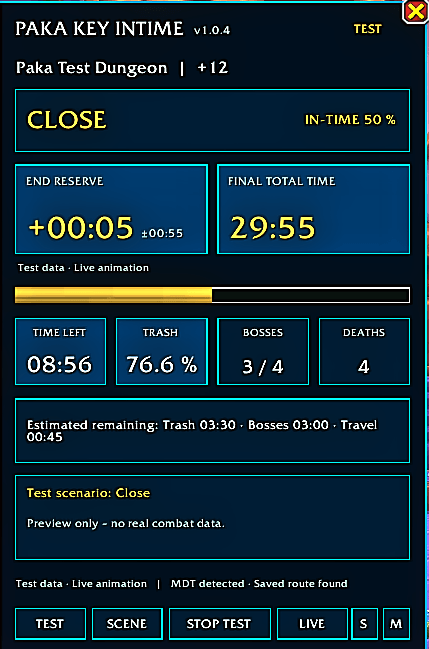
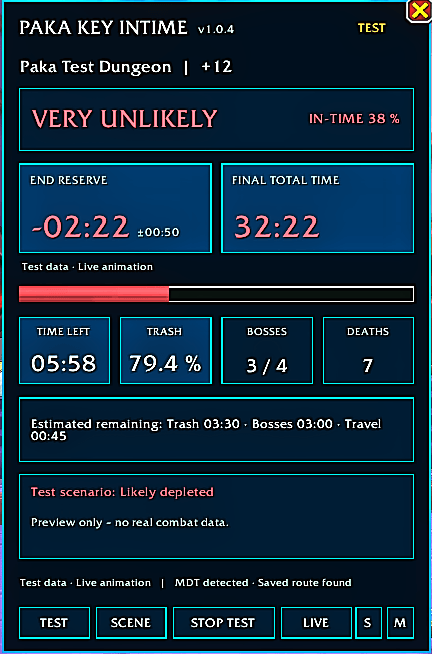
Paka Key InTime is a live Mythic+ forecasting addon designed for players who want to push keys more consistently and understand whether their current pace is enough to finish in-time.
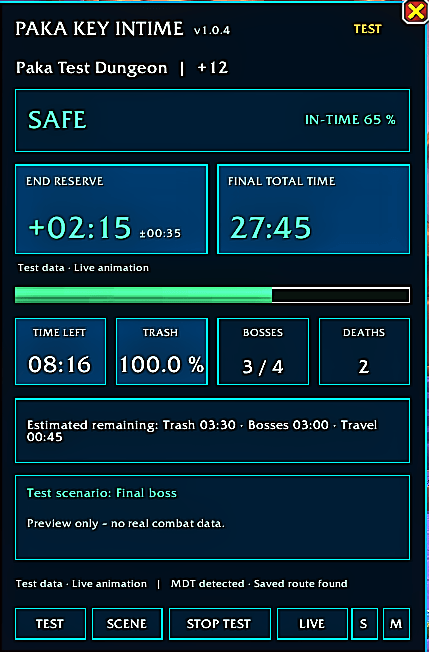
The addon analyzes the ongoing run and predicts:
- Estimated final completion time
- Estimated time remaining at the end of the key
- Current in-time probability
- Remaining trash, boss and travel time
- Dungeon progress, completed bosses and deaths
- A clear green, yellow or red status indicator
Live Forecast
During a Mythic+ run, Paka Key InTime continuously updates its prediction based on:
- Current dungeon timer
- Enemy Forces progress
- Completed bosses
- Current group pace
- Trash combat duration
- Boss combat duration
- Travel time and downtime
- Deaths and time penalties
The prediction becomes more accurate as the run progresses and more live data becomes available.
Learning System
Paka Key InTime stores completed run data locally and learns from your previous keys.
It creates separate averages for:
- Individual dungeons
- Different key-level ranges
- Trash combat time
- Boss combat time
- Travel time and downtime
- Average boss duration
- The more runs you complete, the more the forecast adapts to your actual group performance.
- Abandoned or unfinished runs do not affect the learned averages.
All recorded and learned data is stored locally in your WoW SavedVariables.
Status Indicator
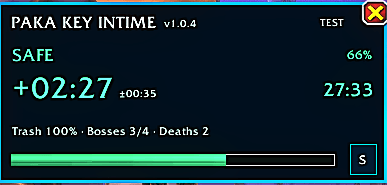
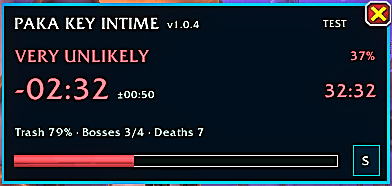
The addon uses a simple traffic-light system:
- Green – The key is likely to be completed in-time
- Yellow – The key is close to the timer
- Red – The current pace is likely not enough to finish in-time
The estimated in-time probability is also displayed directly in the addon window.
End-Time Display
Paka Key InTime displays both:
- Estimated final time remaining
- Estimated total completion time
Example:
- Final time remaining: +05:24
- Estimated completion time: 24:36
The displayed uncertainty range becomes smaller as the run progresses.
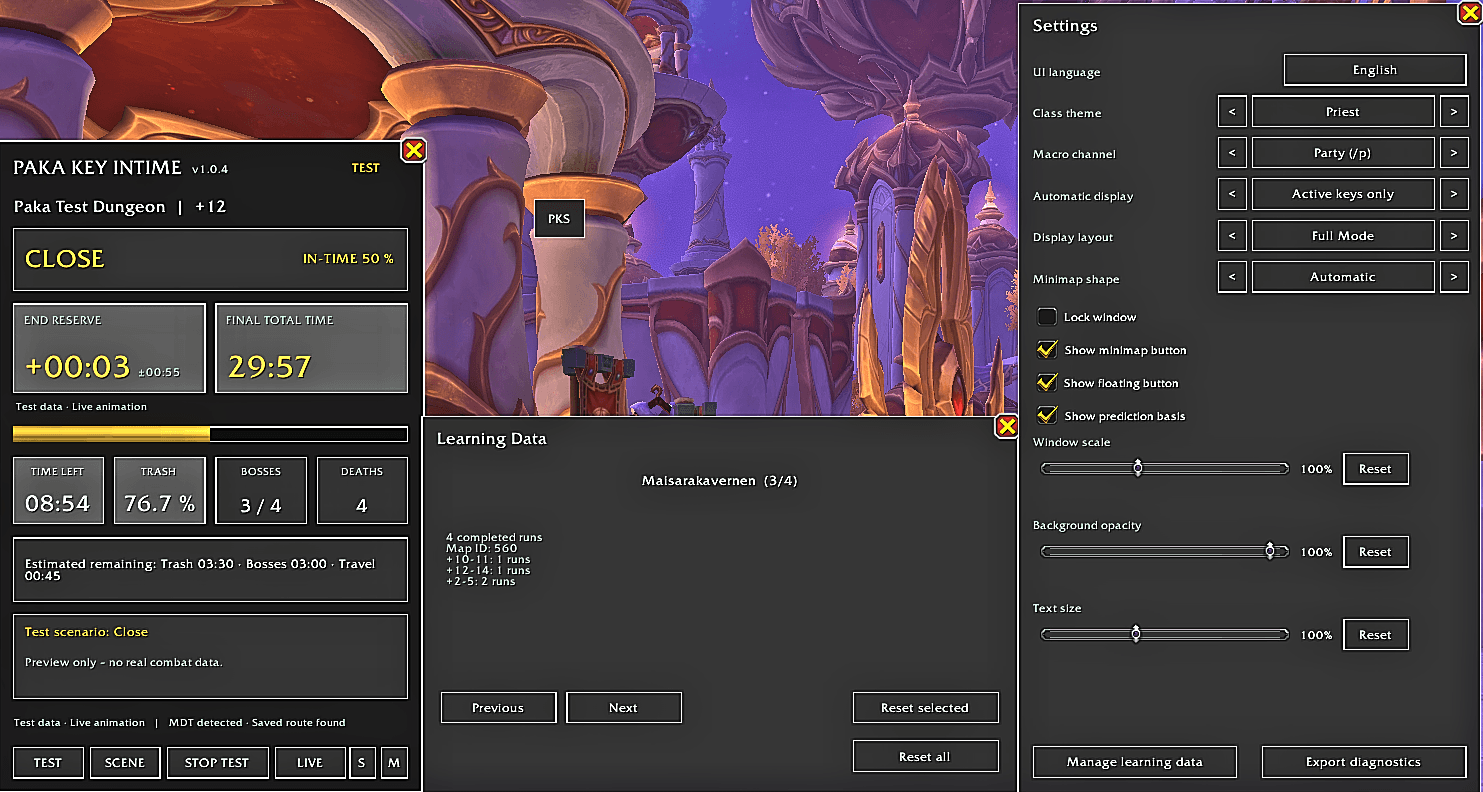
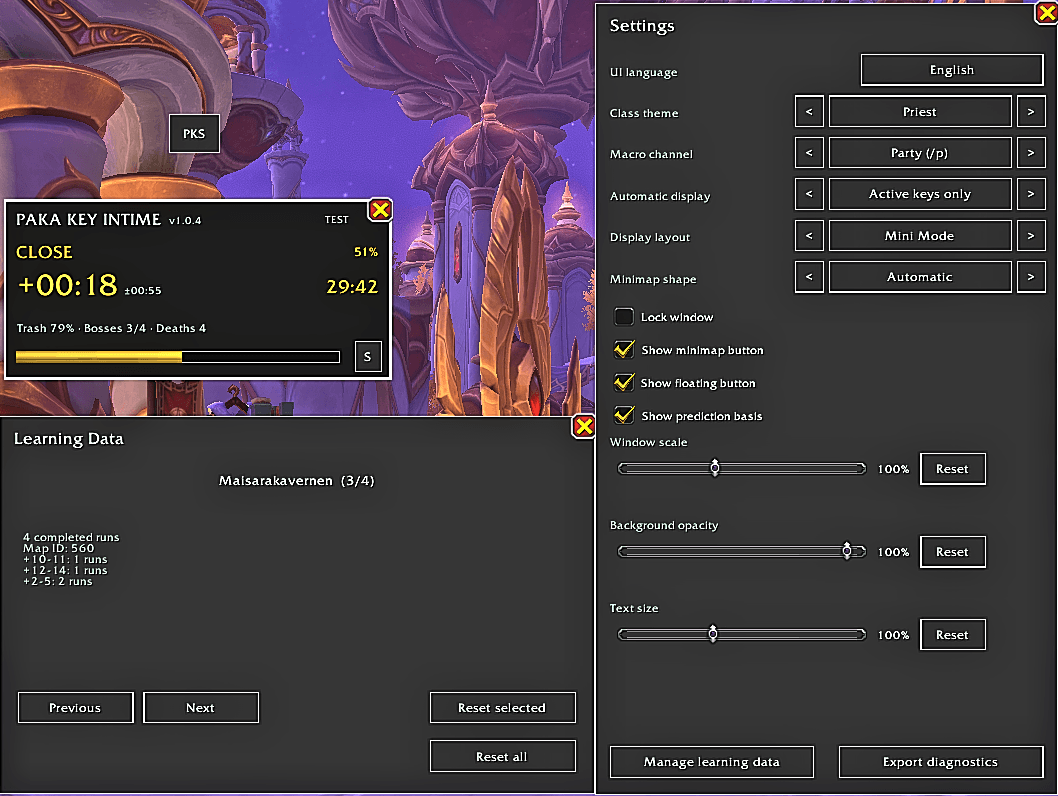
Interface Customization
The interface includes:
- Adjustable window scale
- Adjustable background opacity
- English and German user interface
- English selected by default
- Class-themed window colors
- Automatic class theme or manual class selection
- Movable and lockable main window
- Optional minimap button
- Saved minimap-button position
The minimap button can be used to open or close the main window and access the settings.
Automatic Display Options
The addon offers three automatic display modes:
- Active Mythic+ runs only
- Always manual
- Show during the run and keep the final result visible
Closing the window during a live run only hides the interface. The timer, forecast and run recording continue in the background.
Completed results can be cleared from the window without deleting recorded or learned data.
Test Mode
A built-in test mode allows you to preview the interface without starting a real Mythic+ key.
Test scenarios can be started, stopped and cleared directly from the addon window.
Closing the window during a test automatically stops and clears the simulation.
Chat Macros
The addon can create three optional English status macros:
- Likely in-time
- Close in-time
- Likely not in-time
The macro channel can be selected in the settings:
- Instance
- Party
- Raid
- Raid Warning
Messages are only sent when the player manually presses the corresponding macro.
The addon does not automatically send combat messages or perform protected actions.
MDT Detection
Paka Key InTime can detect whether Mythic Dungeon Tools is installed.
No MDT route setup is required for the standard forecast.
The current version does not require MDT and does not modify MDT routes.
Run Recording
The addon records diagnostic samples during a Mythic+ run, including:
- Dungeon timer
- Enemy Forces progress
- Boss progress
- Deaths
- Estimated completion time
- Estimated final time remaining
- In-time probability
- Status indicator
Completed runs can improve future forecasts for the same dungeon and key-level range.
Abandoned runs may be retained for diagnostics but are excluded from the learning system.
Commands
/pks – Show or hide the main window
/pks test – Start the test simulation
/pks live – Check the current live run
/pks lock – Lock or unlock the window
/pks reset – Reset window positions
/pks last – Show the last recorded run
/pks trace – Show recorded prediction samples
/pks learning – Show stored learning data
/pks resetlearn – Delete learned run data
Important
Predictions are estimates and may be affected by unusual routes, wipes, skips, large pulls, group composition or other unexpected events.
Early predictions use general dungeon and key-range profiles. As the run progresses, live group performance has a greater influence on the result.
The addon becomes more reliable after several completed runs in the same dungeon and key-level range.
The Paka Key InTime – Mythic+ Forecast Team
