


PadRP
01_stormwind_hero.jpg
02_rp_flyout_wheel.jpg
03_rp_tooltip.jpg
04_identity_editor.jpg
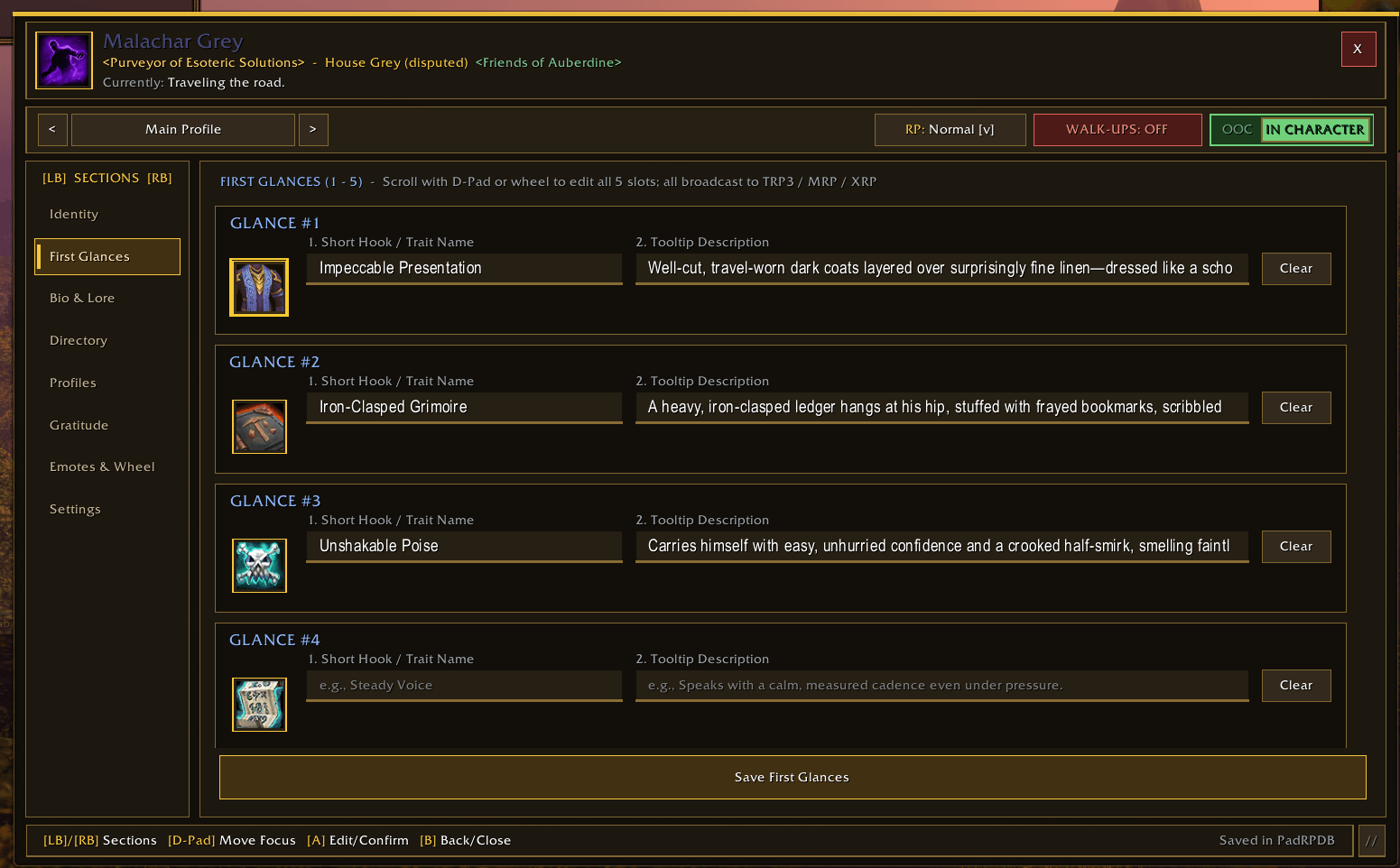
05_first_glances_editor.png
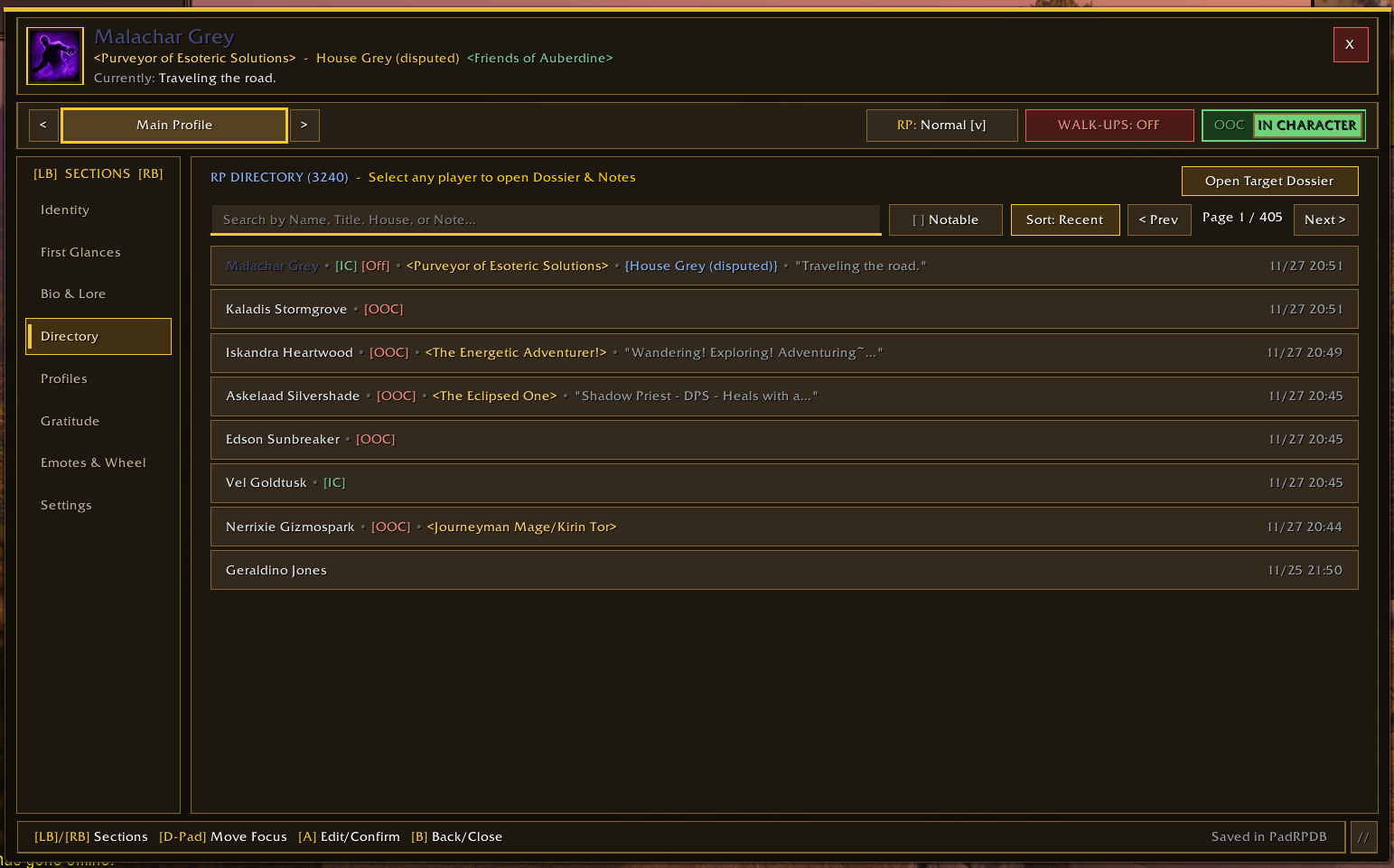
06_rp_directory.png
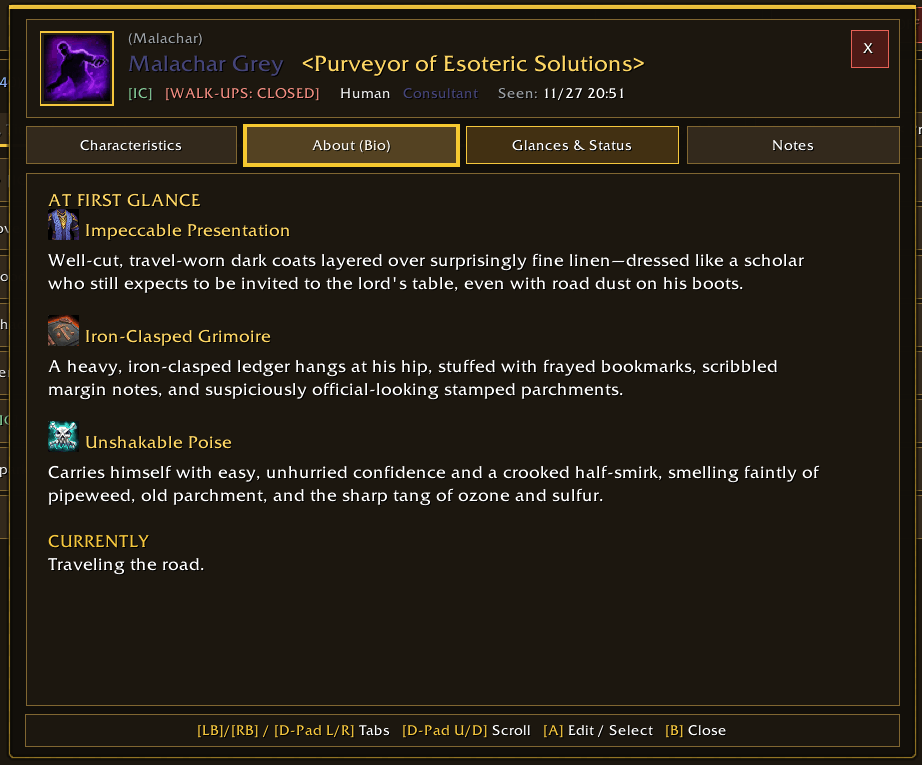
07_dossier_glances.png
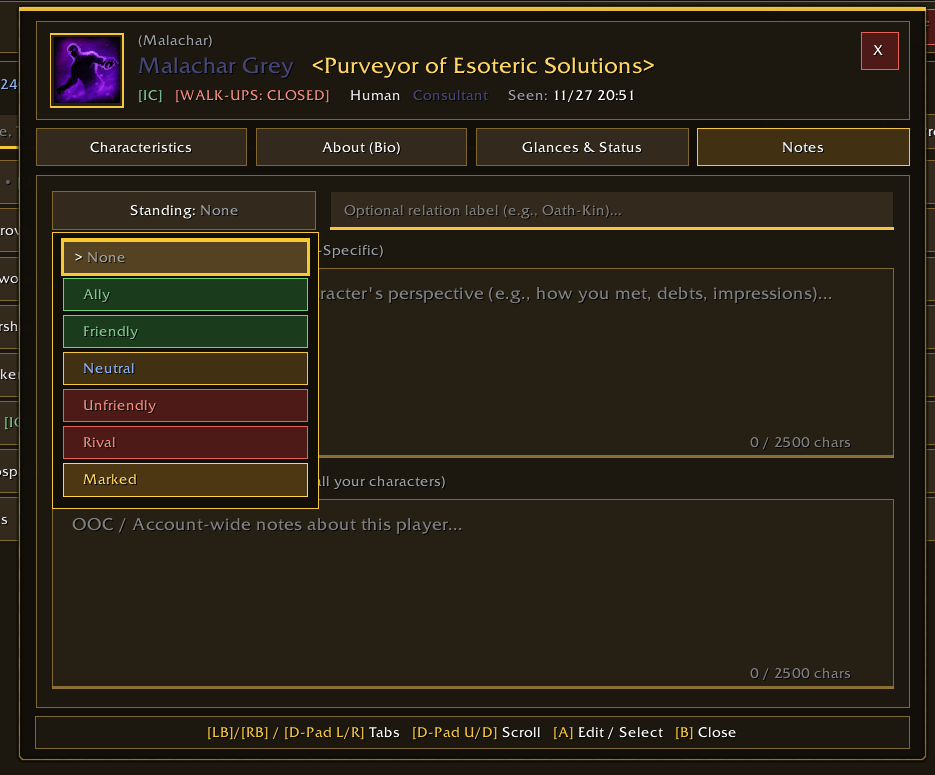
08_dossier_notes_standing.png
09_gratitude_studio.png
10_custom_emotes_wheel.jpg
11_world_nameplates_lakeshire.jpg
12_dossier_characteristics.jpg
Description
PadRP
A controller-first roleplay suite for World of Warcraft.
PadRP is designed for players who want a smooth, low-friction RP experience on a gamepad, Steam Deck, or couch setup, without giving up full profile customization or compatibility with the rest of the RP community. (Works seamlessly with mouse & keyboard too!)
Client & Controller UI Note: PadRP is built primarily around WoW: Forever and Blizzard's built-in Controller / Gamepad UI. While it works with mouse & keyboard as well, running PadRP on other WoW client versions or with Blizzard's controller UI disabled has not been thoroughly tested yet and may encounter edge cases or Lua errors.
Why PadRP?
Traditional RP addons are built around mouse-heavy character sheets and dozens of keybinds. PadRP rethinks the RP workflow for controllers:
- Native Gamepad Navigation: Navigate tabs, lists, profiles, and dossiers using
[LB]/[RB], D-pad,[A]to select, and[B]to go back. - Cross-Addon Compatibility (MSP): Powered by the Mary Sue Protocol (
LibMSP), PadRP communicates directly with Total RP 3 (TRP3), MyRolePlay (MRP), XRP, and other MSP-compatible addons. You can read their profiles, and they can read yours. - Zero Setup Clutter: Everything you need for everyday roleplay is ready out of the box—no extra modules or complex configuration required.
Main Features
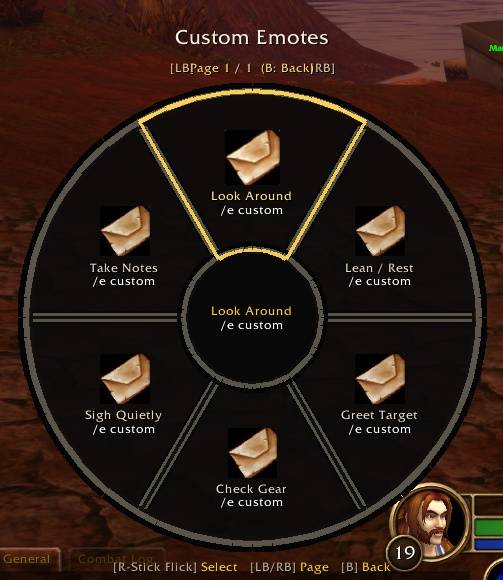
360° RP Flyout Wheel
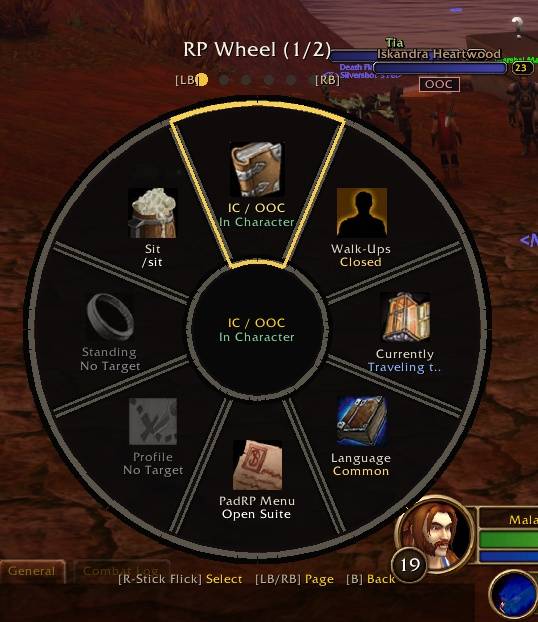
A multi-page radial wheel built for mid-stride RP on a controller (aim with the Right Stick or D-Pad, flip pages with [LB]/[RB], confirm with [A], back with [B]):
- RP Status Hub: Toggle IC / OOC, change Walk-Up status (Welcome / Ask First / Closed), swap "Currently" presets,
/sit, inspect target profiles, set target standing, or open the main PadRP menu. - Base Emotes: Ships with 16 starter emotes ready to go, plus a searchable catalog of 150+ WoW emotes you can toggle on/off and customize with your own icons in the Emotes tab.
- Custom RP Lines (
/e,/s,/y): Create and trigger custom emotes, says, and yells with%nameand%targettoken substitution. - Target Standing & Dice Roller: Quickly tag your current player target's standing (Ally, Friendly, Neutral, Acquaintance, Marked, Unfriendly, Rival) or roll d20, d100, d12, d10, d8, d6, d4, and Coin Flip without typing
/roll. - Spoken Language Toggle: Cycle known spoken languages directly from the second wheel page (
RP & Tools (2/2)) or via/padrp lang.
Character Profiles & Dossier
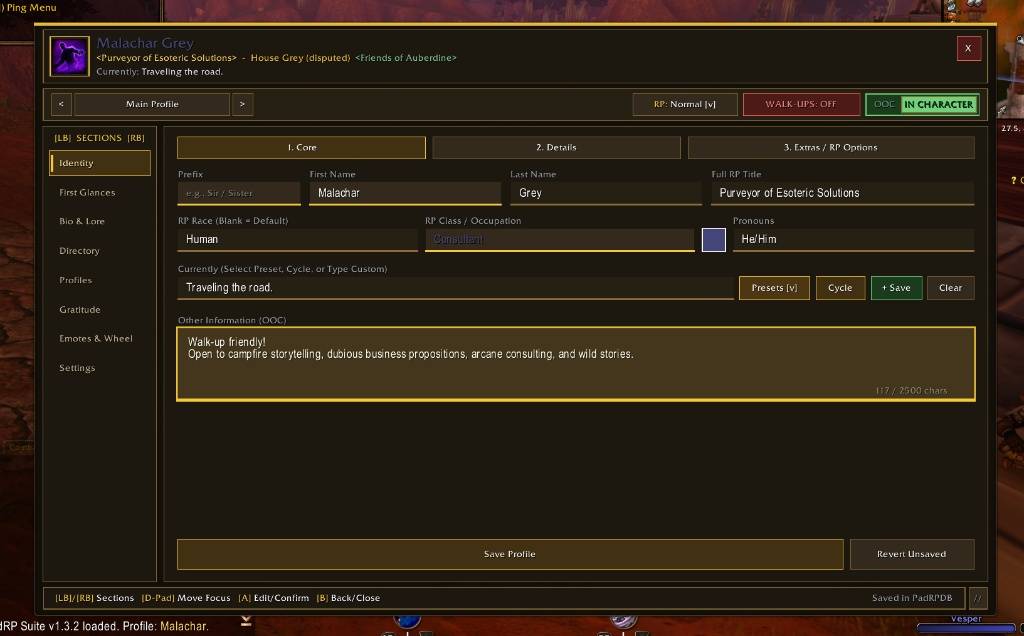
- Per-Character Profiles & Editor: Profiles are isolated per character, letting you customize identity, titles, custom colors, RP style preferences, First Glances (up to 5 slots with custom icons), appearance, OOC notes, and backstory/history.
- Profile Manager: Create, switch, cycle, back up, and share profiles via export/import strings.
- RP Directory: Keep track of characters you've encountered, organized by standing (with per-character standings and account-wide notes).
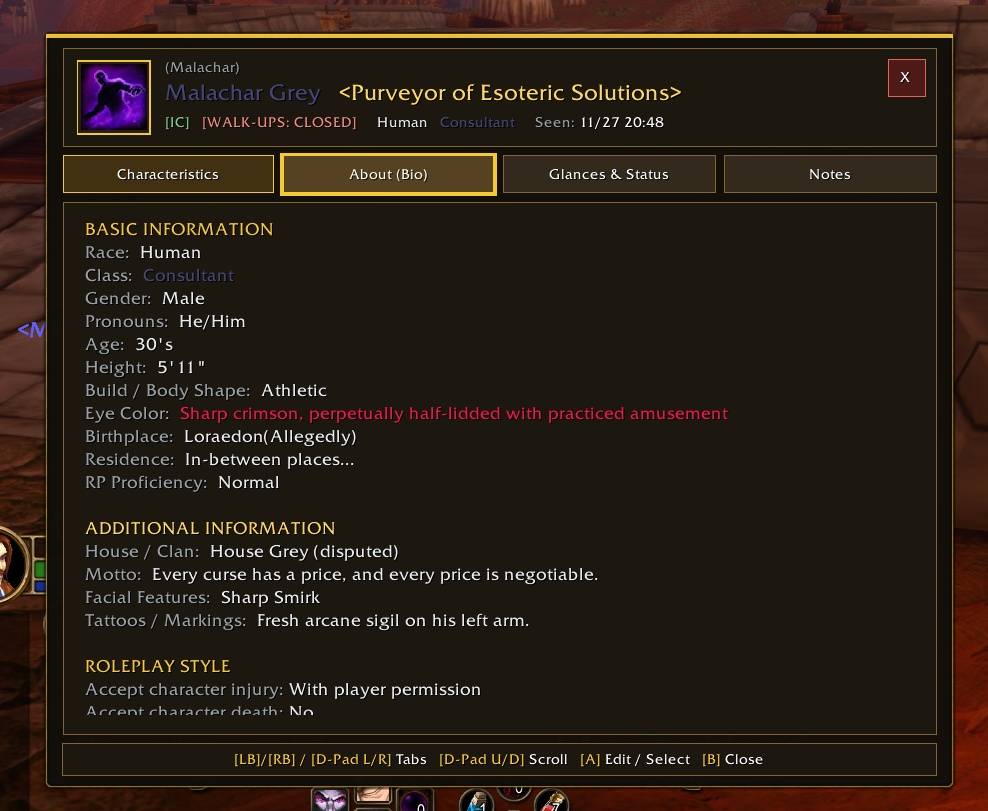
- Player Dossier: Inspect other players' full RP profiles in a clean, controller-friendly window—also accessible from player unit context menus.
World & Target Views
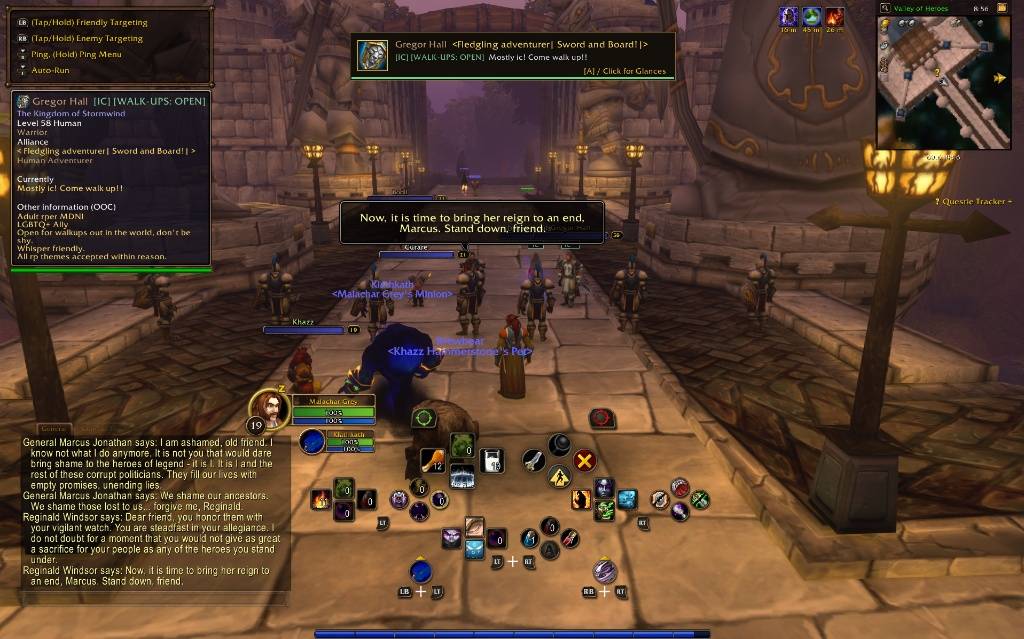
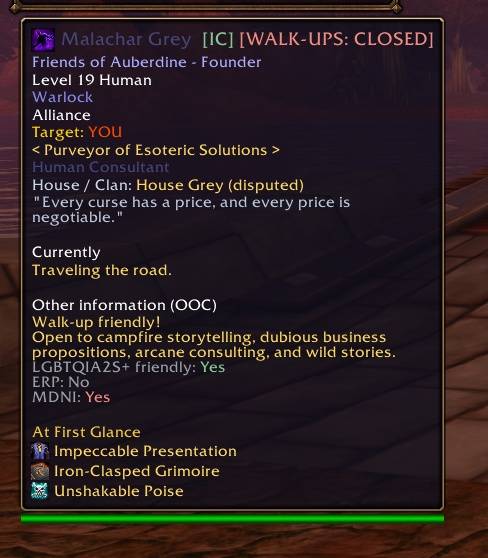
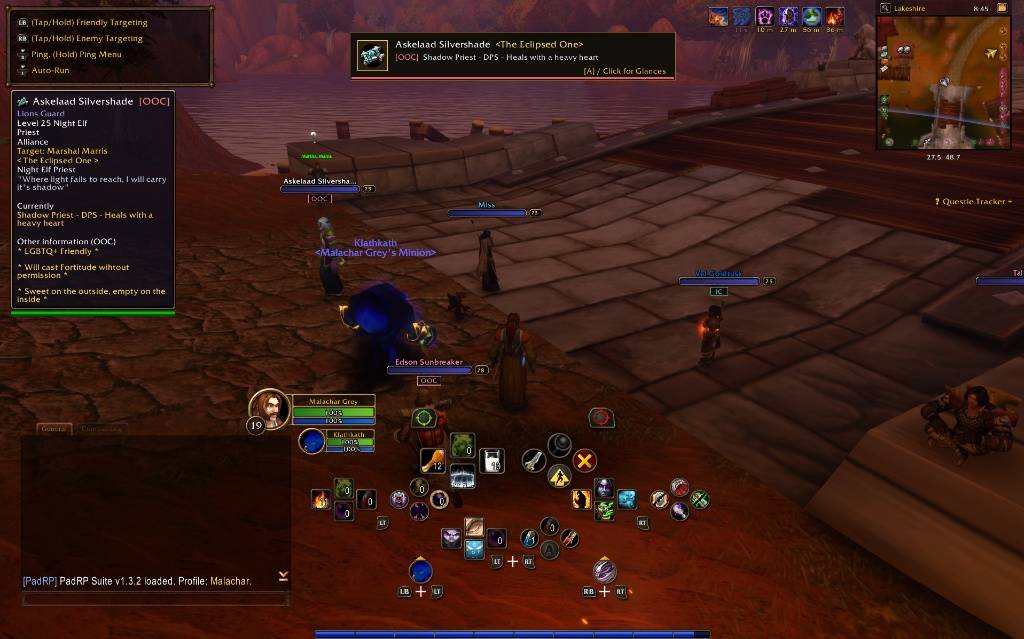
- Enhanced Tooltips: TRP3-style player tooltips showing RP names, titles, IC/OOC status, walk-up flags, and standing.
- Target HUD Toast: Optional floating notification when targeting or hovering over RP players for quick profile inspection.
- Friendly Nameplates: Optional RP names, class colors,
IC | OOCstatus tags, standing style options, and color-grouping modes directly on friendly nameplates.
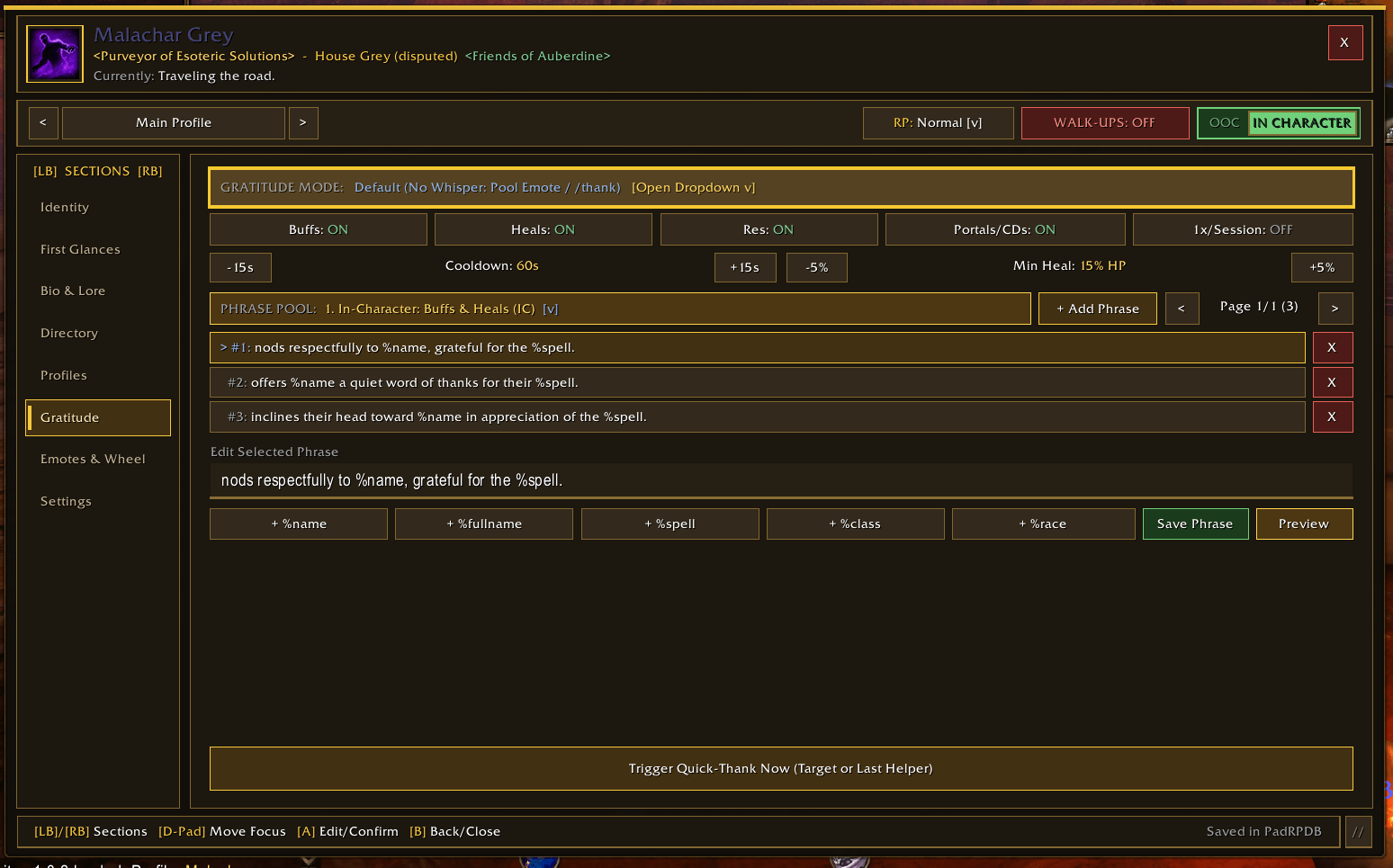
Gratitude Studio
- Automatically detects helpful buffs, heals, resurrections, summons, and portals from other players.
- Respond automatically or on-demand via Quick Thank using customizable IC, OOC, resurrection, summon, and special phrase pools—with built-in cooldowns and anti-spam protection.
RP Chat Tools (In Active Playtesting)
- Display RP names in chat (
chatRPNames). - Automatic long-message splitting with
...continuation markers. - Character name / nickname mention alerts and
[Target]chat highlighting. - Quick spoken-language cycling (
/padrp langand Flyout Wheel).
Installation
- Download the latest release of PadRP.
- Extract the
PadRPfolder into your World of Warcraft addons directory:
World of Warcraft\_retail_\Interface\AddOns\PadRPGetting Started & Controls
Slash Commands
| Command | Action |
|---|---|
/padrp or /padtoggle |
Open or close the main PadRP menu |
/padwheel or /padrp wheel |
Open or close the 360° RP Flyout Wheel |
/padrp lang |
Cycle spoken chat language across chat edit boxes |
/padrp minimap |
Reset or toggle the minimap button |
/padrp scan |
Manually scan nearby players for RP profiles |
/padrp resetcam |
Restore gamepad camera speed if the wheel was interrupted |
Controller Keybindings & Macro Tip
Open Options → Keybindings → AddOns → PadRP to bind PadRP actions to a single button:
- Open / Close RP Flyout Wheel
- Open / Close Main Menu
- Toggle IC / OOC
- Cycle Walk-Up Status
- Sit / Rest (
/sit) - Quick Thank Helper
- Inspect Target RP
Tip for Trigger Combos & Macros (Native Gamepad): WoW's built-in Keybindings menu only accepts a single controller button per bind. If you want to open the Flyout Wheel with a trigger combo (like
LT+ a button) or trigger spoken-language cycling from a bar or layer, create a simple WoW macro—such as/padwheelor/padrp lang—and place it on an action bar slot on your trigger layer.
Solo-Dev Note
PadRP was prototyped and built by one developer out of a love for roleplaying on a controller—with WoW: Forever and Blizzard's controller UI as the primary test environment. If you run into a bug, test outside that setup and hit a Lua error, have a Steam Deck / gamepad quirk to report, or have an idea for future updates, feel free to open an issue or leave a comment where you downloaded the addon.
Thanks for trying out PadRP, have fun out there!
You can find me in game on Forever's RP Servers: Malachar Grey | Nythra Gloomwhisper
PadRP Team
