
P5UI
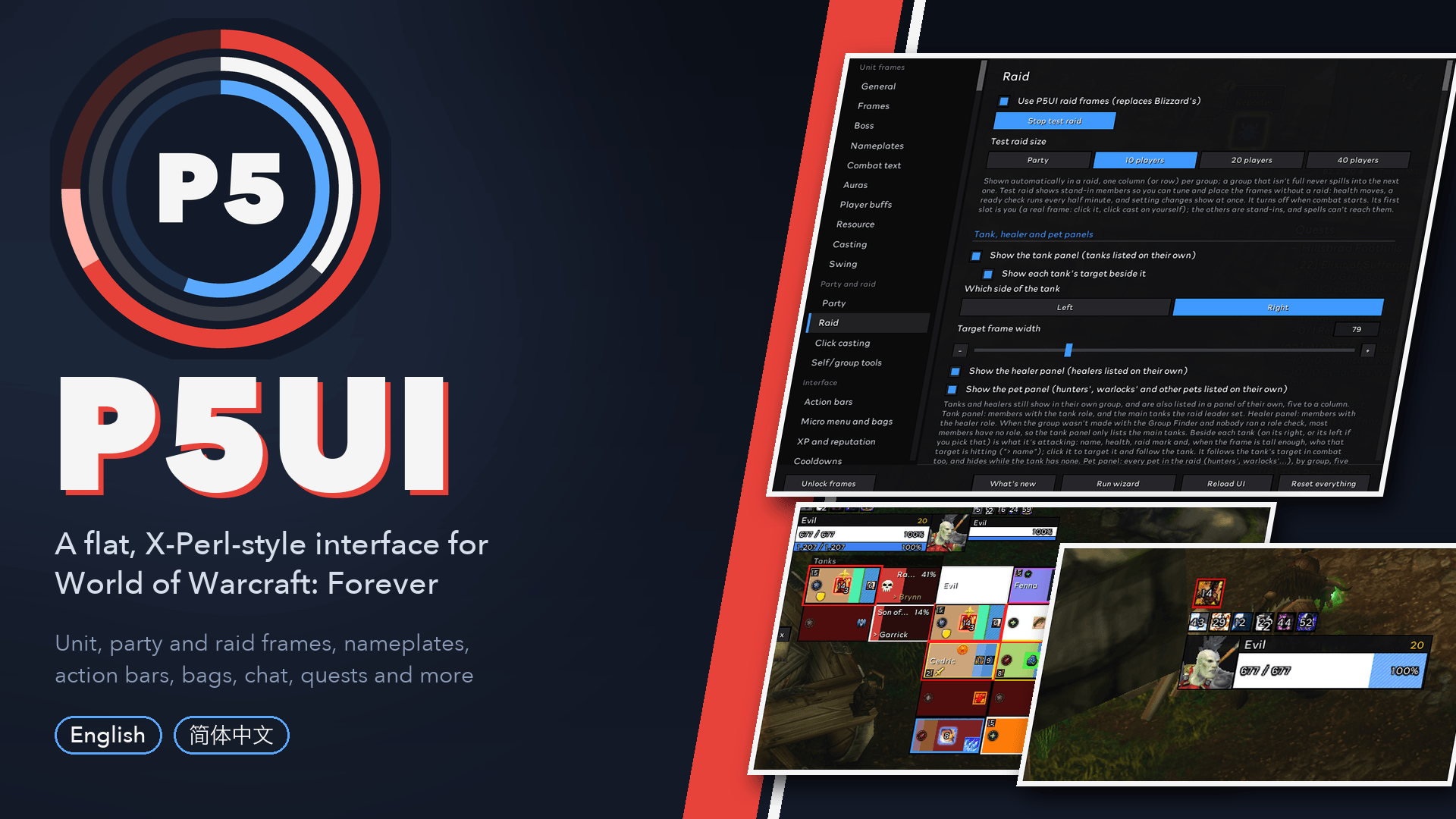
Unit, party and raid frames, nameplates, action bars, bags, chat, quests and more. English and Simplified Chinese.
Description
P5 UI
Available languages: English · 简体中文
A complete flat, X-Perl-inspired interface for World of Warcraft: Forever: unit, party, raid and boss frames, nameplates, action bars, bags, maps, chat and more. Each part has its own switch.
Guide, screenshots and change log: p5ui-board.cweihc.com/p5ui Features · What's new · Gallery · Design · Commands · Full description
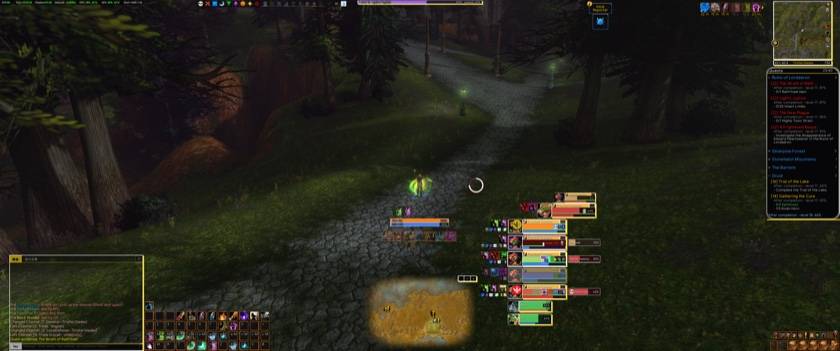
Why P5UI
- One flat, square look, in three looks you can switch: original, Persona 5 red, Ryuji Sakamoto yellow.
- Every part has its own switch. Turn off anything that replaces a Blizzard frame and Blizzard's comes back.
- Every settings page has a test mode. Test party, test raid, test bosses, sample auras, sample loot: set things up without a group or a dungeon.
- See what you changed. A small yellow dot beside any setting that differs from its default: hover it to see the default, hold it to put it back.
- One icon for every aura, with a number on every icon that can show one, and only what matters in the same place every time.
- Your language. English or Simplified Chinese, following your game client.
What is inside
- Unit frames: player, target, focus and pet with 3D portraits, two fixed aura rows and a round threat button. More
- Party and raid frames: raid cells, boss debuffs first, heal prediction, dispels, click casting, test modes, and a frame editor window that magnifies one frame to edit it (party, raid sizes, player, target, focus, pet, boss). Each spell of your custom indicators gets its own place on the party and raid frames (picked from a searchable list of your class's spells), and the three raid sizes can be edited together. The role, leader, raid mark, ready check and class icons can be dragged to any of eight places on the health bar, in the editor window or from their own choice on the page, and each kind of icon on the raid cell's three rows (boss debuffs, dispellable debuffs, your heals over time and shields, defensives, your own spells) goes in the row you pick. A spell of your custom indicators can hang anywhere on the frame, and several in one place line up side by side, to the left or to the right. A "Simulate" row under the magnified frame shows heal prediction, threat, dead, resurrection and summon on the preview, so you can tune each state. The class icon can be hidden by dragging it off the frame, and the frames use P5UI's own round tank / healer / damage role icons. With Me in the party on, your target and your target's target can show their full buff rows. Party · Raid
- Aura Cooldown Manager (beta): panels of icons for the buffs, debuffs, spells and items you care about, every cell placed where you like and edited in its own window, with "when ready", "when gone" and "when inactive" looks, sounds and class-coloured outlines. Its settings are kept separately for each class and each of the two talent sets, with their own import / export string. Cells snap to the panel's grid when you drag them (hold Shift to place one freely), and a cell dropped on another is inserted beside it. A left click on a cell's icon casts its spell or uses its item, like an action button (a switch turns it off). Every panel and every cell can have conditions, such as a Druid's form, a Warrior's stance or in / out of combat, and a whole panel can be copied. More
- Nameplates, combat text, cast bar and cursor ring. A channelled spell (Mind Flay, Drain Life, Blizzard and more) divides the cast bar at each of its ticks.
- Game object icons: an effect, the name and an icon over the herb, ore vein, quest object, chest, fishing bobber or any other object you are about to interact with (the one in front of you, within 15 yards; needs the game's "Enable interact key"). Ten effects; each category has its own switch, colour and size; a preview on the Map page. More
- Action bars in your class colour, cooldown numbers, reactive-ability glow, XP and reputation bars.
- Bags and bank in categories with search, loot log, quests, professions, the Legacy window, the talent planner.
- Maps: square minimap, flat world map, a HUD map for levelling.
- Chat and tooltips, damage meter, profiles with a setup wizard, a profile for each of your two talent sets, presets, import and export.
Screenshots
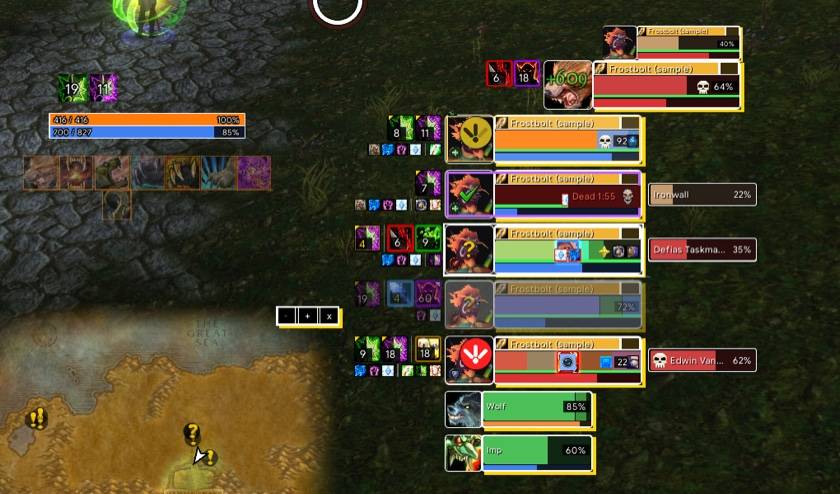
Party frames (test party): auras in two rows beside each frame, a boss debuff in the middle of the health bar, heals over time, defensives, and a row for your target and its target.
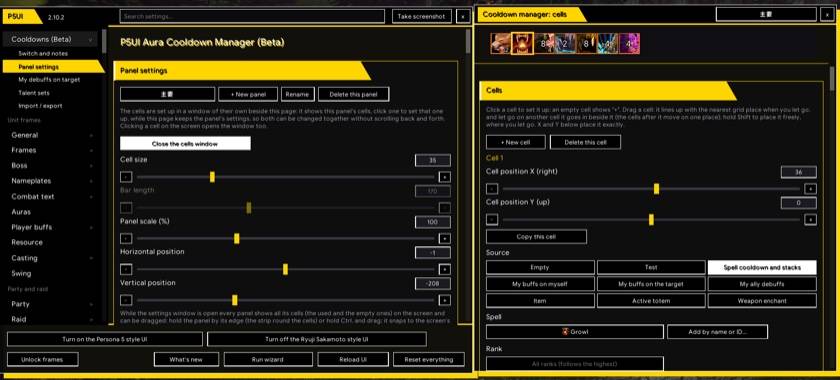
Aura Cooldown Manager (beta): a panel of icons, and the window where its cells are set up.
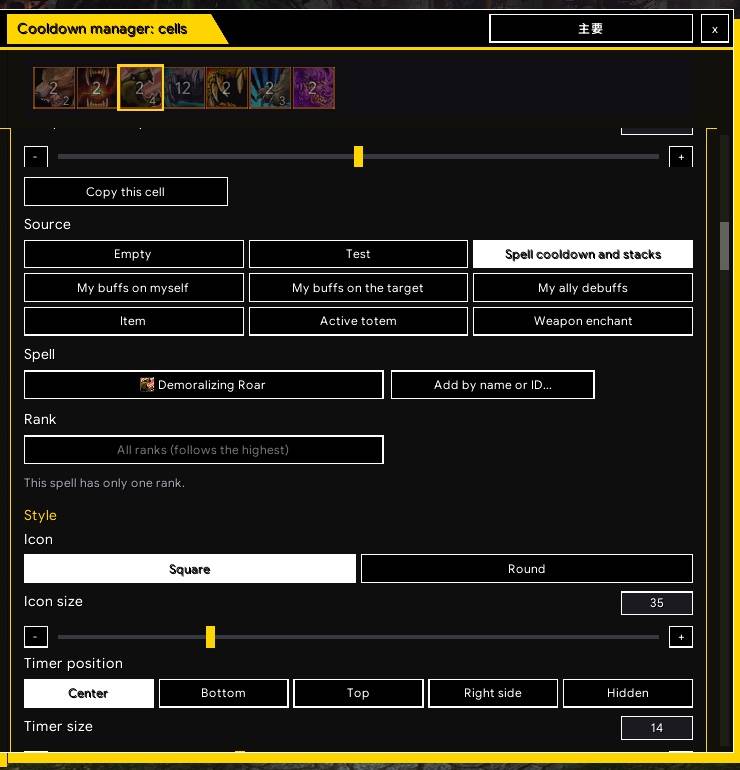
One cell's settings: what it shows, its look when ready, when gone and when inactive.
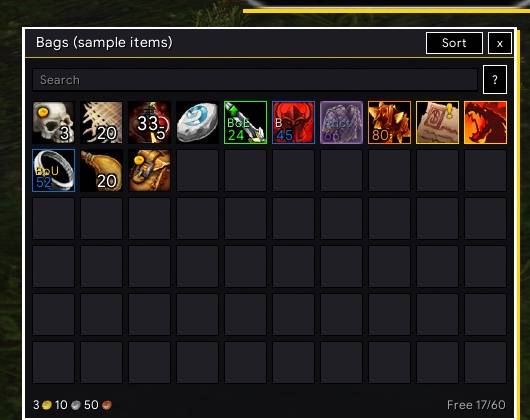
Bags in categories with search (shown with the sample items from the settings page).
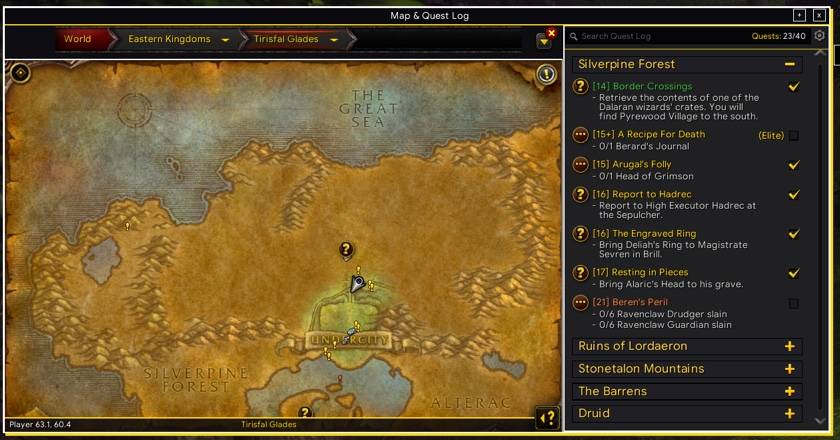
HUD map with the quest log beside it, for levelling.
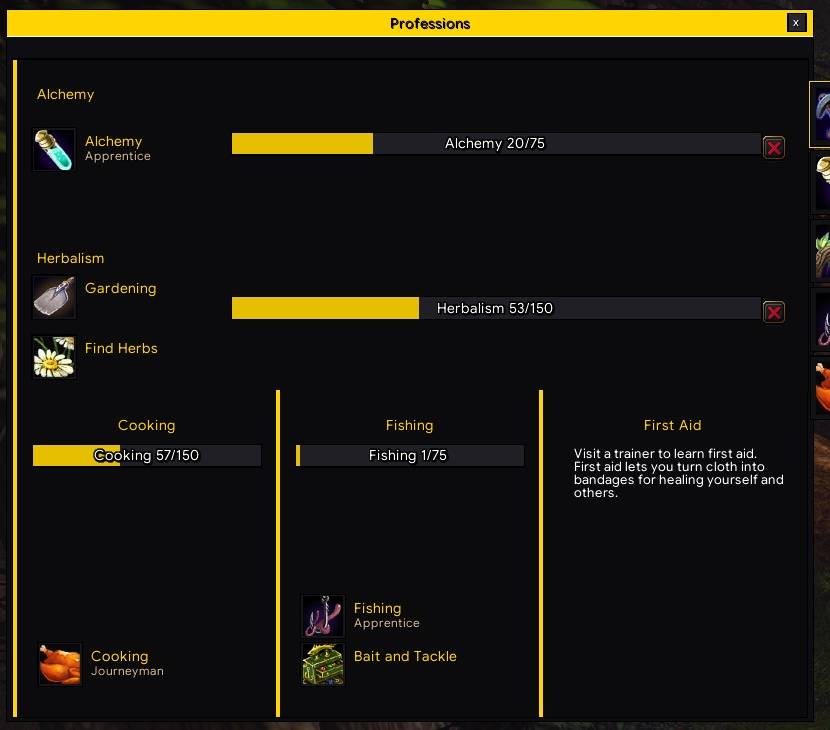
Professions window in the same flat look.
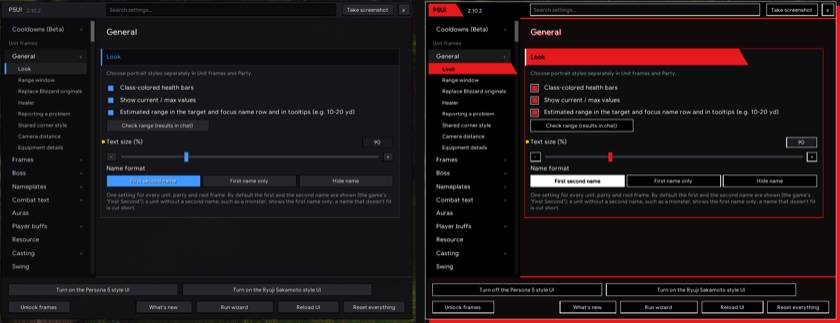
Settings window: the normal look (left) and the Persona 5 red look (right); there is a yellow Ryuji Sakamoto look too.
Getting started
/p5uiopens the settings./p5ui wizardruns the one-minute setup tour./p5ui unlockmoves frames./p5ui test,/p5ui raidtestand/p5ui bosstestshow test frames.- Every command and every settings page is on the website.
Feedback
Found a bug or want a feature? p5ui-board.cweihc.com/feedback needs no account and screenshots can be pasted in. In game, /p5ui report gathers what a bug report needs. We read every report.
Good to know
Forever uses the modern addon API, where many combat values are secret: an addon can show them but not calculate with them. That is why distance is a range, not an exact number.
中文说明
支持语言:English · 简体中文
扁平风格、灵感来自 X-Perl 的整套界面,适用于 魔兽世界:Forever:头像、小队、团队、首领框体,姓名板,动作条,背包,地图,聊天等,每个部分都能单独开关。
介绍、截图和更新记录:p5ui-board.cweihc.com/p5ui(功能 · 更新记录 · 截图 · 设计 · 命令 · 完整介绍)
- 一个扁平方正的风格,三种外观可以切换:原版、Persona 5 红、坂本龙司黄。
- 每个部分都能单独开关:关掉替换暴雪框体的部分,暴雪原来的就回来。
- 每个设置页都有测试模式:测试小队、团队、首领,样例光环、样例拾取,不用组队也能调。
- 一眼看出改过什么:和默认值不同的设置旁边有个小黄点,鼠标放上去看默认值,按住就恢复。
- 头像、小队、团队、首领框体,还有放大单个框体来编辑的框体编辑器窗口(自定义指示的法术可以挂在框体上任意位置,同一位置的几个法术并排;放大的框体下面有“模拟状态”一排,预览治疗预估、仇恨、死亡、复活和召唤;职业图标拖出框体就隐藏;团队和小队改用 P5UI 自己的圆形职责图标);姓名板,伤害数字,施法条(引导法术按跳数画分隔线)和鼠标圈。
- 游戏物体图标:你面前要碰的草药、矿脉、任务物品、宝箱、鱼漂和其他物品(15 码内的那一个,需要游戏里打开“启用交互键”)头上显示一个特效、名字和图标;十种特效,每一类有自己的开关、颜色和大小,地图页有预览。
- Aura 冷却管理器(测试版):给你关心的增益、减益、技能和物品做图标面板,每个格子想放哪就放哪,在单独的窗口里设置,有“就绪”“消失”“不活动”三种样子、声音和职业色外框。设置按职业和天赋分开保存,有自己的导入 / 导出字符串。拖格子会对齐到面板的格子位置(按住 Shift 才自由摆放),拖到另一个格子上就插到它旁边。每个面板、每个格子都能设条件(德鲁伊的形态、战士的姿态、战斗中 / 脱战),整个面板也能一键复制。
- 动作条、背包和银行、拾取、任务、专业、传承界面、天赋模拟、地图、聊天、伤害统计,以及带向导的配置档、预设、导入导出。
- 输入
/p5ui打开设置,/p5ui wizard运行一分钟向导。每个命令和每个设置页的说明都在网站上。 - 有需求或遇到问题:到反馈网页提交,不用登录,截图可以直接粘贴。游戏里
/p5ui report收集问题报告需要的全部信息,每条都会看。
截图
Support P5UI
Building and maintaining a complete UI takes a lot of time: every feature is tested again with each new Forever build, and reported bugs get fixed as fast as possible. If you enjoy using P5UI, please consider supporting it: every little bit of support helps the project keep going and keep improving for the whole community. P5UI is free and always will be: every feature is for everyone, whether you donate or not.

- Venmo (United States): scan the code, or donate on Venmo
- PayPal (worldwide): scan the code, or donate with PayPal
- Alipay (China): scan the code with the Alipay app
- Interac e-Transfer (Canada):
cweihc@gmail.com
支持 P5UI
做一整套界面插件不容易:每个功能都要跟着 Forever 的每次更新重新测一遍,大家报的错也要尽快修。如果你喜欢用 P5UI,欢迎支持一下:您的一点点支持都会让这个项目走得更久,一直更新下去,服务更多玩家。P5UI 现在免费,以后也永远免费,所有功能人人都能用,赞不赞助都一样。
- Venmo(美国):扫上面的码,或在 Venmo 上支持
- PayPal(全球):扫上面的码,或用 PayPal 支持
- 支付宝(中国):打开支付宝扫一扫
- Interac e-Transfer(加拿大):
cweihc@gmail.com
P5UI Team
