Overheat Meters
- By
Modern live damage meter: DPS, healing, damage taken, enemies, interrupts, dispels, deaths and threat, with spell breakdowns, death recaps, split windows and filters. Midnight and WoW: Forever.
Overheat Meters
A modern live damage meter for Midnight and World of Warcraft: Forever. Built on Blizzard's own combat meter on retail, with its own combat-log engine on Forever, so the numbers are exact and nothing is parsed from logs after the fact.
What you get
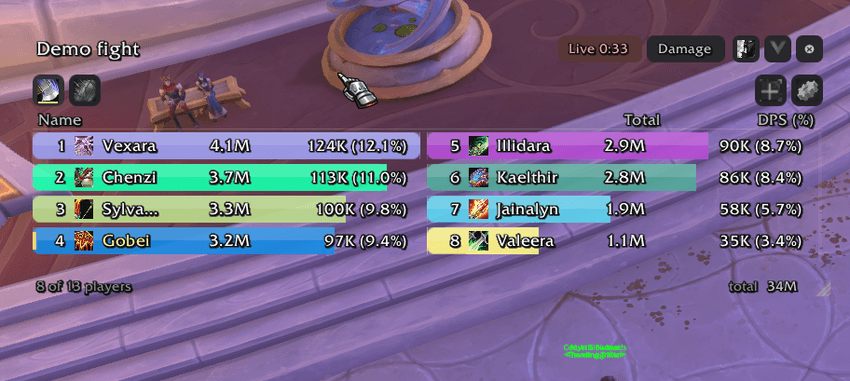
- Live meters that stay on screen, like a normal damage meter: DPS, Damage done, HPS, Healing done, Damage taken, Enemies (damage taken by each enemy), Avoidable damage, Interrupts, Dispels, Deaths and Threat.
- Spell breakdowns: click any row for that player's abilities. Click a death for the death recap: the last hits, who cast them, and the health left after each.
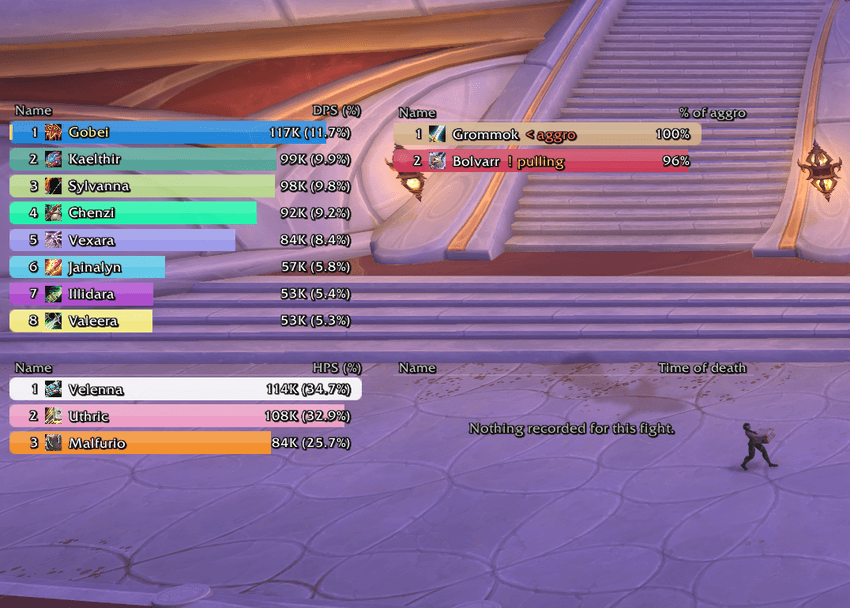
- Threat tab: the group's threat on your current target, the aggro holder marked and a warning on whoever is about to pull.
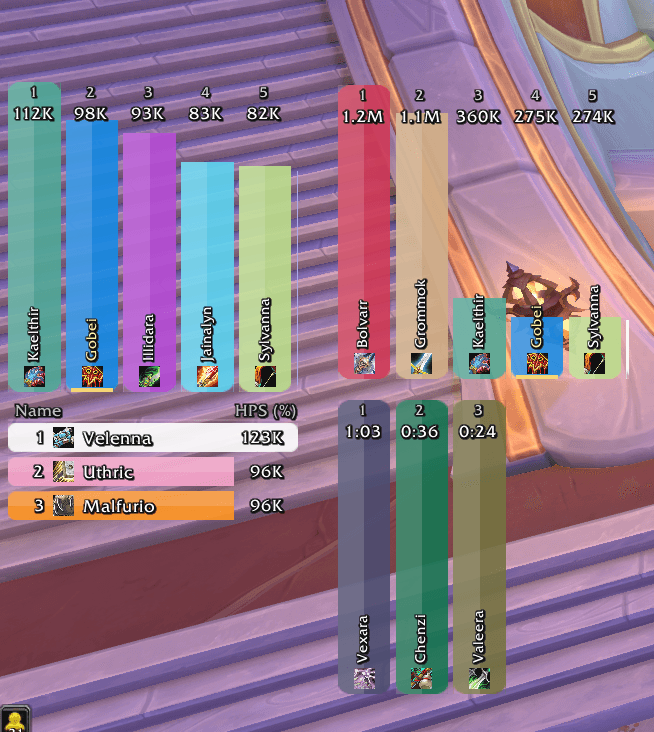
- As many windows as you want, each with its own tabs, and each window can be split into panes (1:1, 1:2, 2:2) showing different meters side by side.
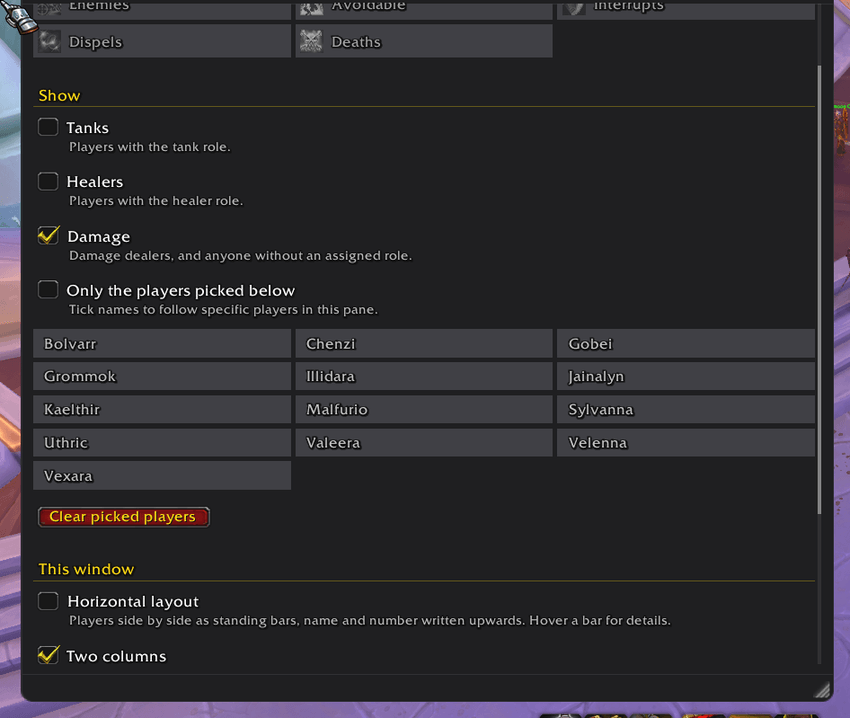
- Filters per window or pane: tanks, healers, damage, or only the players you pick.
- Your row stays in view: a copy is pinned at the edge of the list when you scroll past it, and it flashes green or red when you climb or drop a rank.
- Standing bars: a horizontal layout with the bars side by side, names written upwards.
- Announce to chat: party, raid, instance, guild, say or whisper, with a configurable number of lines.
- Fight history: pick any recorded fight from the header.
- Demo fight:
/oh demoruns a fake fight with made-up players so you can set everything up without pulling.
Look
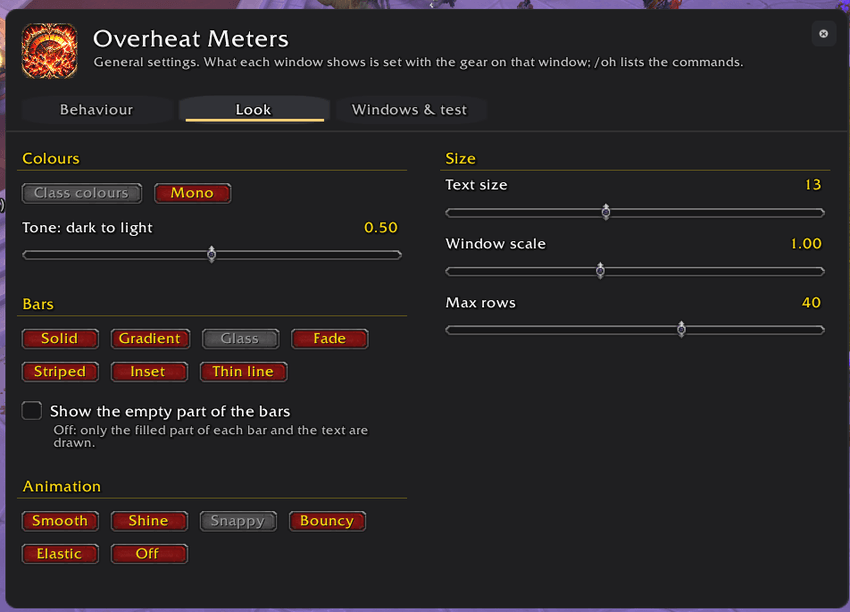
Class colours or mono, a tone slider from dark to light, seven bar styles (solid, gradient, glass, fade, striped, inset, thin line), the empty part of the bars on or off, and six animation styles including a shine that only plays when someone overtakes someone.
Behaviour
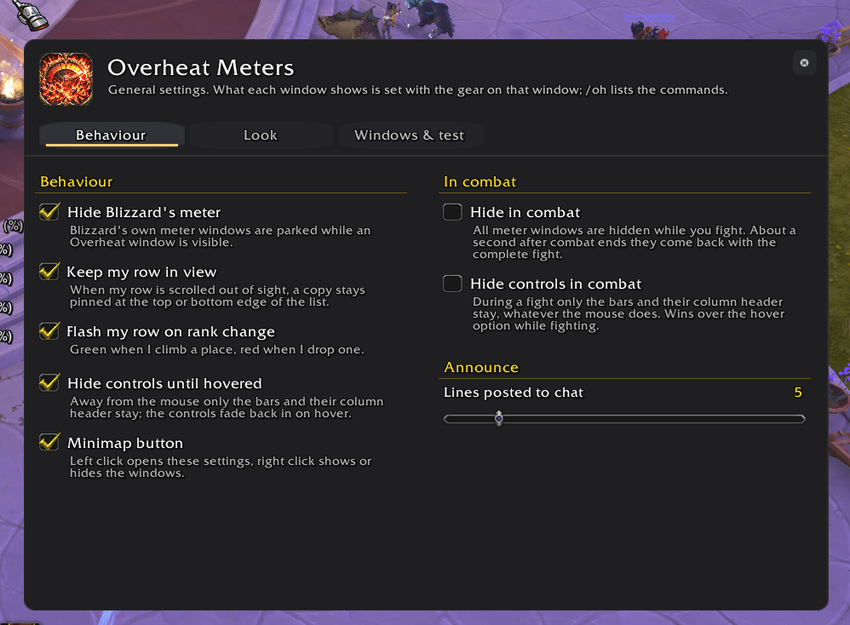
Hide Blizzard's meter while Overheat is shown, hide the controls until you hover the window, hide the controls or all windows during combat and have them return with the complete fight, keep your row in view, flash on rank change, minimap button.
Commands
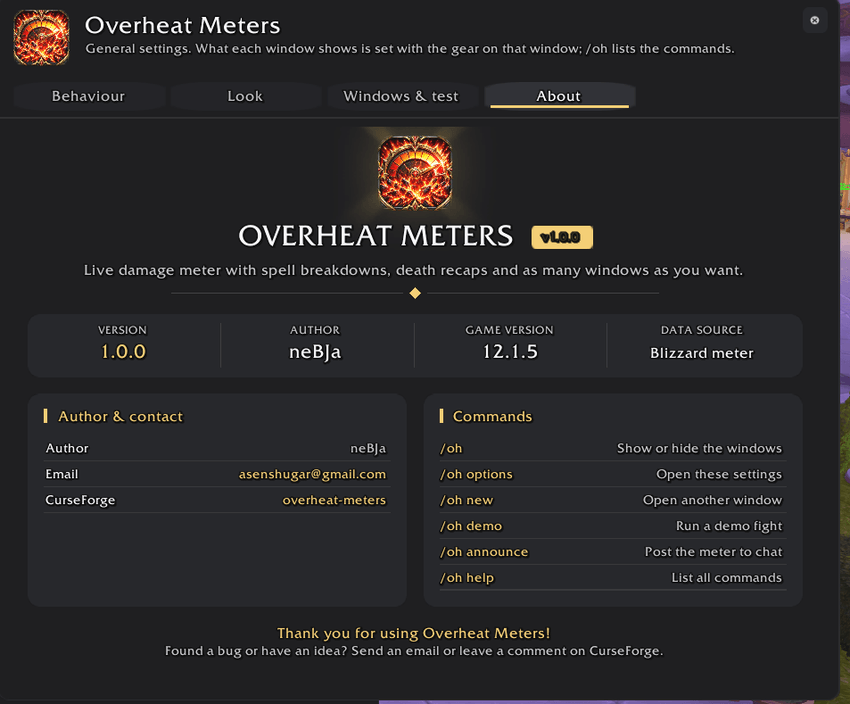
/oh- show or hide the windows/oh options- open the settings window (also the minimap button)/oh new- open another window/oh demo [seconds]- run a demo fight,/oh demo stopends it/oh announce [party|raid|instance|guild|say|whisper name] [lines]- post the first window's tab to chat/oh combat- toggle hiding all windows in combat/oh help- list every command
Notes
- Midnight: during combat the game may hide some numbers from addons. Overheat still draws the bars and shows the values, and the ranking follows Blizzard's meter until the fight ends.
- Forever: the Avoidable damage tab is not available there; everything else works from the combat log.
Found a bug or have an idea? Leave a comment here or send an email: asenshugar@gmail.com
Support
If you like it and want to say thanks, you can leave a tip at https://www.paypal.biz/nebja.
Overheat Meters Team