
Overachiever2 - achievement tools and tweaks
- By


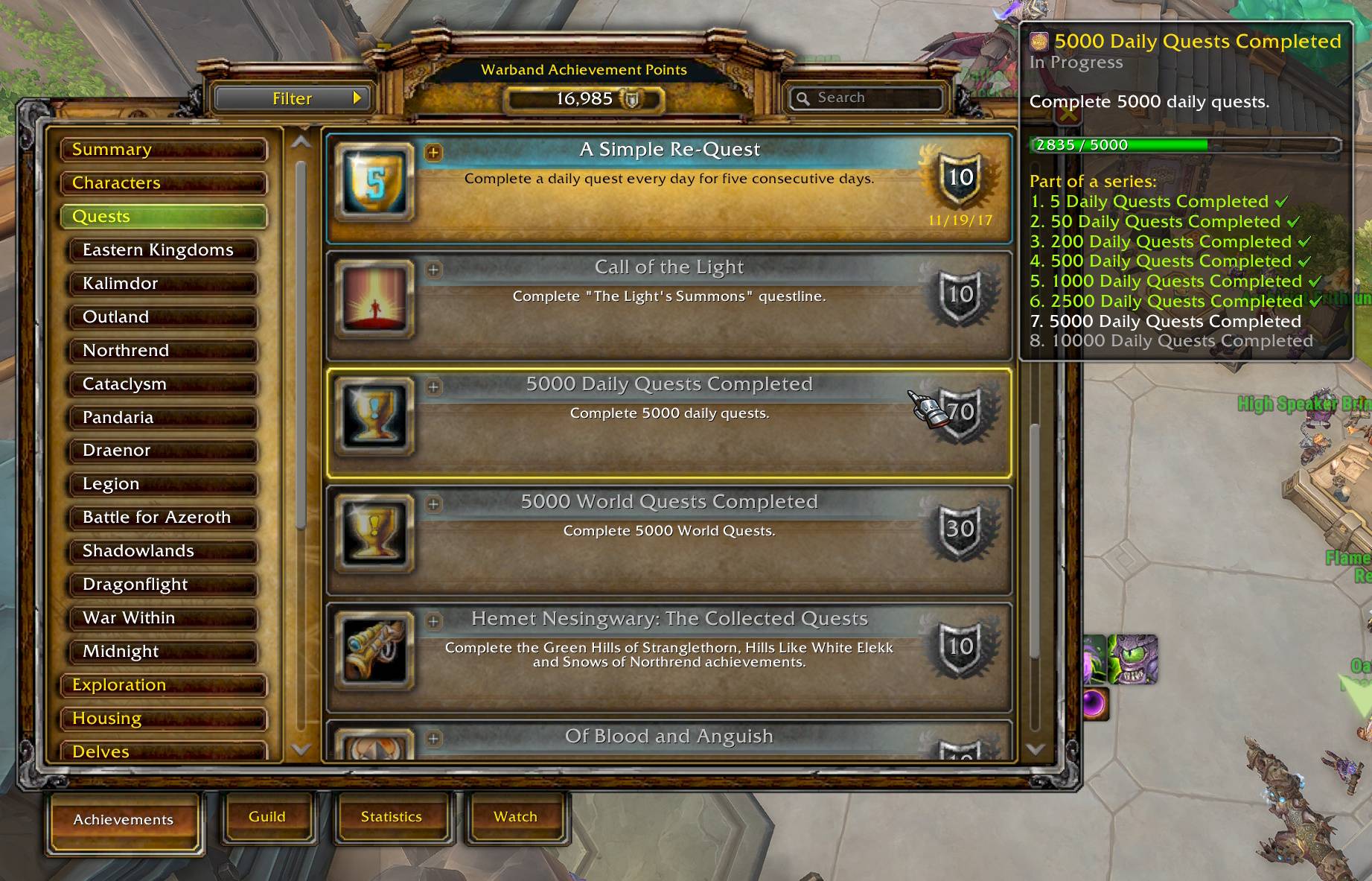
Shows all requirements/criteria directly on the tooltip. Displays the entire series of related achievements in one view. Display its parent achievements.
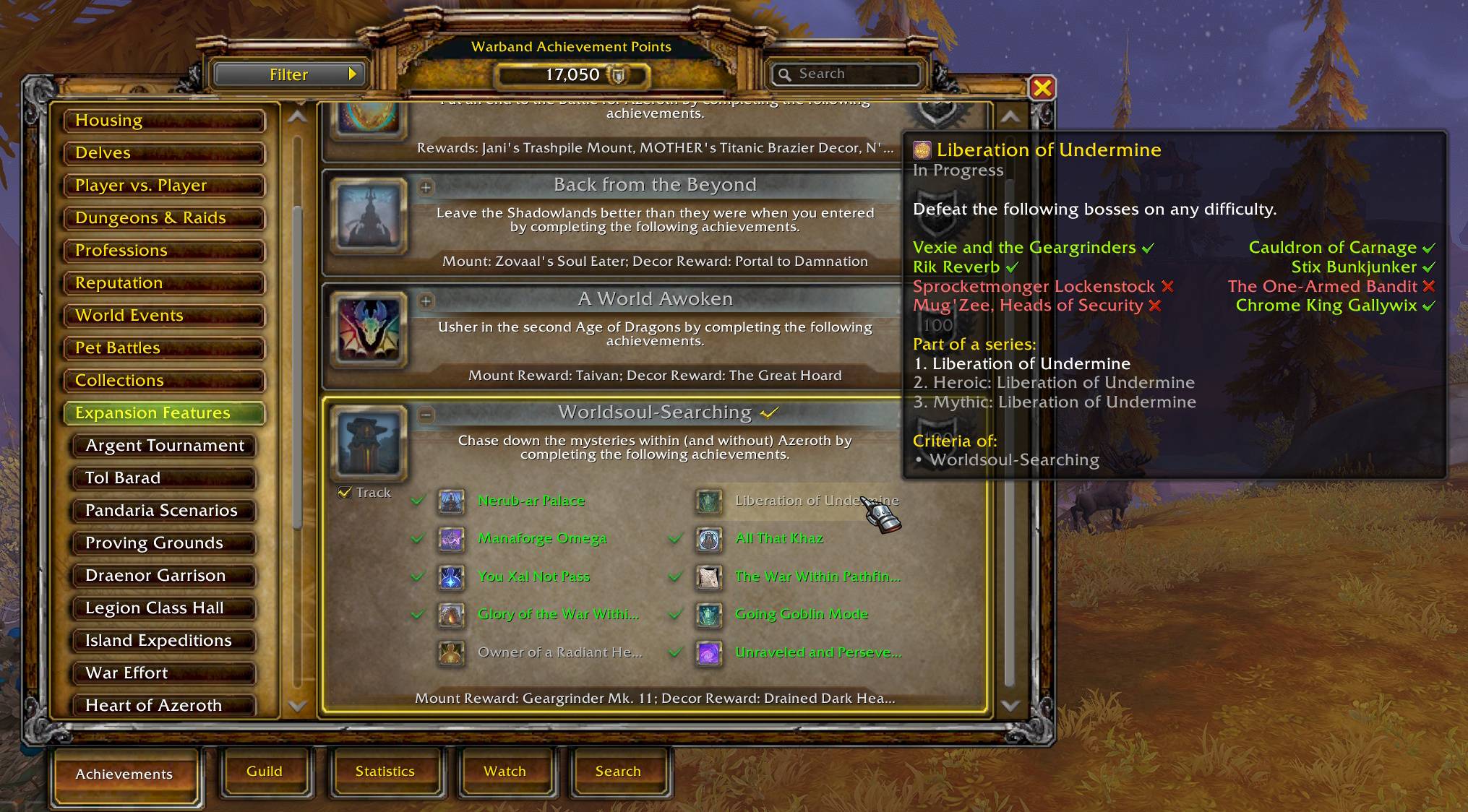
Simply mouse over sub-achievements within a Meta-Achievement window to see their specific tooltips instantly.
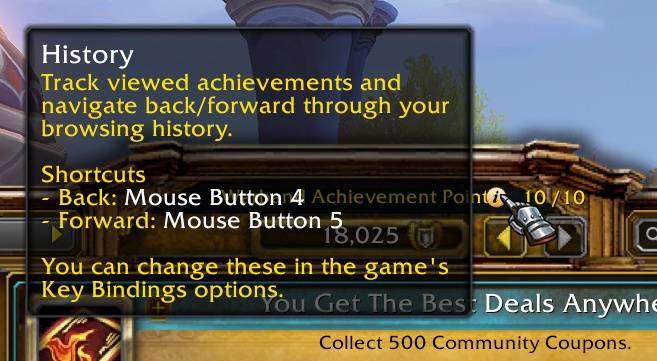
Track viewed achievements and navigate back/forward through your browsing history. Back/Forward buttons appear next to the achievement points display, and customizable keyboard shortcuts are available for quick navigation.
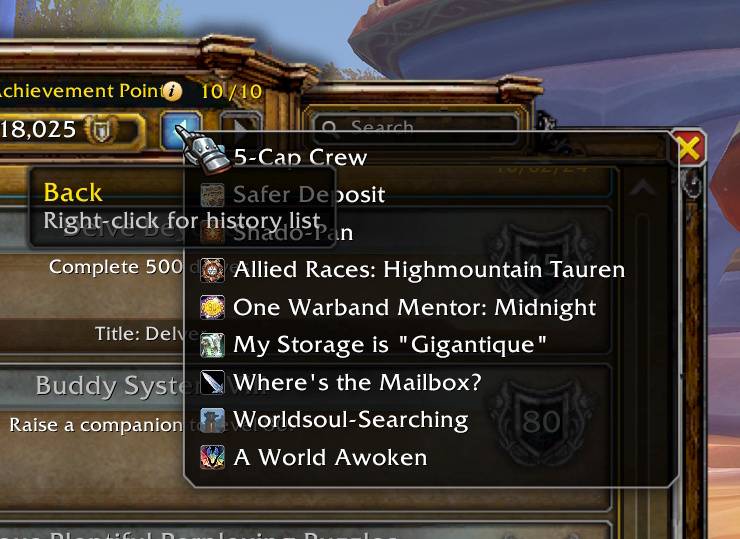
Right-click either navigation button to open a history list for jumping directly to any previously viewed achievement.
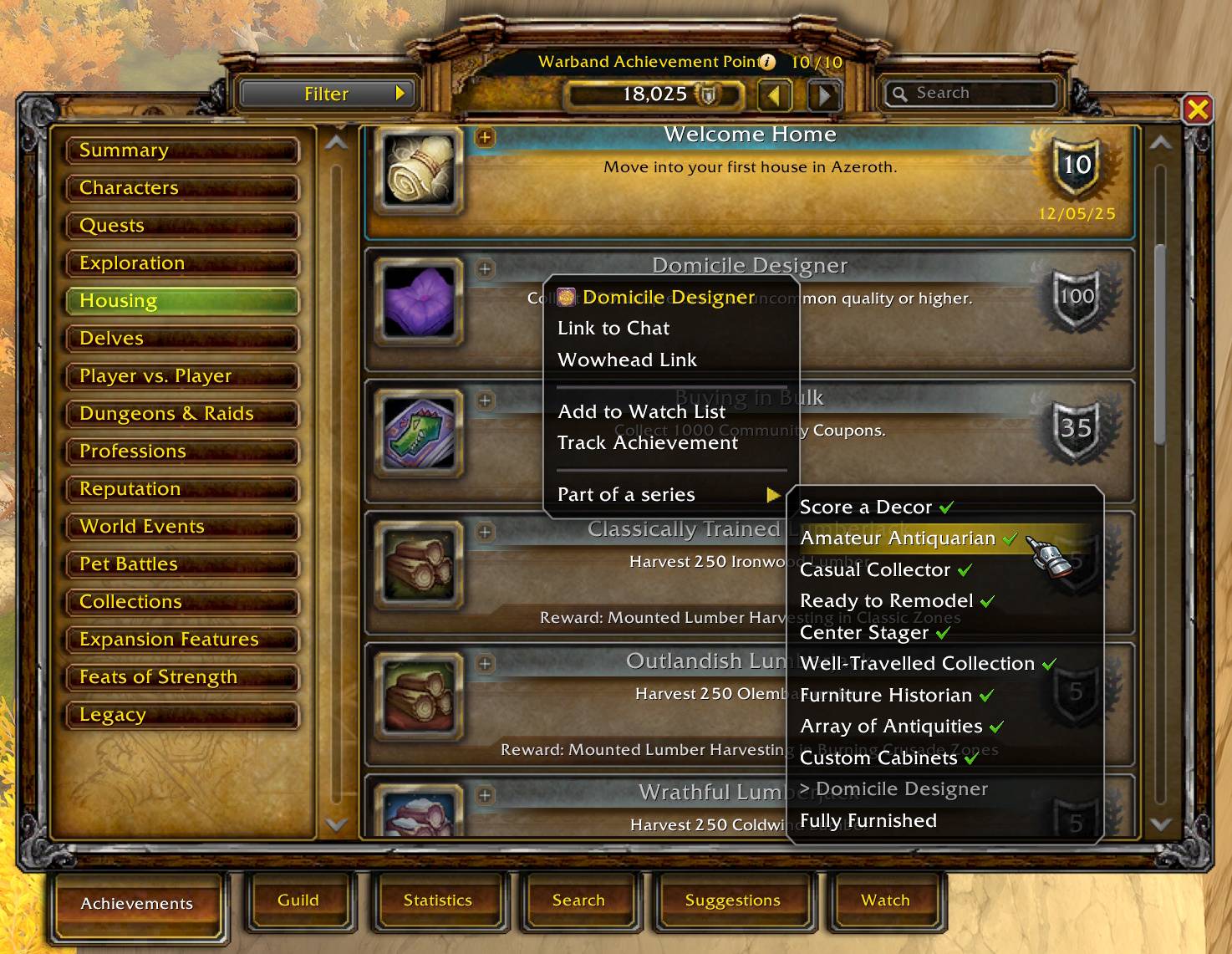
Right-click any achievement to reveal a new actions menu. Instantly link to chat, add to your Watch List, or toggle tracking. Quickly jump to related meta-achievements or others in the same series.
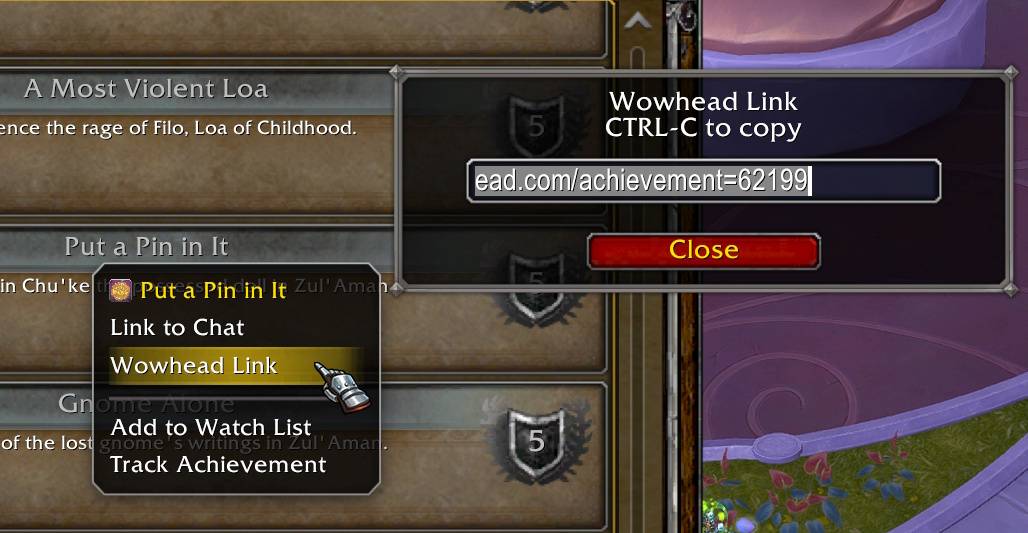
Stuck on a difficult achievement? Quickly access a Wowhead link via the context menu to find guides and unblock your progress.
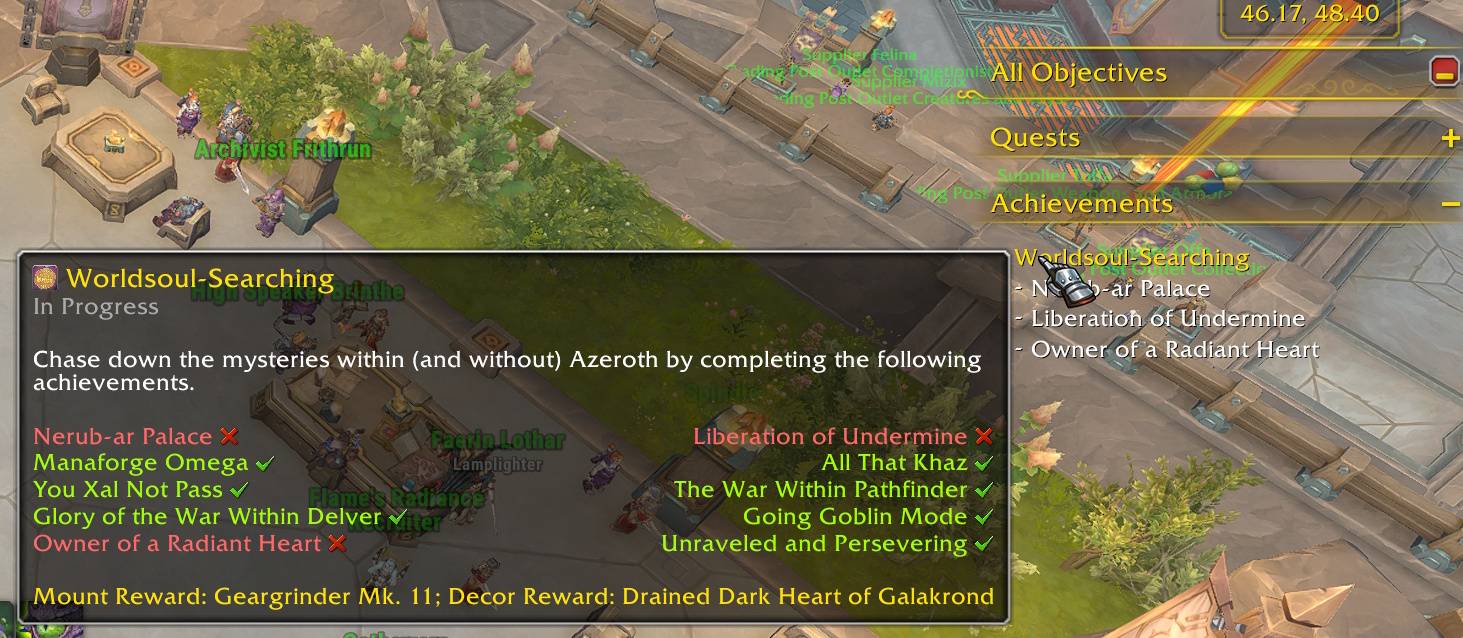
Added tooltip support to achievements currently being tracked.
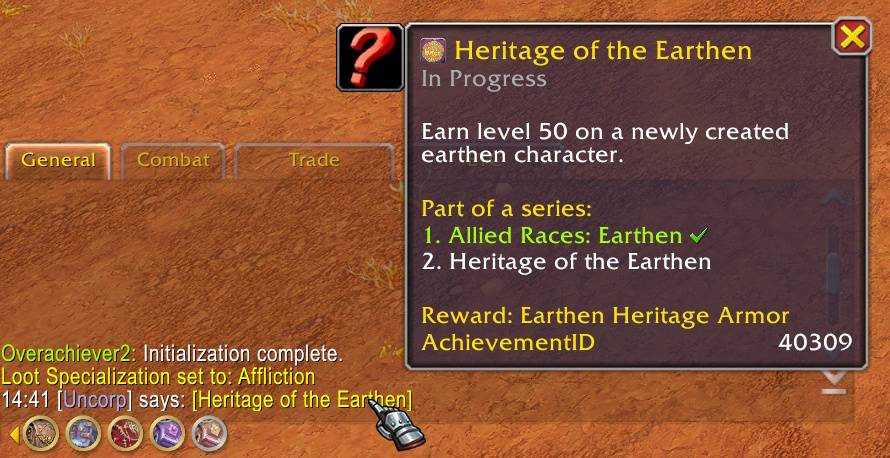
These enhanced tooltips also work when you hover over achievement links in the chat window.
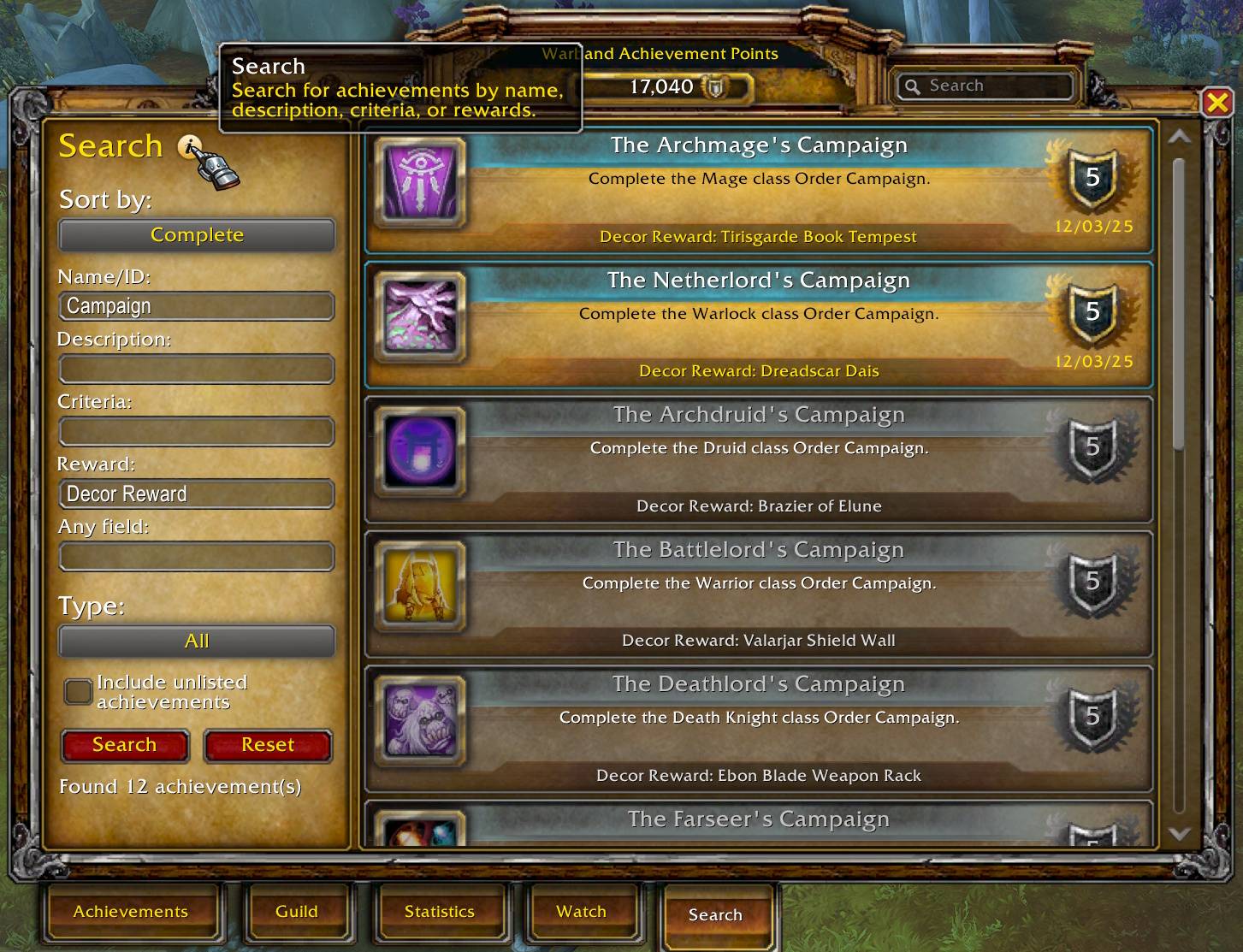
Advanced Search Engine: Query achievements using keywords and filters unavailable in the standard UI—including hidden achievements.
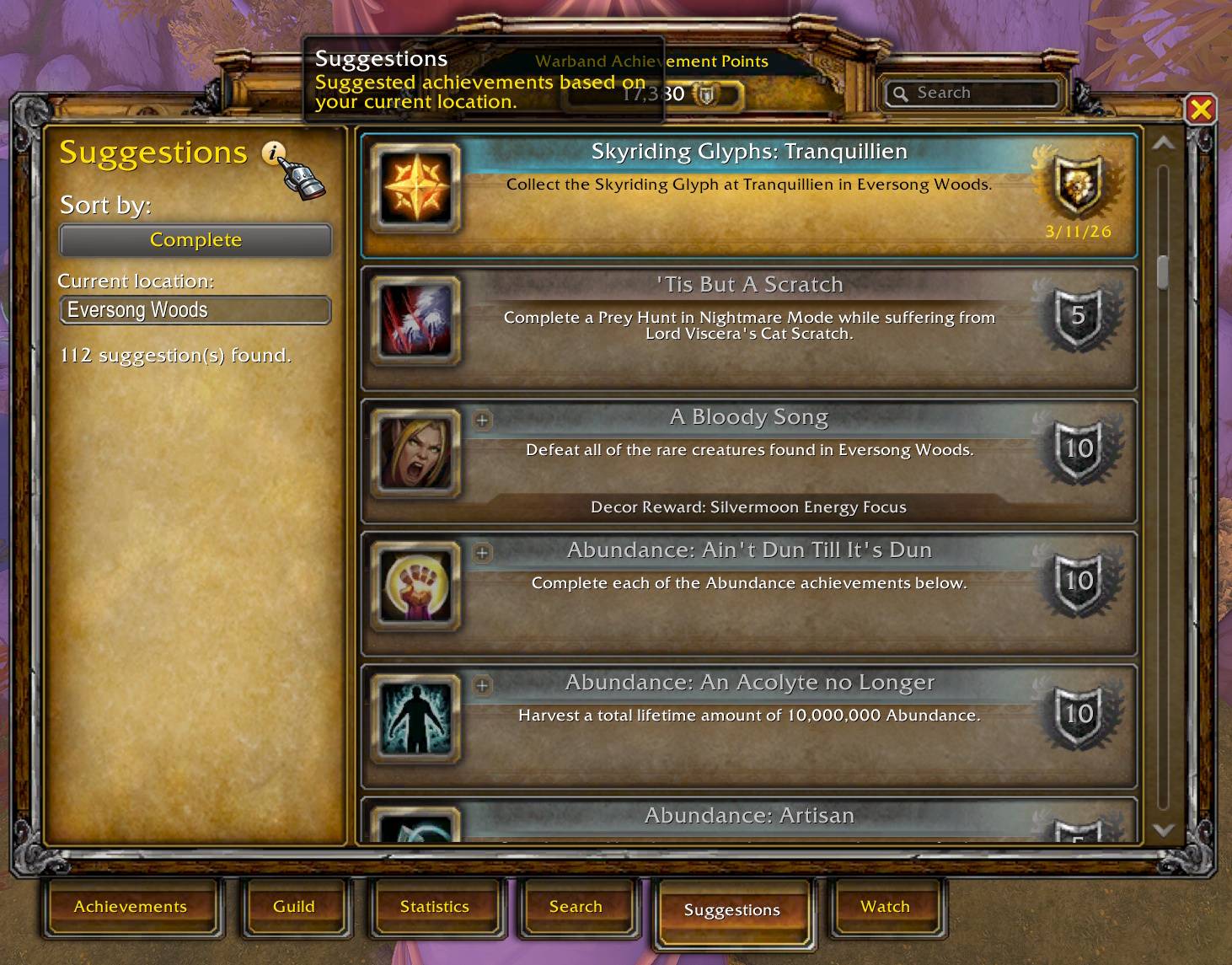
Zone-Based Suggestions: Not sure what to work on next? Check the Suggestions tab to see every achievement you can earn in your current zone!
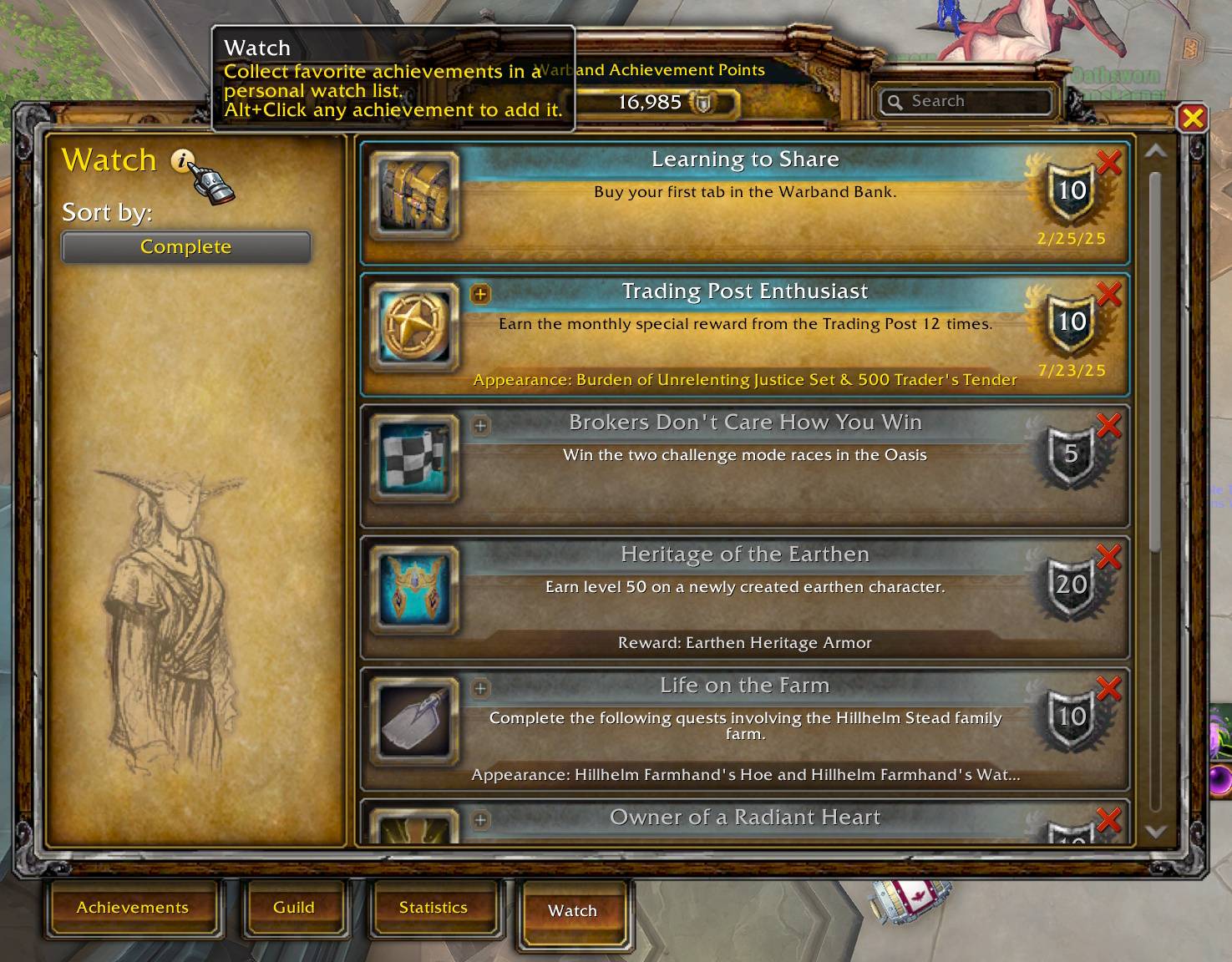
A dedicated tab within the Achievement UI to manage and track achievements you want to focus on (Like a "Favorites" list).
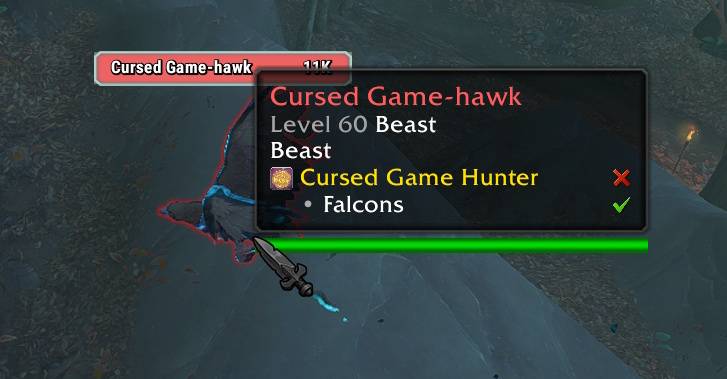
Provides achievement-related info when hovering over NPCs.
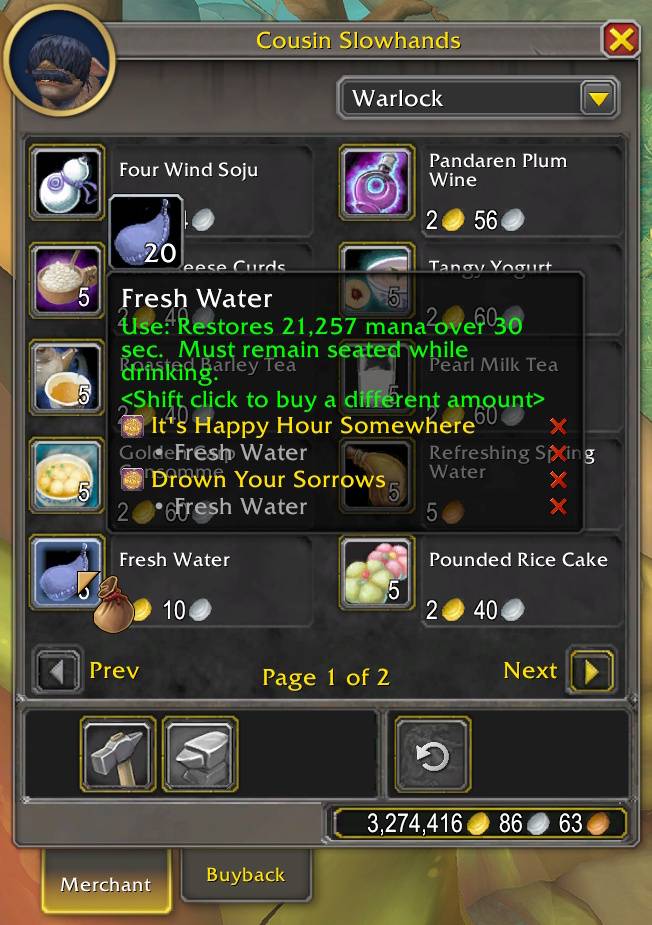
Provides achievement-related info when hovering over Items.
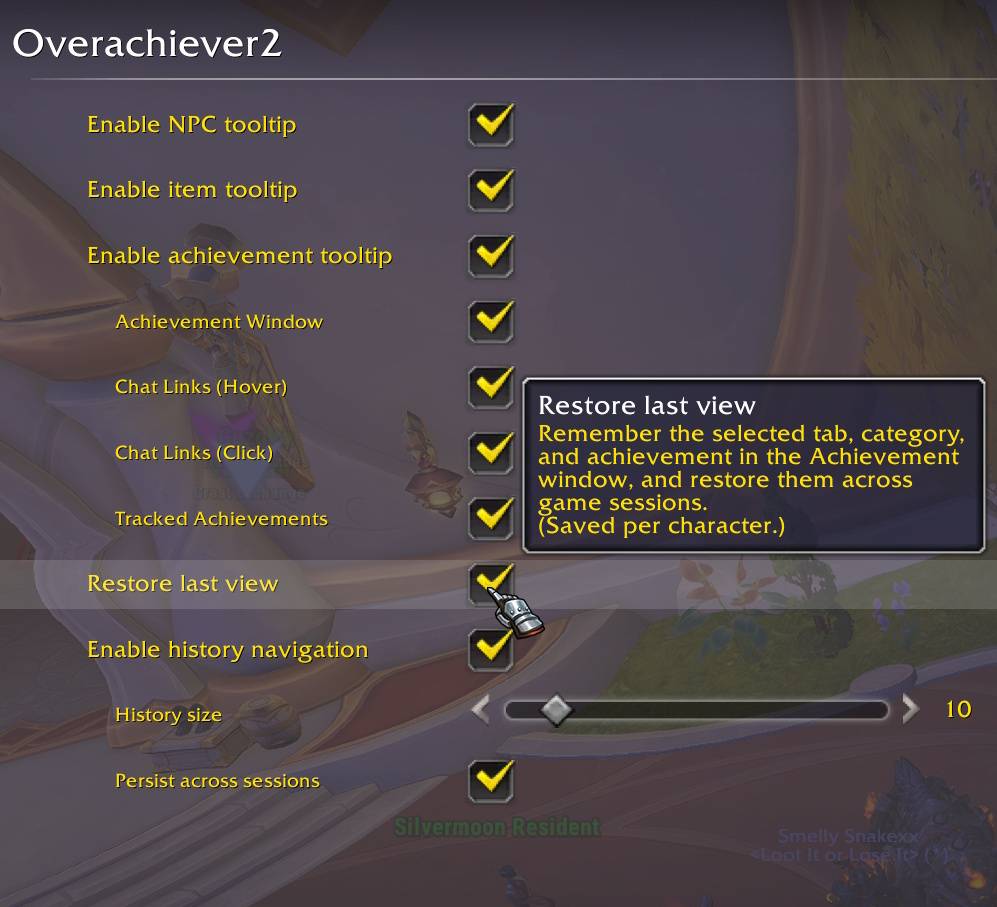
Remembers the selected tab, category, and achievement in the Achievement window, and restore them across game sessions.