OSRSforever
- By
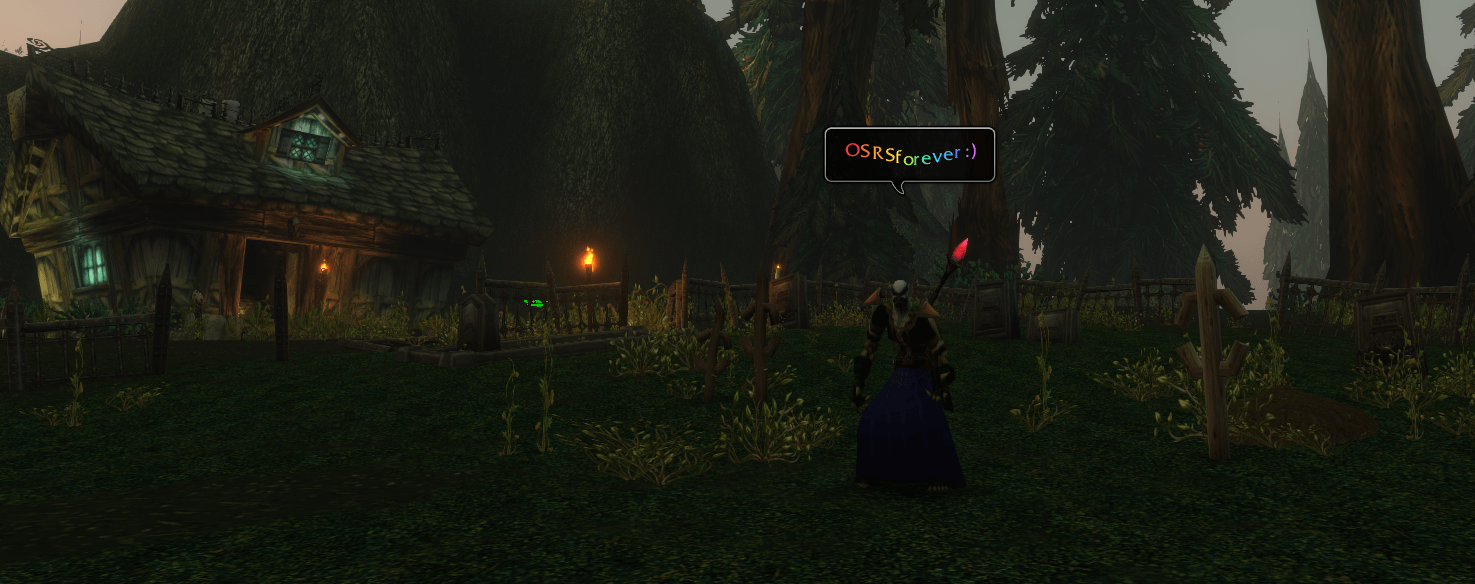
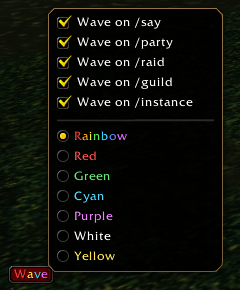
OSRS-style colors for /say and waving overhead chat bubbles in WoW: Forever. Pick a color from the Wave menu or type /rs to send a one-off wave.
Screenshot 2026-11-16 175719.png
Screenshot 2026-11-16 180025.png
Screenshot 2026-11-16 180005.png
Description
Bring classic Gielinor chat to WoW: Forever. OSRSforever gives your chat messages RuneScape-style colours, including wave🌈, with letters that wave in the speech bubble over your head. Your friends see the effects too if they run the addon.
Features
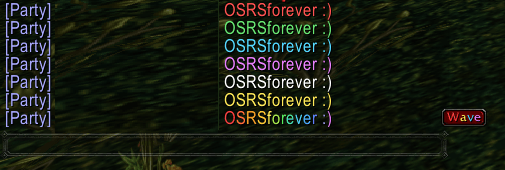
- OSRS-style colours: Rainbow, red, green, cyan, purple, white and yellow, in the chat log and in speech bubbles.
- Wave effect: Letters wave in Say and Party speech bubbles, just like the Varrock West Bank. The chat log shows the colour without the motion.
- Wave button: Click Wave beside chat to pick a colour. Tick the channels you want styled automatically (/say, /party, /raid, /guild, /instance), then just chat as normal. Your choices are saved.
- One-off messages: /rs hello in Say, /rs /p hello in Party, /rs /g hello in Guild, /rs /i hello in Instance. Add a colour for a single line: /rs /g cyan hello.
- No visible prefix: Your message goes out as normal text. The colour travels on a hidden addon channel, so players without the addon just see plain text.
- Lightweight: No dependencies, no libraries.
Installation
Via CurseForge App (Recommended):
- Open the CurseForge desktop app and search for OSRSforever.
- Click Install to download it and put the files in your AddOns folder.
- Restart your game client or type /reload in-game.
Manual Installation:
- Download the latest release ZIP from the Files tab.
- Close WoW and extract the OSRSSay folder into World of Warcraft_forever_\Interface\AddOns. Replace any older OSRSSay folder; your settings carry over.
- Enable OSRSforever on the character select screen, or type /reload in-game.
OSRSforever Team