OSKeys
- By
Bind spells and macros by dragging them onto a visual keyboard, with modifier layers, mouse bindings, and account-wide specialization profiles.
100.jpg
101.jpg
Description
OSKeys — Visual Keyboard and Mouse Bindings
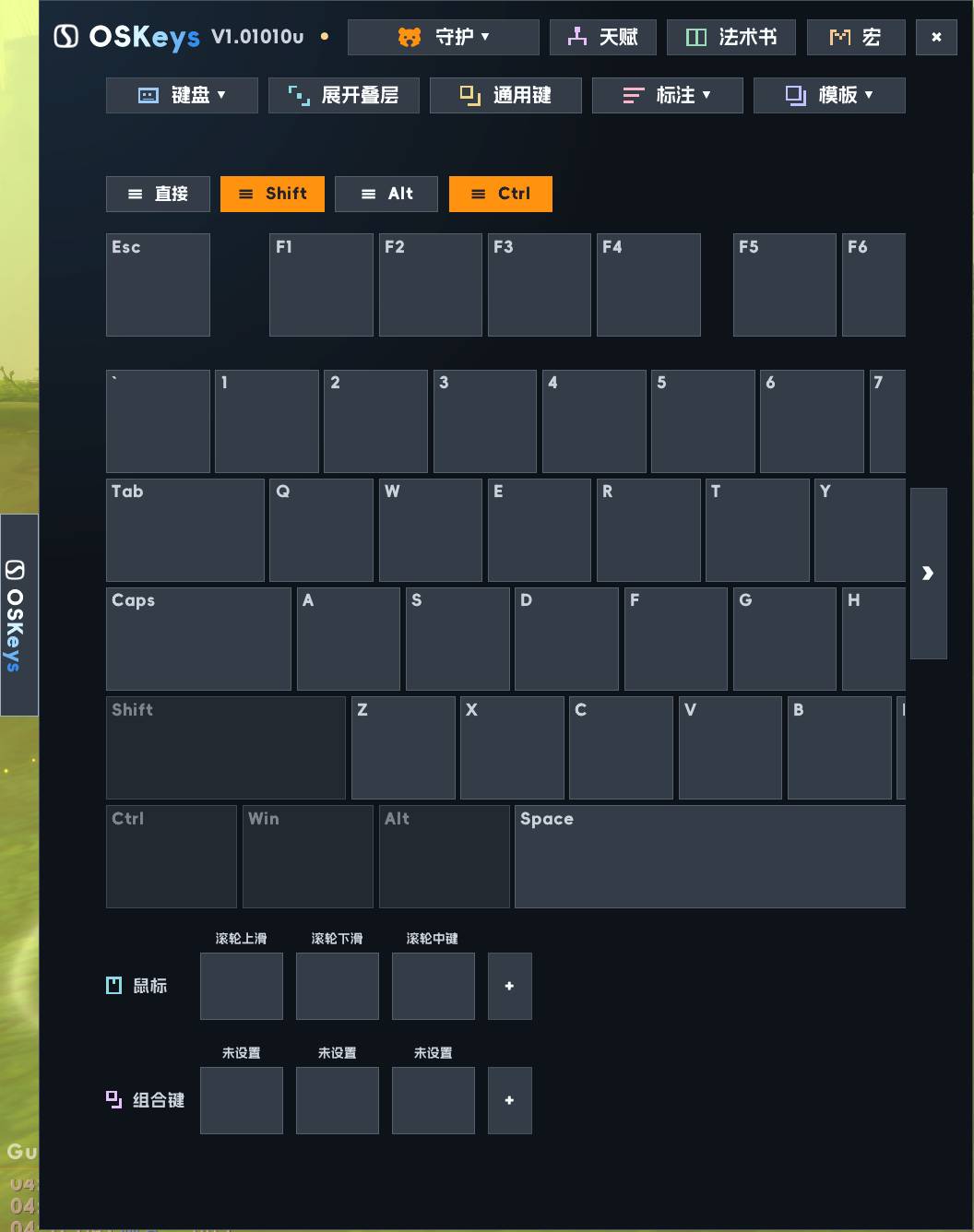
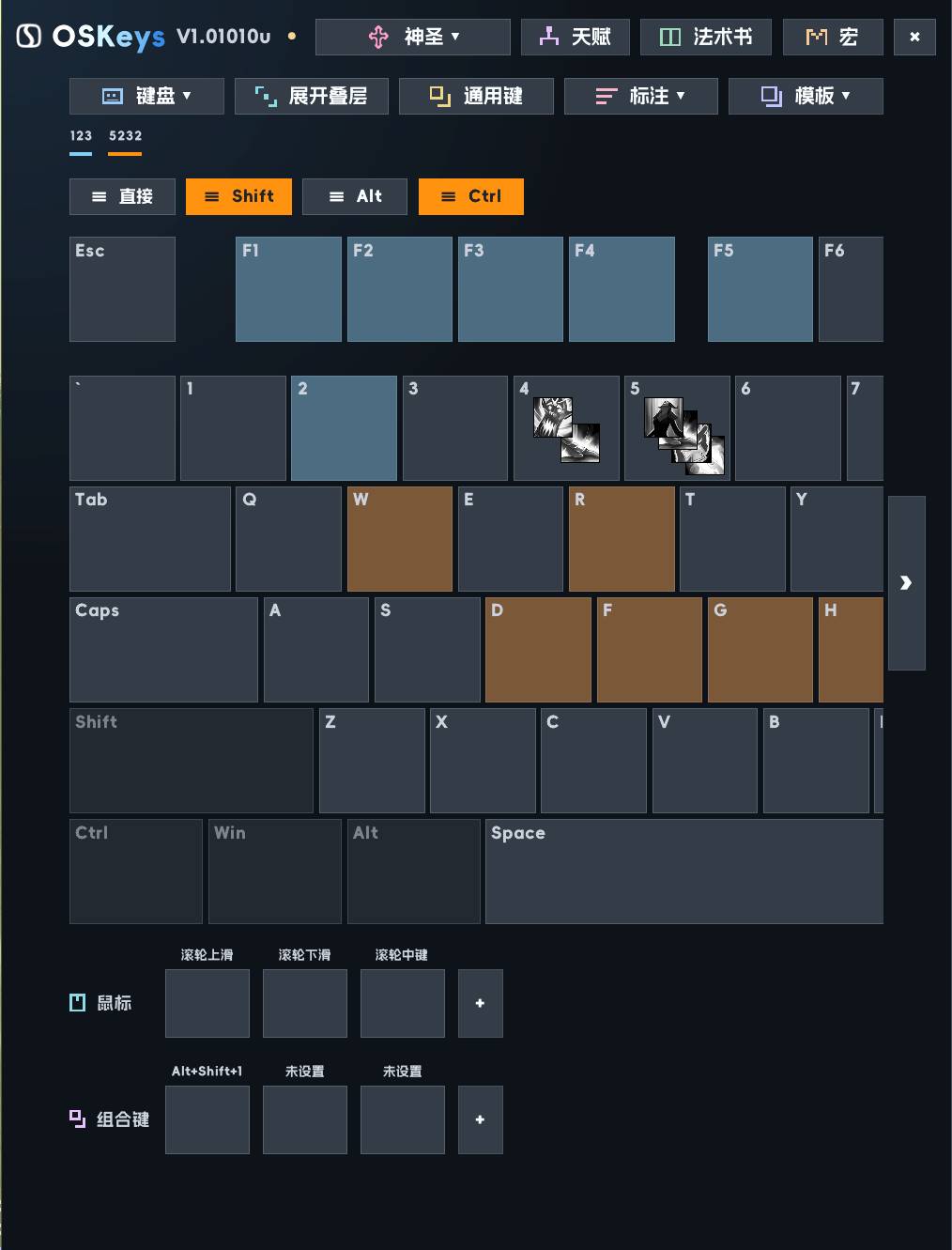
OSKeys is a visual keybinding addon for World of Warcraft. It displays your bindings on an on-screen keyboard, with additional sections for mouse buttons and custom key combinations. You can organize spells, items, and macros around the physical keys you use, making your setup easier to review and remember.
Features
- Visual keyboard layouts: Choose from 60%, 65%, 75%, TKL, and full-size layouts. Action icons appear on their assigned keys, helping you see where your abilities are placed and identify unused positions.
- Drag-and-drop binding: Drag spells, items, or existing macros onto a key to assign them directly, without needing a separate action-bar slot for each binding.
- Modifier layers: Set different actions for a key using Shift, Ctrl, or Alt. For example, place an interrupt on Q and a defensive ability on Shift+Q. Holding a modifier brings the corresponding layer into view.
- Mouse and custom combinations: Configure mouse buttons, wheel inputs, and combinations such as Ctrl+Shift+Q in dedicated slots. This helps keep bindings beyond the main keyboard visible and organized.
- Specialization-based settings: Maintain different setups for different specializations. Characters on the same account using the same specialization share its bindings, mouse settings, custom combinations, and annotations.
- Account-wide common bindings: Mark selected bindings as common across characters and specializations. These take priority over specialization bindings, helping you keep shared actions on consistent keys.
- Colored annotations: Create labels and apply adjustable colors to keys. For example, label groups as “Interrupts,” “Defensives,” or “Movement” to make your layout easier to learn. Annotations do not change the assigned actions.
- Templates and sharing: Save a specialization setup as a template, copy it to another specialization, or export and import it as text. Imports and template copies require confirmation before replacing the selected specialization’s settings; common bindings remain separate.
Getting started
Type /oskeys or /osk to open the editor. You can also reveal the launcher by moving your mouse to the left edge of the screen.
Choose a keyboard layout, then drag actions onto the keys you want to use. Add modifier bindings, mouse inputs, and annotations to suit your play style.
Binding changes are made outside combat. Existing bindings remain usable during combat while editing is locked.
OSKeys works as a standalone addon, with optional EllesmereUI integration. Its current interface uses Chinese labels.
OSKeys Team