


Orbit: Events
- By
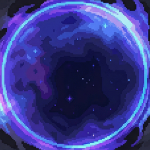

A widget that queues and animates most events in WoW. Reputation, Mythic+, Talking Head, Loot, Durability, etc
What's new
Changelog
2026-11-22
- While your gear is damaged, the durability warning replays its shatter whenever the orb returns to it after another notification, such as mail or a friend coming online. Notifications that arrive while you log in don't trigger it.
- Hovering the orb now shows mouse and key hints for what each click does, matching the rest of Orbit.
- Shift-click the orb to replay your last level-up from this session, including its summary.
- New Widget Font Size option scales the numbers inside the orb, and the Mythic+ timer and forces now use your Widget Font and size.
2026-11-21
- Font menus now list Default, which follows your Orbit font, and Blizzard, the game's own font, as separate choices.
2026-11-12
- While leveling, the XP ring shows XP from quests ready to turn in as its own band between your current XP and rested XP, with its own color option. The XP tooltip lists the total.
- When you level up, a panel beside the orb lists the health, mana, stats and talent points you gained and the spells now waiting at your class trainer (on Retail, the abilities you just learned), or tells you when the level brings none; hover a spell for its tooltip. Hover the panel to keep it open, click to dismiss, or turn off Level-Up Summary in Behaviour.
2026-10-25
- Orbit: Status is now Orbit: Events. Your settings carry over unchanged.
/orbiteventsopens settings, and/orbitstatusstill works. - Alt-click the orb to pin its details beside it; the normal hover tooltip stays. Drag the pinned panel to move it, resize it from its corner, or right-click to reattach it. Its position and size are saved, and it follows Orbit's border and backdrop settings when Orbit is installed.
- The experience tooltip shows XP remaining, rested XP, XP gained this session, XP per hour and estimated time to level. Forever also shows average XP per kill and estimated kills to level.
2026-10-04
- When Events hands the Talking Head back to Blizzard, it returns at full opacity instead of staying faded.
- The specialization artwork animation stays in step with the orb's reveal and impact shakes.
2026-09-28
- Standalone Events bundles the Orbit UI and Orbit UI Black fonts; numbers default to Black and detail text to UI. Korean and Chinese clients use the game's own font.
2026-09-27
- Blizzard's Talking Head no longer shows its Edit Mode outline or animated 3D model while Events is showing the dialogue.
- Fixed confirmation buttons sometimes disappearing from the settings window.
2026-09-26
- Currency bars show what you hold, what you earned and spent, and how much is left to the cap. Currencies with an earning cap get a separate cyan earned colour and earned/max values in the tooltip.
- SilverDragon and Talking Head 3D portraits fade out and clear completely when their notification closes.
- CurseForge now lists Forever 1.60.1 as supported.
2026-09-21
- Removed the Enabled option. Turn Events on or off from the game's AddOns list. While Orbit hosts Events, it no longer has a separate entry in Blizzard's AddOns options.
2026-09-20
- Forever support, with Forever-only class artwork (three styles, four for Druids, plus Default) and matching animations. Zone and Random artwork, the Great Vault, Mythic+ and housing stay Retail-only.
- Character panel shortcuts (clicking XP, reputation or currency) are turned off on Forever for now because they caused errors.
- Unchecking a behaviour now cancels its pending notifications straight away and gives the notice back to Blizzard; checking it takes over notices already on screen. Unchecked behaviours stay with Blizzard during Mythic+.
- The center number always shows, and the Show Center Number option is gone. Level, Honor and Renown gains switch smoothly to the new number.
- Fixed SilverDragon alerts closing early or showing a question-mark model. Treasure alerts show a chest, and rares keep a marker until their portrait loads.
- Fixed errors in boss-pull timers while Events replaces the Mythic+ tracker, and Blizzard's Mythic+ section stays hidden during combat.
2026-09-13
- Mythic+ shows a ten-second countdown at the start of a key, the correct dungeon timer after a reload, and reliable chest timers.
- The Mythic+ completion celebration shows your actual key upgrade and final time, and a completed run is restored after a reload without replaying the celebration.
- Mythic+ tracking recovers when run data arrives late, and a new key always starts fresh.
- The Mythic+ section is no longer duplicated in Orbit's objective tracker.
2026-09-12
- New Artwork options: Zones, with 13 expansion and continent frames, and Random, which picks a different frame after each loading screen.
- Optional second progress ring, with its own source choices for both the resting and Shift views.
- The center shows your numeric Renown or friendship level, or your reputation progress, shortening values from 10,000 to thousands (
10K). - Level-ups, Renown and Honor gains play an attention pulse followed by their own animated flourish around the new number.
- Durability warnings, repairs, Great Vault unlocks, Mythic+ completions, rare sightings, loot, mail and social notifications play animated flourishes.
- New Social and Quick Join icons, and a livelier repair icon animation.
All Relations
- All Relations
- Embedded Library
- Optional Dependency
- Required Dependency
- Tool
- Incompatible
- Include
This mod has no related projects