
OpenMap Minimap
Bring OpenMap's world zoom to your always-visible minimap, with live tracking, movable controls and an optional Dragon style.
01-openmap-greatness-24-7.png
02-from-local-detail-to-the-big-picture.png
03-live-tracking-known-locations.png
04-your-map-your-layout.png
05-go-round-go-dragon.png
Description
# OpenMap's greatness, available 24/7 on your minimap.
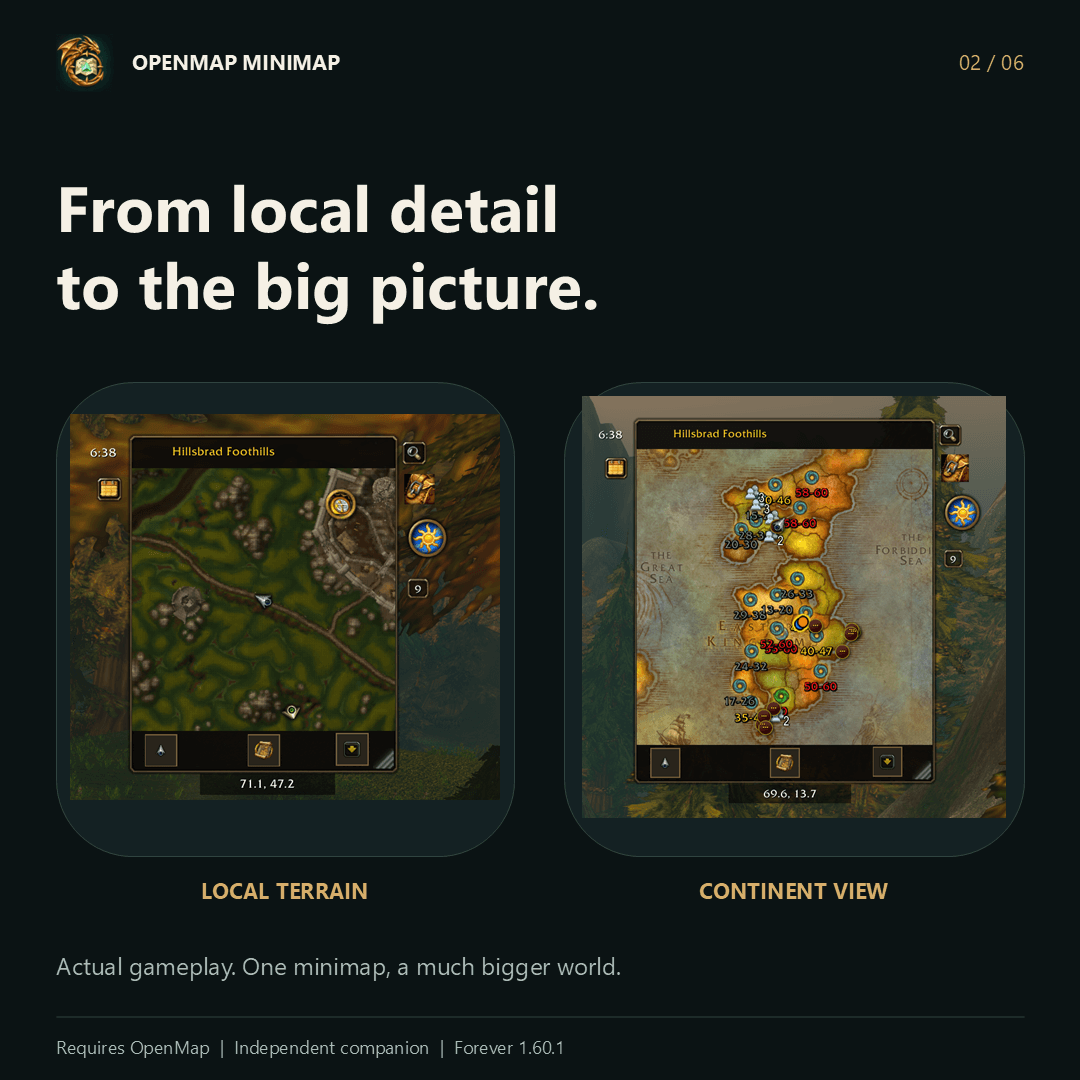
**OpenMap Minimap is a companion upgrade for [OpenMap](https://www.curseforge.com/wow/addons/openmap): it brings OpenMap's exploration tools to a minimap you can keep on screen while you play.** Follow your character through local terrain, pan away to explore, or scroll out to the continent and the whole world—all inside the same minimap window.
OpenMap remains the foundation and a required dependency. This companion adds the persistent minimap experience, movable controls, native local tracking and optional visual styles. Your normal full OpenMap stays available alongside it.
## From your next turn to the whole world
- **An always-available map.** Use a square or circular minimap, move it where it suits your UI, and resize it from 180 to 700 pixels.
- **Local tracking and wider exploration in one viewport.** Follow uses the game's native minimap for nearby terrain and live tracking. Panning or zooming farther out switches the same window to OpenMap browsing, with continuous zoom out to the entire world.
- **Return to yourself instantly.** Use Follow or `/omm home` after browsing elsewhere.
- **Choose your browsing artwork.** Switch between the included BetterMaps terrain integration and OpenMap's artwork.
## OpenMap tools, close at hand
Keep OpenMap's navigation and marker features within reach:
- Guild and friend markers through OpenMap's existing sharing system and filters. Exact dots require shared positions; roster-only locations remain zone indicators.
- Party and raid markers, quests, waypoints and saved map pins.
- Dungeon entrances, level ranges, townsfolk and transport stops, according to your OpenMap settings and available data.
- Clickable boat and zeppelin destinations, flight points and routes.
- Place search, pin notes, drawing tools and map notes.
- Dungeon entrance clicks that open the matching view in the full OpenMap.
- Quick access to the full map and OpenMap settings from the minimap controls.
Questie supplies additional quest markers and townsfolk/rare data when installed. Some editors and detailed views open in the full map, where OpenMap already provides the complete interface.
## Live gathering information
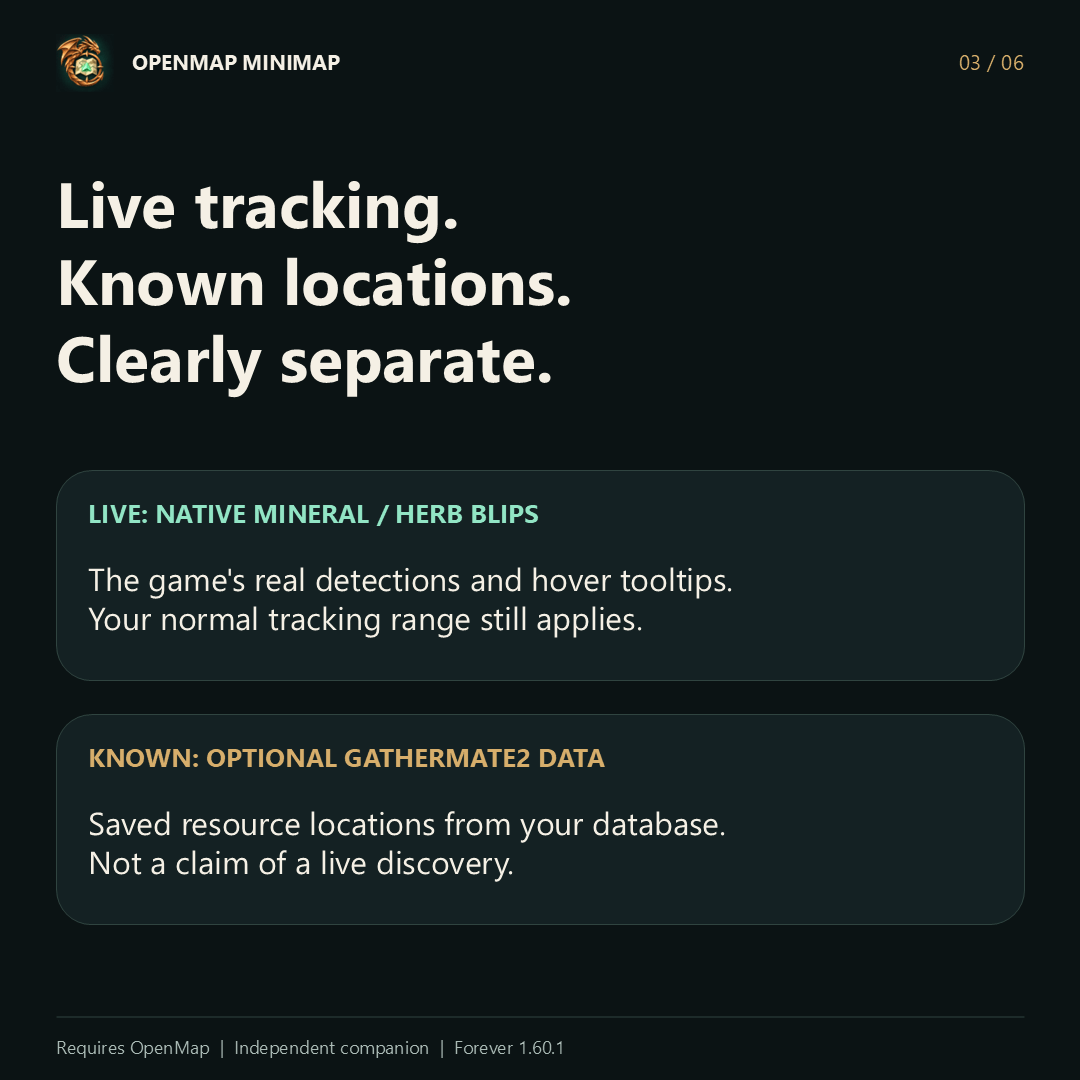
Enable **Find Minerals** or **Find Herbs** in the game's tracking menu to see live nearby resource blips and their native hover tooltips. Detection still follows the game's tracking rules and range.
**GatherMate2 is optional.** It adds known resource locations from its database; those remembered locations are separate from live tracking. This companion does not turn stored nodes into live discoveries or extend the game's detection range.
## Build the UI around you
- **Movable stock controls:** clock, calendar, tracking, mail/status, day/night, addon compartment and other available minimap utilities retain their normal actions and tooltips.
- **An addon-button tray:** collect supported minimap launchers in one panel while keeping each addon's original clicks and tooltips.
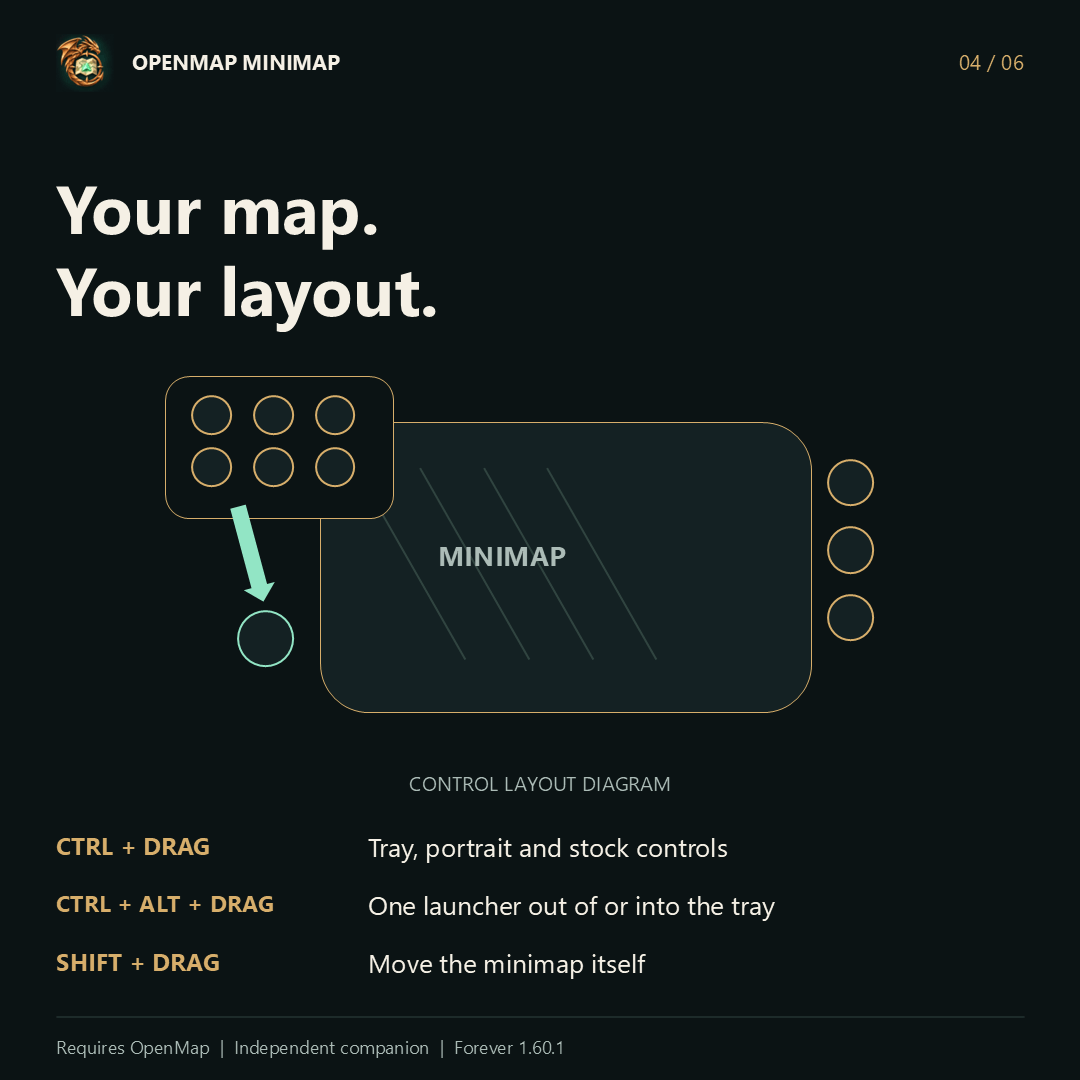
- **Move the whole panel:** Ctrl-drag the open tray to place it wherever you want.
- **Detach individual launchers:** Ctrl+Alt-drag an icon out of the tray. Detached buttons stay visible when the tray closes; drop one back onto the open panel to dock it again.
- **Saved layouts:** control positions persist through resizing and reload. Classic and Dragon styles remember separate arrangements.
- **Readable controls:** framed footer buttons in square mode, rim controls in round mode, and high-contrast menus.
Moving protected controls and changing certain layouts waits until combat ends.
## Optional Dragon style
Want a little more character? Enable **Tools → Dragon style**, or type `/omm style dragon`.
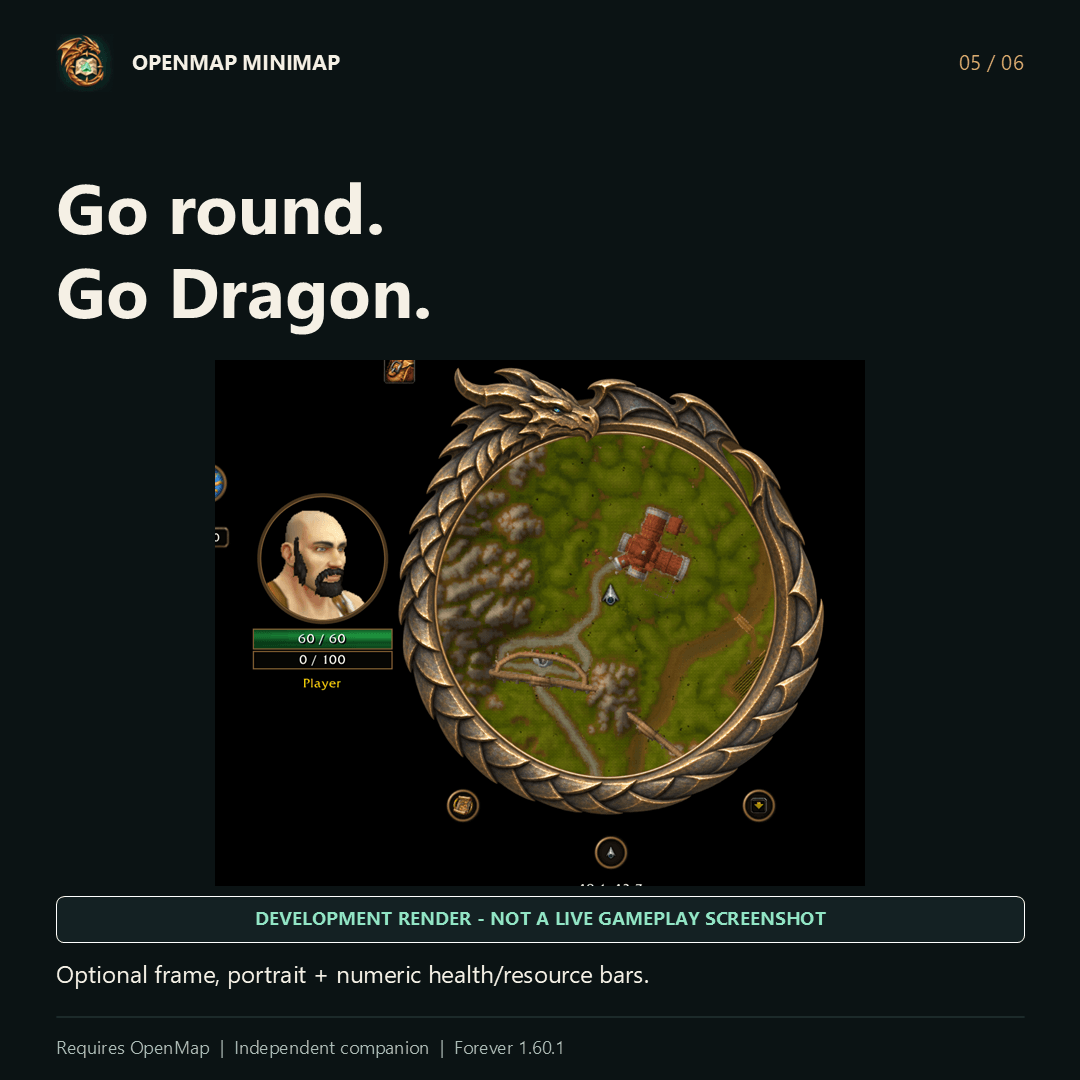
A restrained bronze dragon wraps around a genuinely round map. A player portrait sits beside it with health and class-resource bars showing current and maximum values. The portrait, name and bars move together with Ctrl-drag.
Return to `/omm style classic` to restore the classic layout. Dragon style stays round; Classic offers square and circular shapes.
You can also choose:
- A thin circle outline: off, green or yellow.
- A soft flashlight-style facing cone or a straight gold facing line.
- Short, medium or long beam length.
These effects are optional and can be switched off.
## Native minimap signals
Hover the map and use your existing Ping binding, or Alt-left-click, to send a standard minimap signal within native range. Incoming supported minimap signals appear as temporary rings. Sender names depend on what the client exposes.
This uses ordinary minimap signals; arbitrary protected 3D world-ping coordinates are not mirrored into the map.
## Installation
1. Install and enable **[OpenMap for WoW Forever](https://www.curseforge.com/wow/addons/openmap)**. This companion was built against OpenMap v0.8.9.
2. Download this project's ZIP and put the `OpenMapMinimap` folder in `_forever_/Interface/AddOns/`.
3. Enable OpenMap and OpenMap Minimap. Disable ForeverMinimap, ForeverMinimapExtras and other minimap replacements that would compete for the same map.
4. Restart the client if this is a new addon folder. Later Lua-only updates can use `/reload`.
5. Use `/omm status` to check the runtime version and `/omm home` to follow your character.
**Compatibility:** WoW Forever 1.60.1, interface 16001. Retail and other Classic editions are not claimed as supported by this build.
## Quick controls
| Action | Control |
| --- | --- |
| Zoom | Mouse wheel |
| Pan | Left-drag |
| Move the map | Shift-left-drag |
| Resize | Bottom-right grip |
| Move a control, portrait group or tray | Ctrl-left-drag, outside combat |
| Move one addon launcher | Ctrl+Alt-left-drag, outside combat |
| Follow player | Follow button or `/omm home` |
| Entire world | `/omm world` |
| Dragon / Classic | `/omm style dragon` / `/omm style classic` |
| Circle / square in Classic | `/omm shape circle` / `/omm shape square` |
| Search / pins | `/omm search` / `/omm pins` |
| Reset control positions | `/omm resetcontrols` |
| Show / hide | `/omm show` / `/omm hide` |
## Feedback
This is an early community build. If you hit a problem, include `/omm status`, your client build, the action that triggered it, the first Lua error and a screenshot when useful. Please report companion-specific issues here rather than sending them to OpenMap's authors.
## Credits
**OpenMap is what makes this possible.** Thanks to [OpenMap's contributors](https://www.curseforge.com/wow/addons/openmap) for the seamless world map, engine, marker and navigation systems this companion builds on. The adapted engine retains its MIT notice.
Terrain integration uses selected images from [BetterMaps by Atommoehre](https://www.curseforge.com/wow/addons/bettermaps), with provenance and attribution retained. Those images are separate from OpenMap's code license. Blizzard and the respective owners retain their game-art rights. ForeverMinimap informed the native-minimap approach and optional straight facing line; it is not required.
The project logo and optional dragon-frame artwork were created with AI image generation. The logo is branding artwork, not an in-game screenshot. This is an independently maintained companion, not an official release by the OpenMap team.
OpenMap Minimap Team
