OpenerTrainer
- By
Practice your opener rotations with an on-screen spell checklist that turns green as you cast, showing cast timing, per-spec presets and shareable import strings.
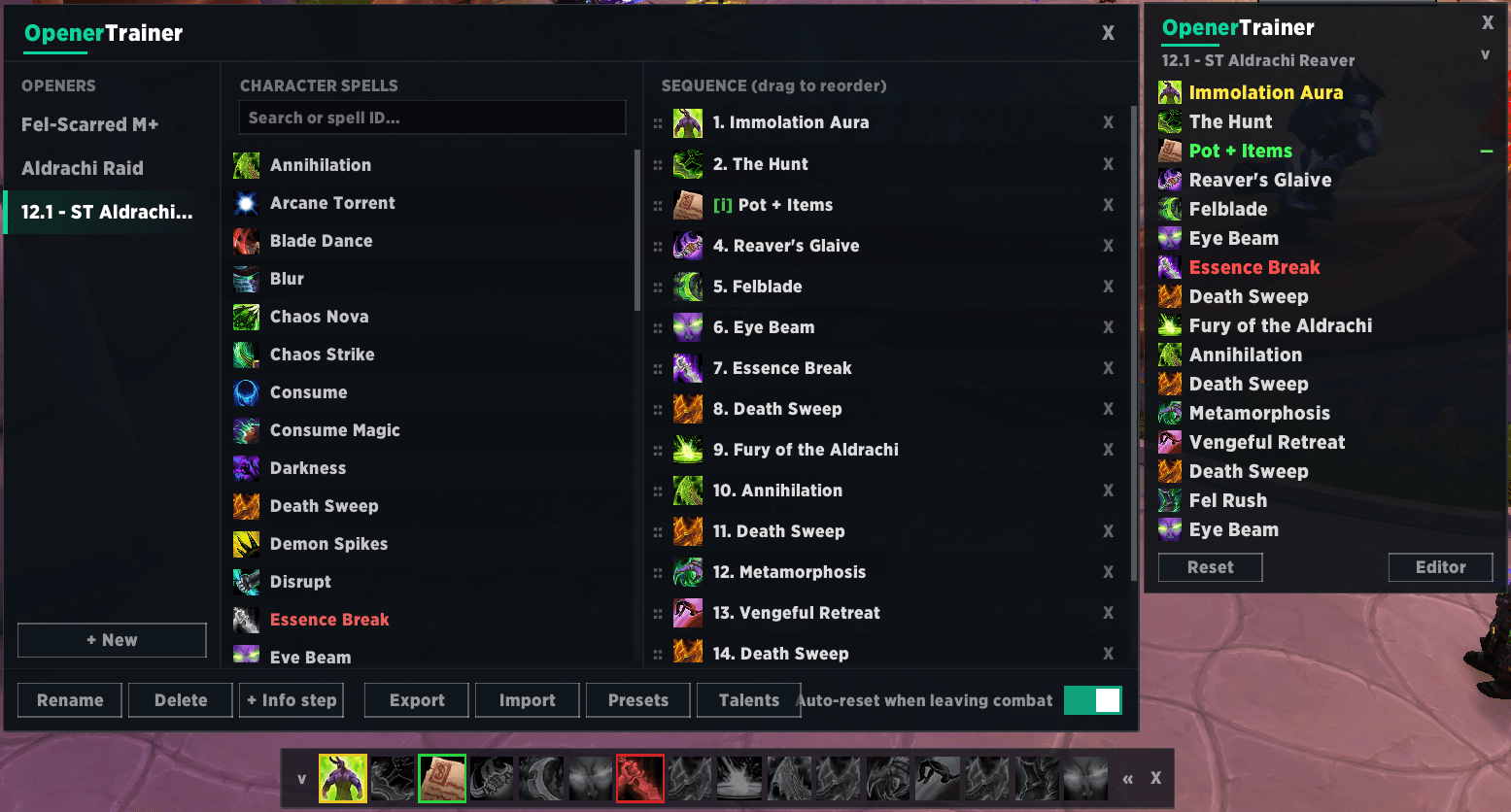
Demon Hunter Example
Description
OpenerTrainer helps you practice your opener rotation until it's muscle memory.
It shows your opener as an on-screen checklist: each spell turns green the moment you successfully cast it, together with the time elapsed between casts, so you can see exactly where your execution drifts from the plan.
FEATURES
• Spell checklist tracker — an ordered list of your opener; entries turn green on a successful cast, with timing deltas between steps.
• Compact icon bar — a movable, icon-only bar you can place above your action bars: green border = done, yellow = current step, desaturated = pending, red = talent not selected.
• Every class, every spec — create as many named openers per specialization as you want.
• 69 built-in presets — Season 2 (12.1) openers for all tank and DPS specs, based on popular class guides, complete with recommended talent builds.
• Talent loadout import — one click imports and activates an opener's recommended talent string as a named in-game loadout.
• Share your openers — export and import via compact text strings (talents included). Importing is safe: spells that no longer exist are skipped instead of causing errors.
• Info steps — non-castable reminders like "Pot + Items" that the tracker skips automatically.
• Auto-reset when leaving combat, minimap button, drag & drop editor.
• Localized in English and Italian.
HOW TO USE
• /opener (or /opt) — toggle the tracker window
• /opener edit — open the opener editor
• /opener bar — toggle the icon bar
• /opener reset — restart the current run
• Minimap button: left-click toggles the windows, shift-click toggles the bar only, right-click opens the editor.
• In the editor: pick a preset from the dropdown, drag spells from the searchable list into your opener, and reorder steps by dragging.
Source code here
The OpenerTrainer Team