OneKeyFishing
- By
WoWScrnShot_111726_115616.jpg
Description
OneKeyFishing
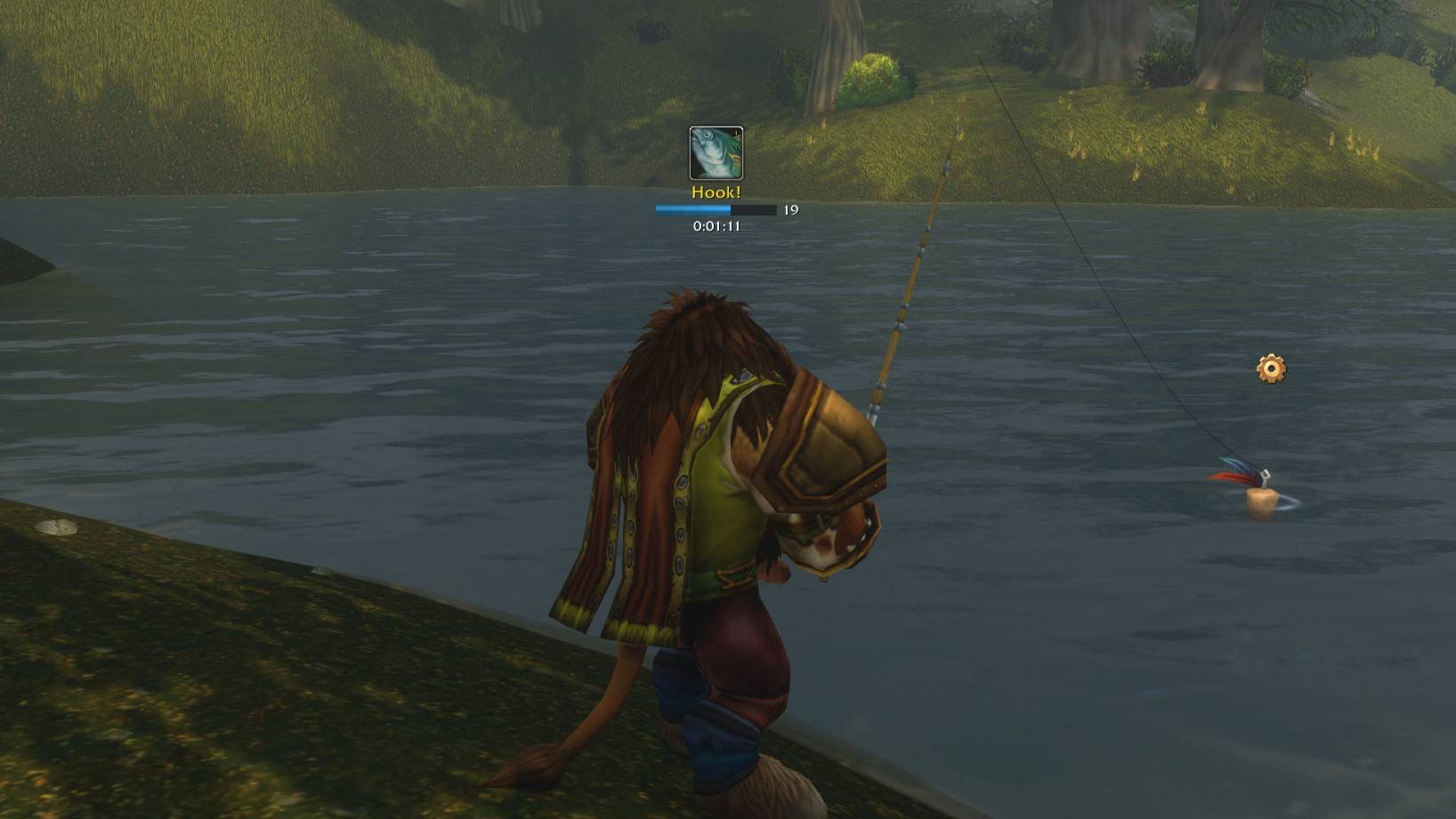
Fish with one key in WoW Forever. The same key casts, hooks the bobber, and loots - no mouse, no hunting for the bobber. It also applies your lures and opens the clams you catch.
✅ Within Blizzard's add-on rules. Every action is your own key press. The addon never reacts to a bite by itself, doesn't listen to the game's sounds and uses no external tools.
🏆 Why OneKeyFishing
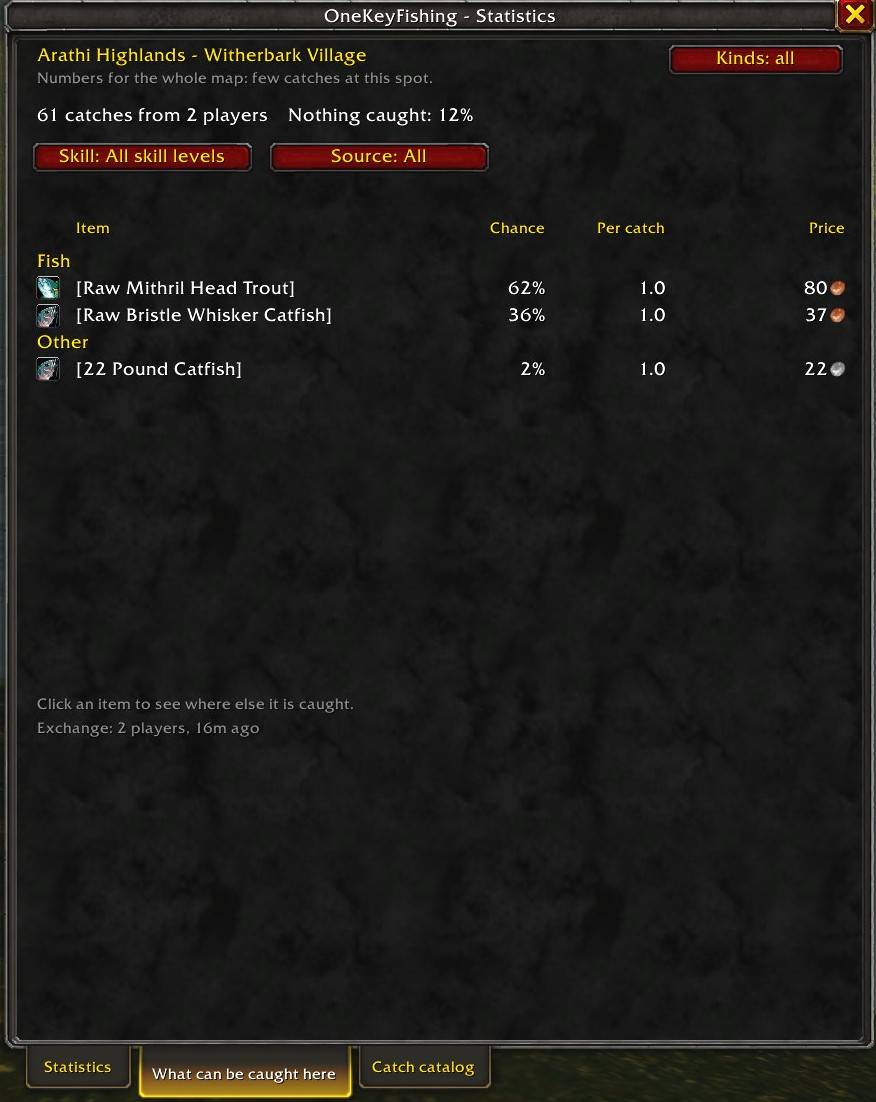
- 📊 Real chances from real catches — every chance, pieces per catch, and miss rate is counted from what players actually caught in WoW Forever, spot by spot on the map: 825 fishing places out of the box, more with every release.
- 🤝 Shared in-game, by itself — the catch data travels between addon users in the background (guild, group, friends, and a hidden channel). No website, no copy and paste, no account. One checkbox turns it off.
- 🏕️ Knows the camp bonus — catches made with a Fishing Rack or a Fishing Hut are counted apart, so a bonus catch shows its own chance.
- 🛟 Leaves nothing behind — your gear, camera, and every game setting come back when you stop, also after a
/reloaddisconnect or a crash. - 💰 Gold without extra addons — its own auction scan, with a price that one odd lot cannot move; or Auctionator's prices when you have it.
- 🌍 10 interface languages on any game client, with item and place names exactly as your client shows them.
- 🔓 Standalone and open — no libraries, no other addons, no outside services. MIT licensed.
🆕 New in 1.5.0
- 🏕️ Camp bonus — catches made with the fishing buff of a Fishing Rack or a Fishing Hut are recorded apart and shared. Bonus catches (a Bloated fish; with the Hut also a herb, ore, a bar, a hide, or enchanting dust) carry the camp feature's icon and show their chance "with the bonus". A Camp bonus filter in both catch lists, a notice 5 minutes before the buff ends, two new statistics rows, and Camper's Lure on the fishing key.
- 🎯 A Skill filter that is never empty for your skill — "Up to 224" lists what was caught with your skill and with less, so a place nobody fished with your exact skill still shows its catch. The share of casts that catch nothing comes from your own skill range alone.
- 🔢 Small chances with a fraction — "3.4%", "0.47%", "<0.01%" instead of "0%".
- 📦 825 fishing places out of the box (446 in 1.3.2), with the first catches made with a camp bonus.
Also new since 1.3.0
- 💰 Prices from Auctionator (1.4.0) — with Auctionator installed, the catch value uses its prices and no second scan is needed.
- ⚡ A faster, safer auction scan (1.3.2) — every item of the catch catalog, one request at a time, fresh prices skipped; when the auction house stops answering, the scan notices within 10 seconds and keeps what it found.
- ↕️ Catalog sorting (1.3.1) — by name, price or chance.
The full list of changes is in the changelog of each file on the Files tab.
✨ Features
🎣 Fishing
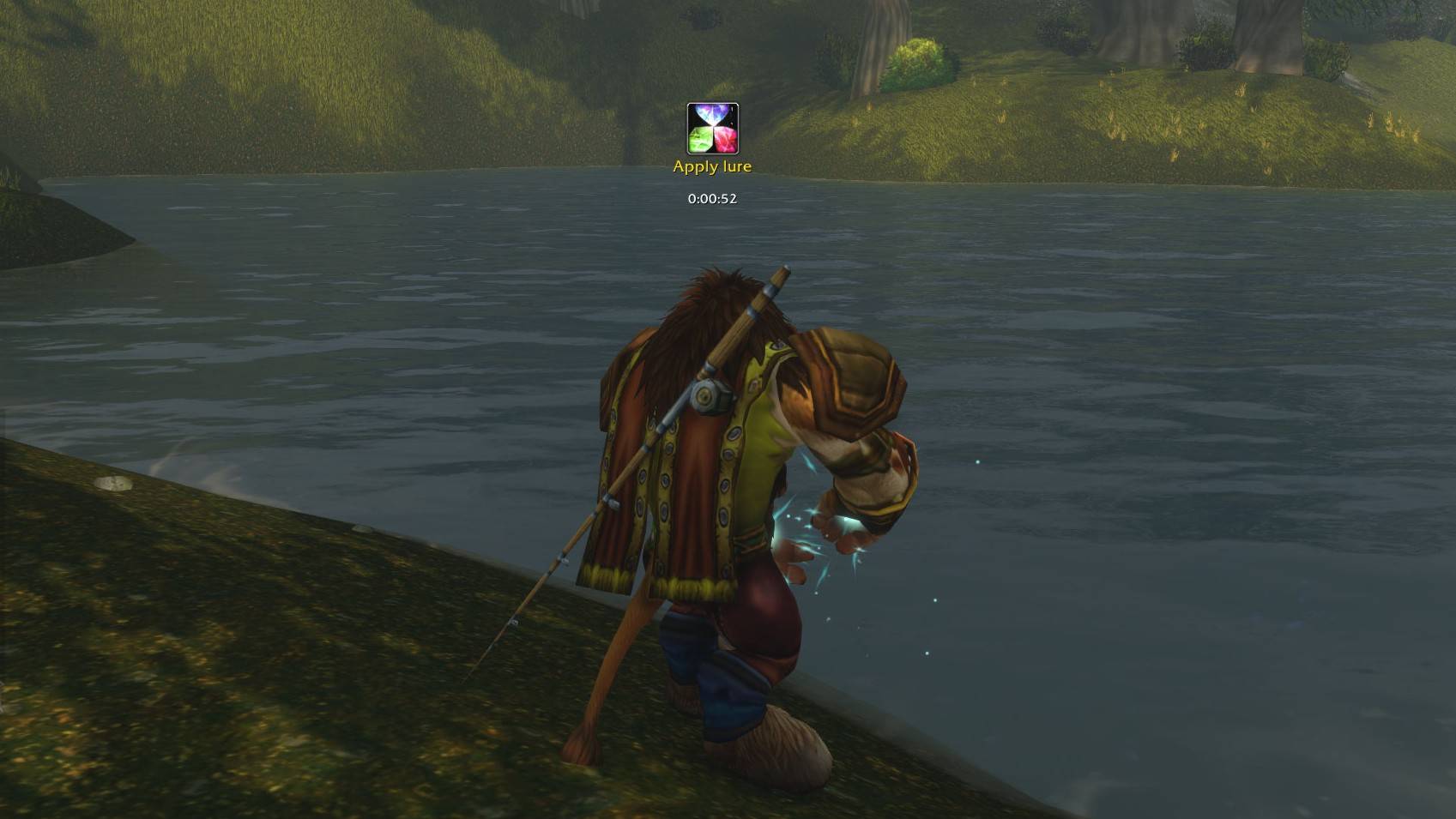
- One key for everything — cast → hook → loot. The same key applies the best lure your Fishing skill allows (Camper's Lure from a Fishing Rack included) and opens fished clams.
- Fishing mode — one toggle sets everything up (auto loot, the interact icon over the bobber, gear, camera zoom) and puts it all back afterwards, also after a
/reload, a disconnect or a crash. - Gear swap — equips your best pole (or the one you chose) plus your fishing items, and restores only the slots it changed.
- Safe in combat — when you're attacked, your weapons come back at once (after the fight if you were in the middle of a cast) and fishing mode ends after the fight.
👀 Information
- Action indicator — shows what the key will do next (
Cast,Hook!,Apply lure,Open), with a cast bar, the session timer and a "No bobber" warning. - Catch notifications for every catch and every miss.
- Fishing sounds — optional bell, hook and rare-loot sounds with their own volume.
- Next rank reminder — tells you when the next Fishing rank can be learned (skill and character level) and where, with names exactly as your game client shows them.
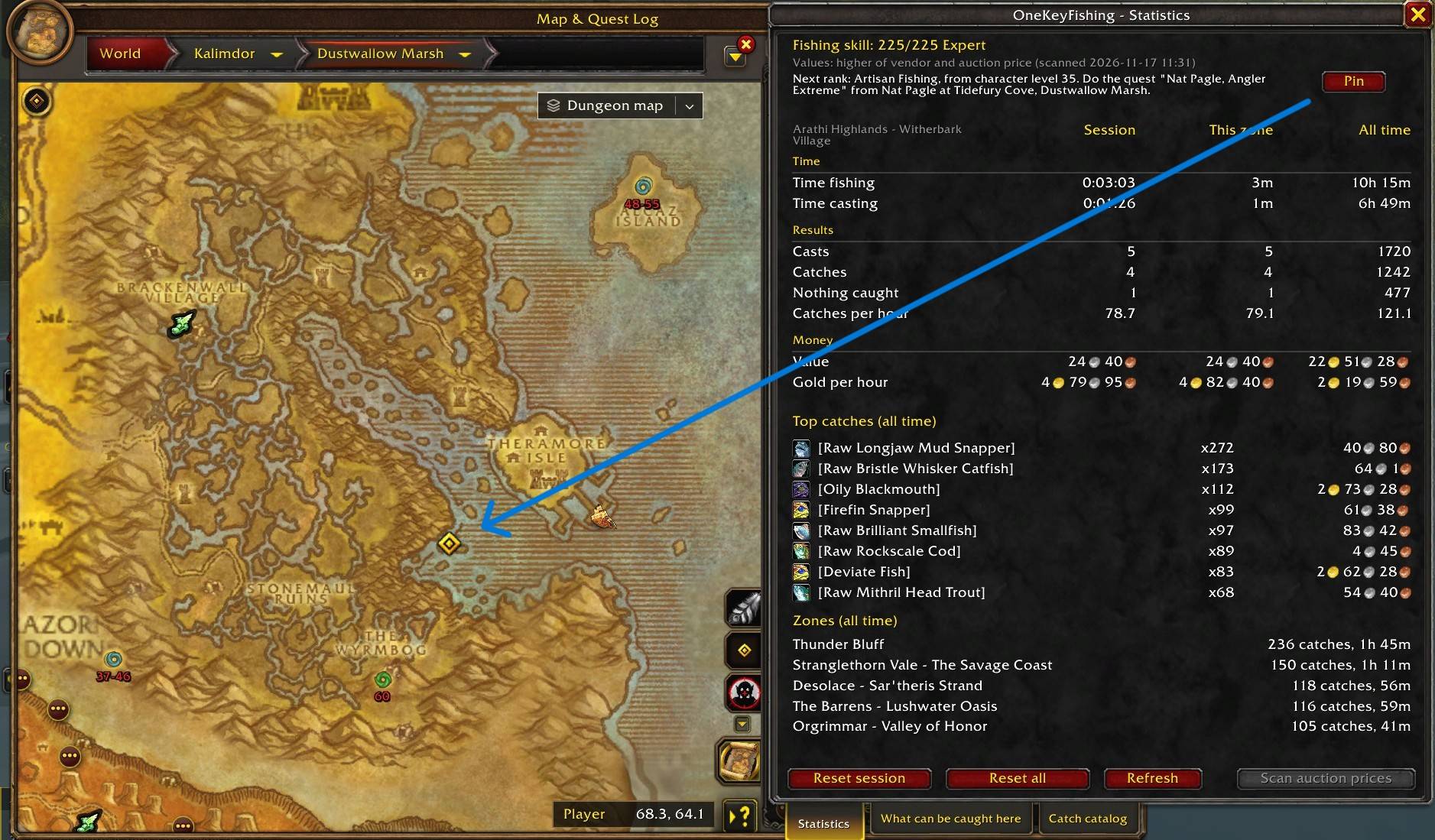
- Map pin — one click puts the game's map pin and the minimap's arrow on the Expert book seller or the Artisan quest giver.
📖 Catch database
- What can be caught here — a tab with every item of the spot you stand at: its chance, pieces per catch and price, how many catches the numbers come from and how often a cast catches nothing. Filters for the skill (your range and everything below it), the source (all data or only your own), the camp bonus and the item kinds.
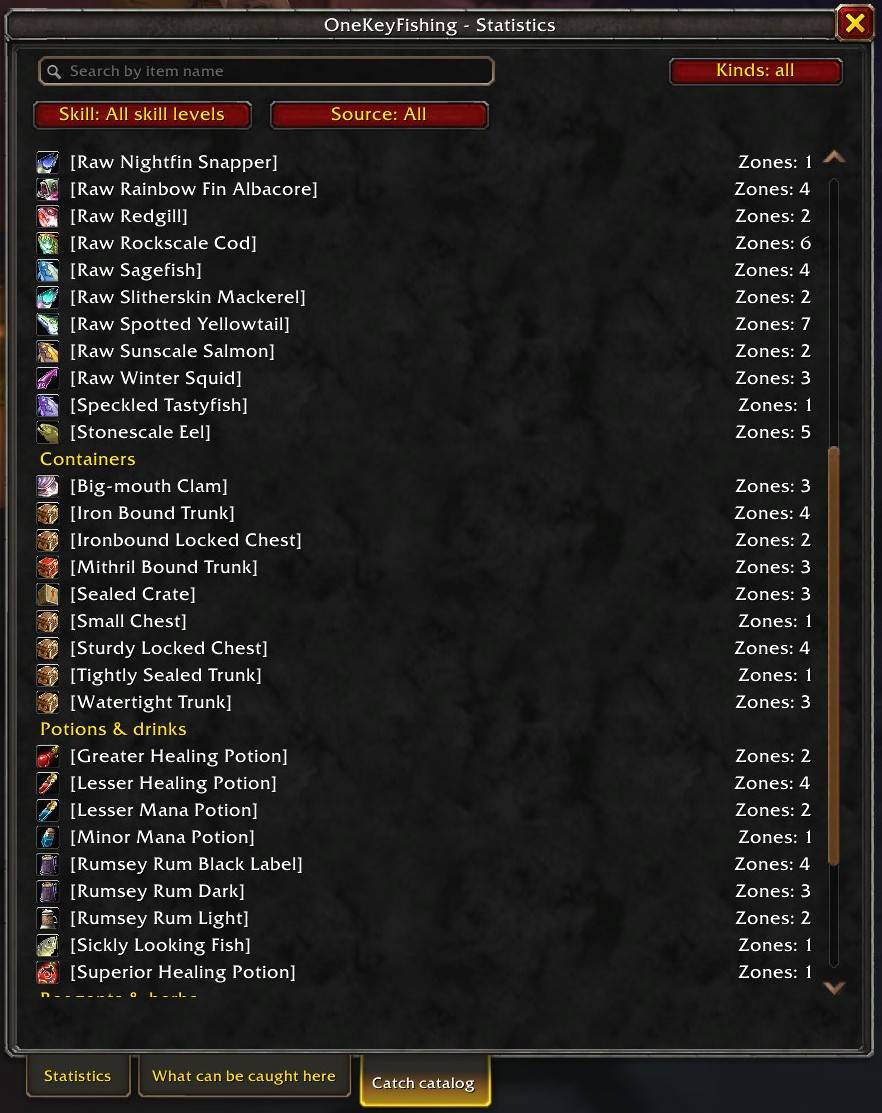
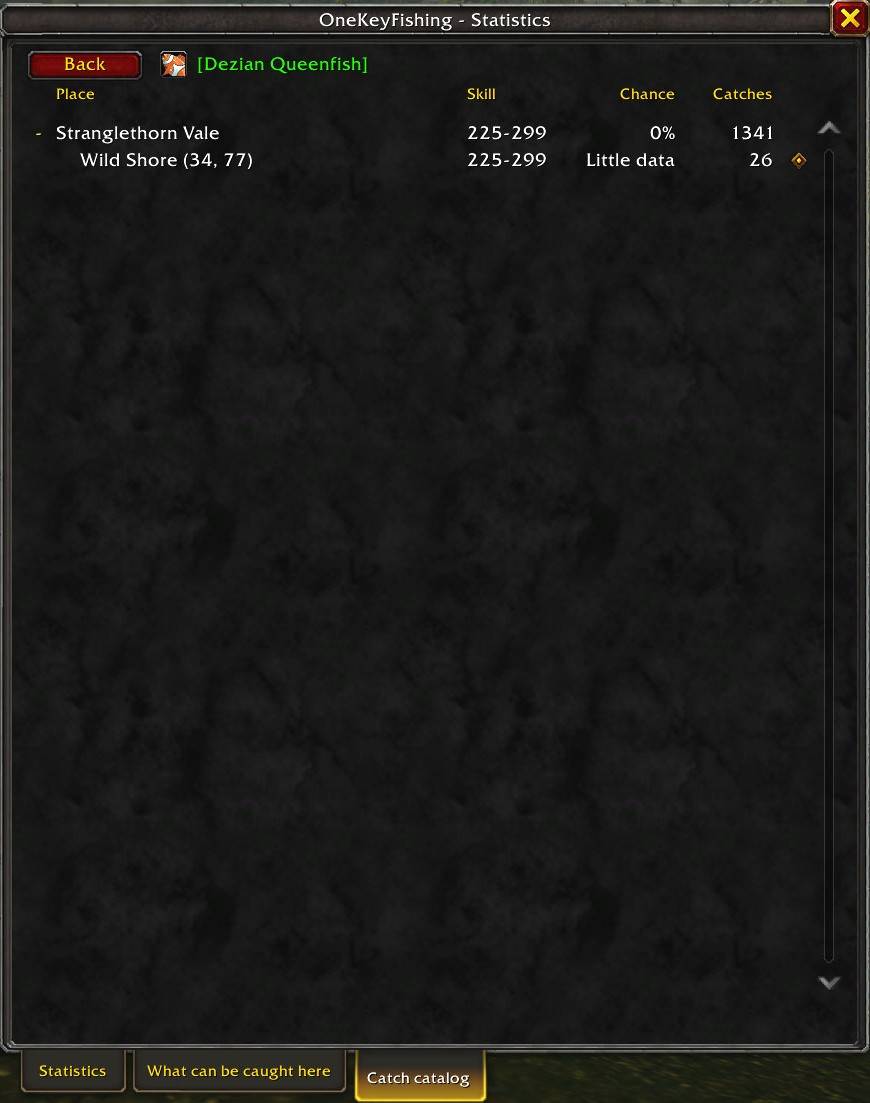
- Catch catalog — every item in the database, searchable by name in your client's language: the zones it's caught in with the chance there, and each zone's spots named after their subzone. Sort it by name, price or chance. One click sets the game's map pin on a spot.
- Kinds — both lists are grouped under Fish, Containers, Potions & drinks, Reagents & herbs and Other; hide the kinds you don't need, and the choice is kept between sessions.
- Camp bonus — catches made with the buff of a Fishing Rack or a Fishing Hut are counted apart: bonus catches carry the camp feature's icon, show their chance "with the bonus" and have their own filter.
- Tooltips — any item in the database shows "Caught in:" with its three best zones; in fishing mode the minimap tooltip shows the three most likely catches of your place.
- Shared between players — see the catches of other addon users without waiting for the next release, and every release bundles the data gathered so far, so the numbers are there from your first login.
💰 Statistics & gold
- Casts, catches, misses, fishing time, catch value and gold per hour — per session, per zone and all time; with a camp bonus also the casts made with it and the bonus catches.
- Auction scan of every item of the catch catalog, with a price that one odd lot cannot move; the catch value uses the higher of the vendor and the auction price.
- Auctionator prices — with Auctionator installed, the catch value uses its prices and no second scan is needed.
🌍 10 languages
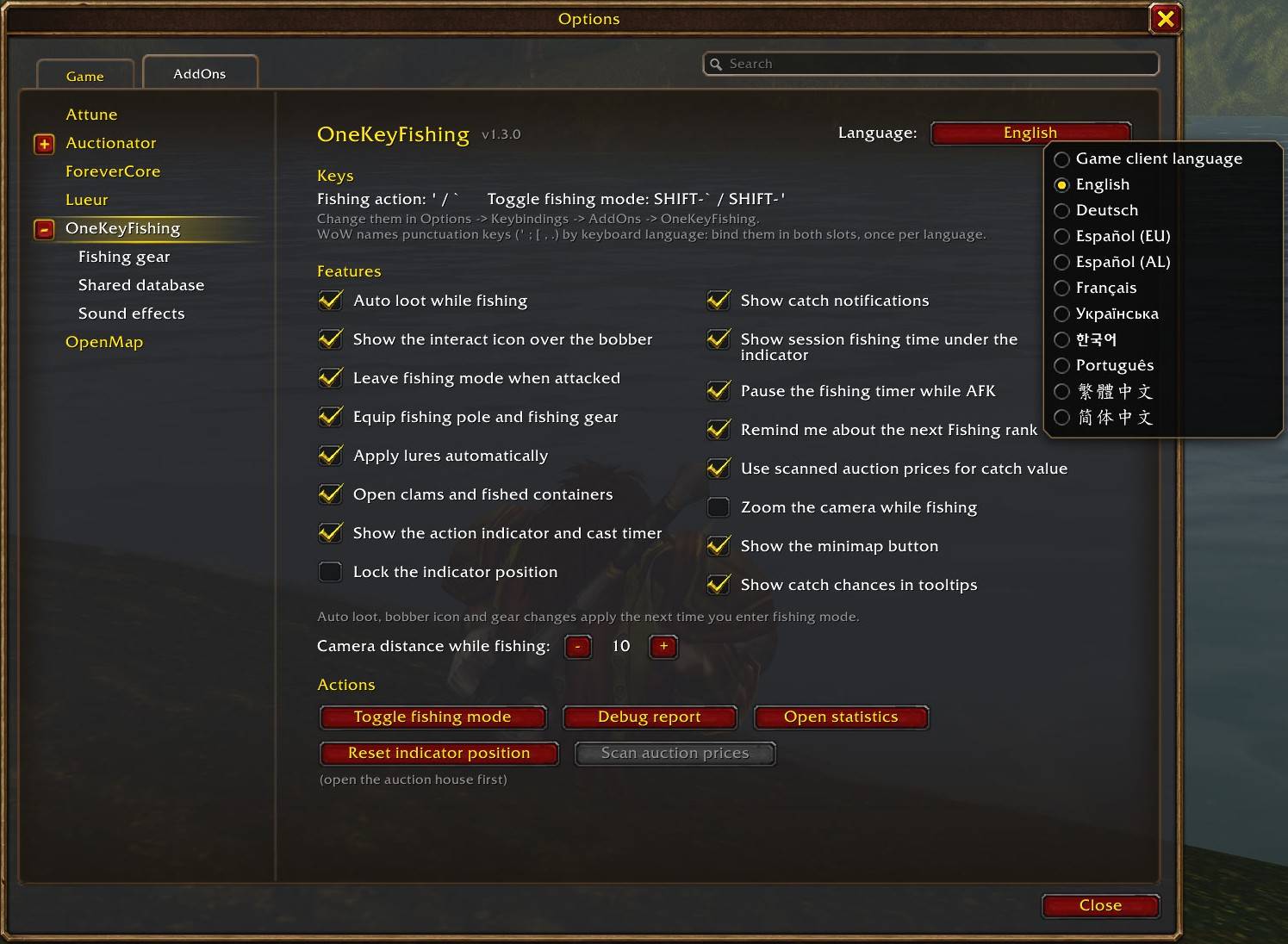
- English, Deutsch, Español (EU), Español (AL), Français, Українська, 한국어, Português, 繁體中文 and 简体中文. The addon follows your game client's language, or pick any language in the settings.
🎬 See it in action
🚀 Quick start
- Install the addon with the CurseForge app and restart the game (a
/reloaddoesn't pick up a newly installed addon). - Options → Keybindings → AddOns → OneKeyFishing — bind two keys:
- Fishing action (e.g.
Ror a mouse side button) - Toggle fishing mode (e.g.
Shift+F)
- Fishing action (e.g.
- Go to the water and press Toggle fishing mode.
- Press the action key to cast. When the bobber splashes, press it again to hook and loot.
- Press Toggle again when you're done — your gear, camera and settings come back.
💡 Use letters, numbers, F-keys or mouse buttons. Punctuation keys (
';[…) change with your keyboard language in WoW.
🎣 Fishing gear
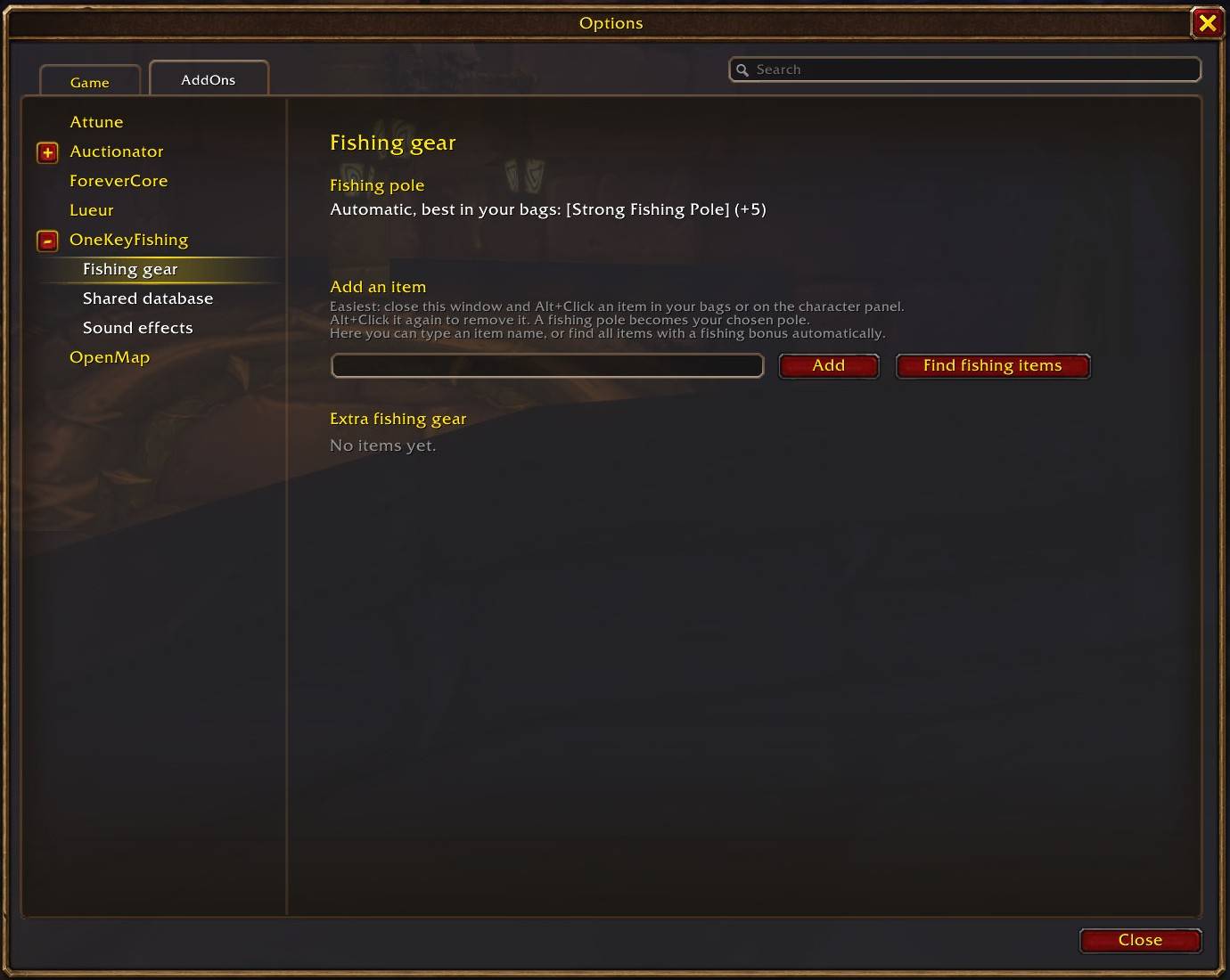
By default the addon equips the best pole in your bags. To pick your own: Alt+Click any item in your bags or on the character panel to add or remove it — a pole becomes your chosen pole, anything else (hat, boots, gloves…) is added as an extra fishing item. You can also manage the list in Options → AddOns → OneKeyFishing → Fishing gear (including Find fishing items).
🏕️ Camp bonus
A Fishing Rack or a Fishing Hut placed by a campfire gives you and your group a fishing buff for an hour. Under it some casts bring an extra bonus catch next to the fish: a Bloated fish with either camp feature; with the Fishing Hut also a herb, ore, a metal bar, a hide or enchanting dust.
- Counted apart — the casts made with the buff are recorded separately and shared like the rest of your catch data.
- Marked — a bonus catch carries the camp feature's icon in both catch lists, and its chance is the chance among the catches made with the bonus ("0.47% with the bonus").
- Camp bonus filter — All catches, No camp bonus, Bonus catches only, Fishing Rack, Fishing Hut. It appears once a catch with a camp bonus is known.
- Notices — a short message 5 minutes before the buff ends and when it has ended; a setting turns them off.
- Statistics — Casts with a camp bonus and Bonus catches.
- Camper's Lure from a Fishing Rack is applied by the fishing key like any other lure.
🔔 Sound effects
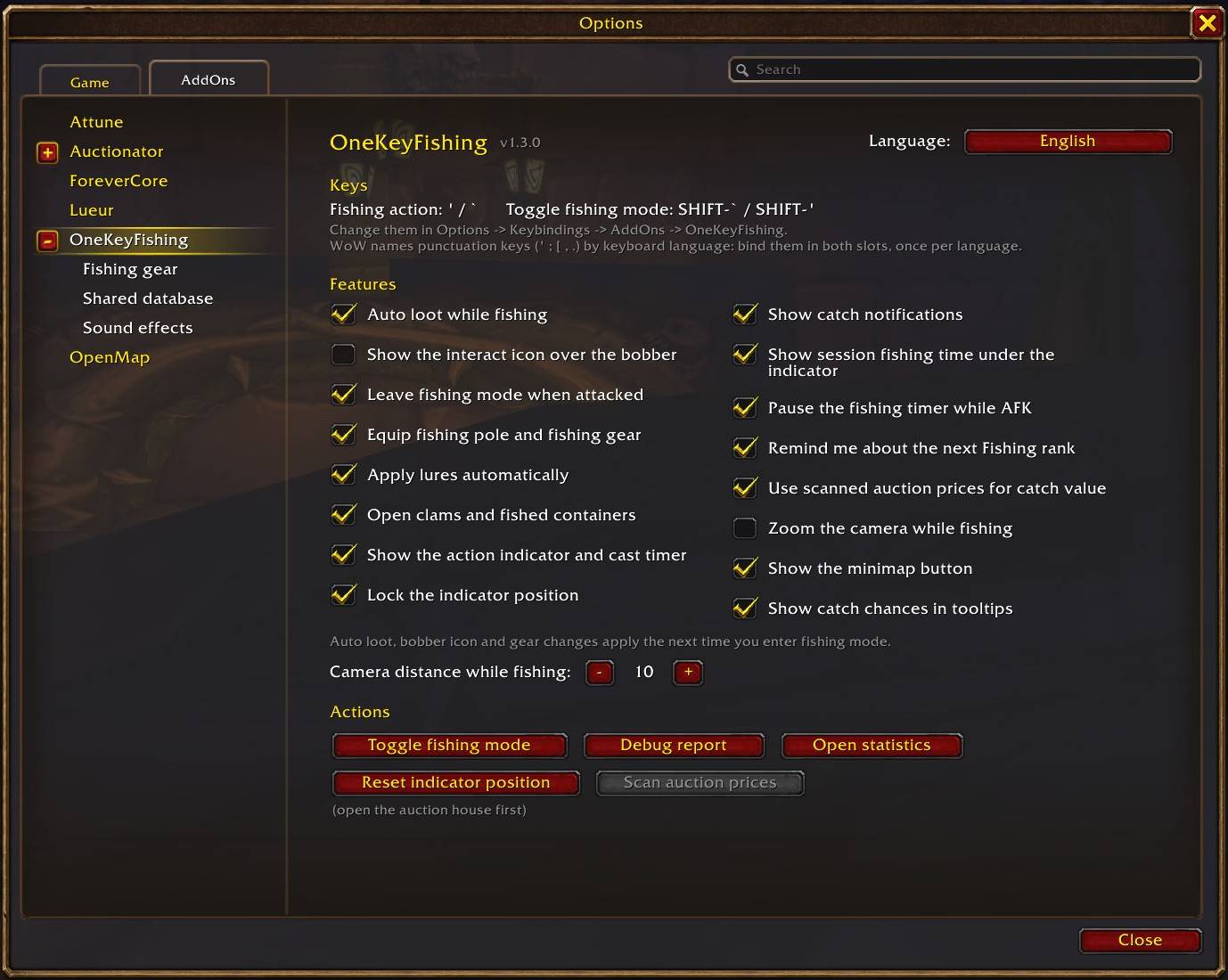
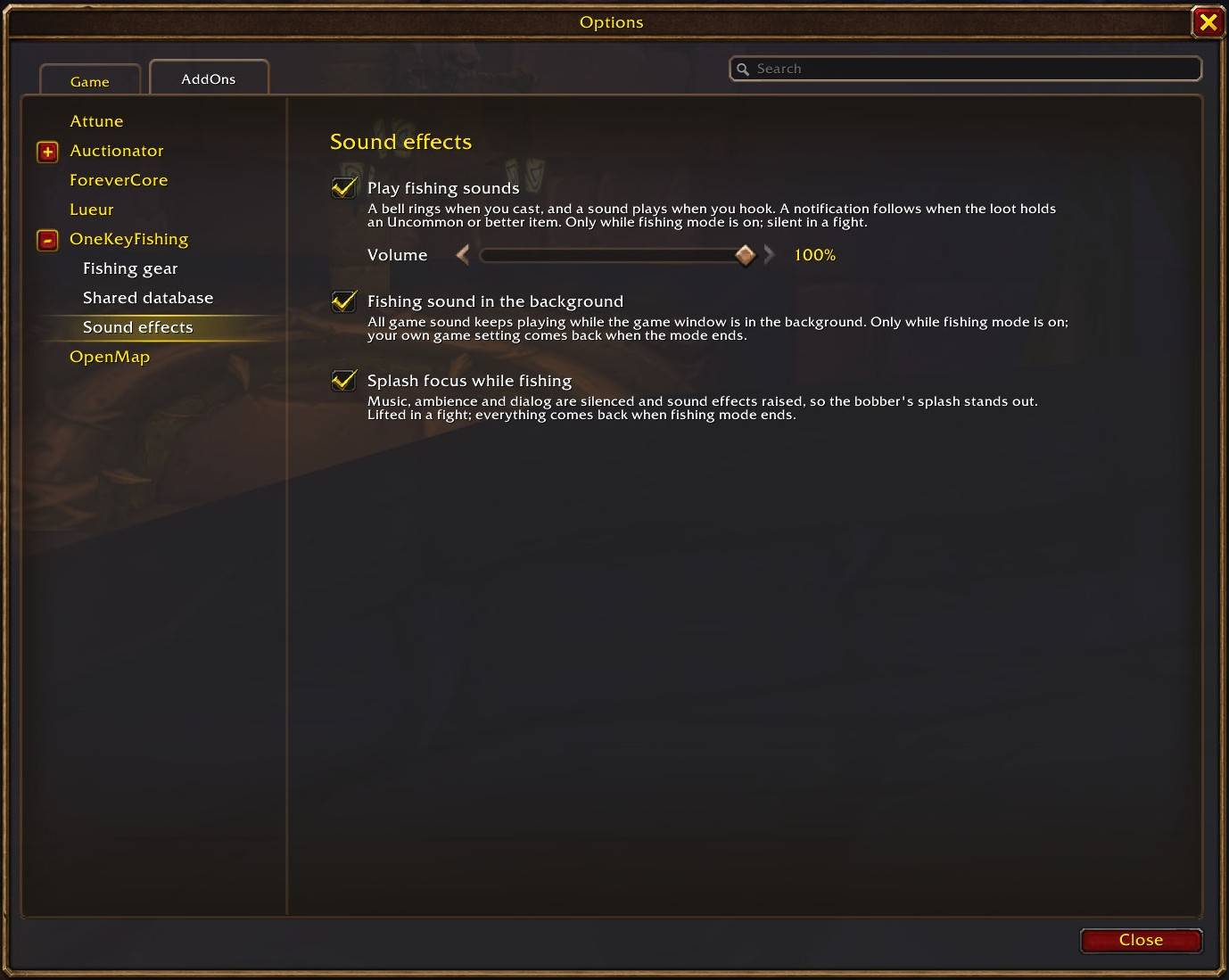
Options → AddOns → OneKeyFishing → Sound effects, or /okf sound. Every option starts off.
- Play fishing sounds — in fishing mode a bell rings when you cast, a sound plays when you hook, and a notification follows when the loot holds an Uncommon (green) or better item. The minimap menu has the same switch.
- Volume — 0 to 100 % in steps of 10. It changes only the addon's sounds, never a game volume.
- Fishing sound in the background — turns on the game's "Sound in Background" while fishing mode is on, so you hear the splash with another window in front. The game has one switch for all its sound, so it covers all game sound.
- Splash focus while fishing — music, ambience and dialog are silent and sound effects are on and at least 90 %, so the bobber's splash stands out.
In a fight the addon plays none of its sounds and lifts the splash focus at once. Every game setting the page changes is put back when fishing mode ends, also after a /reload, a logout or a crash.
The sounds follow your own key presses: the addon cannot know when a fish bites and plays nothing for the bite. The sound files are the author's own work and ship under the addon's MIT license.
💰 Auction prices
- The addon's own scan — open the auction house and press Scan fish prices: every item of the catch catalog is looked up, one request at a time. A scan never starts by itself, and a price found less than 15 minutes ago is not asked again.
- A price you can trust — the average of the cheapest fifth of all pieces on sale, so one lot far below or above the market does not decide it. With too few offers the price shows "(few lots)" and the vendor price is used.
- Auctionator — when it is installed, the catch value uses its prices and the addon sends nothing to the auction house. One switch on the Auction prices settings page goes back to the addon's own scan.
- The catch value always uses the higher of the vendor and the auction price.
🤝 Shared catch database
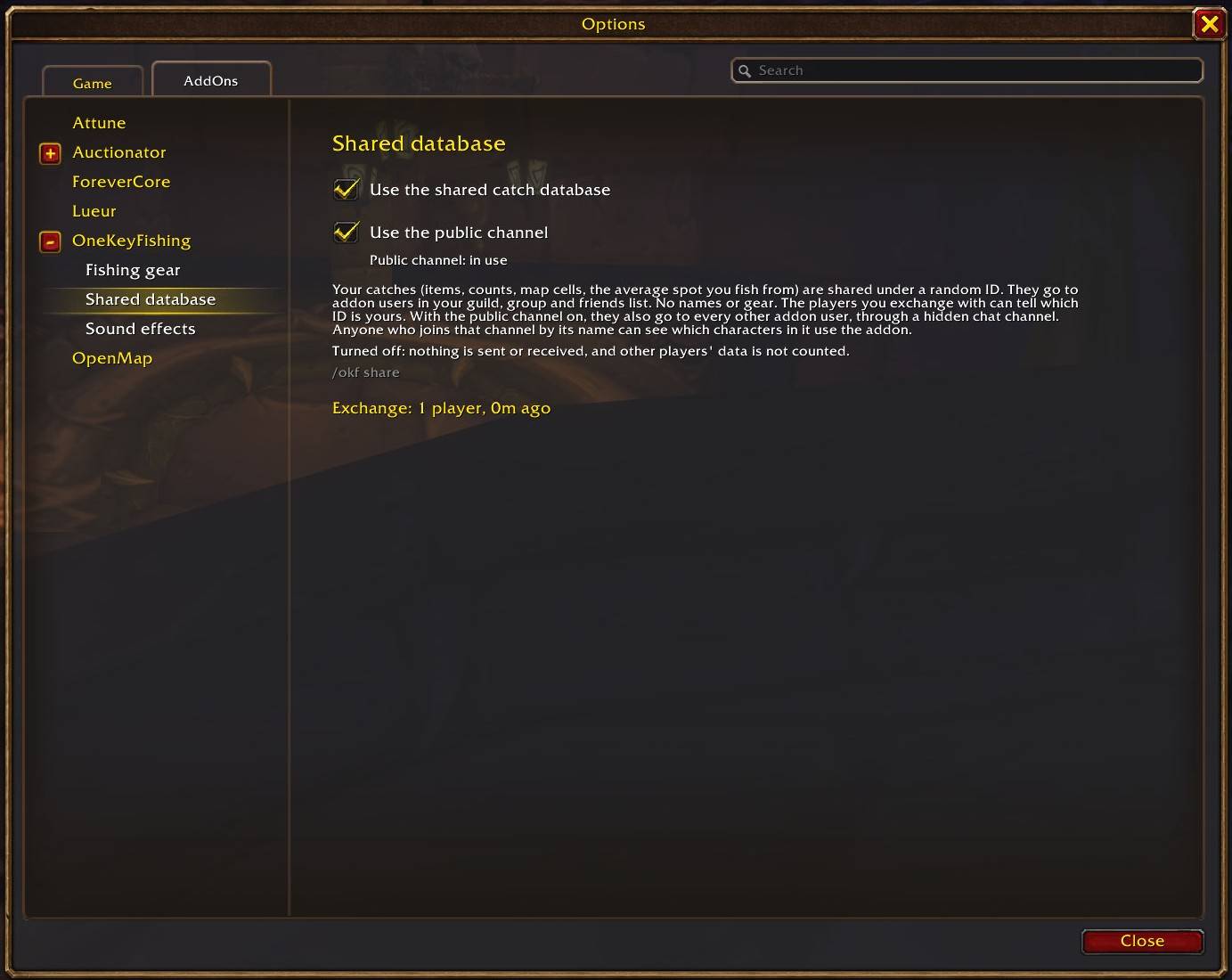
- With whom — addon users in your guild, party or raid, your online friends (character friends and Battle.net friends playing WoW Forever) and, through the public channel, every other addon user. What a guild mate got from their friends reaches you too.
- The public channel — about a minute after you log in, the addon joins a hidden chat channel,
OneKeyFishingShare. It is taken out of every chat window: none of its lines show, and General, Trade and your own channels keep their numbers. It joins only with two of the game's 20 channel slots free and leaves at once when you need the slot. Good to know: the channel is listed in the game's Chat Channels window, and anyone who joins it by its name can see which characters in it use the addon. - What — only catch counts per map spot (catches, misses, casting time, items, and which of them came with a camp bonus) under a random ID of your account. No character names are sent, and the names of the players you exchange with are never saved.
- When — in the background, also outside fishing mode. It pauses in combat, in instances and on loading screens, uses at most 50 KB per hour, and the exchange never shows in chat.
- Fair numbers — where five or more players reported a spot, no single player counts for more than a fifth of it; a new item shows only once three players reported it on that map; data that doesn't add up is refused.
- Off — Options → AddOns → OneKeyFishing → Shared database. Use the shared catch database off means nothing is sent or received. Use the public channel off leaves the channel and keeps the guild, group and friends exchange. A popup says the same once at your first login, and once more after the update that brings the public channel.
🗺️ Minimap button
- Left-click — toggle fishing mode
- Shift+Left-click — the statistics window with its three tabs: Statistics, What can be caught here and the catch catalog
- Right-click — a menu with every action (fishing sounds on or off, auction scan, a map pin for your next Fishing rank and more)
- Drag — move the button around the minimap
- Also available in the Addon Compartment
- The tooltip shows your Fishing skill, the next rank, the session time and your keys.
🌐 Language
Options → AddOns → OneKeyFishing → Language (top right):
- Game client language — follows your client (English when there is no translation for it);
- or pick any of the 10 languages; the change applies after a reload, which the addon offers. Українська is available this way, since the game has no Ukrainian client.
- Korean and Chinese read best on a Korean or Chinese game client.
⌨️ Commands
Optional — everything is also in the menus.
| Command | Action |
|---|---|
/okf |
List all commands |
/okf toggle |
Enter / leave fishing mode |
/okf stats |
Statistics |
/okf config |
Settings |
/okf catalog |
Catch catalog (/okf catalog <name> searches) |
/okf scan |
Scan auction prices of the catalog's items (with the auction house open; not while the prices come from Auctionator) |
/okf share |
State of the shared catch database |
/okf sound |
Sound effects settings |
/okf debug |
Report for bug reports |
❓ Troubleshooting
- "Fishing mode is off" — press your toggle key first.
- Key paused in combat — the game blocks addon bindings in combat; it works again after the fight.
- "No bobber" — turn the camera towards the bobber.
- Key stopped working after switching keyboard language — use a letter / number / mouse key instead of punctuation.
- No fishing sounds — they are off until you turn them on (
/okf sound); they play only in fishing mode and never in a fight. - "Little data" — a spot or map has fewer than 50 catches yet; the numbers fill in as you and other players fish.
- "Nothing caught: little data" — fewer than 50 casts with the chosen skill range at this place yet; the list itself still counts the catches of every lower skill.
- No Camp bonus filter — it appears once a catch with a camp bonus is known: yours, the bundled data's or another player's.
- No scan button — the prices come from Auctionator. To use the addon's own scan, turn off Take prices from Auctionator on the Auction prices settings page.
- "Auction house not answering" — the game's auction house stopped responding; log out and back in. The prices found so far are kept.
- The exchange says unavailable — Trial and Veteran accounts can't send addon data.
- The public channel is not in use —
/okf sharesays why.
🐞 Bugs & feedback
Type /okf debug, copy the report (Ctrl+A, Ctrl+C) and open an issue on GitHub (or leave a comment here) with what you did and what happened.
Requirements: WoW Forever · the Fishing skill · any client language · interface in 10 languages · no other addons or libraries. License: MIT
☕ Enjoying the addon? Support development:
💳 Donate via PayPal on the CurseForge page
Thank you for your support! ❤️
OneKeyFishing Team