
OneForAll - Forever
- By
Description
OneForAll – your all-in-one companion for WoW Forever
Item sets, dungeons and raids, quests, professions, talents, hunter pets and more – in one window instead of ten addons and browser tabs. Open it with /ofa or the minimap button.


▶️ Featured by WillE: "so much things - i give this one a look" – watch the video
▶️ Featured by RageGamingVideos: "this is the one" – watch the video
▶️ Featured by SCOTTEJAYE: "can't live without" – watch the video
▶️ Featured by SEANO: "I'd highly recommend it." – watch the video
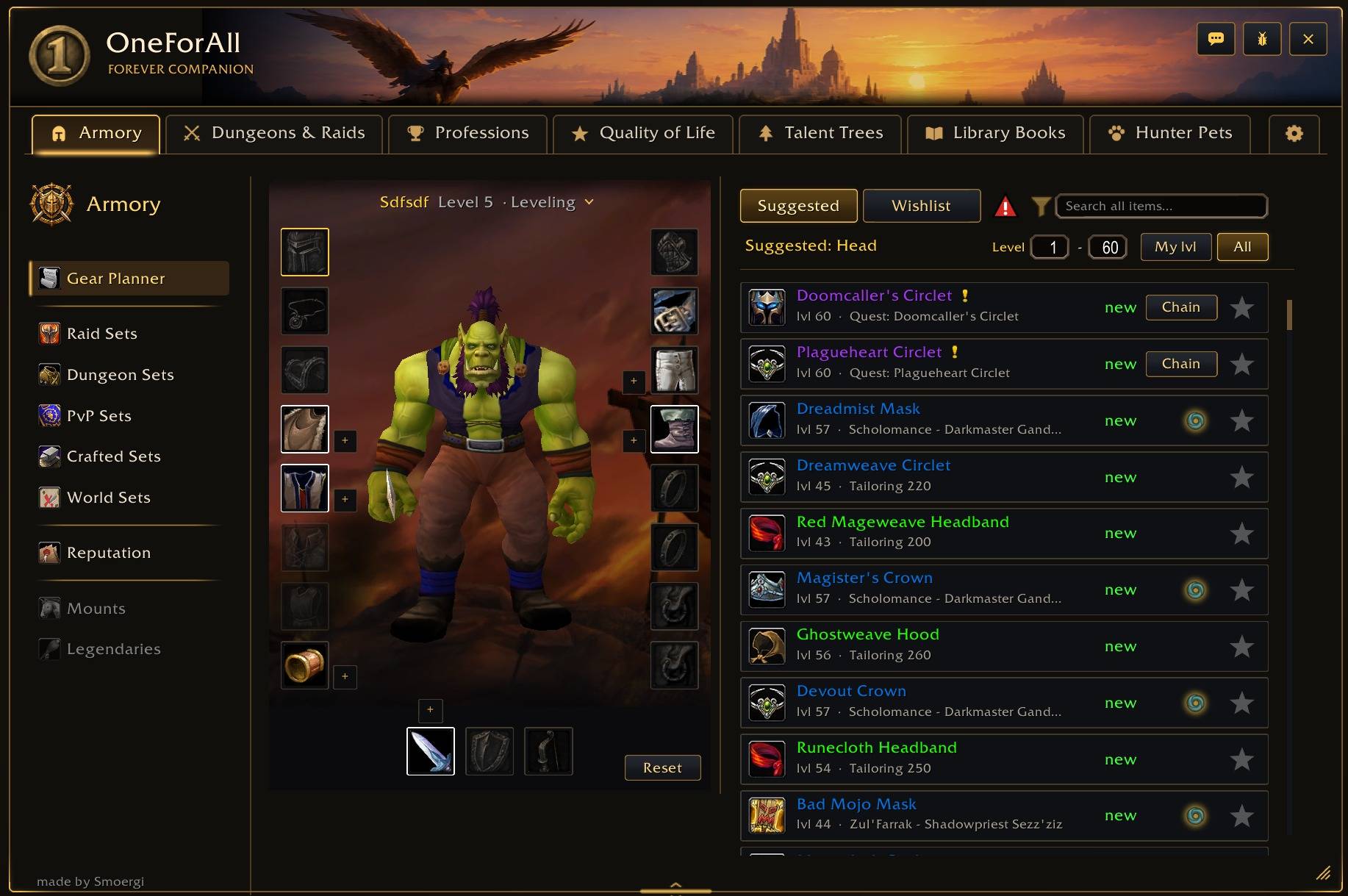
Armory
- Gear Planner – upgrades for every slot from dungeons, quests, reputation and crafting, with the gain in % for your talent spec (also in item tooltips), wishlist and quest chains
- Item sets for your class: raid, dungeon, PvP (incl. rank 14 weapons), crafted and world sets
- Pieces you own, set bonuses and where each piece drops – one click opens the boss
- Reputation rewards of every faction by standing, with the vendor on the map
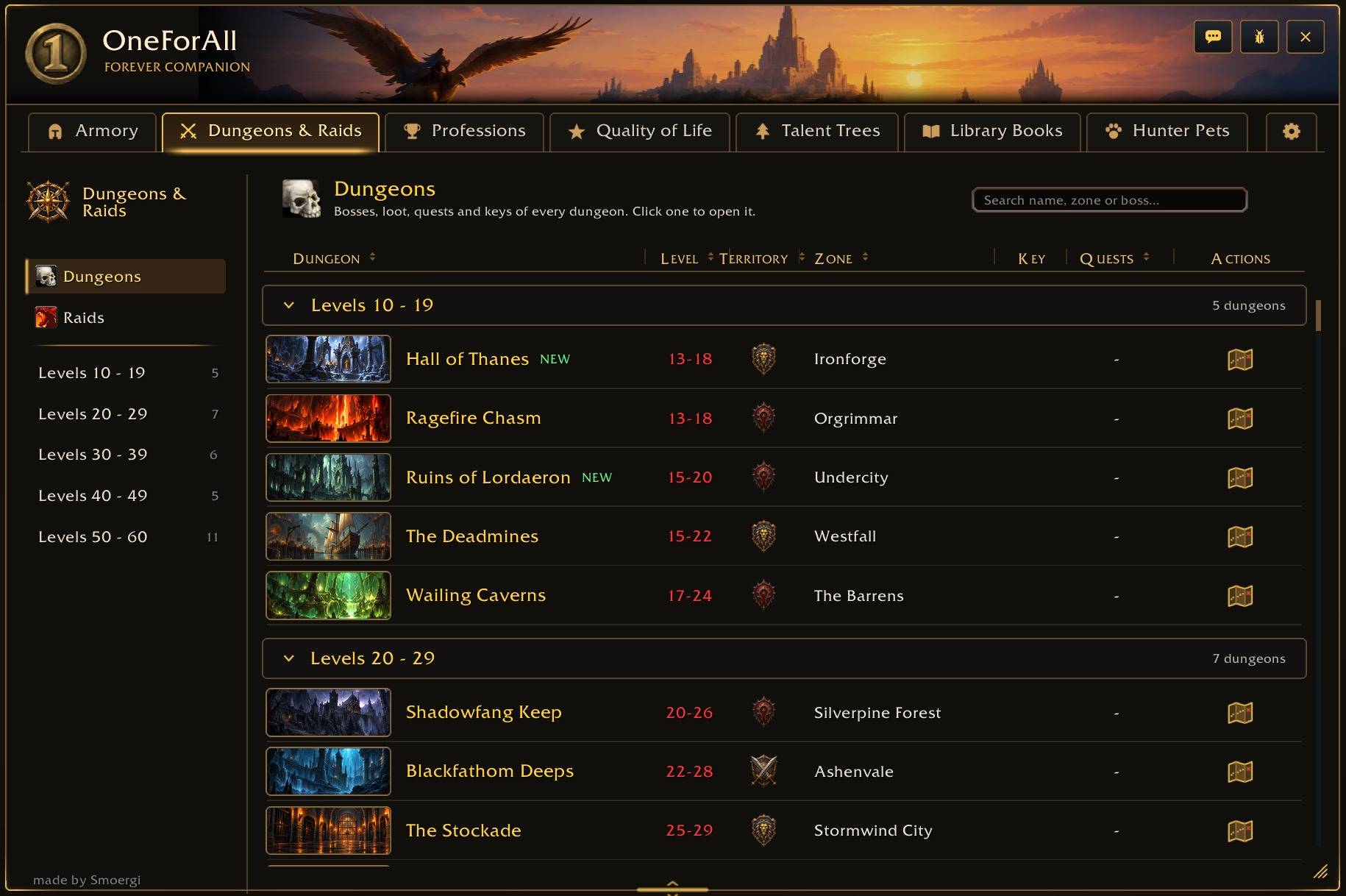
Dungeons & Raids
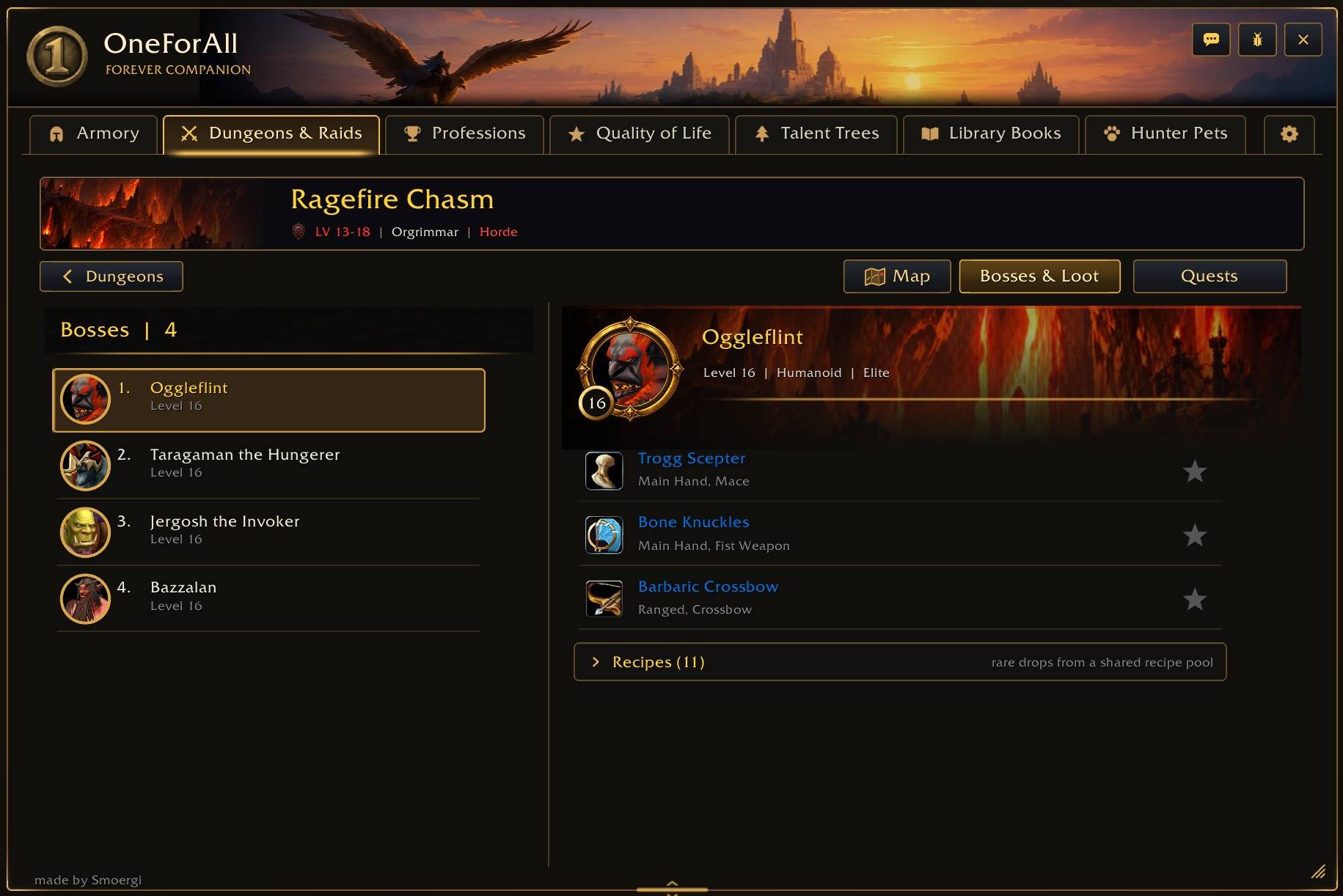
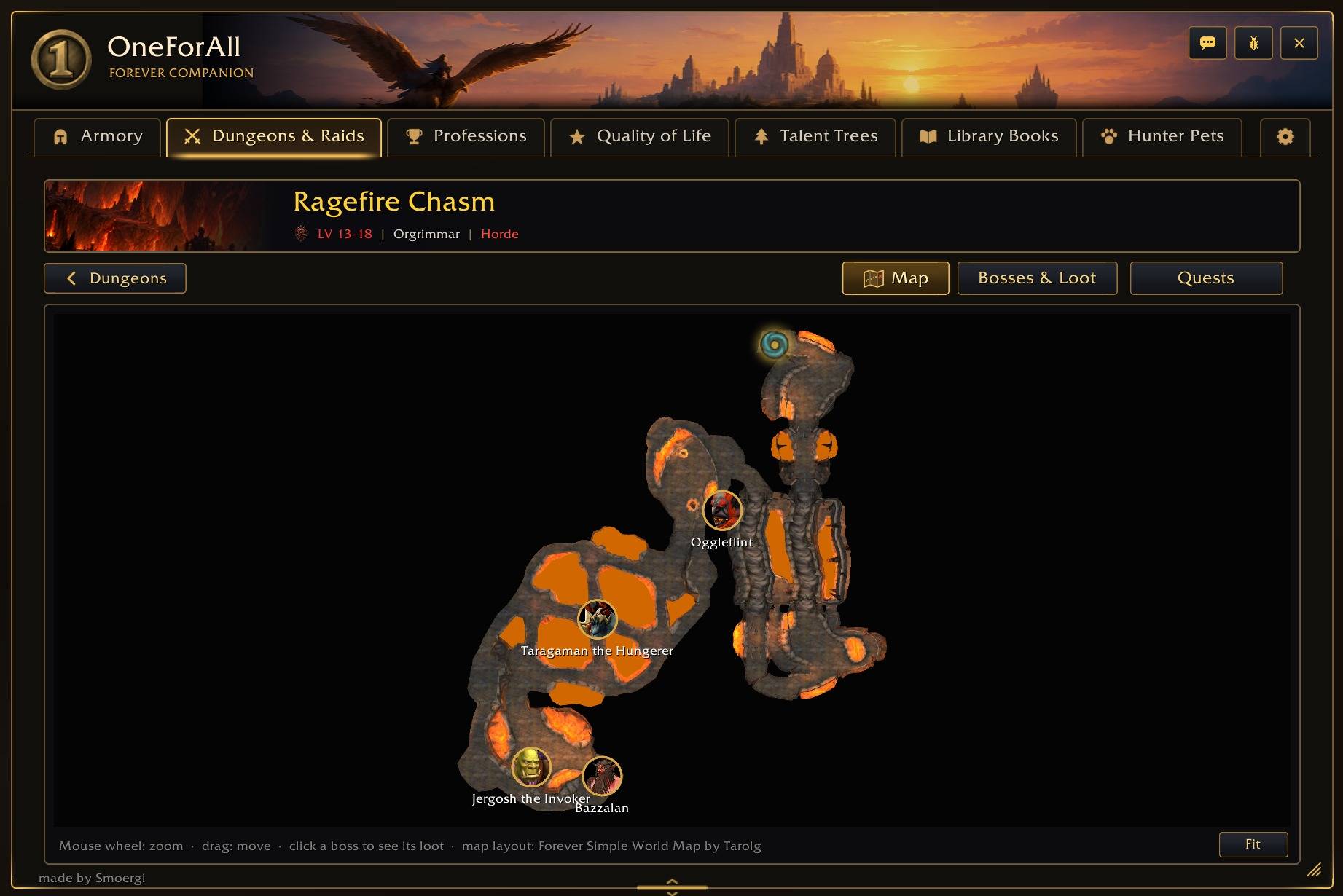
- Dungeon maps for all dungeons and raids with boss portraits and the entrance – click a boss to see its loot
- All new WoW Forever dungeons included: bosses with levels, boss and trash loot, rares and quests
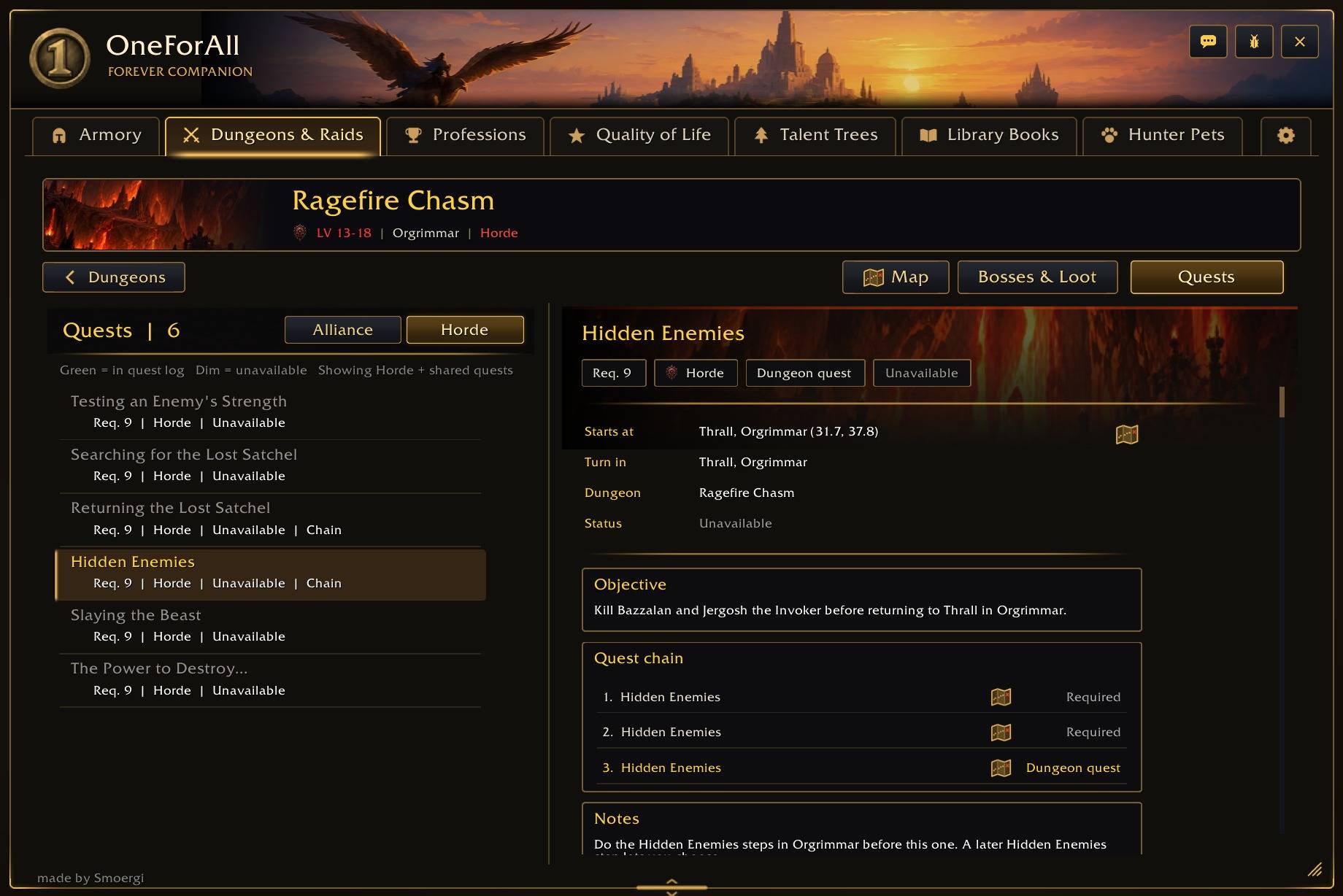
- Bosses with levels, boss loot with drop chances, dungeon quests and full quest chains
- Shows which quests are done, active, available or locked, with rewards and a map button for every quest giver and turn-in
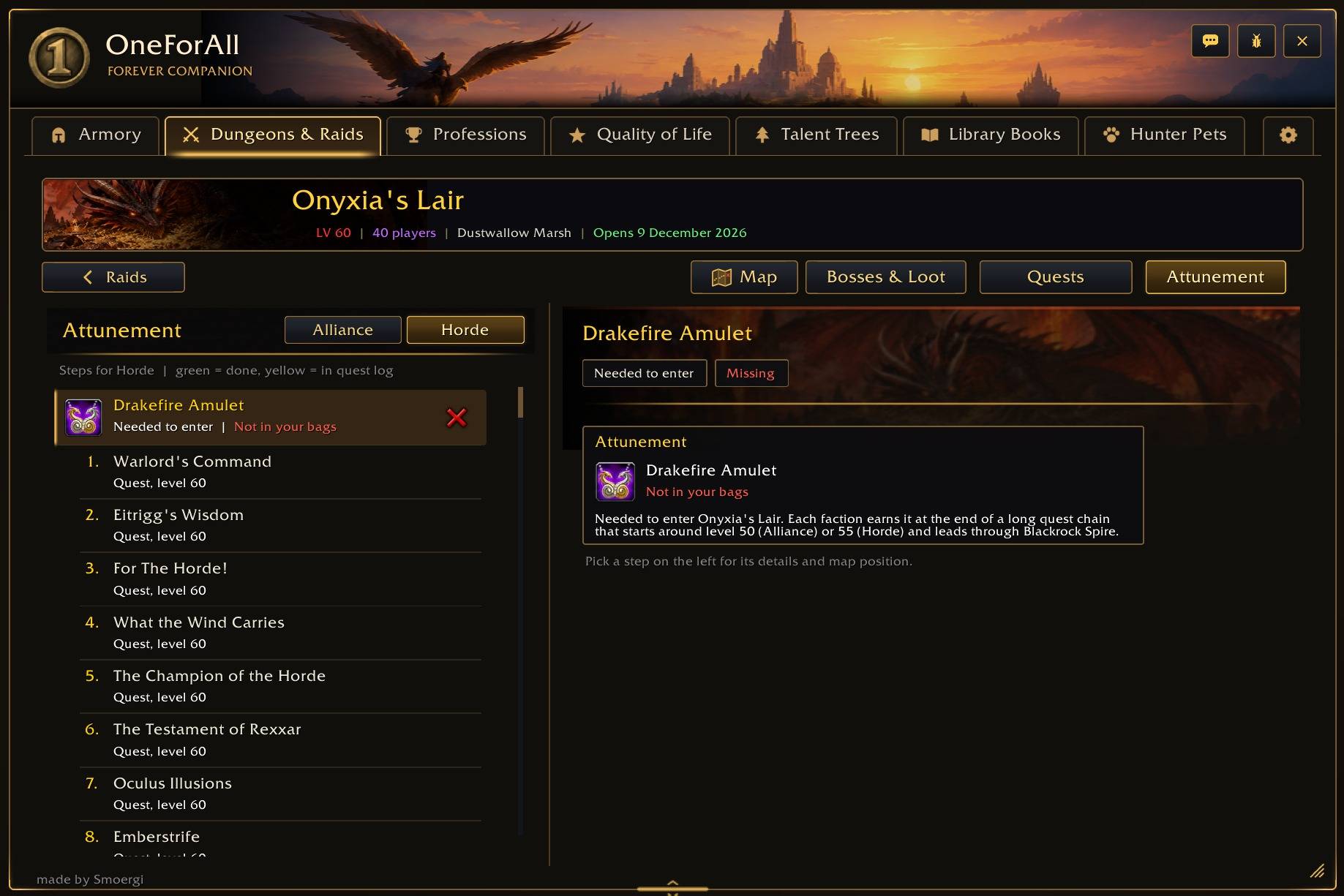
- Dungeon keys and raid attunements step by step
- Opens automatically on the dungeon you are in
- Quest share popup: see which group members can still take your dungeon quests
Professions
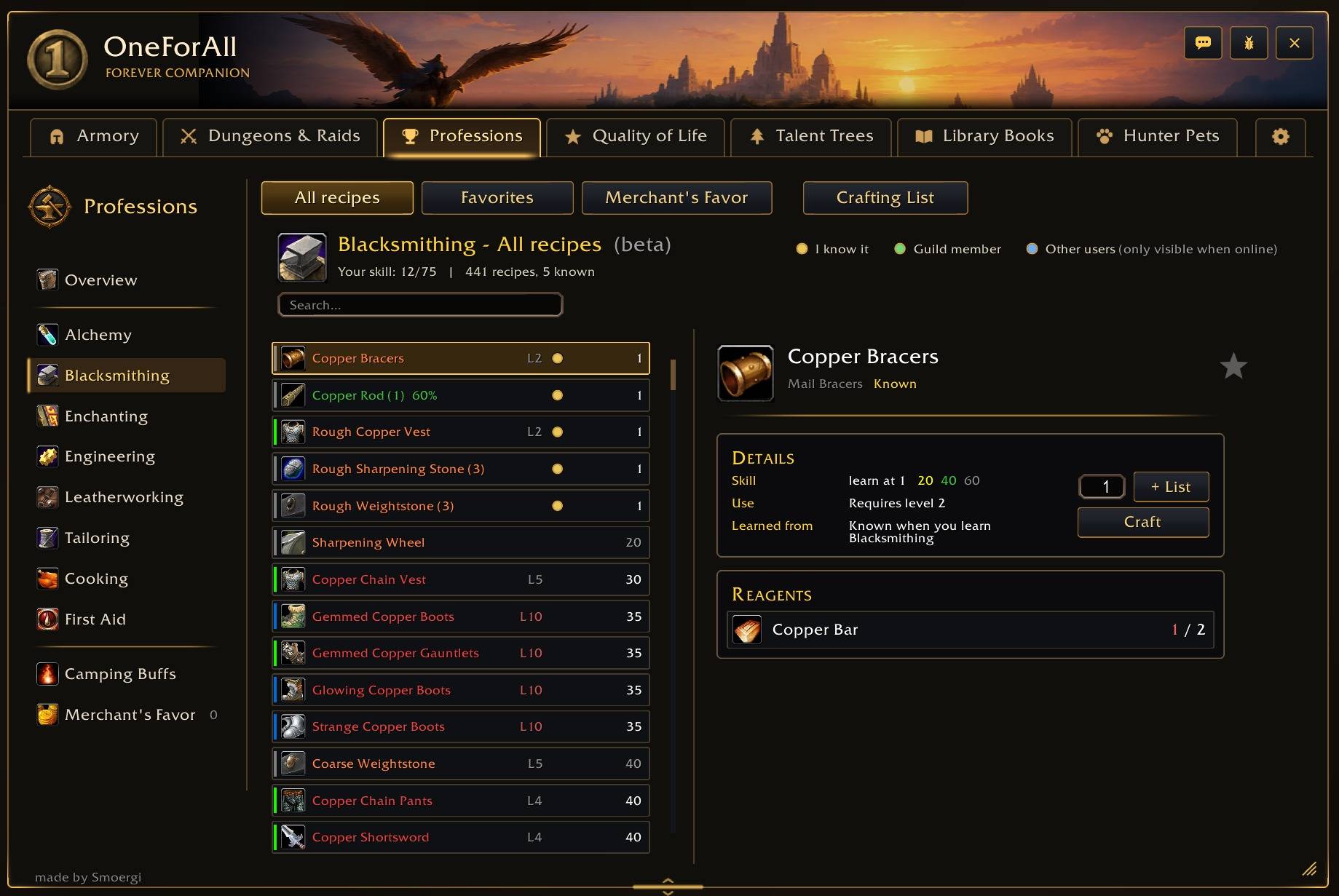
- All recipes for every profession
- Skill-Up Helper – the cheapest way to your target skill with a step-by-step guide (Auctionator prices)
- Profit – the recipes worth crafting right now, with gold to invest and profit
- Crafting List – checks your bags, bank and other characters for the materials, shows where they are and buys missing ones at a merchant with one click
- Who knows a recipe? Guild members (incl. your alts) and other OneForAll users who are online
- The nearest trainer of every profession, with a map button
- Merchant's Favor guide and catalog, plus all camping objects and buffs
Quality of Life
- Optional helpers you switch on as you like – a welcome setup walks you through them
- Quick Loot, auto-repair, sell junk, quest accept/turn-in, helper when bags are full, quest XP on the experience bar, tooltip at the mouse, minimap button collector, item sparkle and much more
All QOL features:
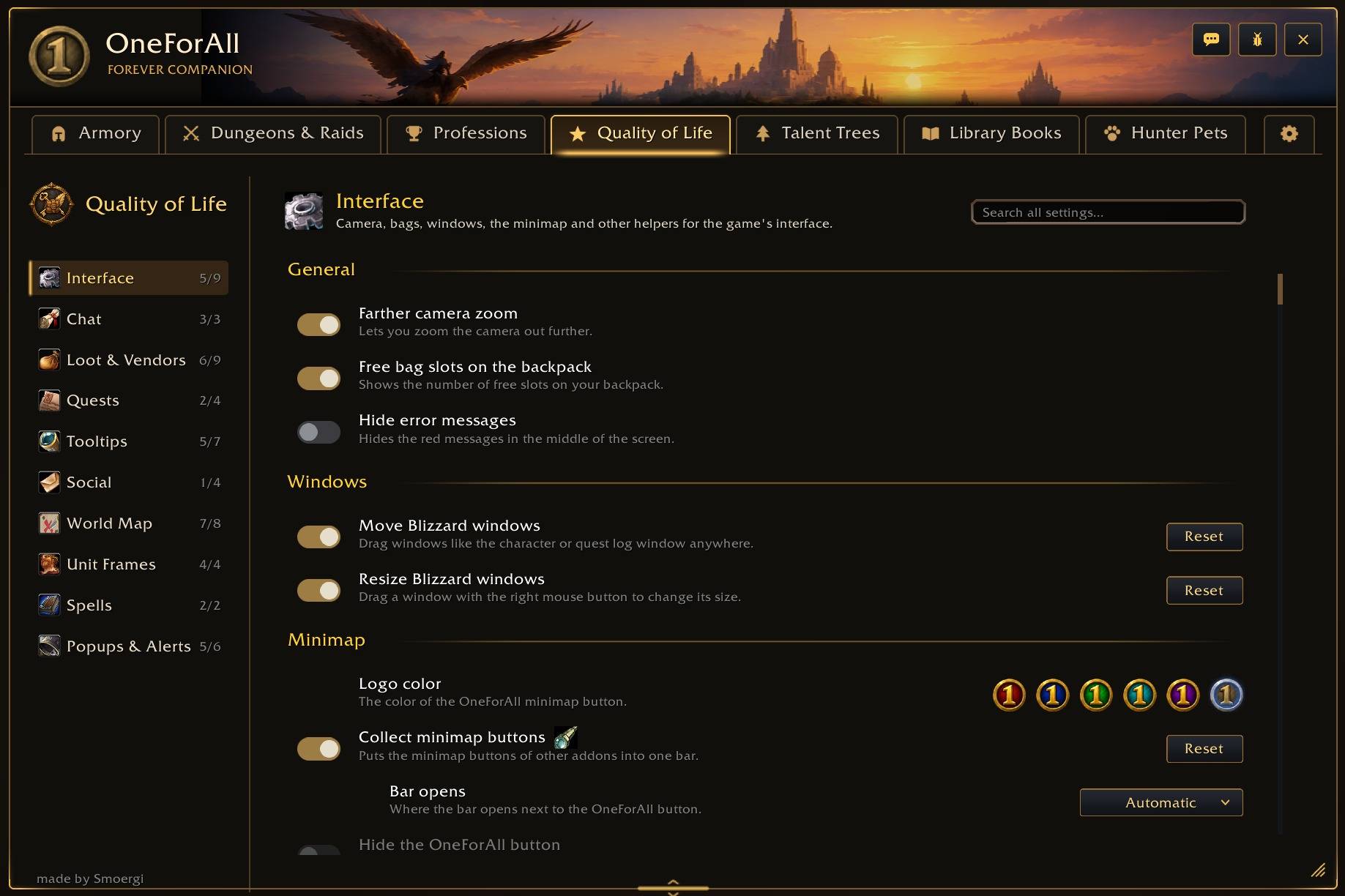
Every feature can be switched on or off in the Quality of Life tab.
Interface
- Farther camera zoom – zoom the camera out further
- Free bag slots on the backpack – shows how many slots are still free
- All ammo on the quiver – your quiver or ammo pouch shows all arrows / bullets in your bags instead of the game's "*" (on by default for hunters)
- Info bar – a band at the top middle of the screen with the information you choose: gold, bags, durability, experience, location, clock, FPS, new trainer spells, Library Books, hearthstone, class reagent (hunters: all arrows / bullets), guild, friends, mail, Value spec, the game's windows (character, spellbook, talents, map / quests, Looking For Group, calendar, legacy, shop) and the tabs of the OneForAll window; drag elements to change the order; pin it or let it slide away after a few seconds (1 - 10); size, background colour and opacity, with a "Default" button; Shift-drag moves it along the screen edge, also to the bottom of the screen, and a "Reset" button puts it back at the top middle
- Hide error messages – no red "Out of range" messages in the middle of the screen; full bags, a full quest log and not enough money are still shown
- Move Blizzard windows – drag windows like the character window, world map, spellbook, professions, bags, Looking For Group, Social, Calendar, Shop, AddOns, Options, Cooldown Settings or the Game Menu anywhere
- Resize Blizzard windows – hold the right mouse button on a window and drag to make it larger or smaller (50 - 150 %)
- Logo color – the OneForAll logo in turquoise, red, blue, green, violet or bronze
- Collect minimap buttons – puts the minimap buttons of other addons into one bar (choose where it opens)
- Hide the OneForAll button – no OneForAll button at the minimap
- Square minimap – square minimap with a thin black frame
Chat
- Chat font size – the same font size for every chat window
- Copy chat button – copy the text of any chat window
- Hide chat button – a button next to the chat hides and shows it (together with the Social button), also as a key binding
- Hide chat after – hides the chat after a quiet time; a new message or typing brings it back
- Message history – arrow up / down in the chat box brings back your last 5 messages
Loot & Vendors
- Auto loot – the game's own auto loot setting
- Quicker loot – takes everything at once
- Auto repair – repairs all gear at merchants
- Sell junk – sells all grey items when you open a merchant, plus your own junk list (Alt+right-click an item in your bags; junk coin in the bags and in Baganator)
- Bags full helper – when loot does not fit, offers to destroy the cheapest item (optionally only grey and white items, with a block list)
- Loot feed – looted items and money float up next to your character (minimum quality, movable)
- Sparkle on herbs & ore – herbs and ore veins you can gather sparkle in gold (switching it on turns on the game's "Enable Interact Key")
Quests
- Accept quests automatically – hold Shift to do it by hand
- Turn in quests automatically – you still pick rewards yourself
- Quest XP on the experience bar – shows the XP of your finished quests (optionally only the ones you track)
- Quest loot sparkles – quest items in the world sparkle again (quest givers and some other NPCs glow too - that comes with the game setting; your outline settings stay as they are)
- Best sell price on rewards – a gold coin on the quest reward choice that sells for the most
- Quest marks on nameplates – a sword or bag with your progress on mobs you need for a quest - kill and loot quests (left, top or right of the health bar)
Tooltips
- Boss drops – which dungeon boss drops an item
- Gear Value – upgrade or downgrade in % against what you wear, weighted for your spec or your own stat weights
- Arrow color by armor type – a yellow arrow for upgrades in a lighter armor type than your class's best
- Short green stats – long "Equip:" lines become short stats like "+1% Hit" or "+9 Spell Healing"
- Disenchant value – what green, blue and purple weapons and armor are worth disenchanted, at Auctionator prices (only with Auctionator)
- Recipes: who knows it – whether you, an alt or a guild member knows a recipe
- Hide "appearance not collected" – no blue "You haven't collected this appearance" line on items
- Tooltip at the mouse – tooltips that normally appear at the bottom right show at your mouse (above or below it, left, centered or right), optionally not in dungeons and raids or on battlegrounds
- Disable automatic compare tooltip – hold Shift to see your equipped item next to the tooltip
- Target of players – who a player or NPC under your mouse is targeting
- Quests on NPCs – the quests you can take or turn in at the NPC under your mouse (hidden while Questie is loaded)
Social
- Group invites – accepts invites from the players you choose
- Keyword invites – invites players who whisper you your keyword
- Allow duels – declines duel requests from everyone else
- Thank players who buff you – sends a /thank to players outside your group
Guild
- Guild members on the map – guild members who also use OneForAll (or share through the addon OpenMap) show on the world map in their class colour (zone and continent); inside a dungeon a green guild flag on its entrance lists who is inside; one switch for both ways: switched off, your position is not sent and you see nobody
World Map
- Map Landmarks – dungeon and raid entrances (click to open the dungeon in OneForAll) and flight masters with their routes
- Zeppelins, ships & tram – with their destinations, including the Deeprun Tram and the new WoW Forever boats and airships
- Zone transitions – a signpost where a road leads into the next zone; click to show it
- Library Books – a book icon where each book you still need lies
- Skyborne: Ley Lines & Convergences – where Skyborne charge their racial (on for Skyborne, other races can switch it on)
- Quest icons – a yellow ! at quest givers with quests for your level and a ? where you turn in finished quests, with the routes of walking quest givers (hidden while Questie is loaded); the ! and the ? can be switched on and off on their own; optionally also on the continent map
- Remove Fog – shows the parts of a zone you have not explored yet, with a slider for how visible they are
- Zone level range – the level range of a zone on its map and when you hover it on the continent map
- Dungeon map on M – inside a dungeon, M opens the OneForAll dungeon map
- Open flight map at once – at a flight master straight to the flight map (hold Shift to talk normally)
- Flight times – the flight time in the flight map tooltip and a small window with the time left while you fly
- OneForAll button on the map – all these map switches in a small list at the top left of the world map
Unit Frames
- Class colors – player, target and party health bars in class colors (optionally brighter)
- Raid frames – class colors and power bars (mana, rage, energy)
Spells
- Check low spell ranks – offers the highest rank for spells on your bars (keep ranks on purpose)
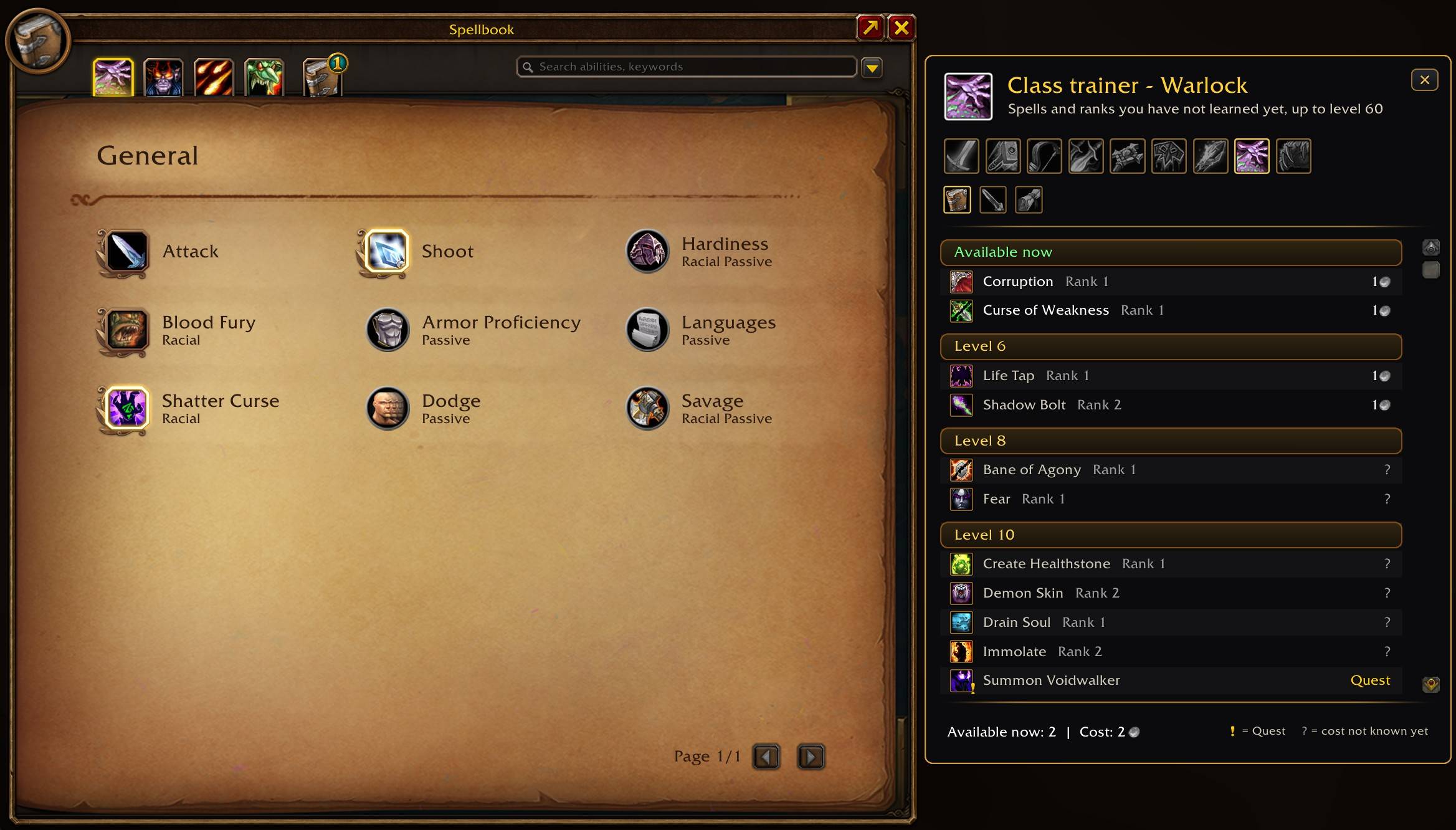
- Trainer button in the spellbook – opens the trainer window: spells per class and level, weapon skills with the weapon masters, and your class quests with progress
Popups & Alerts
- Buff reminder – a small card when one of your buffs, flasks, food, Find Herbs / Minerals tracking, shaman weapon imbues or weapon oils, sharpening stones, poisons and warlock spellstones / firestones runs low or out, with time and charges; click its icon to cast or use it again out of combat (also shown in combat, size slider, icon only, optionally quiet in the capitals; any buff name can be added, weapon items and your active buffs are suggested as you type; right-click or "Zz" snoozes a buff until you cast it again; optional glow)
- Durability warning – when your gear drops to 20%
- Nearby Library Book alerts – when you are close to a missing book (snooze them for 30 minutes right in the popup; optionally not while flying)
- Pet ability alerts (Hunter) – when a beast nearby teaches a higher rank your pets can learn
- Quest share popup in dungeons – when a group member can still accept one of your dungeon quests
Talent Calculator
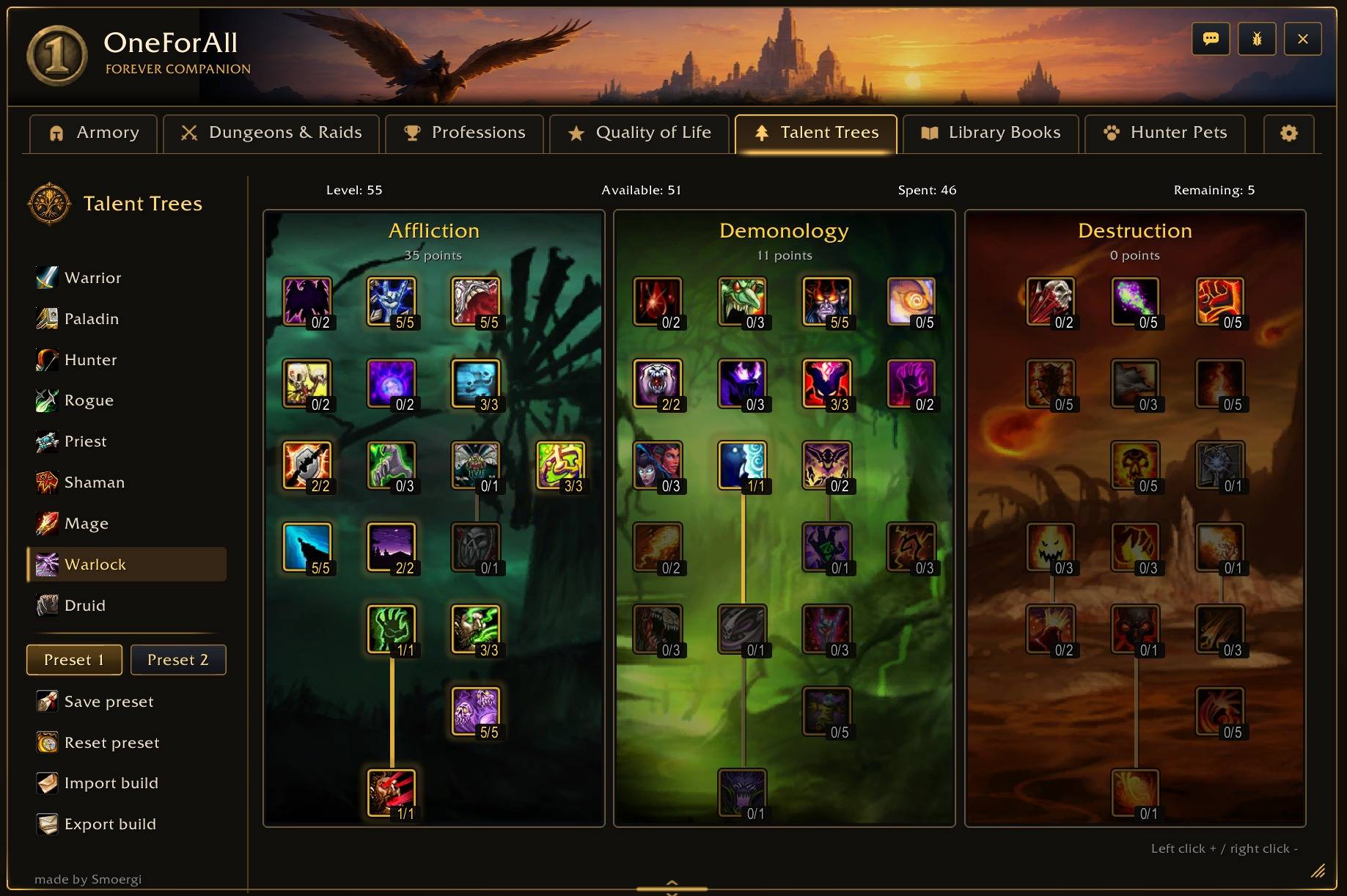
- Plan talents for all classes, right inside the game
- Two presets can be saved for each class
- Import builds from talentsforever.com & wowforevertalents.com and export your own
- Class trainer window (also a tab in the spellbook): the spells and ranks you can learn next with costs, weapon skills and your class quests with progress
Library Books
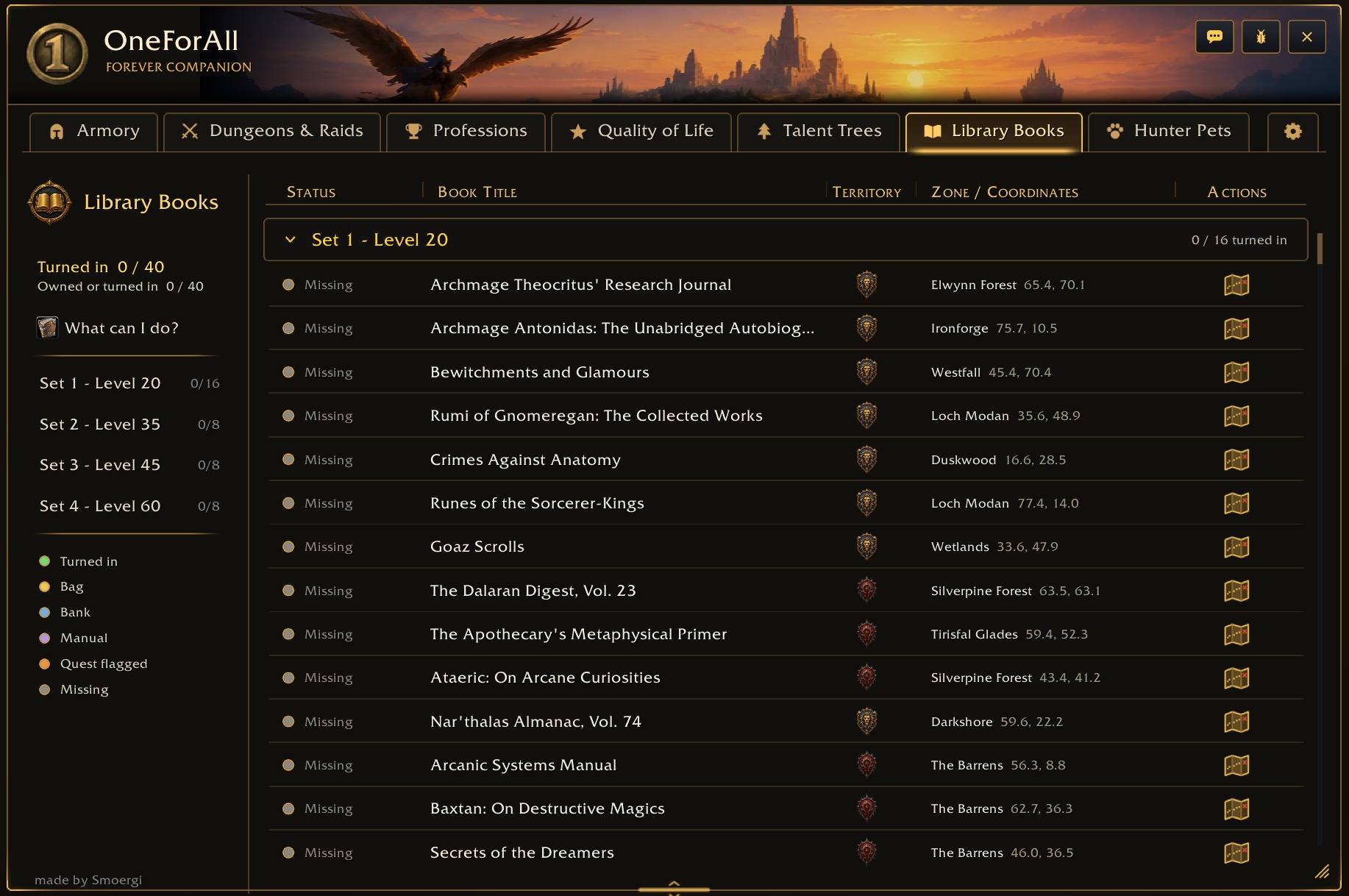
- Track every Library Book: known, turned in, in your bags or bank – with locations, the librarians on the map and a book icon on the world map
- Nearby alerts when you pass a book you still need (optionally not while flying)
Hunter Pets
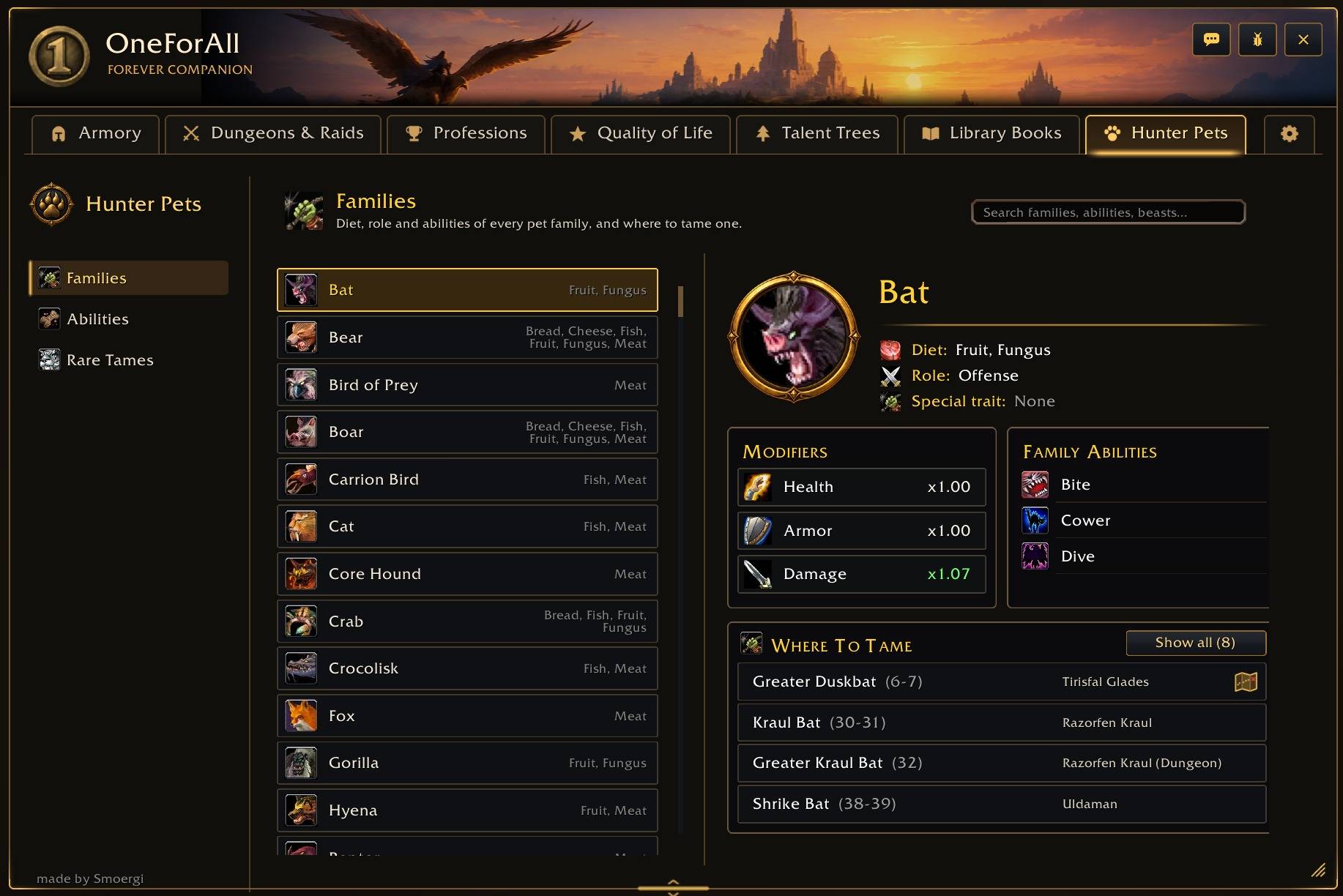
- All pet families and abilities updated for WoW Forever, with every rank and where to learn it
- Where to tame each family
- Your active and stabled pets are marked
- Alert when a beast nearby teaches a higher rank
Settings
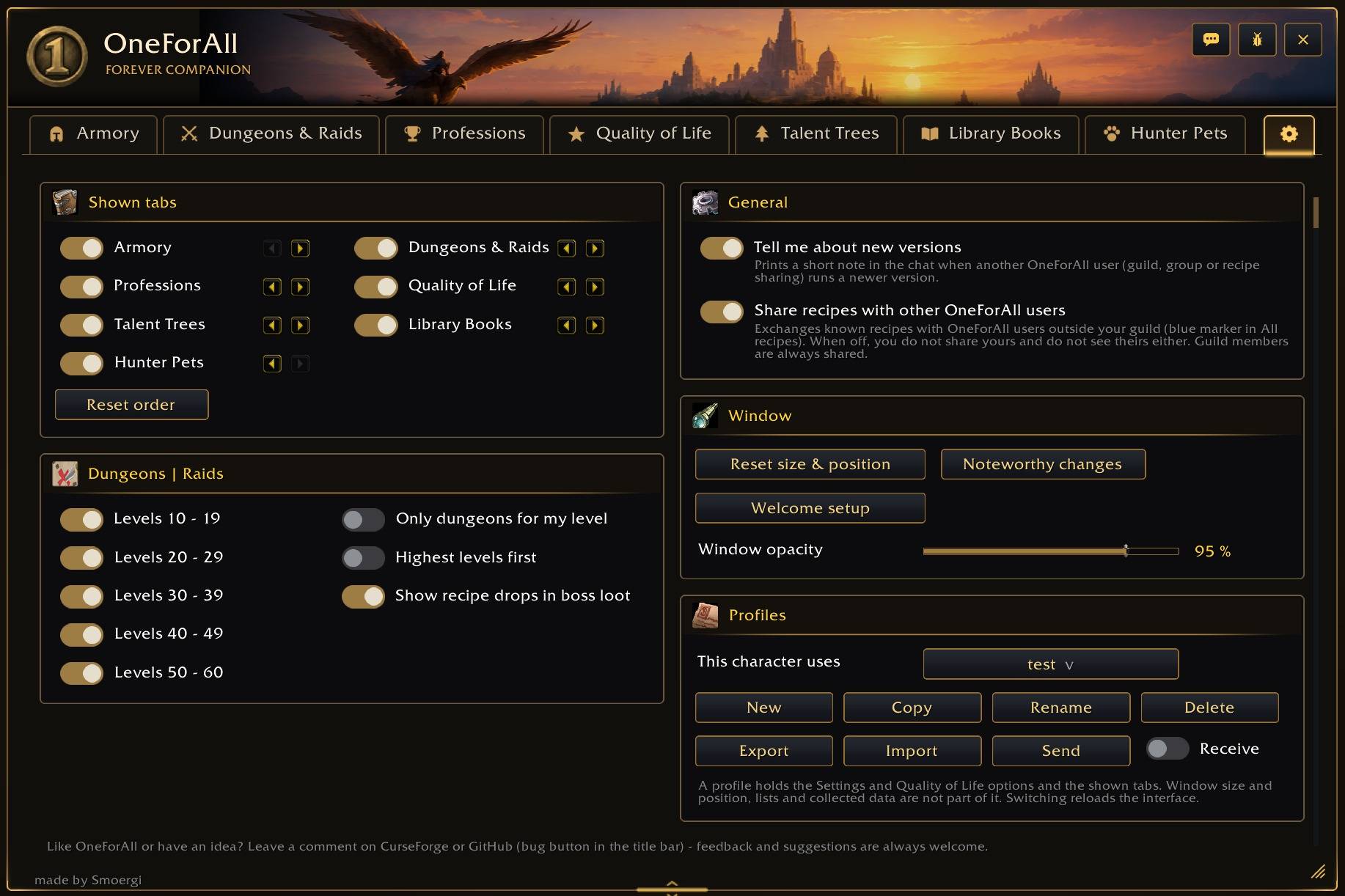
- Show, hide and reorder tabs per character, window opacity and a logo in five colors, popups and recipe sharing on or off, scale and resize the window
- Languages: English, German, French and Spanish – in a German, French or Spanish game client quest, NPC, item and zone names come in that language too
WoW Forever is still in development – quests, loot, item sets and profession data can change, and some data is still incomplete. If something is wrong or missing, please let us know on Discord. Feedback and ideas are always welcome!
Dungeon map layout: Forever Simple World Map by Tarolg (used with permission).
Bug reports and ideas: Discord (#bug-reports or #suggestions)
OneForAll - Forever Team

