Omnibindings - Forever-description.png
Description
OmniBindings - Forever
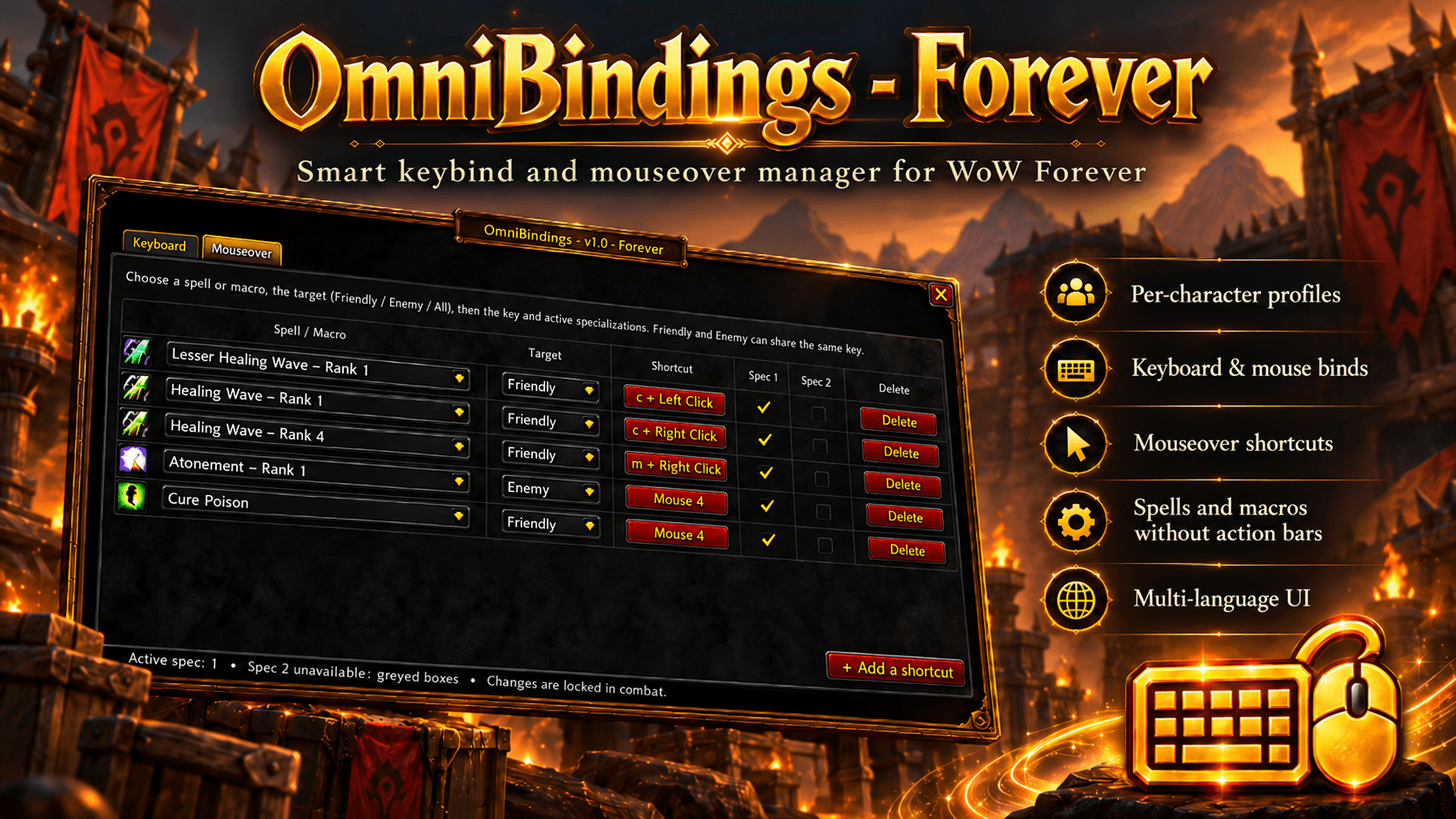
OmniBindings - Forever is a lightweight and intuitive keybinding manager designed for WoW Forever.
It allows you to bind spells and macros directly to your keyboard or mouse, including dedicated mouseover bindings, without having to place those spells or macros on your action bars.
Your spells do not need to be present on any action bar to work. OmniBindings binds them directly, allowing you to keep your interface clean while still having immediate access to your abilities.
Features
-
Direct spell and macro bindings
Assign any known spell or macro directly to a keyboard key or mouse button. -
No action bar required
Spells and macros bound through OmniBindings can be used even if they are not placed on your action bars. -
Keyboard & mouse support
Supports regular keyboard shortcuts, modifiers such asShift,CtrlandAlt, mouse buttons, mouse wheel and additional mouse buttons. -
Advanced Mouseover bindings
Create separate bindings that activate directly on the unit under your mouse cursor.Mouseover bindings can be configured for:
- Friendly targets
- Enemy targets
- All valid targets
This is especially useful for healers, dispels, interrupts and other abilities requiring fast target interaction.
-
Separate bindings by specialization
Each binding can be enabled independently for Spec 1 and Spec 2. -
Per-character profiles
Bindings are stored separately for each character.
Your Priest, Shaman, Warrior or any other character can therefore have completely independent configurations. -
Persistent bindings
Bindings are saved automatically and remain available after/reload, logout or reconnecting. -
Blizzard keybinding conflict detection
OmniBindings detects when a key is already assigned to a Blizzard action and warns you before replacing anything.You remain in control of whether the existing Blizzard binding should be cleared.
-
OmniBindings conflict detection
The addon also detects conflicts between its own bindings and prevents accidental duplicate assignments. -
Binding sorting
Quickly sort your spell and macro bindings alphabetically, then switch back to their original creation order. -
Minimap button
Open OmniBindings directly from the minimap.The minimap button can be:
- Shown or hidden
- Moved around the minimap
- Locked in place
-
Multilingual interface
OmniBindings currently supports:
English, French, German, Spanish, Italian and Russian. -
Combat-safe configuration
Binding modifications are locked during combat to respect World of Warcraft's protected-action restrictions.
Keyboard bindings
The Keyboard Shortcuts tab lets you create standard keybindings for your spells and macros.
Select the spell or macro, choose the key combination and select which specialization should use it.
The ability does not need to occupy an action bar slot.
Mouseover bindings
The Mouseover Shortcuts tab is designed for abilities that should be cast directly on the unit underneath your cursor.
For example, you can bind a healing spell to a mouse button and cast it directly on party or raid frames without manually changing your current target.
You can also create different actions depending on whether the mouseover unit is friendly or hostile.
Options
The Options tab allows you to configure:
- Interface language
- Minimap button visibility
- Minimap button position locking
Settings are saved automatically.
Lightweight by design
OmniBindings was designed to remain lightweight during gameplay.
The addon avoids unnecessary continuous processing and only performs heavier operations when needed, such as when opening the configuration interface.
It does not require any external library and does not exchange addon data over the network.
OmniBindings - Forever
Created by Høenir
World of Warcraft player since 2004.
OmniBindings-Forever Team