OLYMPUS Prospector
- By
OLYMPUS Prospector tracks mining nodes, guides you toward resources, and monitors commodity markets to turn gathering data into actionable intelligence.
2026-09-27 08_47_48-World of Warcraft.png
2026-09-27 08_49_50-World of Warcraft.png
2026-09-27 08_47_06-World of Warcraft.png
2026-09-28 21_07_14-World of Warcraft.png
2026-09-28 21_06_04-World of Warcraft.png
2026-09-28 21_05_39-World of Warcraft.png
2026-09-28 21_05_03-World of Warcraft.png
2026-09-28 21_04_46-World of Warcraft.png
2026-09-28 21_04_27-World of Warcraft.png
2026-09-28 21_04_03-World of Warcraft.png
2026-09-28 21_03_48-World of Warcraft.png
2026-09-28 21_03_26-World of Warcraft.png
Description
OLYMPUS Prospector
Mining intelligence, shared discoveries and actionable auction information for World of Warcraft: Forever.
OLYMPUS Prospector remembers where you mine, learns from compatible peers, guides your gathering and tracks ore and smelted-bar prices over time. A private Auction Ledger records confirmed purchases, completed sales and Auction House fees.
No starter atlas is bundled. Your local database grows through your discoveries and peer updates.
ORE TRACKING & SHARED ATLAS
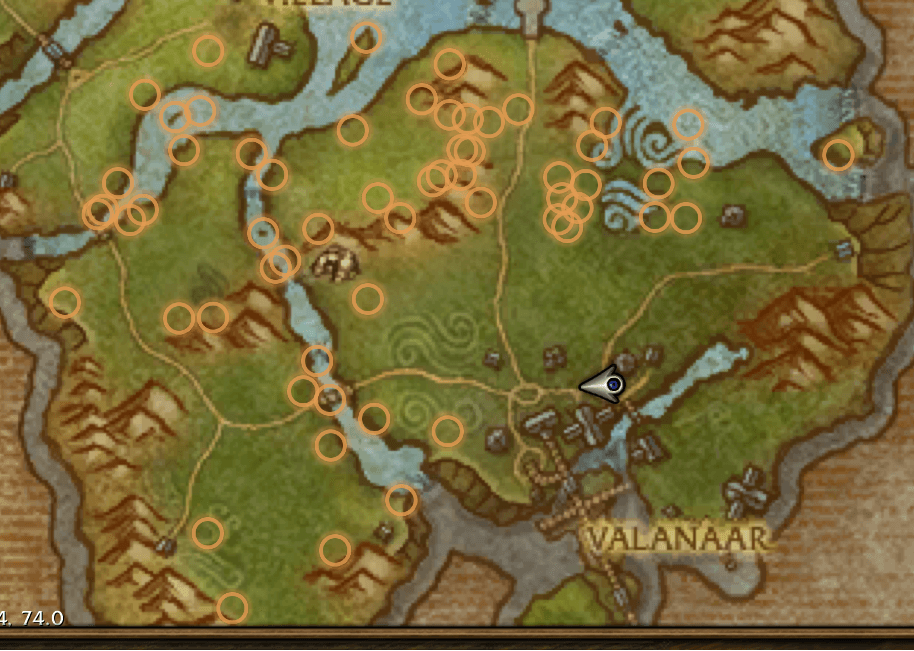
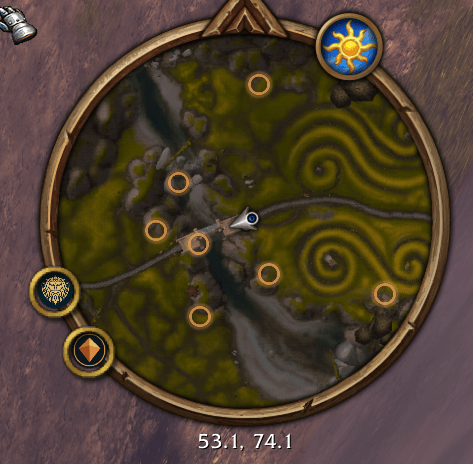
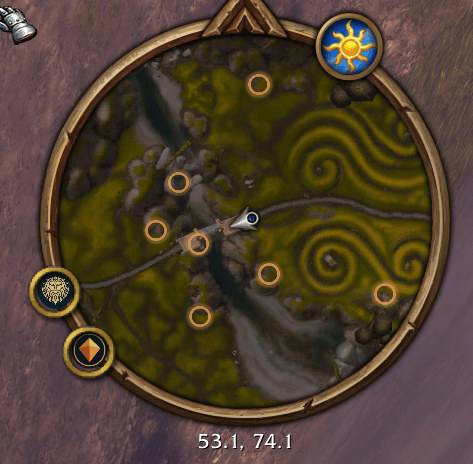
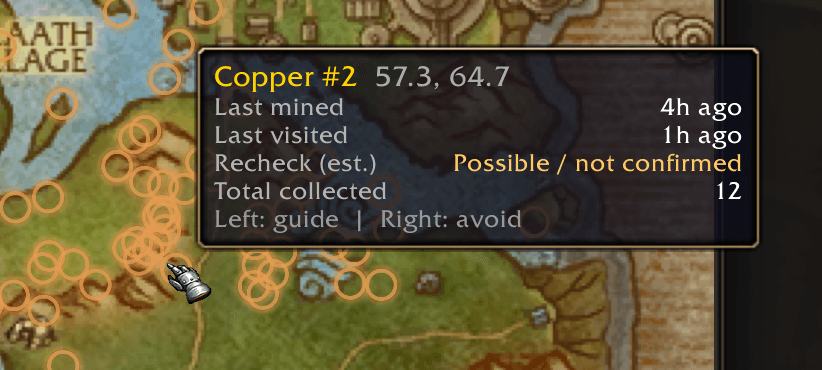
Build a persistent mining atlas displayed on the world map and minimap.
- Record supported ore locations automatically while mining.
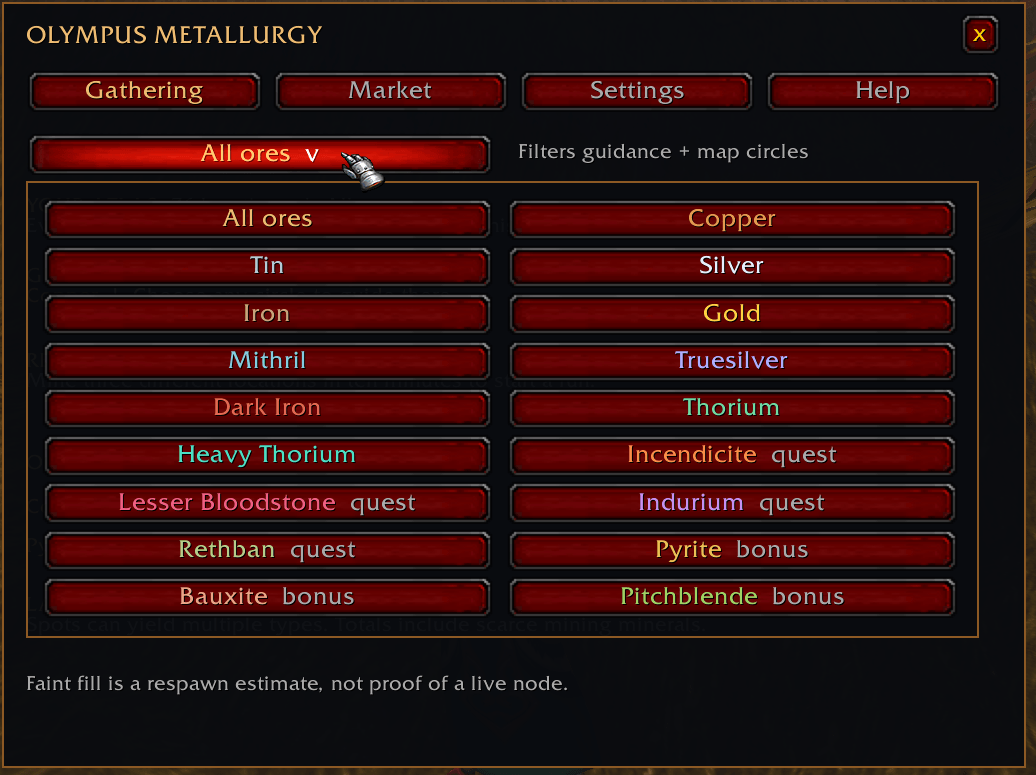
- Filter map circles and guidance by resource.
- Receive discoveries from compatible users across eligible OLYMPUS guild branches.
- Merge matching reports and add new locations without duplicating repeated reports.
- Keep your personal gathering totals separate from shared discoveries.
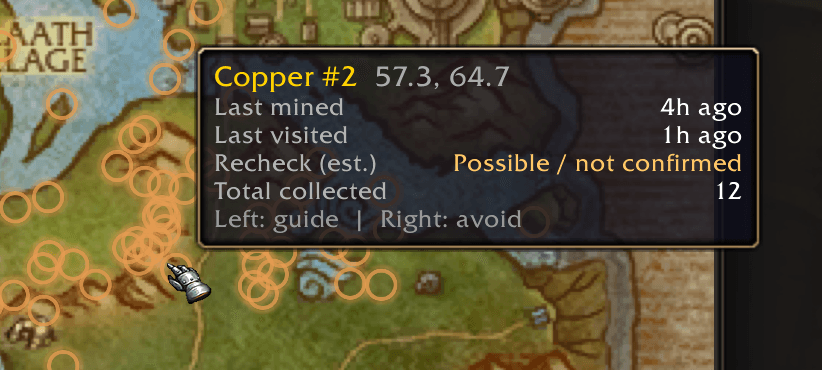
Map circles show historical locations, not guaranteed live ore. Their faint fill provides a recheck cue based on your latest local visit or harvest. Shared locations require a local visit before that timer applies.
Existing saved locations remain intact when upgrading.
BLOODHOUND NAVIGATION
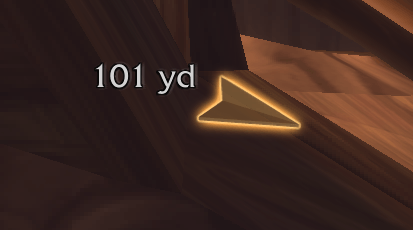
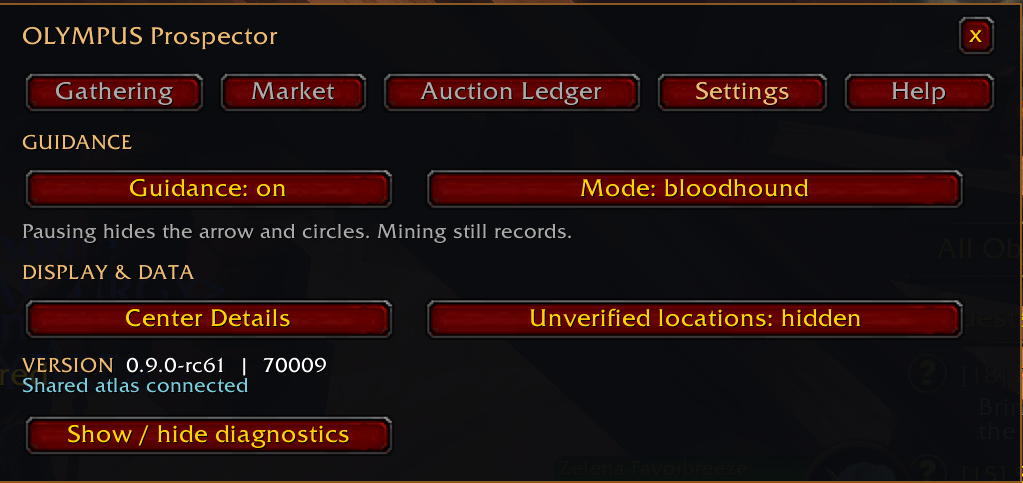
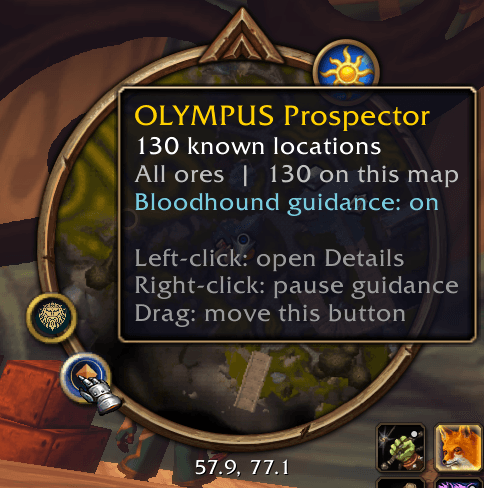
Follow a directional arrow toward promising locations in your known atlas, use Nearby guidance or select an individual map circle.
- Default 75-yard arrival radius.
- Five-minute exclusion after visiting a location to reduce repeated turnarounds.
- Adjustable distance-label size with comfortable 80% opacity.
- Pause guidance and map circles without stopping mining records.
Bloodhound provides direction, not terrain-aware pathfinding, live-node detection or automated movement.
AUTOMATIC GATHERING ANALYTICS
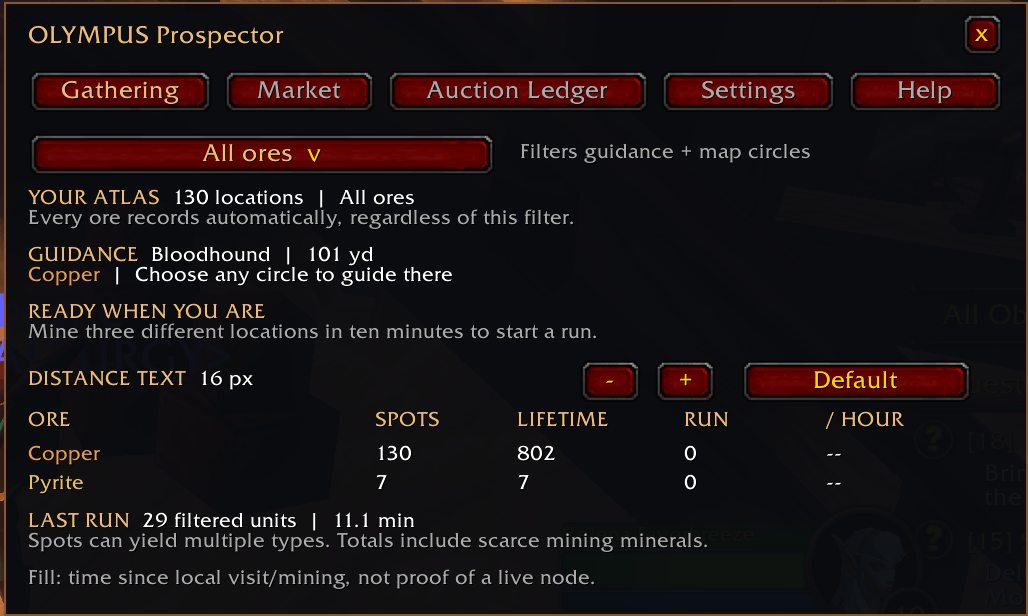
Gathering runs start automatically after mining at three different locations within ten minutes, counting from the first qualifying harvest. Thirty minutes without another harvest closes the run.
The Gathering tab shows:
- Known locations and lifetime quantities by resource.
- Current-run yield and gathering rate.
- Elapsed run time and last harvest.
- Previous-run summary.
- Current guidance and resource filter.
Rates include travel and other elapsed run time, giving you a practical view of the whole outing.
ORE & SMELTED-BAR MARKET HISTORY
Separate labeled dropdowns let you select ores, mining minerals and supported smelted bars.
History ranges are arranged shortest to longest across two rows:
5M, 15M, 30M, 1H, 3H, 6H
9H, 12H, 24H, 7D, 14D, 30D
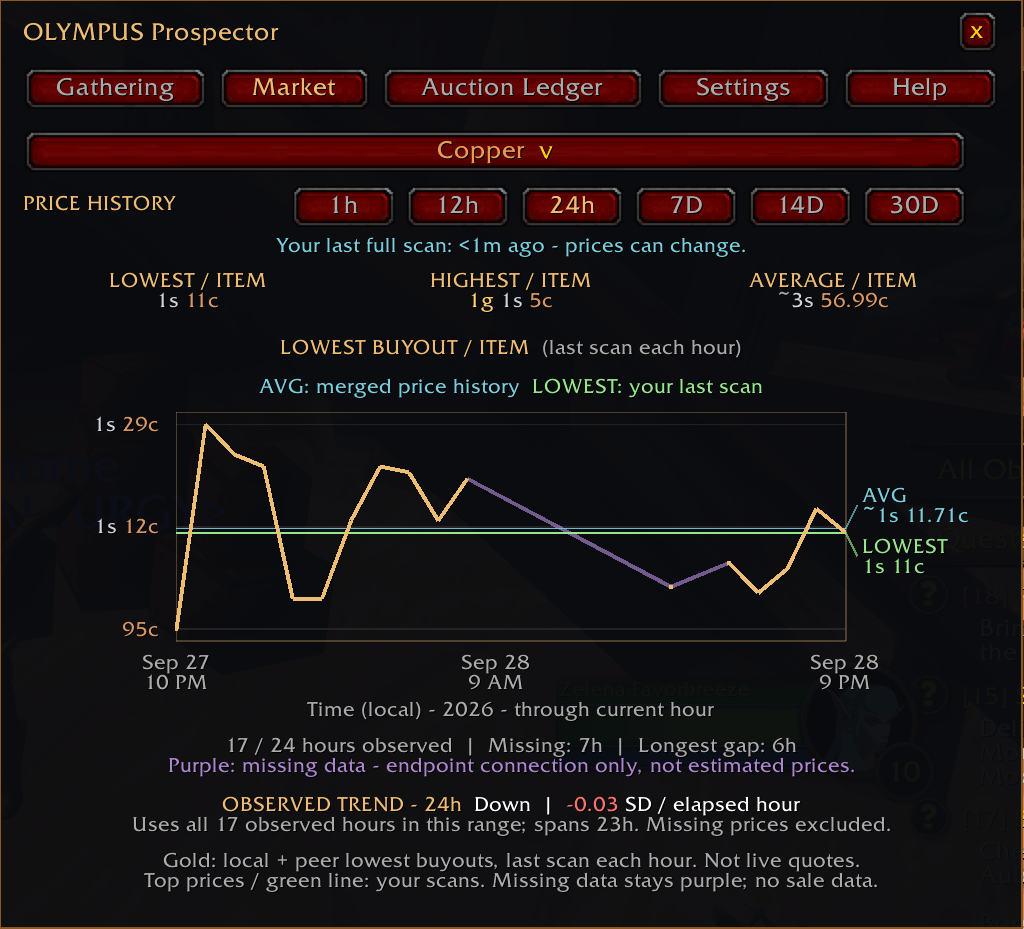
Views up to 1H use minute observations. Longer views use hourly observations. Each point represents the last recorded scan's lowest buyout within that time slot, including the current partial slot.
The chart uses clear visual signals:
- Green segments: price increased from the preceding adjacent observation.
- Red segments: price decreased.
- Gray segments: price stayed unchanged.
- Orange LOWEST line: your most recent full scan's lowest buyout.
- Cyan AVG line: the average of observed lowest prices in the selected range.
- Purple connections: missing time joined visually between known endpoints.
Purple connections preserve the overall shape without inventing prices. Missing observations are excluded from averages and trend calculations.
Readable time and currency axes, observation coverage, missing time, longest gap and an Up, Down or Flat trend help put the history in context. Segment colors compare displayed observations, not every underlying scan within a time slot.
Above the graph, see your latest complete scan's lowest, highest and quantity-weighted average buyout per item. This scan average is separate from the cyan historical average.
SHARED MARKET HISTORY
Compatible peers can fill missing chart history with real observations.
Each user maintains a local copy that can receive and relay shared history. Repeated reports do not create duplicate samples, and the latest scan timestamp wins within each matching time slot.
Sharing is scoped to the same resource and compatible market context. Your purchases, sales, Auction Ledger and full-scan summaries stay private.
Peer history can update while you are away from the Auction House. Your orange LOWEST line and top scan summary remain based on your own scans.
Catch-up is paced and requires compatible online peers. It is not a central database or a live price feed.
AUTOMATIC AUCTION HOUSE UPDATES
Visit an Auction House to begin collecting supported ore and bar prices.
Updates continue while the Auction House is open, including idle refreshes. Requests respect server throttling and give your searches priority. Scan-age information makes delayed or stale observations visible.
Prices and peer history continue collecting with the Details window closed. Prospector never automatically buys, sells or bids.
INVENTORY COUNTS & ESTIMATED VALUE
Hover a supported ore or mining mineral in your bags to see information for that item type only:
- Total quantity across your bags.
- Equivalent stacks of 20.
- Last locally observed LOWEST price per unit.
- Estimated value of the matching inventory.
- Age of the price observation.
Values are estimates before Auction House fees, not guaranteed sale proceeds.
ONE-CLICK ORE DEPOSIT
Open your personal bank and click Deposit ore to transfer supported ores and mining minerals from your bags.
Other items stay put. Transfers require available bank space and stop if the bank closes or a transfer cannot safely continue.
USEFUL AUCTION TOOLTIPS
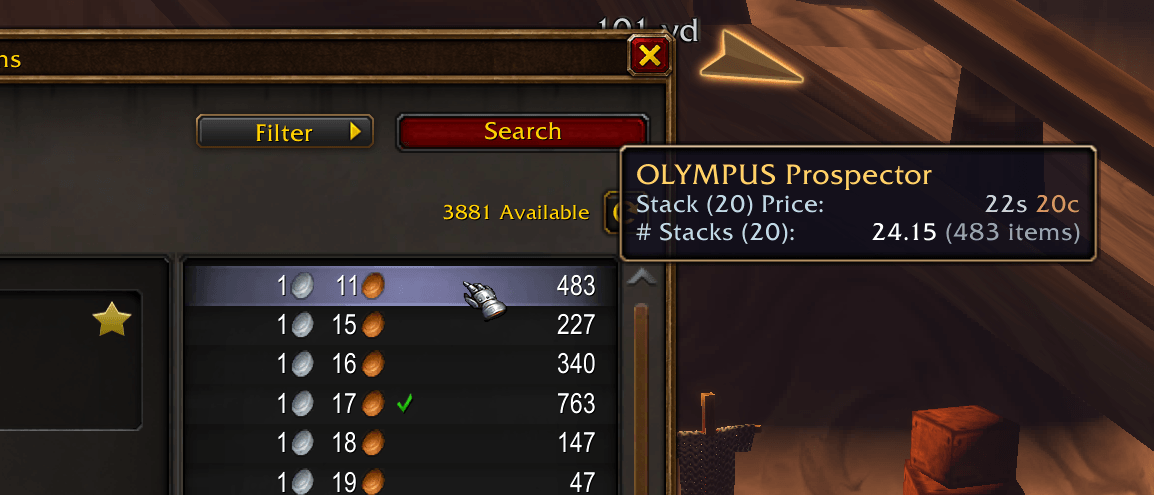
Hover valid buyout offers to compare their unit price, equivalent price per 20 items and listed quantity in stacks of 20. Your own auction rows also show buyout price per item.
Gold, silver and copper are color-coded.
Twenty items is a comparison unit, not a guarantee about actual stack size or the blended price of a purchase spanning multiple listings.
PERSONAL AUCTION LEDGER
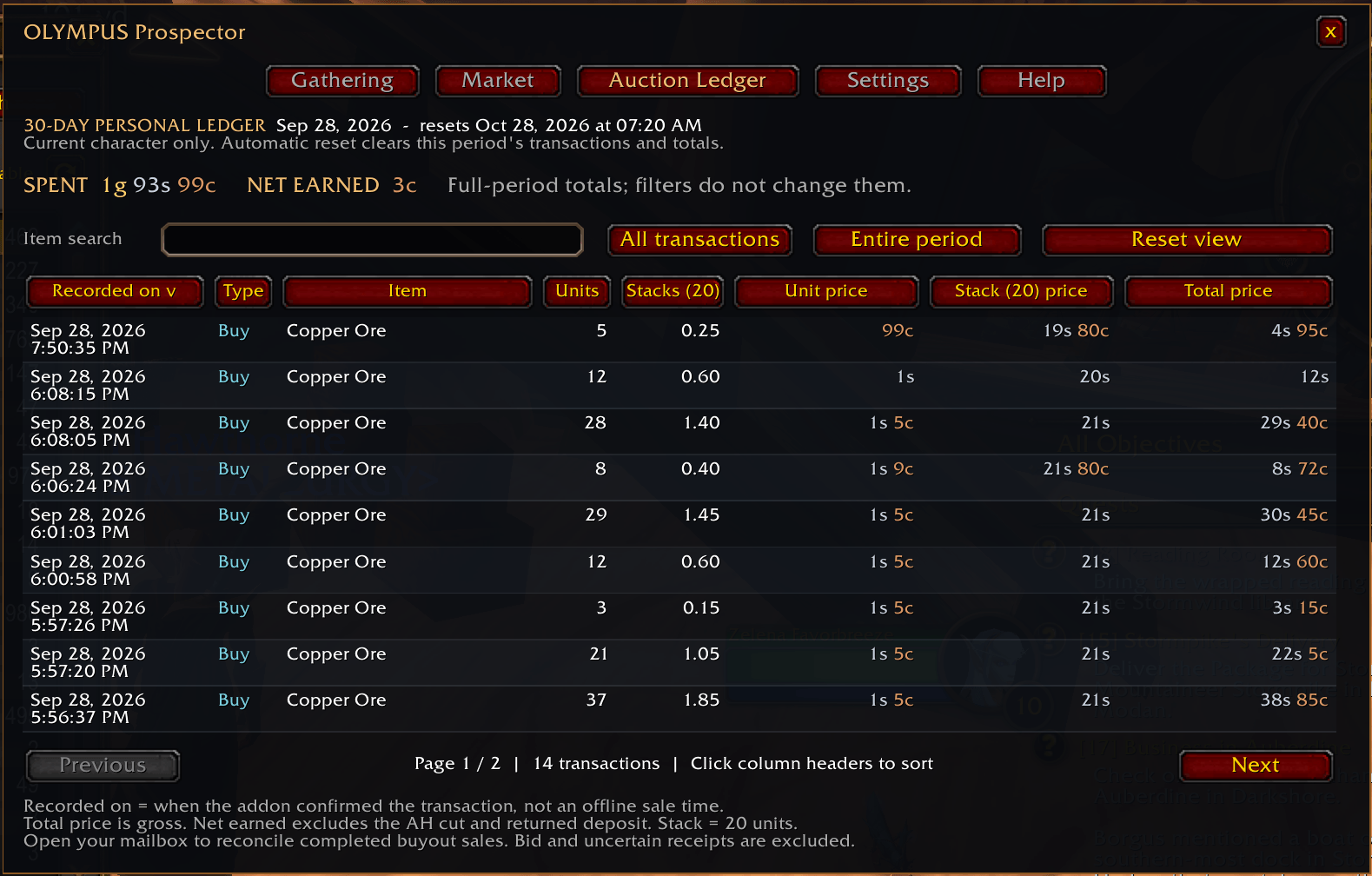
Track confirmed buyout purchases and completed sales reconciled through your mailbox, including manual collection and Open All.
- Purchases spanning multiple price tiers use the confirmed total cost.
- Transaction rows show date, item, Buy/Sell type, units and equivalent stacks.
- Compare unit price, price per 20 and gross transaction total.
- See Auction House fees in their own column.
- View period totals for spent, net earned and recorded AH fees.
- Search, filter, sort and browse paginated history.
- Use Reset ledger, with confirmation, to start a fresh period.
The ledger uses fixed 30-day periods. Net earnings already deduct recorded Auction House cuts and exclude returned deposits. They are not a profit calculation. Fee totals represent recorded sales cuts, not lost deposits from expired or cancelled listings.
Your ledger stays private to your character. Recorded sale times reflect when the addon confirmed the invoice, not necessarily when the buyer purchased it. Deleted invoices and previously unrecorded transactions cannot be reconstructed.
CLEARER DIAGNOSTICS
The Settings tab includes expanded, color-coded diagnostics with visual separators.
See:
- Detected peers, channel status and last peer greeting.
- Separate atlas and market-history merge counts.
- Atlas and market catch-up activity.
- Outgoing messages and queued traffic.
- Auction scan status and mailbox results.
- Module errors and protected-action warnings attributed to Prospector.
Diagnostics distinguish detected peers from actual merged data. Protected-action details include the reported function, combat state and age when available. These local session diagnostics help troubleshooting without posting chat spam.
COMPACT CONTROLS
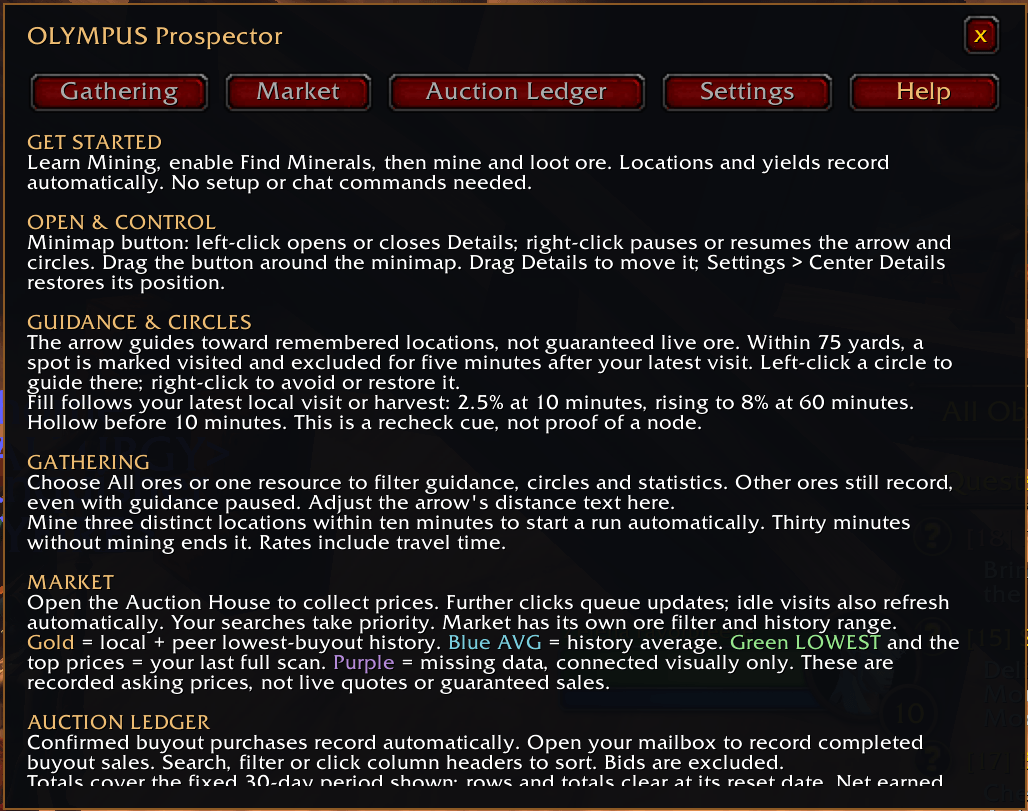
Five organized tabs keep everything accessible:
Gathering, Market, Auction Ledger, Settings and Help.
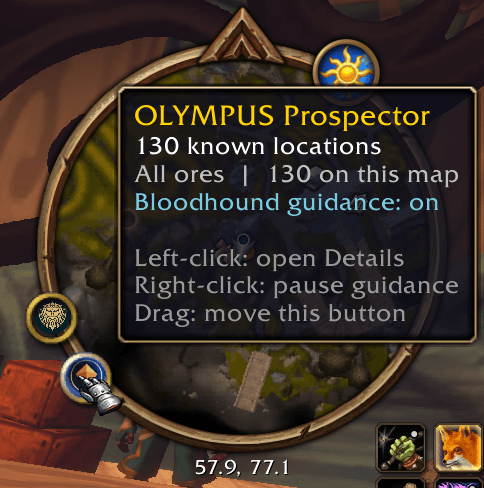
Use the minimap button to open Details, pause guidance or reposition the launcher. Filters, guidance settings, text size, history range and window position persist through normal client restarts.
REQUIREMENTS & IMPORTANT NOTES
Designed for the supported English World of Warcraft: Forever client.
Your guild name must contain OLYMPUS or Olympus. It does not need to contain Metallurgy.
Sharing requires compatible online addon users and follows the server's communication boundaries. A fresh atlas can remain empty until you mine or receive discoveries from a peer.
Market history contains observed asking prices, not completed-sale prices or guaranteed profit. Map locations do not prove that ore is currently present.
When upgrading, keep the OlympusMetallurgy folder name and existing saved data. Fully exit and restart the game after installing the release.
Explore. Discover. Share. Remember. Prospect.
The OLYMPUS Prospector Team