


Old People's Toolkit
- By
whereami.png
quiet.png
stretch.png
alarm.png
bedtime.png
Description
Old People's Toolkit
Gentle reminders for old people with responsibilities and sore bones. An automatic "where was I?" recap, night-time quiet hours, hourly stretch breaks, a clock with an alarm, and bedtime.
Real life, the WoW way. Your reminders show up as buffs and debuffs, right next to your real ones. Sat too long? You get Stiff Joints ("Your old bones take 50 Nature damage every minute"). Up too late? Past Your Bedtime. Hover over one for its tooltip, right-click it to act on it.
No gameplay changes. Just the grown-up stuff around playing, with a wink.
Made for WoW: Forever. Screenshots of every tool are in the gallery.
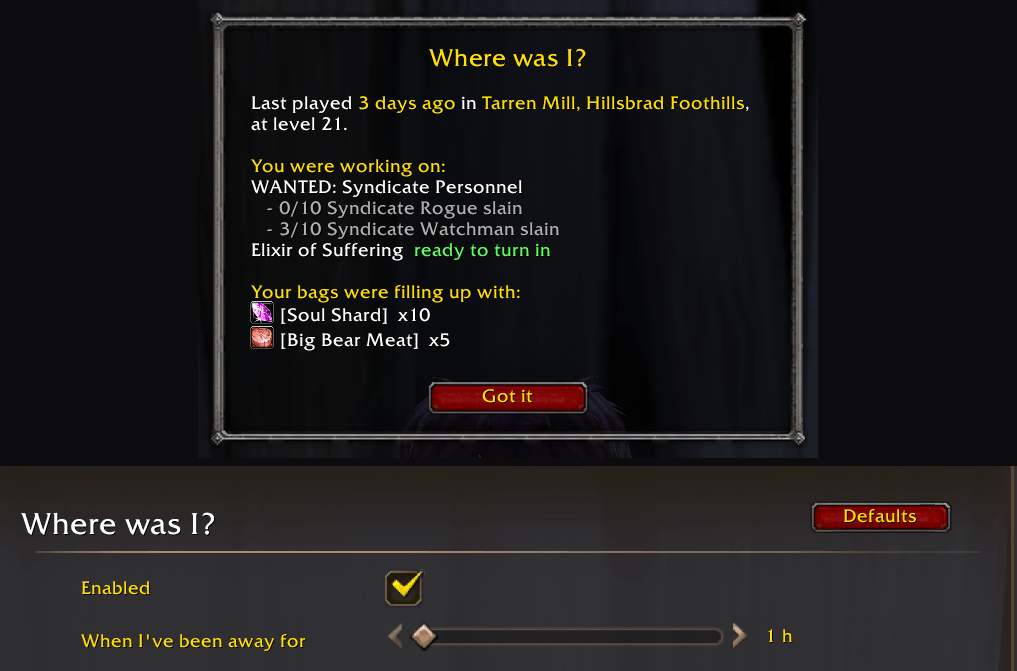
🧭 Where was I?
Log in after a while away and you'll see when and where you last played, and which quests you were busy with.
Had to stop in a hurry? It also shows what your bags were filling up with in your last half hour: the boar meat you were farming, the bandages you were making.
It's fully automatic: it follows your quests, and what you looted, gathered or crafted. There's nothing to write down, and it works per character.
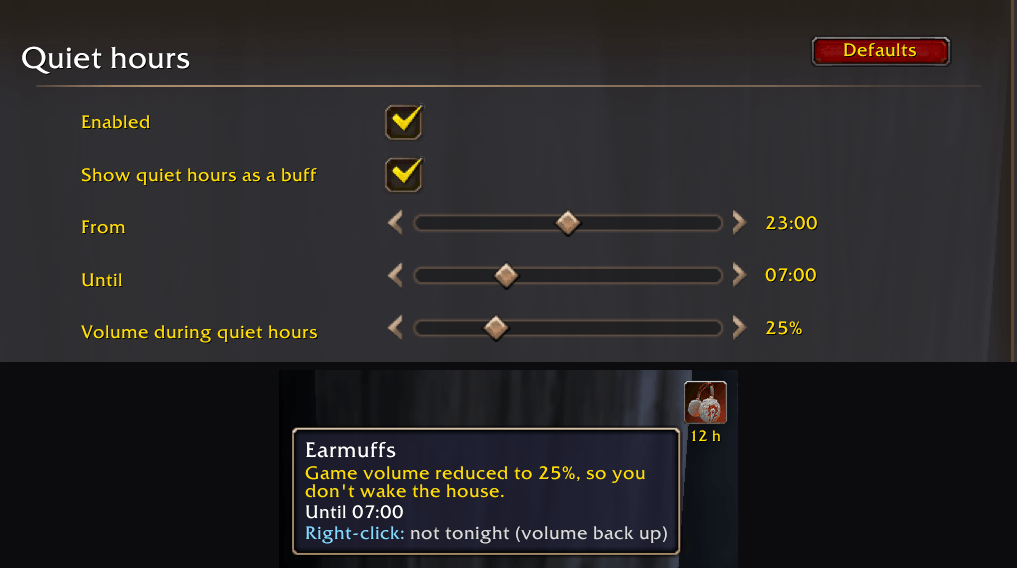
🎧 Quiet hours
At night, the game turns its volume down so you don't wake the house. In the morning it turns it back up.
- You wear Earmuffs with your buffs, in Horde or Alliance colors. Headphones on tonight? Right-click the Earmuffs to skip quiet hours for one night.
- If you change the volume yourself, your choice wins.
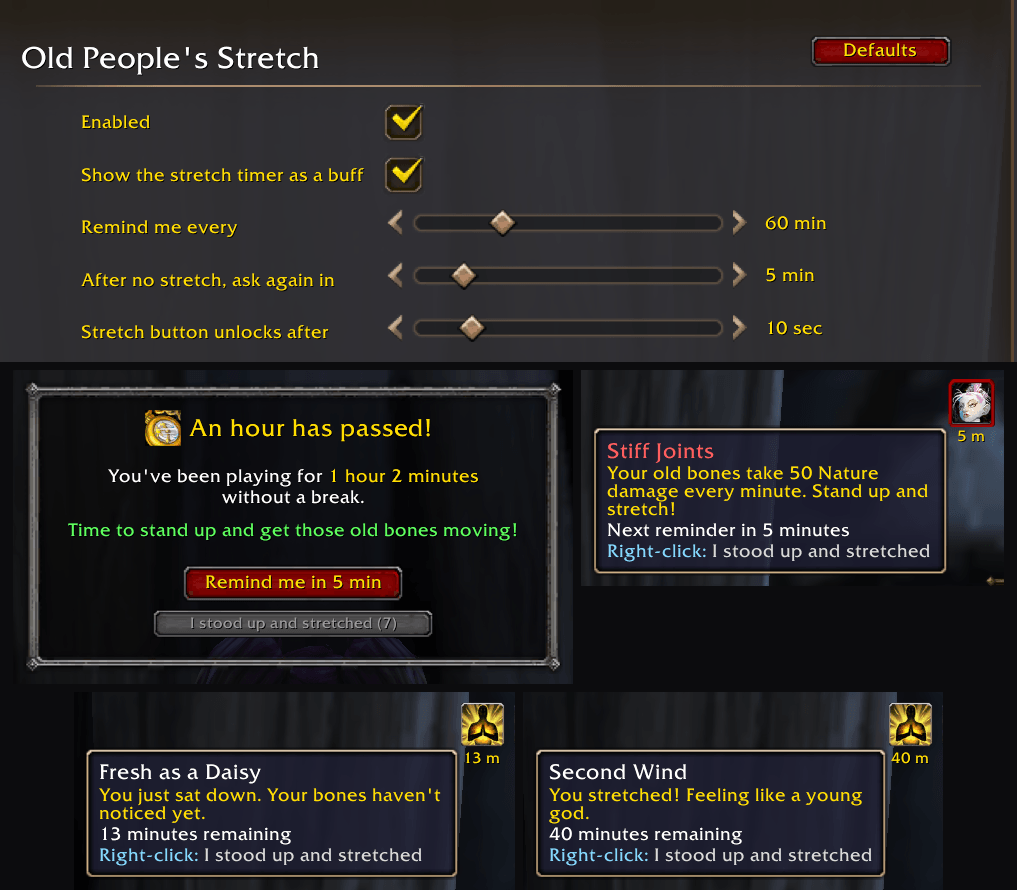
🧘 Old People's Stretch
After an hour of playing (or whatever you pick, from 15 minutes to 3 hours), a pop-up asks you to stand up and get those old bones moving.
- Remind me in 5 min, or I stood up and stretched. That one stays greyed out for a few seconds, so you actually stretch first.
- Choose "Remind me" and it comes back: "Still sitting, old timer?"
- Never during a fight. Logging out for 10 minutes or more counts as a break.
- With your buffs you start out Fresh as a Daisy, earn your Second Wind by stretching, and get the debuff Stiff Joints when it's time to stretch again. Stretched? Right-click it.
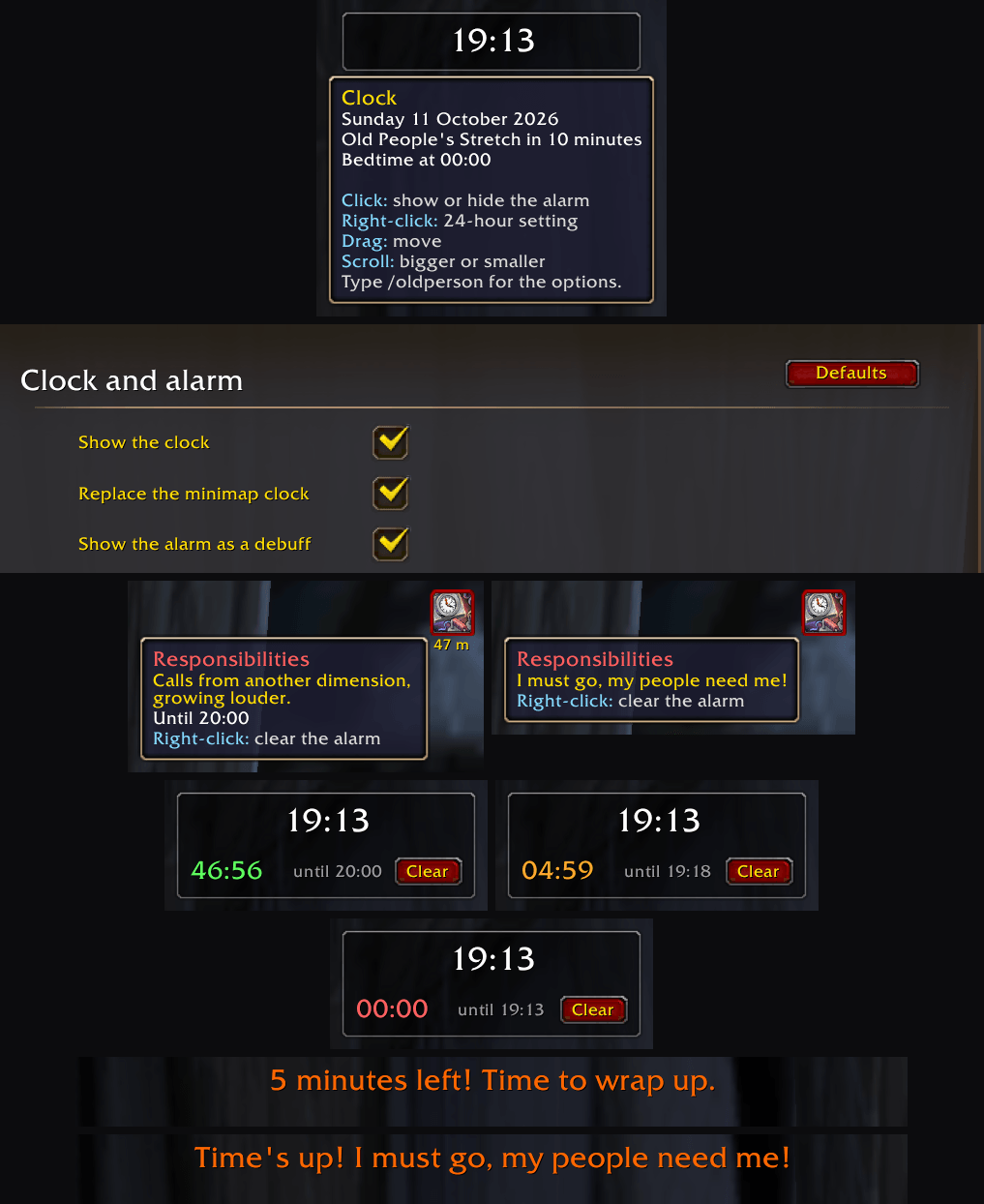
🕰️ Clock and alarm
A bigger clock with your real, local time. Drag it anywhere and scroll to resize it.
- Click it for the alarm: type
15,1h30,22:30or10pm. That covers "I've got 15 minutes" and "I can play until 22:30". - You get a heads-up 5 minutes before. When the time's up: "I must go, my people need me!"
- While the alarm runs, Responsibilities sits with your debuffs and counts down. Right-click it to clear the alarm.
😴 Bedtime
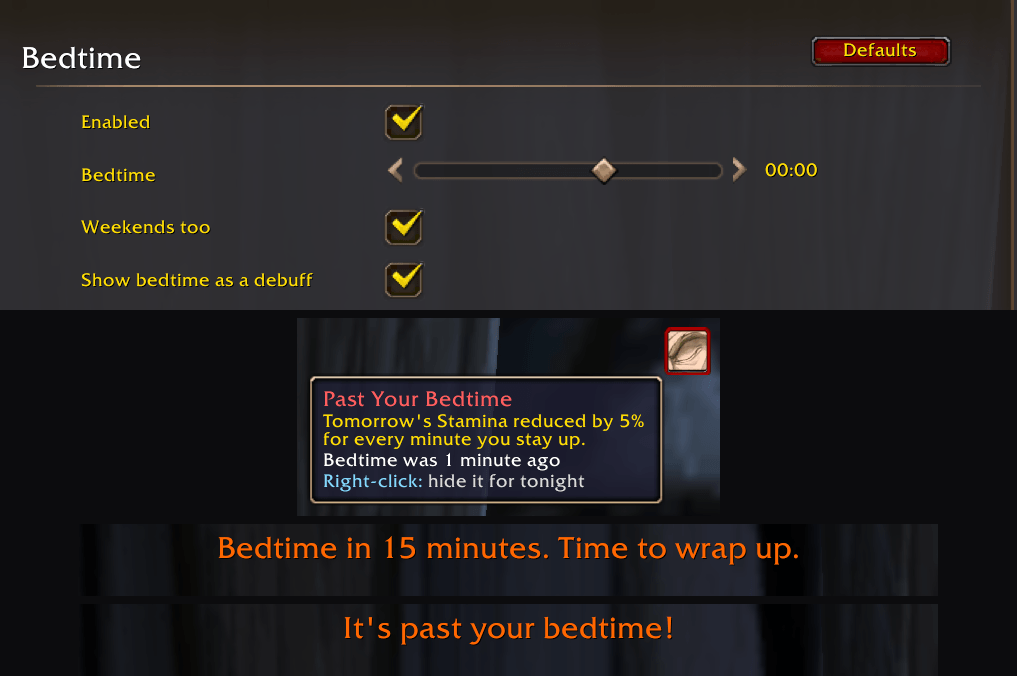
On work nights you get a heads-up 15 minutes before bedtime, then "It's past your bedtime!". Weekends too, if you're strict with yourself.
Past Your Bedtime sits with your debuffs until morning. Right-click it to hide it for tonight.
The details
- Everything is optional. Each tool can be turned off, and so can each pretend buff and debuff.
- Settings: click the pocket watch on the minimap, type
/oldperson, or go to Esc › Options › AddOns › Old People's Toolkit. Each tool has its own page there. - Commands:
/oldperson helplists them all (/optworks too). - Pretend buffs: addons can't give you real buffs, so these are icons lined up at the end of your own buff and debuff rows.
- Your own icons: pick any icon from wowhead.com/icons, for example
/oldperson stretch icon buff spell_holy_mindsooth.
Now go stretch. 🦴
Old People's Toolkit Team
