Obsidian - Easy Dark Mode
- By
Customizable dark themes for World of Warcraft: Forever’s native interface, with per-component controls and shareable profiles.
yo.jpg

Bildschirmfoto 2026-10-11 um 11.07.27.png
Bildschirmfoto 2026-10-11 um 11.07.04.png
Description
OBSIDIAN
Preserve the soul of Warcraft. Perfect the interface.
OBSIDIAN brings a restrained dark look to World of Warcraft: Forever’s native interface. Graphite surfaces, shaded borders, and configurable colors give familiar Blizzard frames a more cohesive appearance while retaining their original layout and artwork.
Nine themes. Your own look.
Choose Obsidian Classic, Void, Iron, Bloodmoon, Midnight, or four neutral greys: Pearl (light), Silver, Slate, and Charcoal (dark). Customize colors globally or by component, adjust decorative darkness and opacity, and save your setup in a named profile.
Current skin coverage
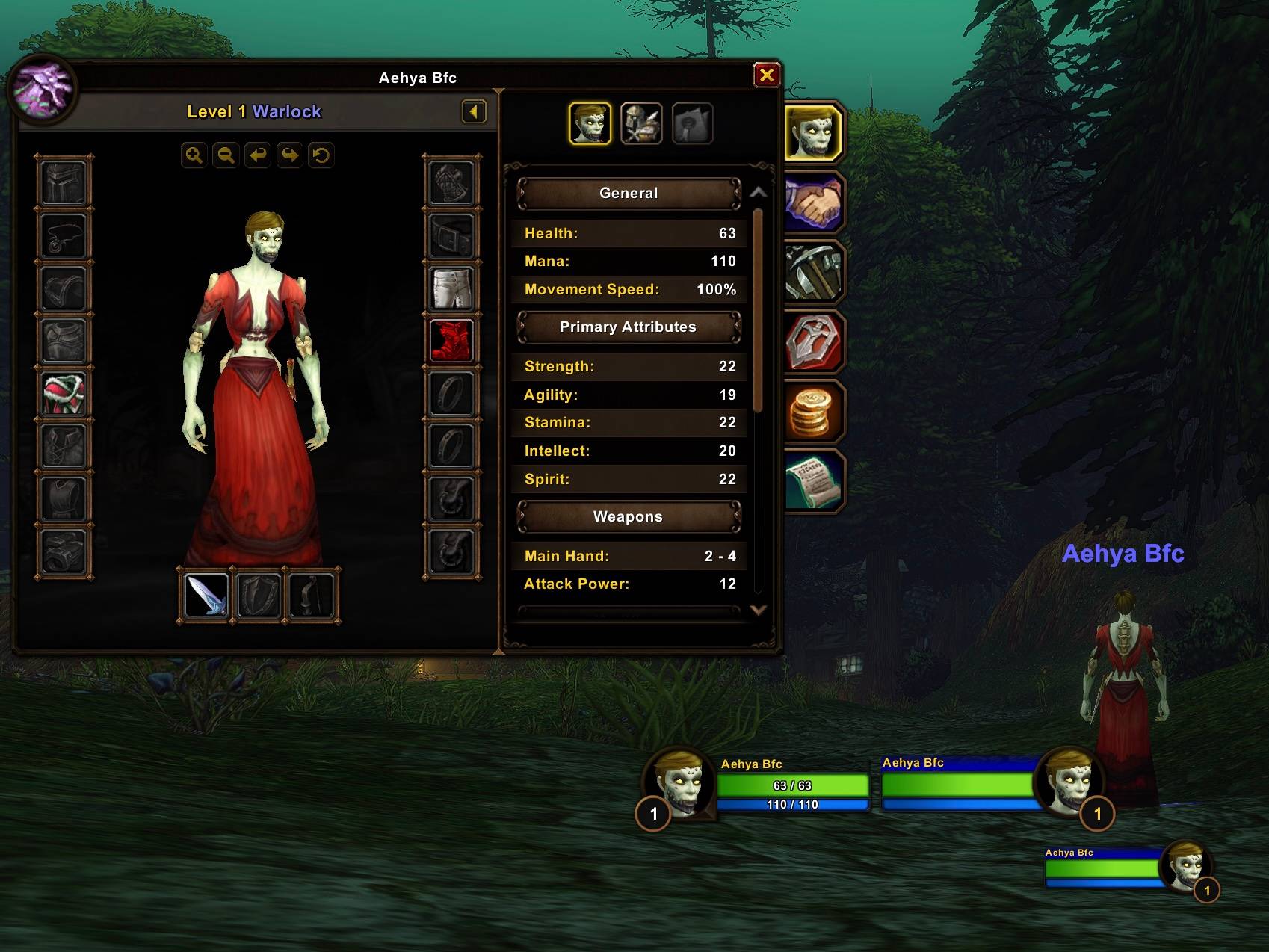
- Unit frames: selected player, target, focus, pet, and cast-bar artwork.
- Action bars: native button borders, slot artwork, and selected bar decorations.
- Minimap: decorative border artwork.
- Tooltips: supported backgrounds and borders, including comparison tooltips.
- Character and inspect panels: selected borders and backgrounds.
- Legacy and transmog: supported outer borders, Legacy reward/challenge/tree page backgrounds, and selected transmog outfit/wardrobe backgrounds and dividers. Controlled through Character settings.
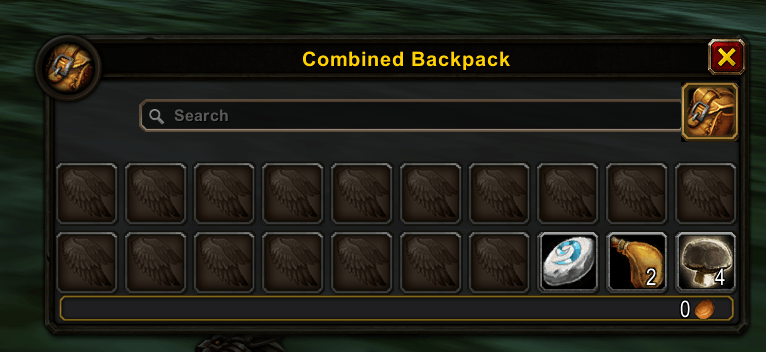
- Inventory: supported bag, bank, guild-bank, merchant, trade, and mailbox panel decorations.
- Chat: selected native backgrounds and edit-box artwork.
Coverage depends on the frames available in your client. OBSIDIAN targets decorative regions; item icons, portraits, health fills, map content, and gameplay indicators are left intact.
Light presets apply lighter decorative tints; they cannot brighten native dark artwork or recolor native text. Results vary by panel.
Make it yours
Enable components individually, choose whether they inherit your main theme, and preview palette changes in the settings window. Named profiles support copying, text import/export, and account-wide or character-specific selection.
Plays alongside your other addons
OBSIDIAN yields affected components to recognized competing addons. Better Forever Chat keeps control of chat styling, and BetterBlizzFrames keeps control of unit-frame styling. Compatibility with every addon combination is not guaranteed.
Skin changes made during combat are queued until combat ends. Disabling a component restores captured decorative colors where possible; a reload may be needed for full restoration.
Getting started
Install the Obsidian folder in your Forever client’s Interface/AddOns directory and enable it in the addon list.
/obsor/obsidian— open settings/obs offand/obs on— disable or enable skinning/obs export— copy your current profile/obs debug— view a copyable diagnostic and coverage report
No external addon dependencies are required.
Alpha status
This is an early development alpha targeting Forever interface 16001. Core functionality and selected flagship skins are implemented, but full UI coverage is not yet included. In-game appearance, combat/taint safety, saved-profile persistence, and performance still require validation. This build is intended for testing, not a finished release.
When reporting a problem, include your client build, reproduction steps, relevant screenshots, and the output of /obs debug.
Obsidian - Easy Dark Mode Team