NS Toolkit
- By
02-font-settings.png
07-beam-example.png
08-lfg-existing-preview.png
10-dungeon-loot-table.png
12-dungeon-quest-progress.png
11-dungeon-map-boss-model.jpg
ì¤í¬ë¦°ì· 2026-10-14 010127.png
Description
NS Toolkit
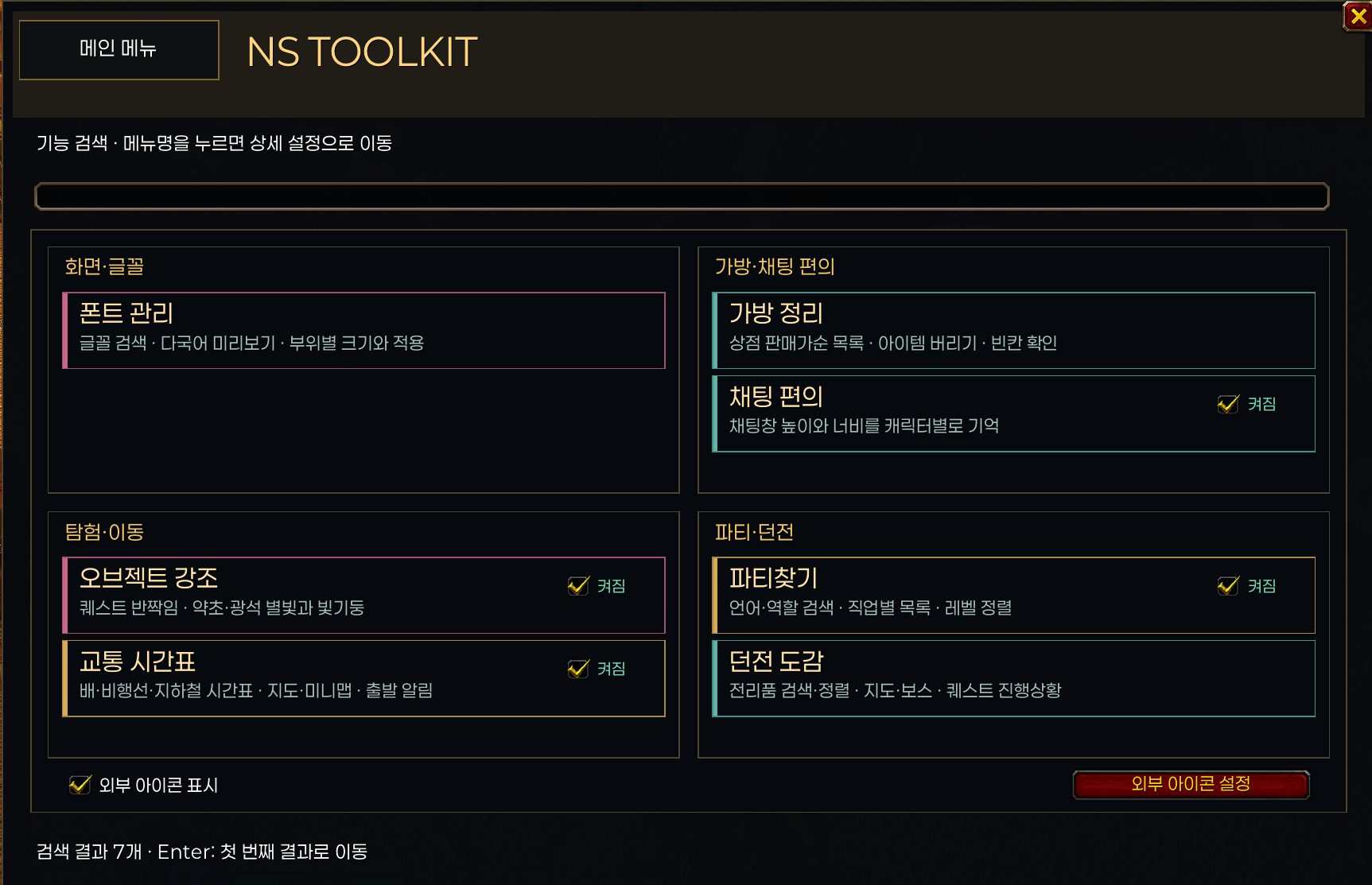
Fonts, chat convenience, object highlights, multilingual Group Finder and a dungeon journal for WoW Forever. Open the minimap launcher or use /ns and /nstoolkit.
미니맵 아이콘 또는 /ns로 다섯 가지 기능을 한곳에서 설정하는 와우 포에버 편의 애드온입니다.
Fonts / 폰트 관리
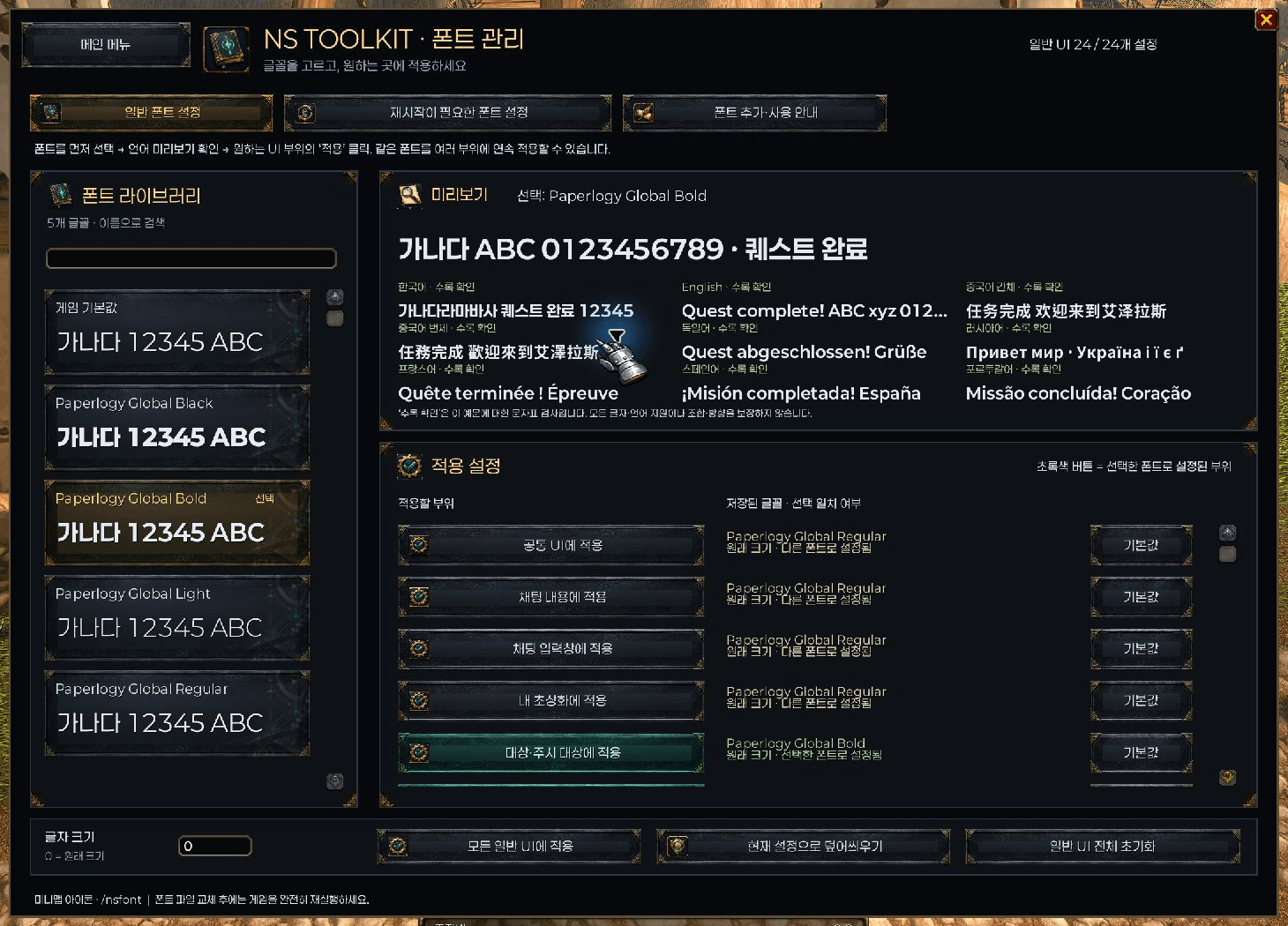
Search fonts and preview multilingual text before applying font/size settings separately to 24 UI areas. Includes supplemented Paperlogy Light, Regular, Bold and Black. Overhead-name and outgoing-damage fonts have separate full-restart settings. Manual reapply and a personal-font addon template are included.
글꼴 검색·다국어 미리보기·UI 24개 부위별 폰트와 크기 설정을 제공합니다. 머리 위 이름과 데미지 숫자 폰트는 저장 후 게임 완전 재시작이 필요합니다. 언어 예문 확인은 모든 문자·조합의 지원을 보장하지 않습니다.
Chat / 채팅 편의
Remember chat-window height and width per character across reloads and logins while preserving the existing position.
채팅창 높이·너비를 캐릭터별로 저장하고 /reload 및 접속 시 복원합니다.
Object highlights / 오브젝트 강조
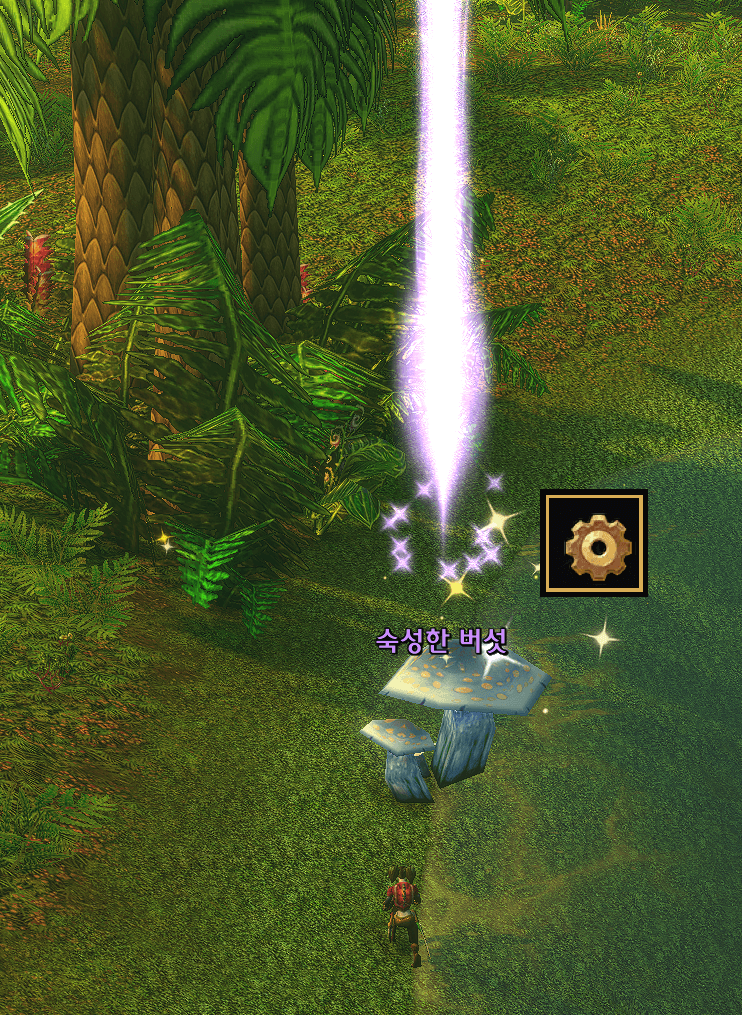
Optional nearby-object sparkles and animated beams with three color/strength choices, height 80–2000 and interaction range 1–13.7m. Optional names inherit the native tooltip title color independently of beam color. Interaction-icon display, chair/bench exclusions, custom name filters, effect previews and original-setting restoration are available.
가까운 약초·광석·퀘스트 물체의 반짝임과 빛기둥을 표시합니다. 거리·높이·색상·강도, 이름과 상호작용 아이콘, 의자/벤치 및 이름 제외 필터를 설정할 수 있습니다. 이름은 기본 툴팁 색상을 따릅니다.
These screen effects attach to one game-provided nearby soft-interaction object and hide during combat. They are not distant node detection or world-space illumination. Quest sparkle controls can change outline settings; use the restoration button to return to the saved original settings.
Group Finder / 파티찾기
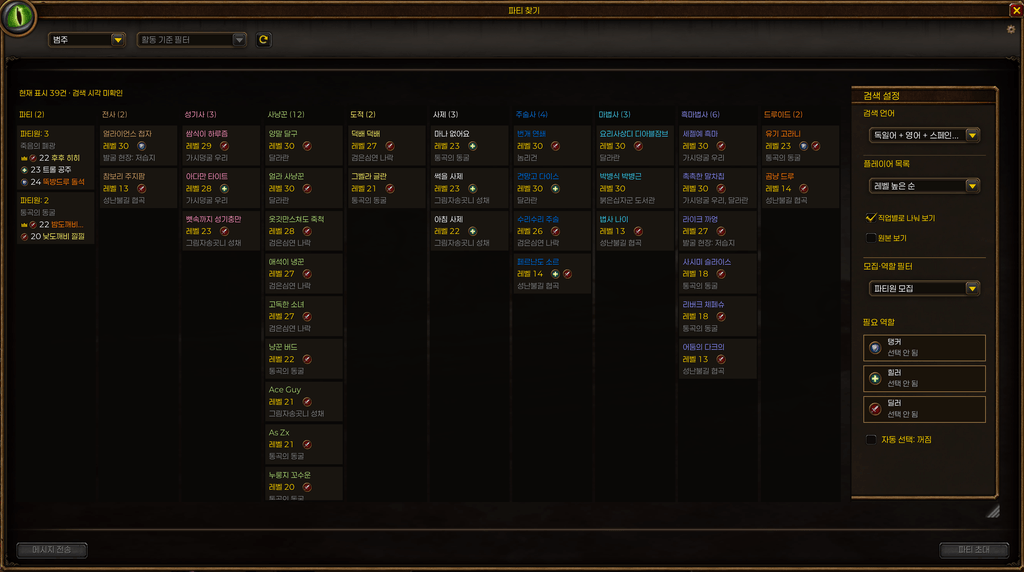
Search using the languages exposed by the game and save selections. Find-group/recruit modes support tank/healer/damage filters and automatic recruitment for missing roles. The wide view separates classes into columns with independent scrolling, level sorting and native role icons. Grouped party cards show member information provided by the client. Drag the title to move and the lower-right grip to resize; position and wide/normal dimensions are saved per character. Suggested dungeon level ranges appear in the activity menu and sort from lower levels upward.
언어별 검색, 역할별 구인, 자동 부족 역할 필터, 직업별 가로 열과 레벨 정렬, 파티원 묶음 표시를 제공합니다. 창을 이동·크기 조절할 수 있고 오른쪽 설정창 공간을 확보합니다. 던전 선택 목록에는 추천 레벨을 표시합니다.
Language search does not translate listings or change advertisement languages; result availability follows the game API.
Dungeon journal / 던전 도감
Movable/resizable window with Loot, Map/Boss and Quest Progress tabs.
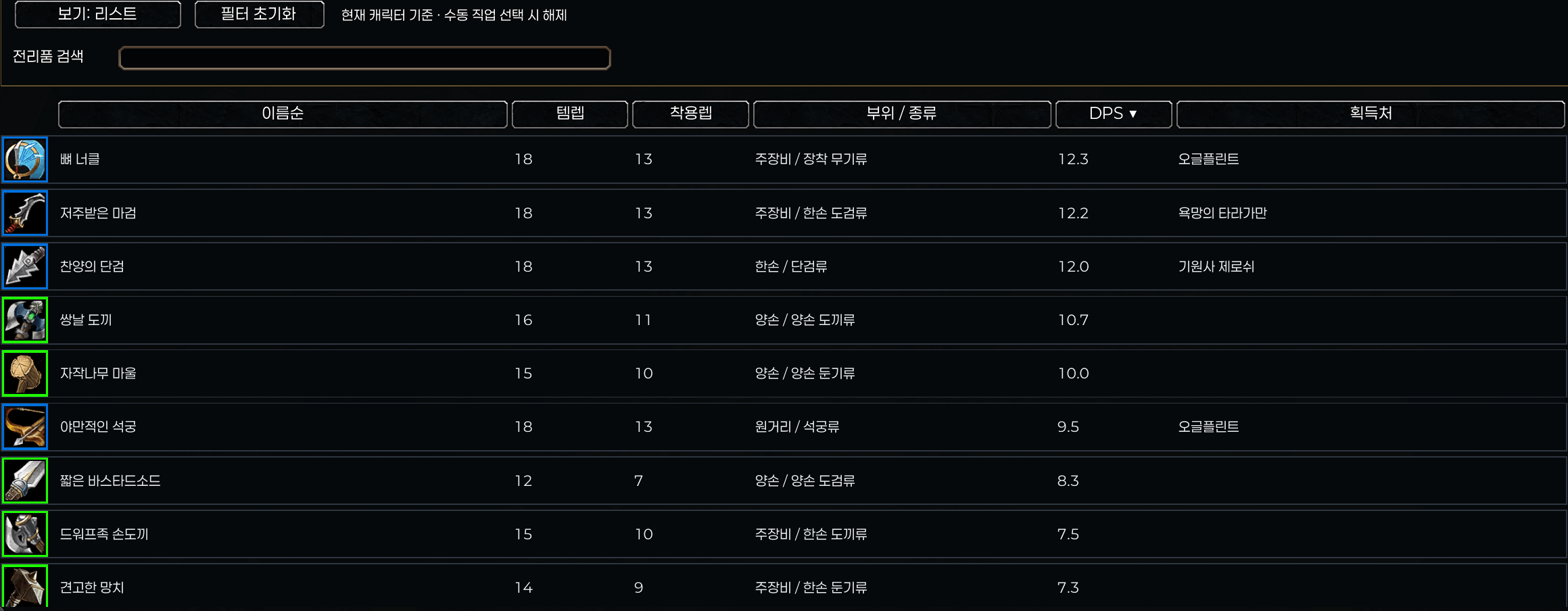
- Loot: icon or table view, search, favorites, native tooltips/details and class/equipment/profession/recipe filters. Current-character filtering follows the logged-in class. Click table headers to sort by name, item level, required level, slot/type, DPS or source. Alt+wheel adjusts icon size. Quality colors surround only item icons.
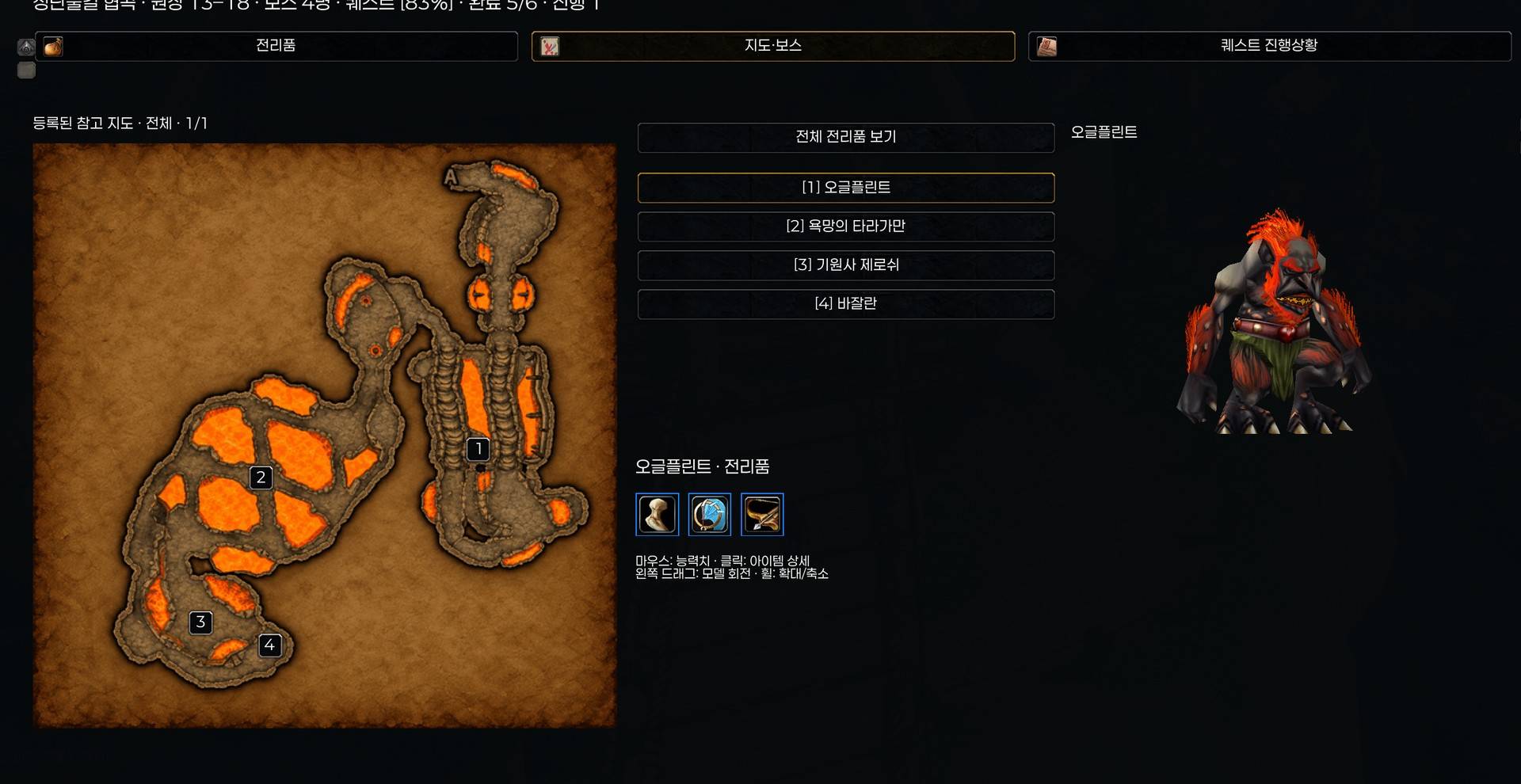
- Map/Boss: map, boss list and 3D model above selected-boss or all-dungeon loot. Map-page controls appear only where needed.
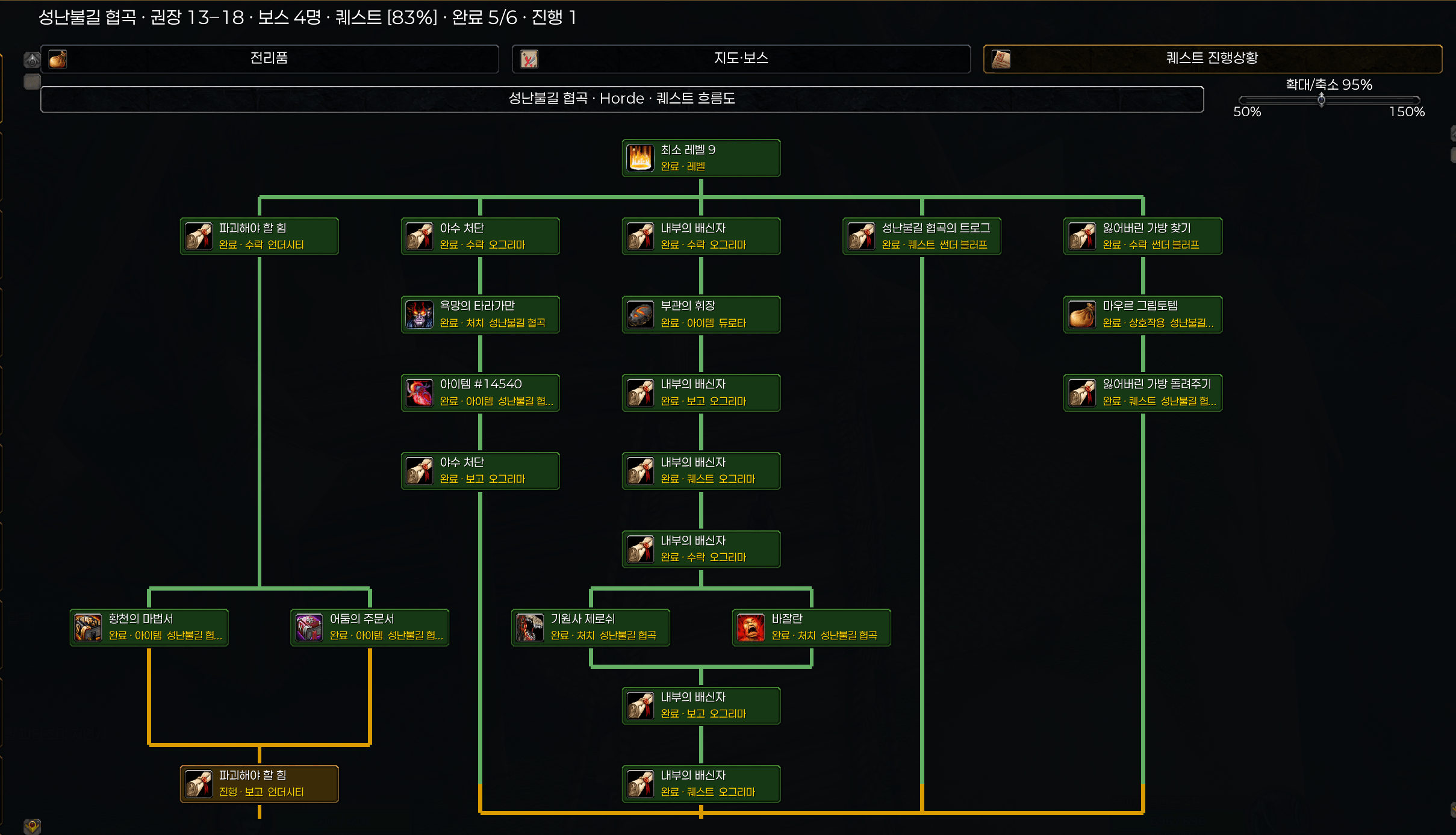
- Quest Progress: prerequisite charts, actual AND/OR completion, green completed/yellow available/gray unmet paths, and localized names. Alt+wheel or the slider zooms 50–150%; Shift+wheel pans. Click quests for fixed/choice reward items and available quest-log XP; click reward items for native details. Shift+click for NPC maps and Alt+click for optional Completao integration.
전리품 검색·정렬 테이블·현재 캐릭터 기준 필터, 지도/보스/모델 및 전체 전리품, 퀘스트 진행상황 흐름도·확대/축소·보상 조회를 제공합니다. 알 수 없는 NPC 번호와 직접 관측 문구는 획득처에서 숨깁니다. 한글 NPC·퀘스트·아이템 이름 데이터를 포함합니다.
Screenshots / 기능별 프리뷰
Open the feature gallery / 기능별 사진 보기
Installation / 설치
Extract NSToolkit into Interface/AddOns and fully exit/relaunch WoW after updating. This build adds Lua/data and texture files; /reload alone may not load new files. Existing saved settings are preserved. Do not enable previous PaperlogyGlobal/NSFontManager or standalone ForeverLFG alongside integrated Toolkit counterparts.
PersonalFontsTemplate is optional: copy NSFontManagerPersonal beside NSToolkit, add your licensed fonts and edit Fonts.lua. Never replace an existing personal-font folder with the empty template.
업데이트 후 게임을 완전히 종료하고 다시 실행하세요. 개인 폰트 폴더와 기존 설정은 보존하세요. 옛 폰트 본체와 별도 ForeverLFG는 통합 기능과 중복 활성화하지 마세요.
Compatibility and credits / 호환성·출처
Beta for WoW Forever 1.60.1 (Interface 16001); other clients are unverified. Static dungeon/reward data can differ from live beta data; native item tooltips take precedence. Quest XP is displayed only when provided by the client. The old graphics/sharpness module has been removed.
Original Toolkit code: MIT. Integrated ForeverLFG retains its included MIT license and credits. Font/library notices are included; fonts are SIL OFL 1.1. Dungeon quest/localization/reward data is derived from installed Attune reference data, with other dungeon reference sources documented in the package. Some decorative UI artwork was AI-generated.
NS Toolkit Team