NotHax Rotation Helper
- By
Description
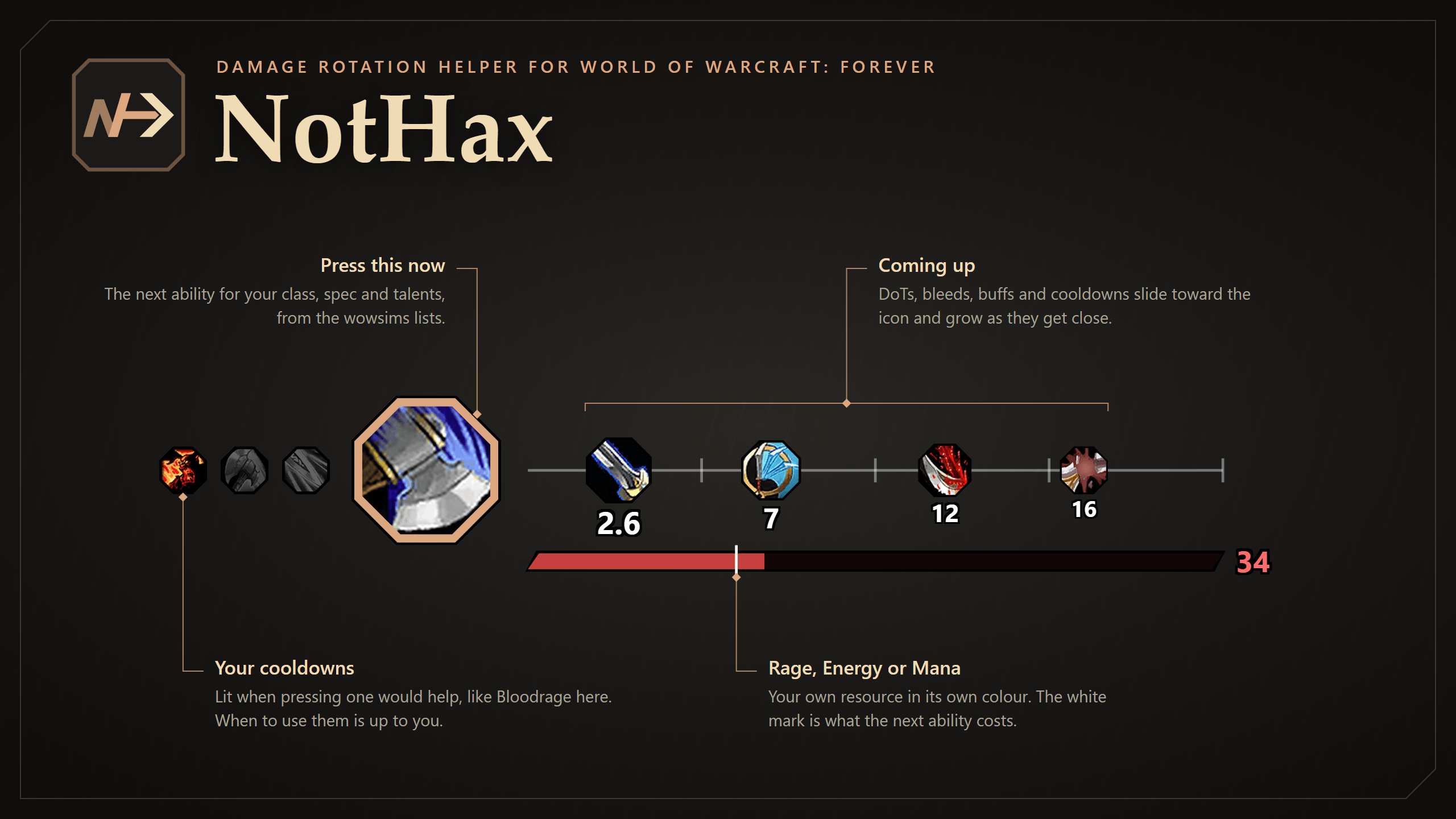
Stop staring at your action bars. NotHax lays out your damage rotation as a timeline. The next ability sits in one big icon, and your DoTs, bleeds and cooldowns slide toward it, so you can see what's coming several seconds before it arrives.
A Timeline, Not a Queue
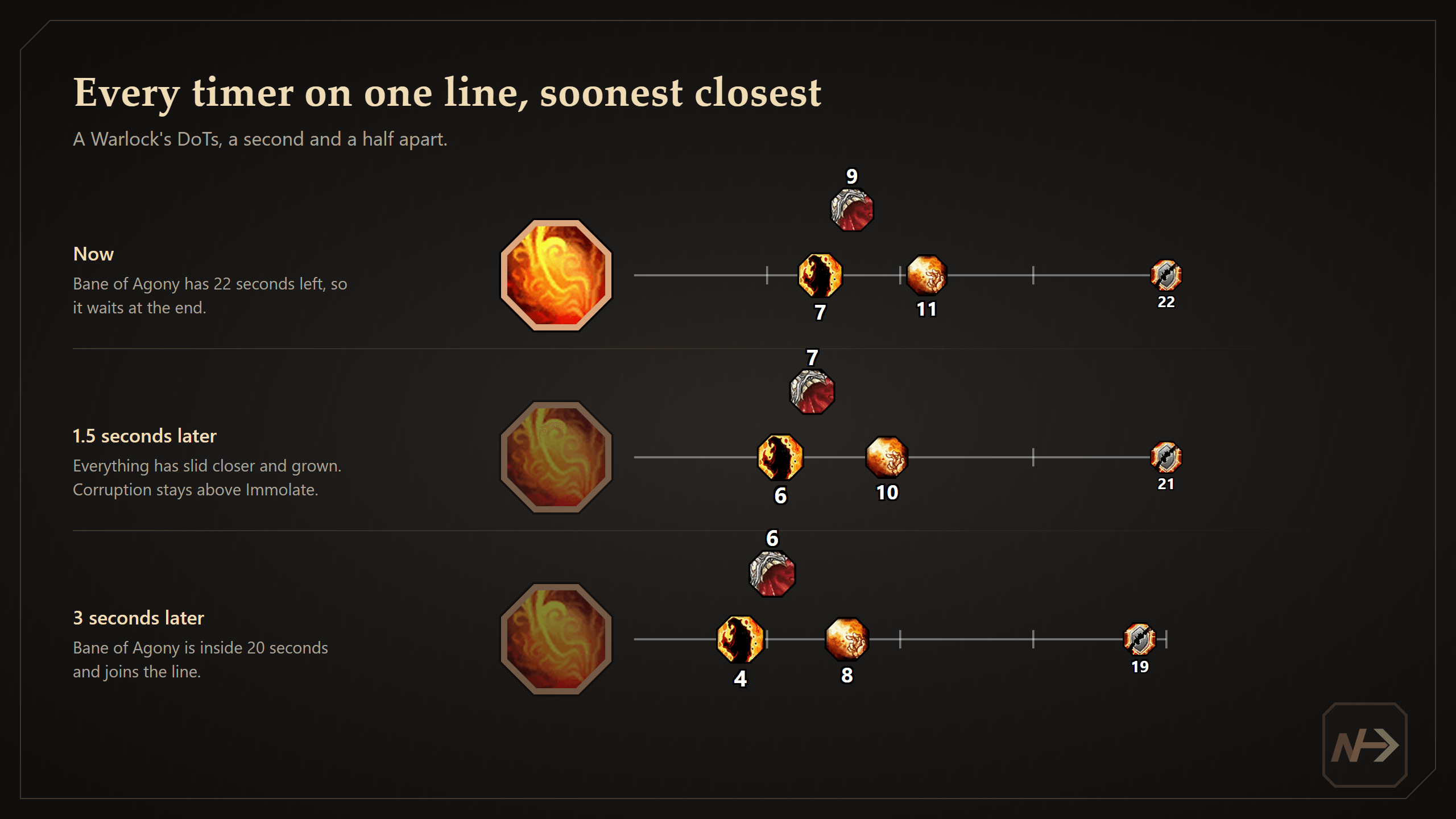
Each timer moves along a line toward the icon and grows as it gets close. You see Rupture running out, Shank coming back or Corruption about to drop while there's still time to plan for it. Timers that overlap step up so none hides another, and anything more than 20 seconds away waits at the far end.
The Big Icon
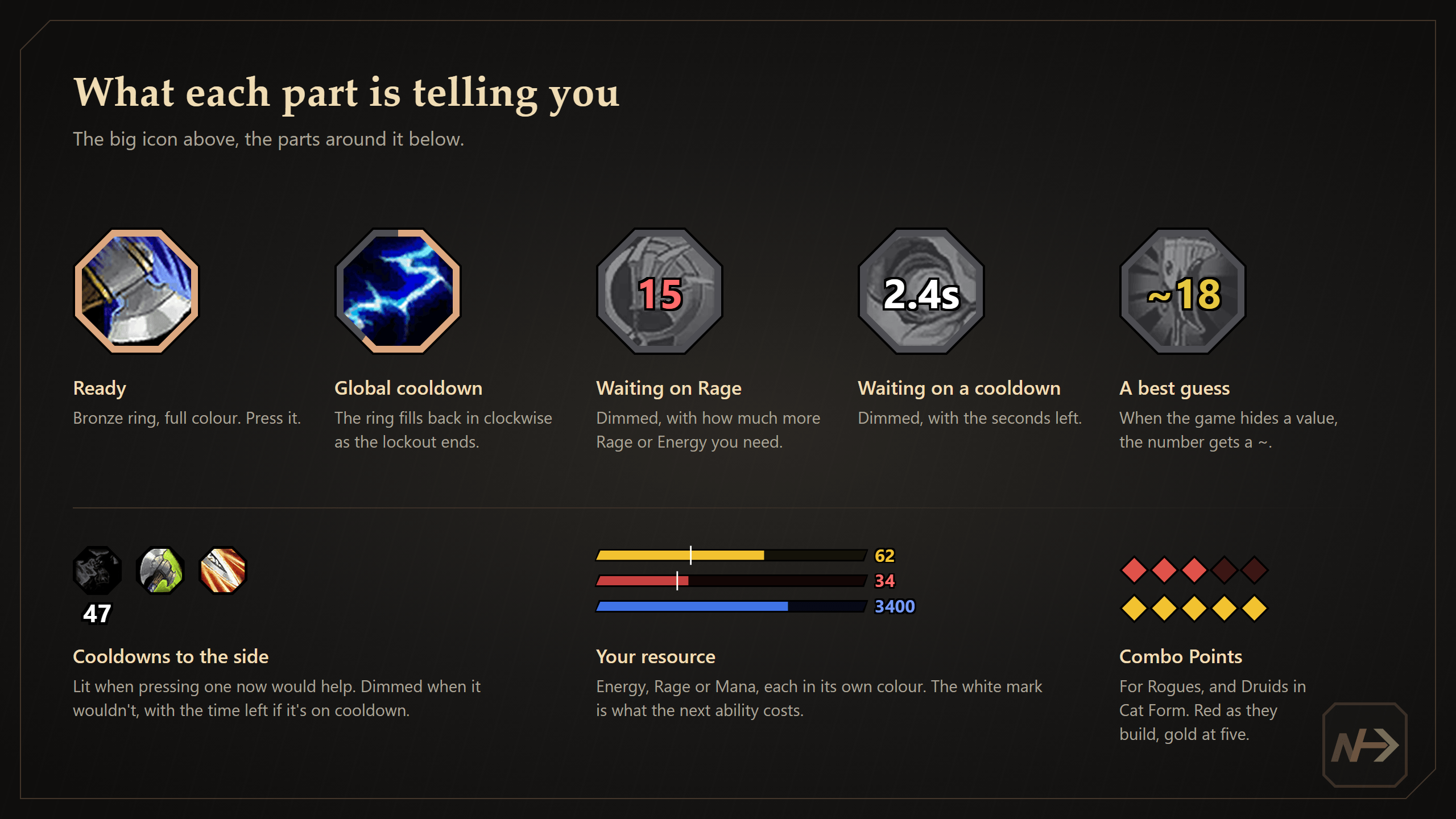
The big icon is always the next thing to press. If you can't afford it yet, it stays up, dimmed, and shows how much Energy, Rage or Mana you still need, so you're never left guessing why nothing is lit.
Built on the wowsims Lists
The order comes from the wowsims Forever priority lists, the same ones its damage simulator plays. NotHax reads your talents and picks the list and the rules to match, so a Hemorrhage Rogue and a Mutilate Rogue get different advice.
Cooldowns Wait on the Side
Vanish, Cold Blood, Death Wish and the like sit off to the left and light up when pressing one would actually help. When to use them stays your call.
Straight About Guesses
Forever hides some combat values from addons, such as Energy, target health and the auras on your target. When a value is hidden, NotHax keeps time from your own casts and marks any suggestion that depends on a guess as an estimate.
Bars on Your Terms
A resource bar marks what the next ability costs. Combo Points can sit under the display, on their own, or on the target's nameplate. Before a fight, NotHax reminds you when a weapon has no poison or one of your own buffs is missing.
Your Layout
Move and resize every part, pick its shapes and style, and hide it out of combat if you like. No dependencies. If EllesmereUI is installed, NotHax can use its accent colour and font.
Classes
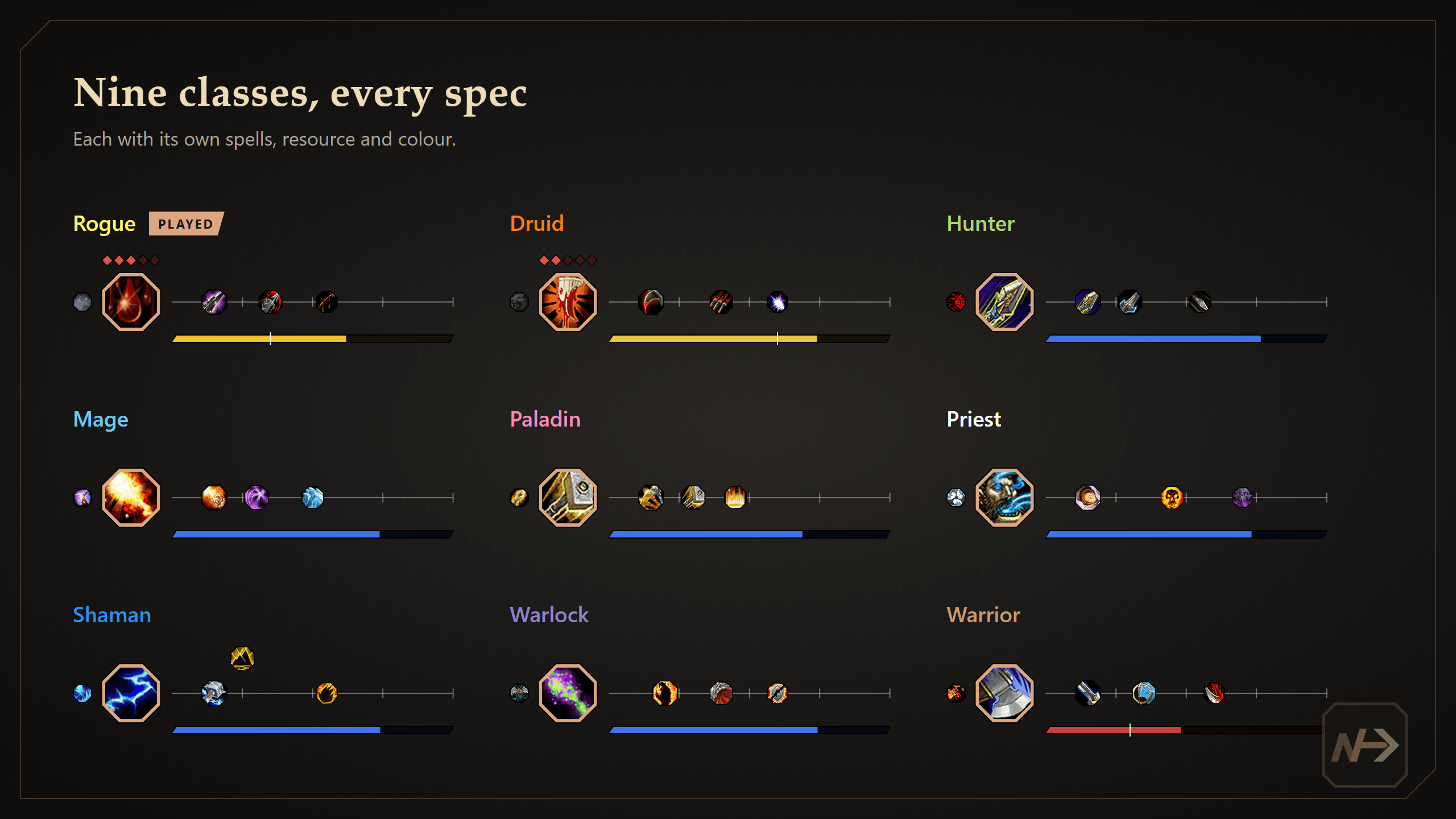
- Rogue (Subtlety, Combat and Assassination, played in solo and dungeon content)
- Warrior (experimental)
- Druid (experimental)
- Paladin (experimental)
- Hunter (experimental)
- Mage (experimental)
- Warlock (experimental)
- Priest (experimental)
- Shaman (experimental)
Every damage and tank spec is covered. The experimental classes are built from the wowsims lists but haven't been played yet, so if you play one, please tell me what NotHax got wrong. There is no healing advice: Holy, Discipline and Restoration characters see their class's damage rotation, which helps while soloing.
NotHax only shows. It never casts, targets or presses anything for you.
Getting Started
/nothax or /nh opens the settings, with Layout, Look and Rotation tabs.
/nothax edit lets you drag a part to move it and scroll over it to resize it. /nothax lock finishes.
/nothax combat on shows the display only in combat.
/nothax help lists every command.
Reporting a Problem
Please say your class, your talents, what was suggested and what you expected to see. /nothax probe on records which game values the addon can read. Turn it on, play a fight, then /reload, and attach the NotHax.lua file from WTF/Account/<account>/SavedVariables/ to your report.
Licence
All rights reserved. Please don't reupload NotHax or share changed copies. Ability order is based on wowsims Forever (MIT).
NotHax Rotation Helper Team