NotesVault
- By
In-game notes with checklists, tables, map pins (using TomTom) and live achievement tracking. Paste Wowhead comments and it will automatically keep formatting and links!
Inspect.png
copy element.png
paste to notesvault.png
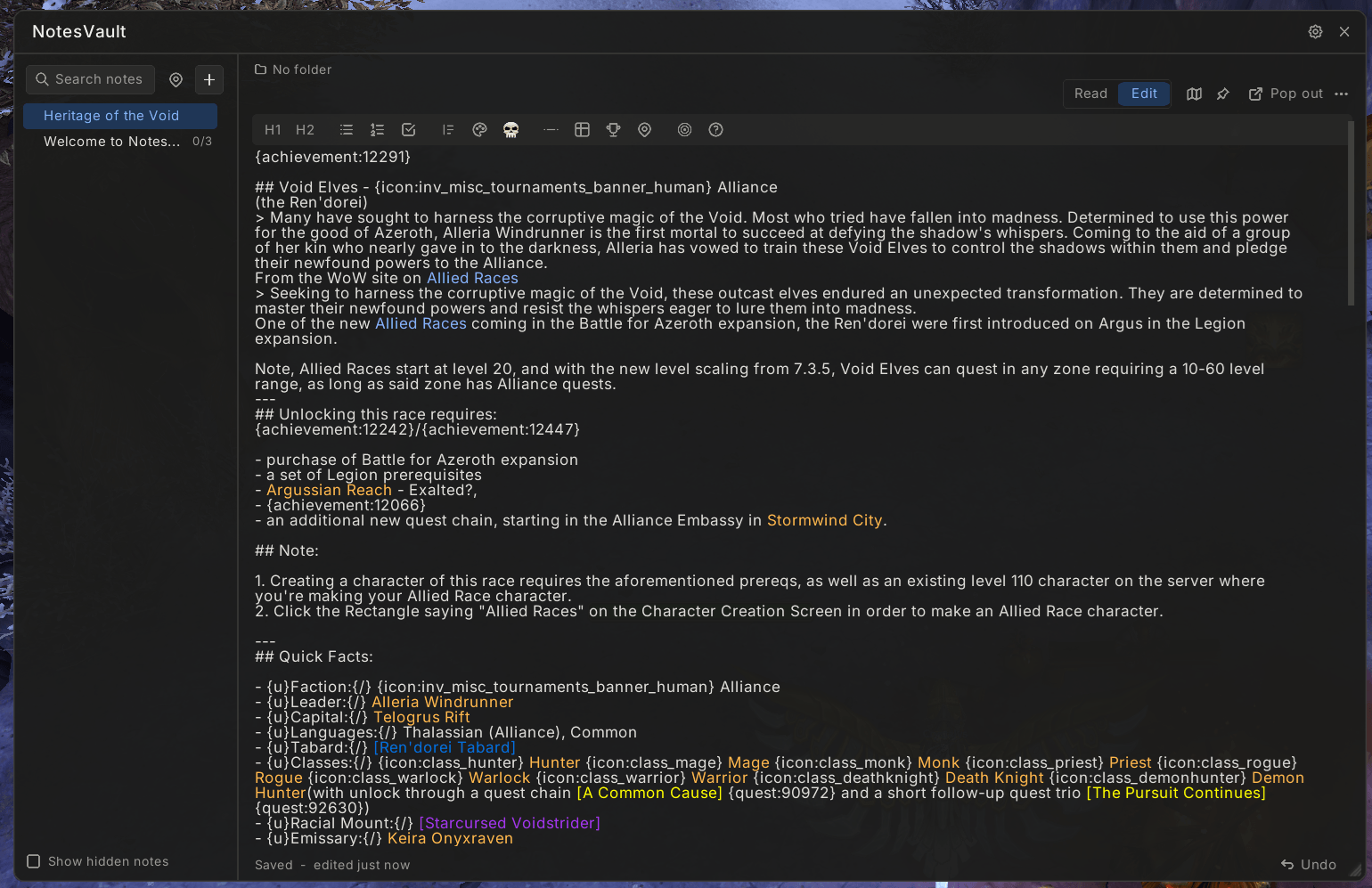
edit note and add achievement.png
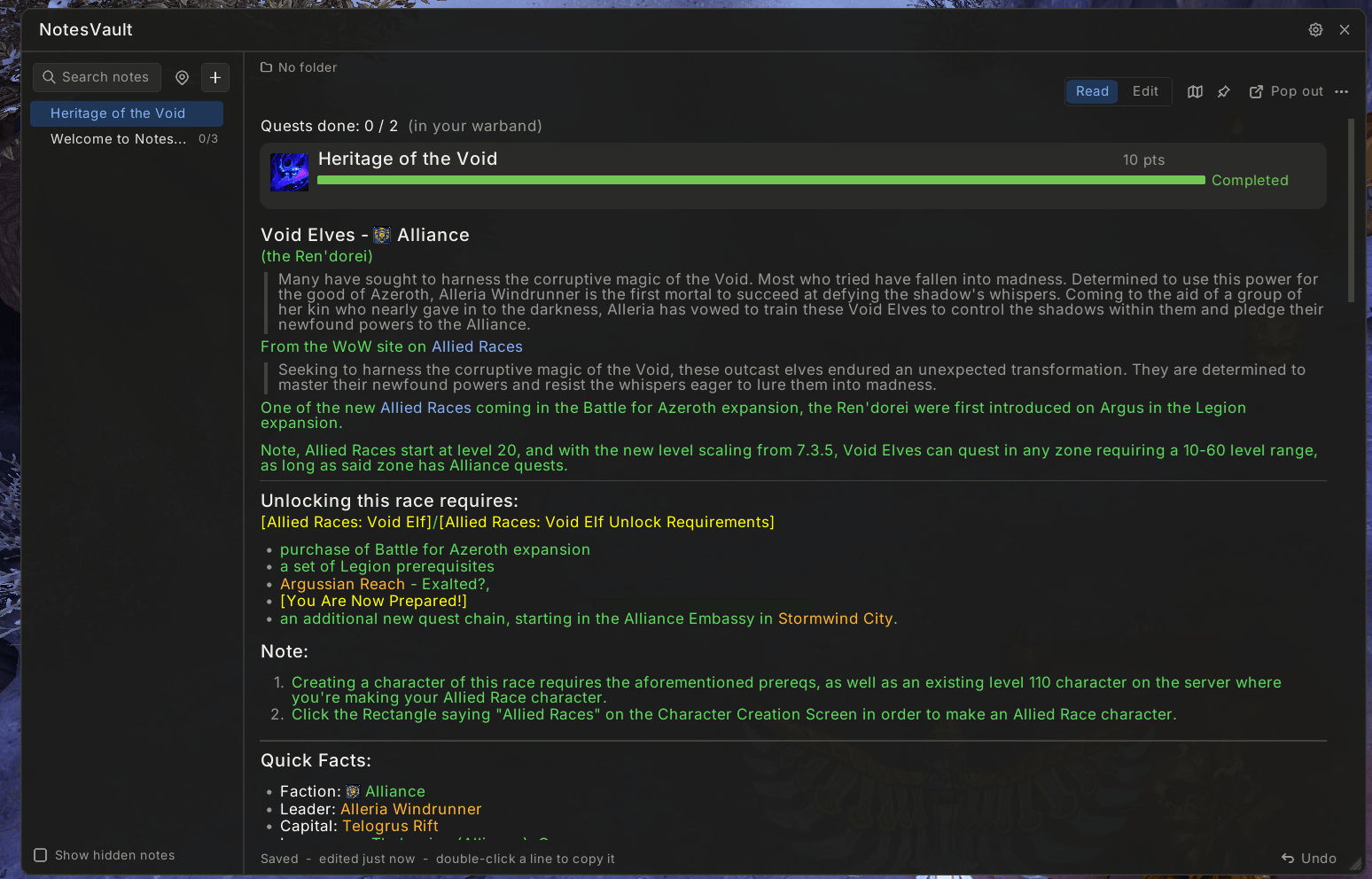
achievement progress.png
Description
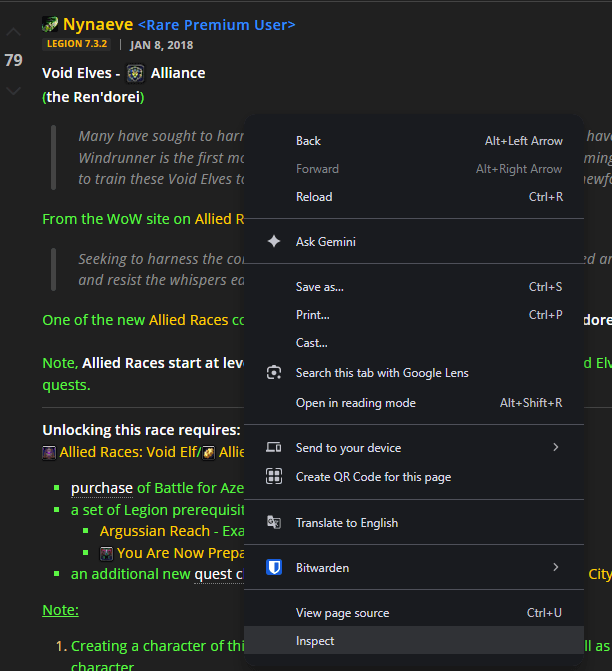
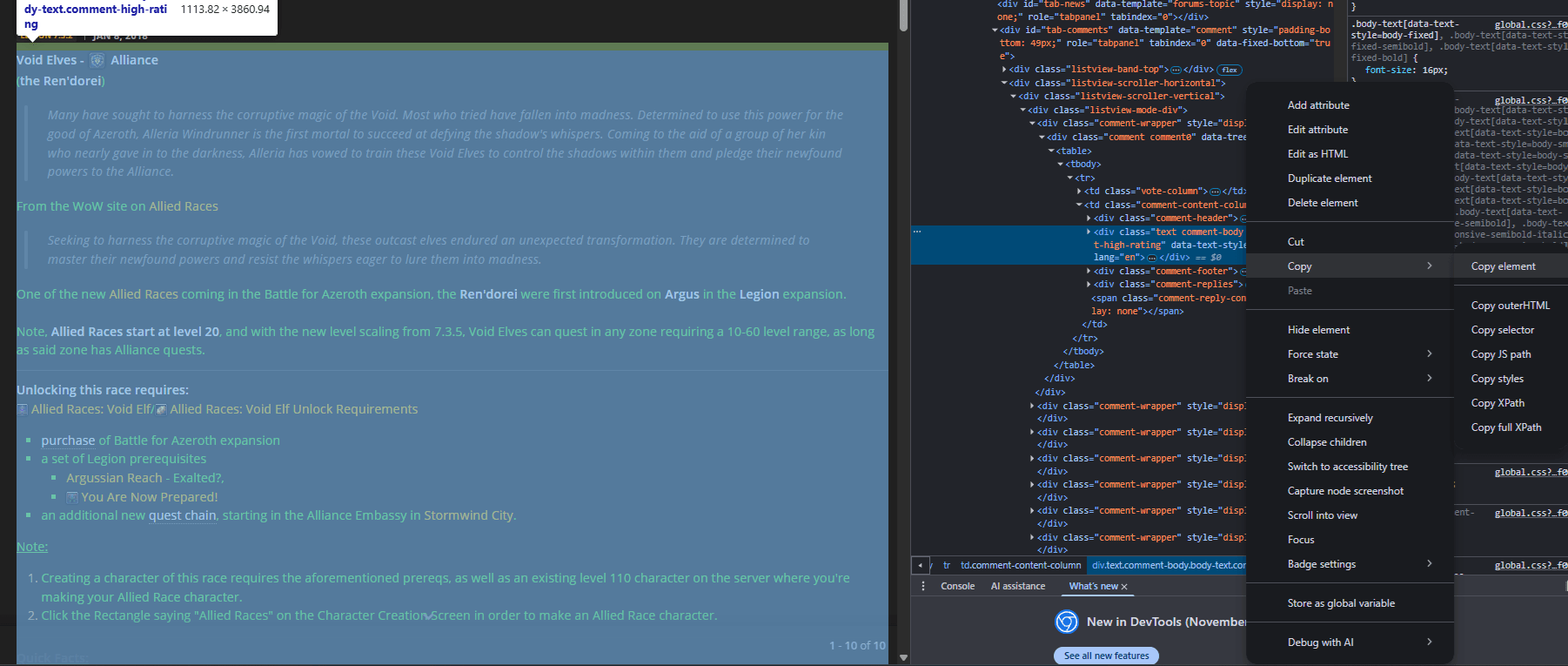
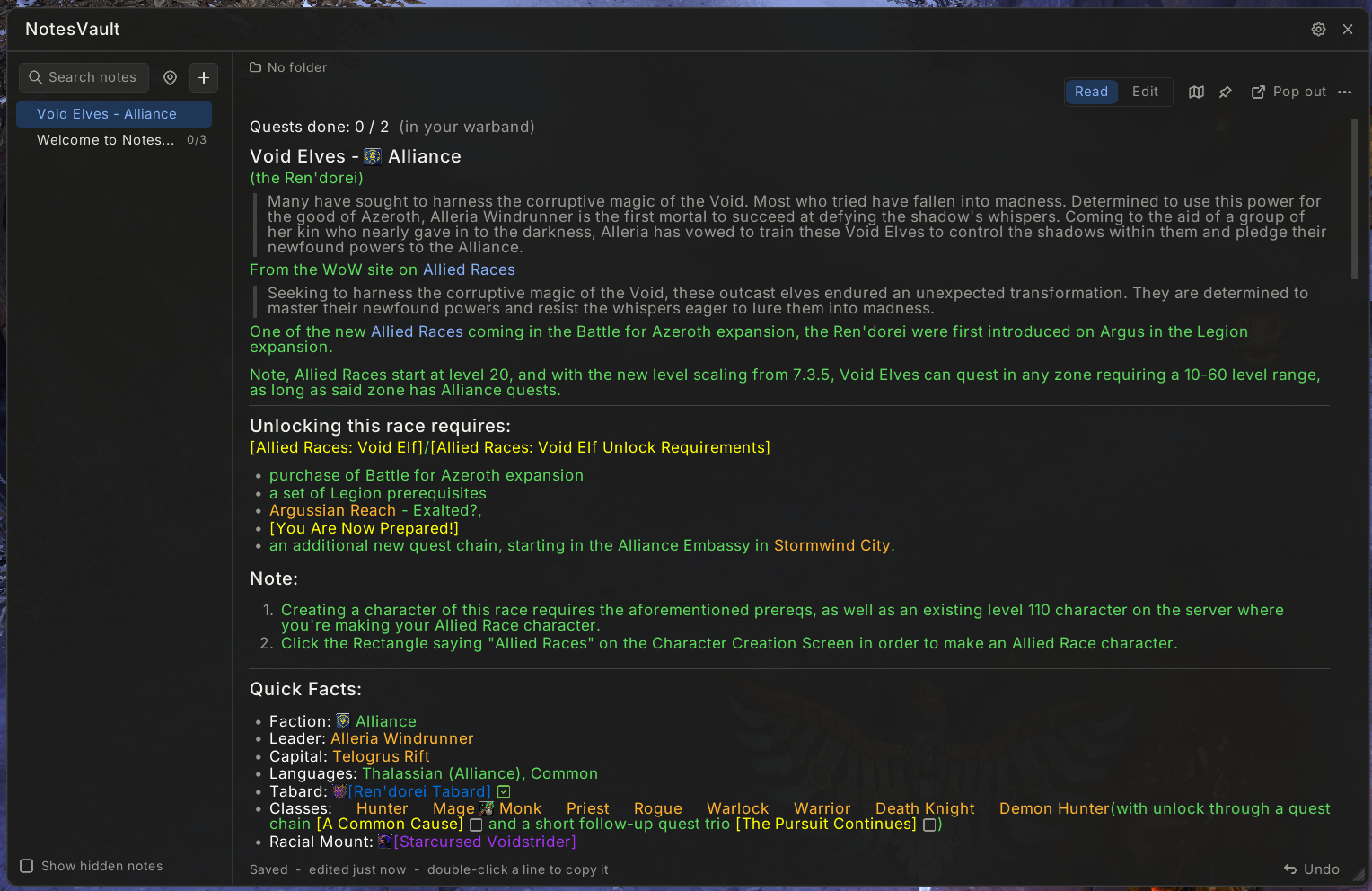
NotesVault is a notebook inside World of Warcraft. Write your own notes, or paste someone's comment from wowhead(see screenshots how to copy comment correctly) and get a note that works: tables you can sort, coordinates you can click, map pins, and achievement progress that updates while you play.
A Welcome note is made the first time you log in. It shows every feature in a working example.
Write notes the easy way
- Headings, bullet and numbered lists, quotes, dividers, coloured text and raid icons, from a toolbar or with simple marks.
- Shift-click items, spells, quests and achievements into a note. They stay real game links with tooltips.
- Folders inside folders, drag and drop, pin a note to the top, archive old ones, search everything.
- Undo (Ctrl+Z), and every change saves as you type.
Checklists that keep up
- Tick boxes with a "4 / 13 done" count.
- Untick them yourself, or automatically after the daily or weekly reset.
- Share ticks across your account, or give every character its own.
- Mounts, pets, toys and appearances in a note get a box that turns green once you have them. A checklist line with one ticks itself.
Tables
- Make a table with the toolbar (hover a grid to pick its size) or type `[cell][cell]` rows.
- Sort by any column, hide the rows you've finished, and change a cell right in the reading view.
Places and map pins
- Every coordinate gets buttons: pin it on the map, open the map there, or add it to TomTom.
- Switch on "Show on map" and every place in the note becomes a pin on your world map and minimap. Found places disappear.
- Drop a pin where you stand, pick a spot on the map, or target a rare and pin it in one click.
- The "Here" button shows only the notes for the zone you're in.
Achievements, quests and goals
- Live achievement cards with progress bars, a Track button and every requirement checked off as you go.
- A treasure or rare table under a card gets a trophy on each row the achievement needs. It turns green when found.
- Quest IDs in a guide get a tick that turns green once the quest is done.
- Give a note a goal (a mount, pet, toy, achievement or quest) and see its state in a banner at the top.
Made for Wowhead
- Paste a guide or comment: Wowhead links become game links, `/way` lines find their zone, and comment clutter is removed.
- Paste a page's code (Inspect > Copy outerHTML) to keep its tables, lists, quotes, icons and links.
Play with it on screen
- Pop out a note into a small see-through window that stays while you play.
- Reminders at login or after the daily or weekly reset, on all characters or one.
- Notes for one faction only.
Share and back up
- Send a note or a whole folder to a friend as a code.
- Back up every note and bring it back with Import.
Make it yours
- Five text colour themes (Modern, Wowhead, Quest log, Soft grey, Bright), window size and text size.
- Key bindings for open, new note, pop-out and quick pin.
How to open it
Minimap button, the Addon Compartment, a key binding, or `/nvault` (also `/notesvault`). Type `/nvault help` for every command.
Works with
- Retail (main target) and WoW: Forever.
- TomTom (optional) for waypoint arrows. Without it, NotesVault uses the game's own map waypoint where it can.
- LibDBIcon (optional) for the minimap button.
Notes are saved account-wide, so every character sees them.
Credits
- Inter font by Rasmus Andersson (SIL Open Font License).
- Icons from Tabler Icons (MIT).
- NotesVault is MIT licensed.
Found a bug or have an idea? Leave a comment. Screenshots of the problem help a lot.
NotesVault Team