Nolvus Guides
- By
5MRMghR.png
6HWFIZq.png
7B7oGTt.png
aOU3MlT.png
BqqX8ST.png
Description
Nolvus Addons & Guides

Nolvus Guides is a leveling and questing companion. It puts your route, your current step, and a waypoint arrow in one place, then gives you the maps, tools and settings to keep going.
Download the Nolvus client and the addon at nolvusaddons.vercel.app. Join the community on Discord.
Levels 1–20 are free
The built-in leveling guides through level 20 come with the addon. You can start playing right away.
From level 21 up, community and member guides unlock when you join the Nolvus Discord, register and login in on website, and download the Nolvus Launcher to get the guides as well as keeping them updated.
/nolvus access shows whether the character you are on is unlocked. Keep the Nolvus client signed in so your access stays in sync.
The Nolvus client
The Nolvus client is the official Nolvus app, not a second addon.

What it does
Nolvus Client is a desktop application that collects data while you play World of Warcraft. It sends this data to us to help fill the database, so we can show more detailed information such as NPC locations, vendor contents and more.
Installs and updates an in-game add-on that collects data. Uploads collected data and game cache files to our servers. Updates itself automatically and checks for Nolvus Guides updates and installs them for you.
Keeping the client open while you play. That is how you get new builds as we post them, and how the data the addon uses keeps getting better. You can still unzip the folders into Interface\AddOns and /reload, but the client is the way we recommend.
What you get
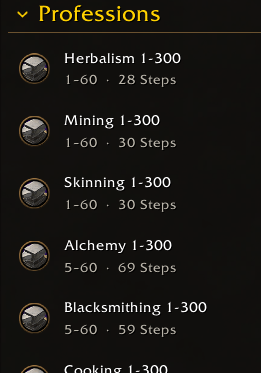
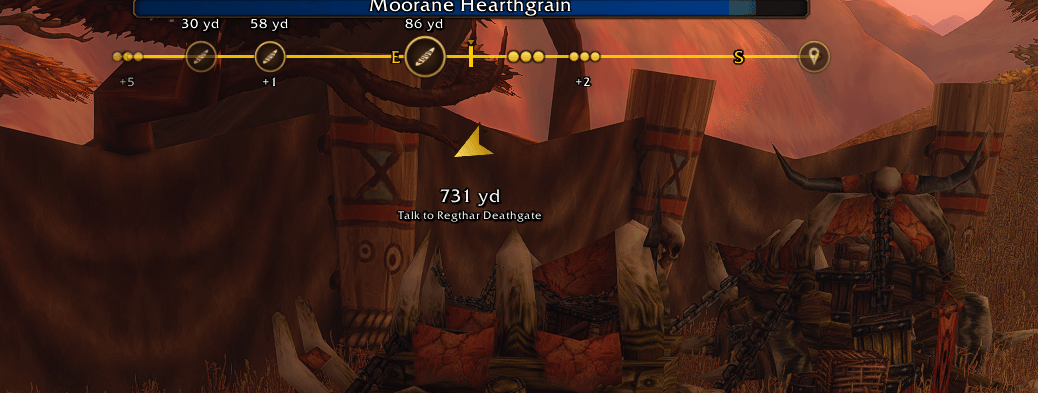
A guide window and a tracker. Pick a route, follow the current step, and page or skip when you need to. Open guides sit in tabs. Settings, What's New and Discord live in the same window.
A waypoint arrow. It points at the next pickup, objective or turn-in, with size, opacity and colour you can change. /nolvus way x y (and /way, when Nolvus is answering that command) sets a point on your current map. /nolvus near can point you at the nearest trainer, repair, vendor, innkeeper, bank, mailbox, auction house, flight master or stable master.
Community guides. Import a guide string with /nolvus import, browse them under Community guides (/nolvus packs), and write or record your own with Studio Writer (/nolvus studio) and the Recorder (/ngrec or /nolvusrec).
A report button when something is wrong. /nolvus report files a problem on the step you are looking at. /nolvus feedback sends an idea, a suggestion or a bug.
On WoW Forever
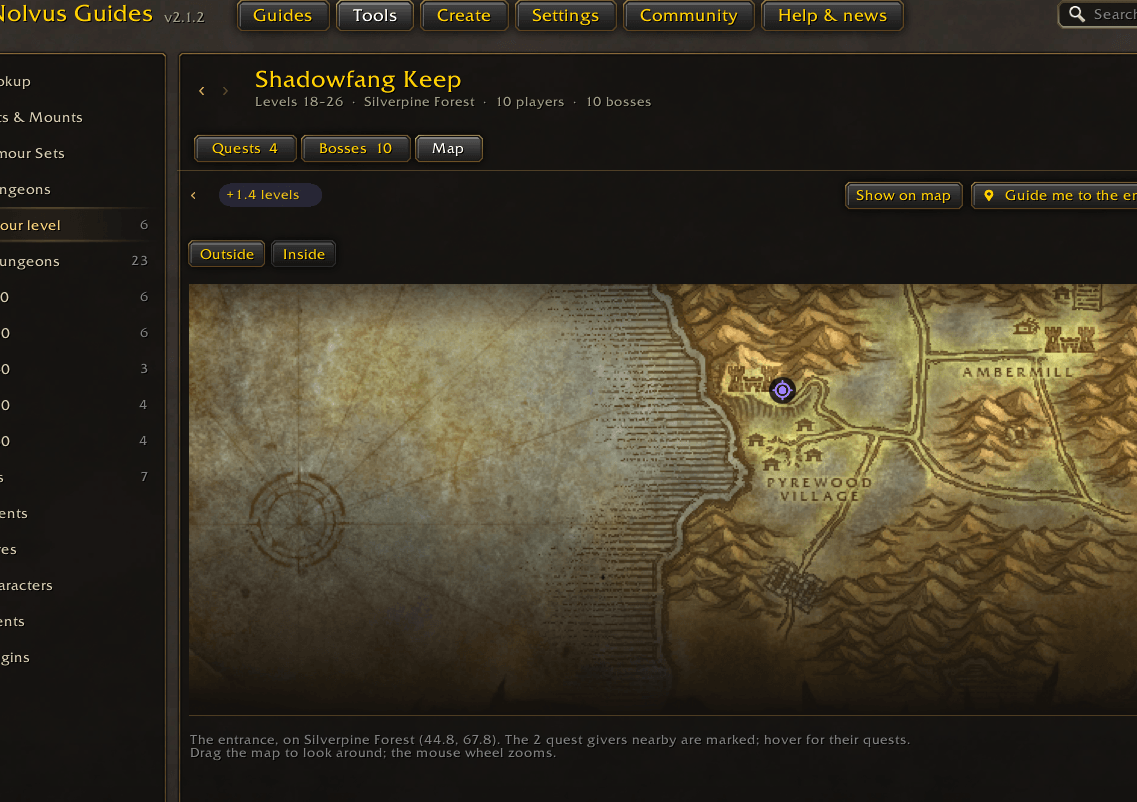
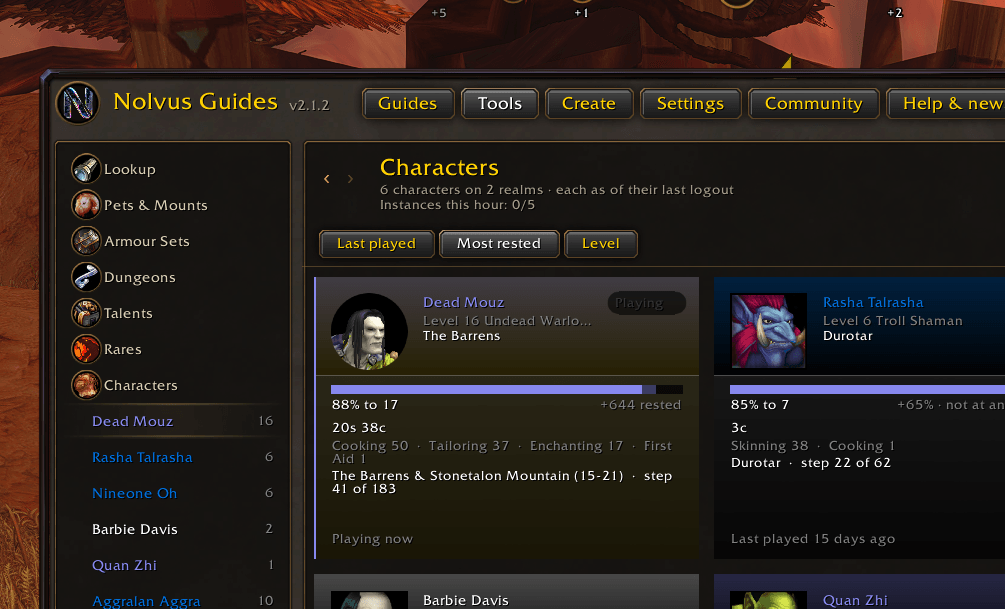
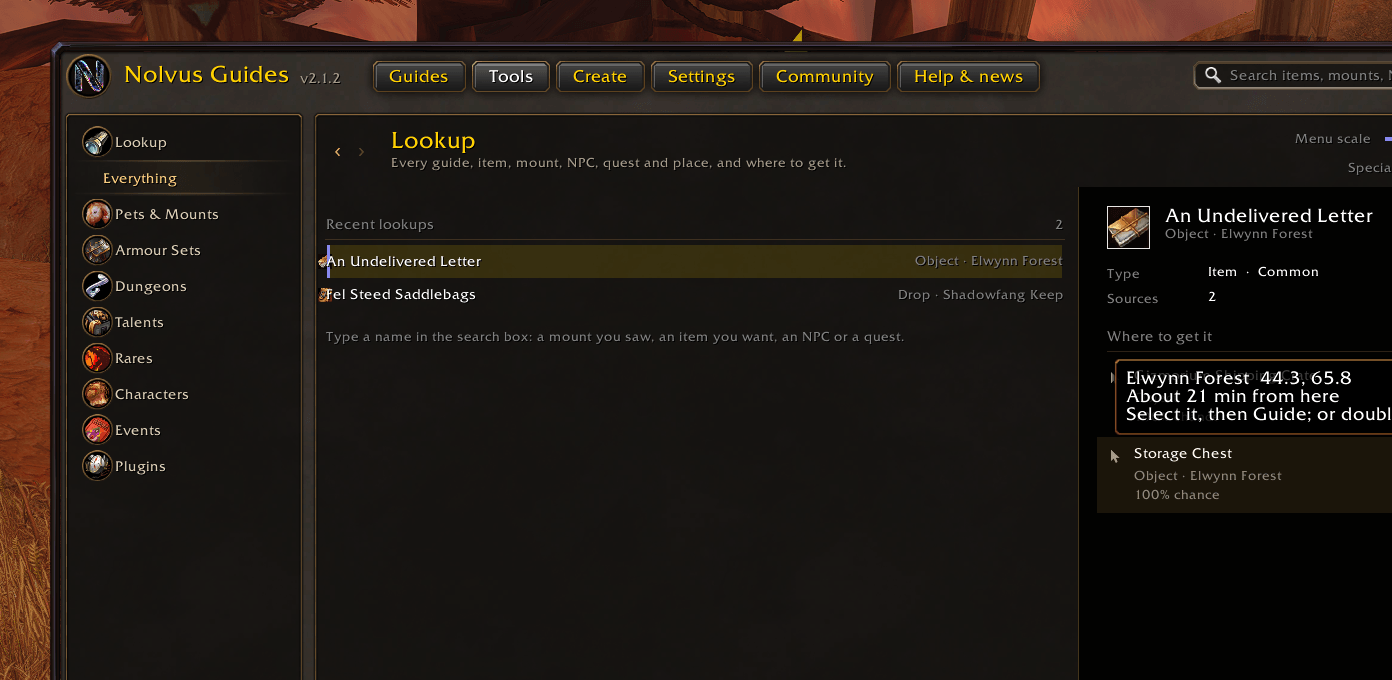
The Forever build is the full Nolvus QoL and Leveling suite. Along the top of the main window: Guides, Tools, Create, Settings, Community, and Help & news.
- Create: Nolvus Macros (pick spells, add conditions and sequences, preview the text, and save into a real macro slot) and Studio Writer for your own guides. (still in alpha progress)
- Tools: pets and mounts (with sources, and models you can turn and zoom), armour sets, dungeons and raids (map cards and a draggable dungeon map), rares and treasures, characters, events (including a calendar like the game's), gear, talents, and more.
- Maps: service NPCs and travel on the zone map and minimap (repair, mailboxes, trainers and the rest), with options under Settings > Map > Rares & travel to turn service circles on or off and change their size, opacity, colour and style.
- Quality of Life and Trackers (each off by default until you turn it on): bags and looting, an XP bar, a restyled minimap, tooltips and chat.
- NPC & Tips sits with the tracker, with its own size, lock and background options.
- Built-in sources for most pets and mounts, and for many items, recipes and tabards.
On Retail
Nolvus Guides on Retail is the same project aimed at today's World of Warcraft: the guide window, your route, the waypoint arrow, settings, and community guide import. Install it with the Nolvus client from nolvusaddons.vercel.app and use /nolvus to open it. Features listed above under WoW Forever are the Forever build.
Slash commands
Type /nolvus help in game for the full list. /ng is the same as /nolvus.
| Command | What it does |
|---|---|
/nolvus |
Opens or closes the guide window. |
/ng |
Same as /nolvus. |
/nolvus help |
Lists the commands. |
/nolvus show |
Show the guide window. |
/nolvus hide |
Hide the guide window. |
/nolvus guides |
Choose a guide. |
/nolvus options |
Open settings. |
/nolvus next |
Look at the next step (skips nothing). |
/nolvus prev |
Look at the step before. |
/nolvus skip |
Skip the step shown, for good (the window offers the undo). |
/nolvus reset |
Clear ticks and skips for the current guide. |
/nolvus guide |
Switch to a guide by id. |
/nolvus status |
Show the current guide and step. |
/nolvus tabs |
List the open guide tabs. |
/nolvus tab |
Switch to guide tab n. |
/nolvus close |
Close the current guide tab. |
/nolvus path |
Choose (or change) where to level next. |
/nolvus where |
Print your map and position as guide lines. |
/nolvus questlog |
List the quests in your log the route never hands in. |
/nolvus import |
Open the Import page, or paste a string: /nolvus import <string>. |
/nolvus packs |
Open the Community guides page. |
/nolvus unlock |
Unlock levels 21+ with your code. |
/nolvus access |
Show whether this character is unlocked. |
/nolvus arrow |
Waypoint arrow: show, hide, reset. |
/nolvus way <x> <y> [label] |
Point the arrow at x y on your current map (no argument clears it). |
/way |
Same as /nolvus way, when Nolvus is answering /way. |
/nolvus near |
Point the arrow at the nearest trainer, class trainer, repair, reagents, vendor, innkeeper, bank, mailbox, auction house, flight or stable master. |
/nolvus move |
Open Edit Mode to move the Nolvus frames. |
/nolvus report |
Report a problem with the step on screen. |
/nolvus feedback |
Send an idea, suggestion, comment, bug or error. |
/nolvus discord |
The invite to the Nolvus Guides Discord. |
/nolvus welcome |
Show the welcome again. |
/nolvus studio |
Open the Studio Writer: write and play your own guides. |
/ngrec or /nolvusrec |
Recorder: record a route while you quest (/ngrec on, /ngrec off, /ngrec mark <text>). |
Other /nolvus commands open tools (for example macros, events, alts, dungeons, rares, pets, mounts, sets, talents, lookup, gear, xp, party, restock, gamepad, instances, route, skipleg). /nolvus help lists every one that is loaded.
FAQ
Is this Warchiefs War Diary? No. Warchiefs War Diary has retired. Nolvus Guides is its successor: a new addon, with its own window, guides, client and settings.
Does it work on Retail and on WoW Forever? Yes. Install the build that matches your game with the Nolvus client. The Forever build includes the extra tools, maps and Quality of Life modules described above.
Do I have to pay to start? No. Levels 1–20 are included. From 21 up, unlock community and member guides through the Nolvus Discord and a login at nolvusaddons.vercel.app, then /nolvus unlock CODE on that character.
What is the Nolvus client, and do I have to leave it running? It is the official Nolvus app. Nolvus Client is a desktop application that collects data while you play World of Warcraft. It sends this data to us to help fill the database, so we can show more detailed information such as NPC locations, vendor contents and more.
Installs and updates an in-game add-on that collects data. Uploads collected data and game cache files to our servers. Updates itself automatically and checks for Nolvus Guides updates and installs them for you. Ideally, you should always leave it open and only while you play.
How do I move the tracker or other Nolvus frames? Use /nolvus move to open Edit Mode (not in combat).
How do I import a guide? /nolvus import opens the Import page, or paste a string with /nolvus import <string>. Community guides are also under /nolvus packs.
The arrow has nothing to point at. In some instances and on some maps the game gives no position. /nolvus where will say so. You can still set a point with /nolvus way x y.
I found a bug. What should I include? Use /nolvus report for the step on screen, or /nolvus feedback for a general bug or idea. In a comment here, say whether you are on Retail or WoW Forever, the addon version (in the bottom bar of the main window), and the steps that caused the problem.
Support
- Discord: discord.gg/uAekfZ4uDN
- Website and the Nolvus client: nolvusaddons.vercel.app
- Bug reports and suggestions: the Comments tab on this page,
/nolvus reportor/nolvus feedbackin game, or Discord. - What's New: in game, under Help & news, for the notes that shipped with your build.
Credits and License
Nolvus Guides is written by TankyShrimp aka Mtechnik/Nolvus. The addon is released under the GNU General Public License v3
The WoW Forever window kit and several Quality of Life modules are adapted from FlareUI, Copyright (c) 2026 Malkkav, under the MIT License. Nolvus does not include FlareUI's art, bar textures or icons; those screens use the game's own textures and Nolvus's own.
World of Warcraft art, icons and data are the property of Blizzard Entertainment. This project is not affiliated with or endorsed by Blizzard Entertainment.
Nolvus Guides Team