
gquit.png
locked.png
code.png
Description
NoGQuit v1.0.0
Prevent accidental, and impulsive guild leaving with a simple lock -> gate -> leave flow.
What it does
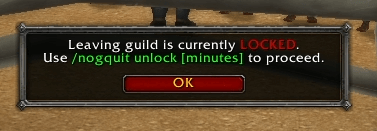
- When locked: any attempt to leave (UI or
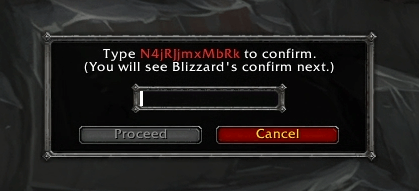
/gquit) is blocked with a "Locked" popup. - When unlocked: attempting to leave first shows a gate where you must type random 12-character code
- The Proceed button enables after a short 30-second delay.
- Then you can attempt to leave again - the normal Blizzard confirm appears for the final Leave click.
Quick usage
- Lock is on by default.
- To allow leaving briefly:
/nogquit unlock [minutes](e.g./nogquit unlock 1). - Attempt to leave (UI button or
/gquit). - Type the shown code and wait for the Proceed button to be enabled, click it.
- Attempt to leave (UI button or
/gquit). - Blizzard's confirm appears -> click Leave to finish.
Commands
/nogquit status- show whether you're locked or unlocked (and remaining time)./nogquit lock- lock immediately./nogquit unlock [minutes]- unlock for the given minutes (default 1).
Notes / Limits
- The addon does not modify Blizzard''s protected actions; final confirmation is always the Blizzard popup.
- Macros containing
/gquitare secure and can't be blocked.
Install
Extract the folder NoGQuit into: World of Warcraft/_classic_/Interface/AddOns/.
Restart the game and enable NoGQuit.
- Author: Mordaz
NoGQuit Team
