No More Daze
- By
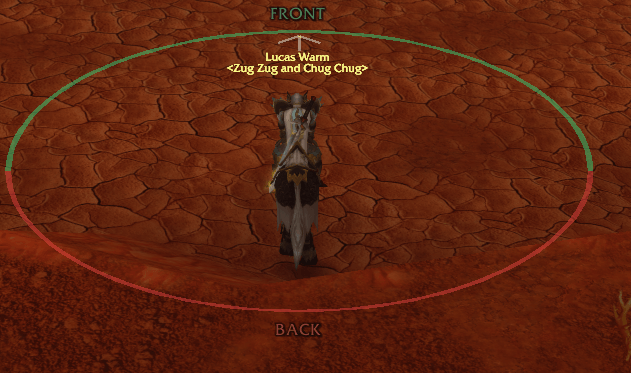
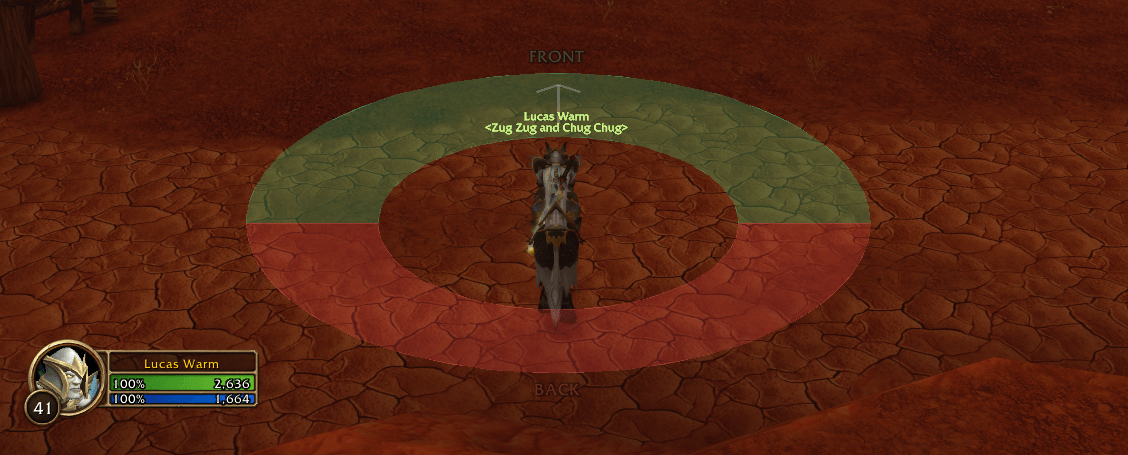
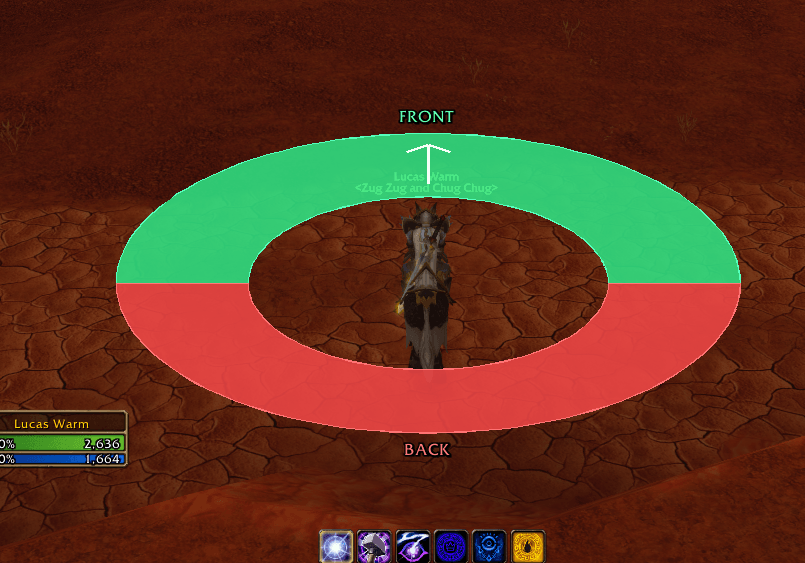
No More Daze is a lightweight visual helper for World of Warcraft: Forever (and modern WoW clients) that draws a customizable 360° ring around your character split into a FRONT safe arc and a BACK danger arc.
menu.png
wheel.png
wheel2.png
wheel3.png
Description
Project Description (Copy-Paste Ready)
No More Daze is a lightweight visual helper for World of Warcraft: Forever (and modern WoW clients) that draws a customizable 360° ring around your character split into a FRONT safe arc and a BACK danger arc.
In WoW, mobs can only Daze (or dismount) you when they hit you from behind. By keeping chasing mobs inside the green FRONT arc while running sideways using Strafe Left / Strafe Right (or holding Right-Click + A/D to strafe and steer your camera), you can escape at 100% full speed without ever getting dazed.
Features
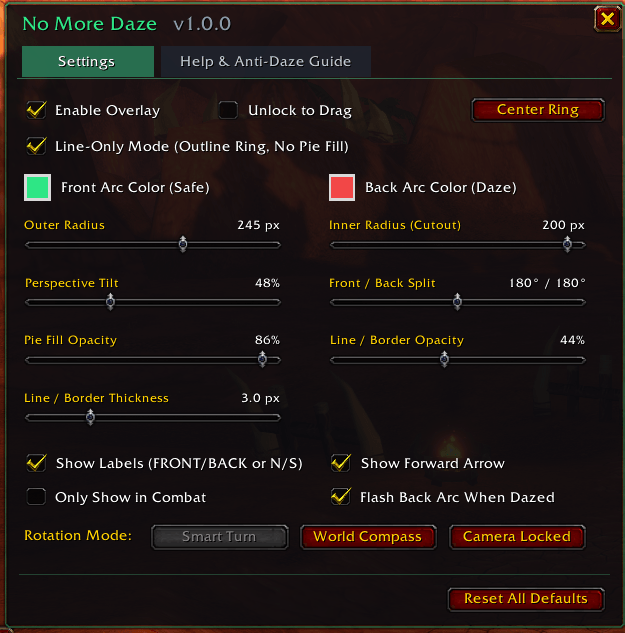
- Filled Ring or Sleek Line-Only Mode: Switch between a translucent pie/ring overlay and a clean, continuous outline ring of any thickness.
- Fully Customizable: Adjust Front & Back colors, Pie Fill Opacity, Line/Border Opacity, Line/Border Thickness, Outer & Inner Radius, Perspective Tilt, and Front/Back angle split (default
180° / 180°). - Moveable & Click-Through: Anchored to your character's center by default; unlock to drag anywhere on screen, then lock to make it 100% click-through.
- Rotation Modes:
- Smart Turn — Rotates with your character when turning with
A/Dand aligns with your camera when steering with Right-Click or moving. - World Compass — Displays
NORTH/SOUTHlabels aligned to world direction. - Camera Locked — Keeps
FRONTat top andBACKat bottom.
- Smart Turn — Rotates with your character when turning with
- Optional Visual Aids: Forward direction arrow,
FRONT/BACK(orNORTH/SOUTH) labels, combat-only visibility, and a red Back-arc flash if you get Dazed. - Built-in Help & Anti-Daze Guide: Explains the strafe technique and camera controls directly in-game.
Slash Commands
/nmdor/nomoredaze— Open Settings/nmd help— Open the Help & Anti-Daze Guide/nmd toggle— Show or hide the overlay/nmd unlock//nmd lock— Unlock or lock dragging/nmd reset— Recenter the ring on your character
(Note: Due to WoW API restrictions, addons cannot read free-orbited Left-Click camera angles; the ring remains stationary during Left-Click camera drags and is 100% accurate whenever steering with Right-Click or keyboard turning.)
No More Daze Team