


NameplateDPS
Screenshot 2026-05-21 182710.png
Screenshot 2026-05-21 183616.png
Screenshot 2026-05-21 183613.png
Screenshot 2026-05-21 154100.png
Description
NameplateDPS — Release Notes
Version: 1.2.1
Game: World of Warcraft Classic Era (Interface 11508)
Overview
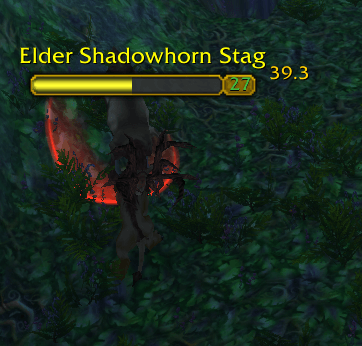
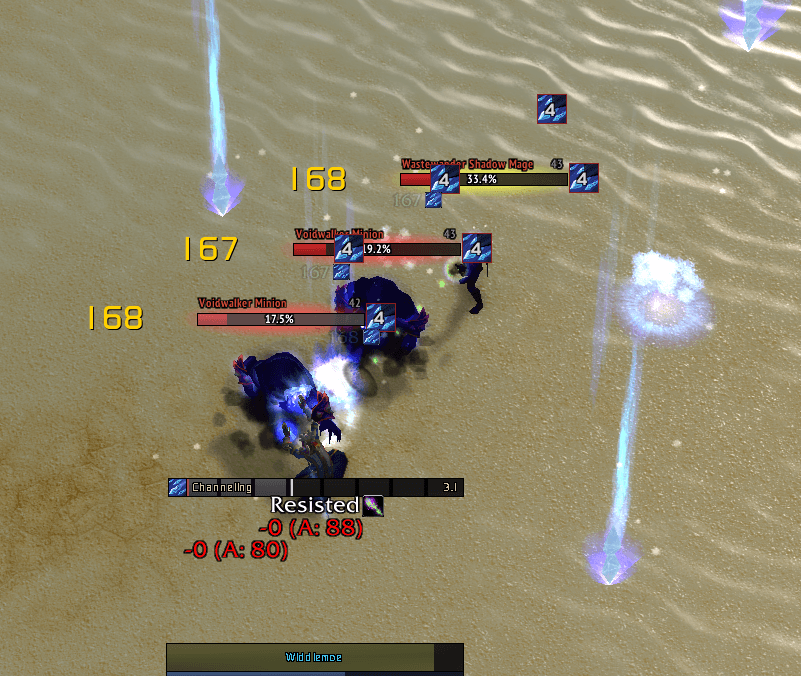
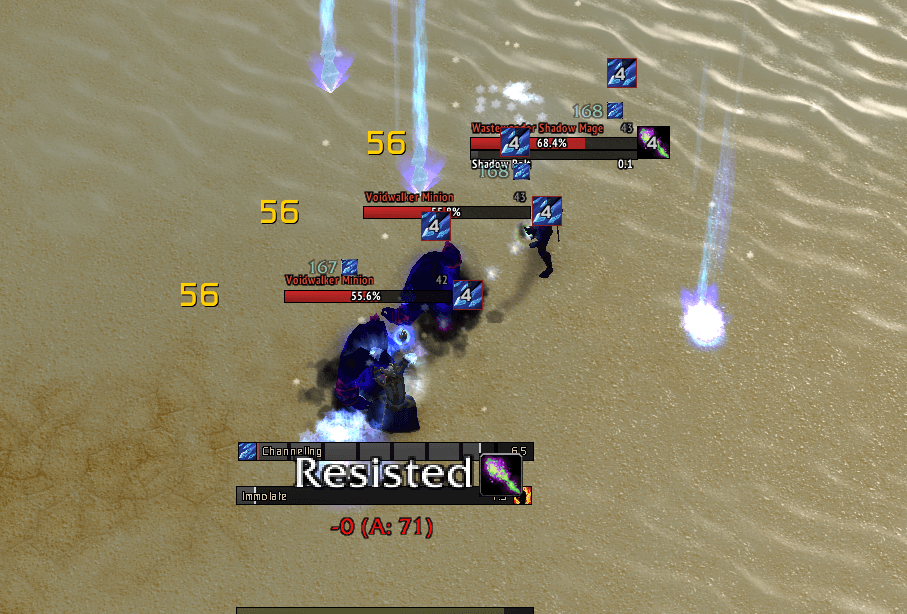
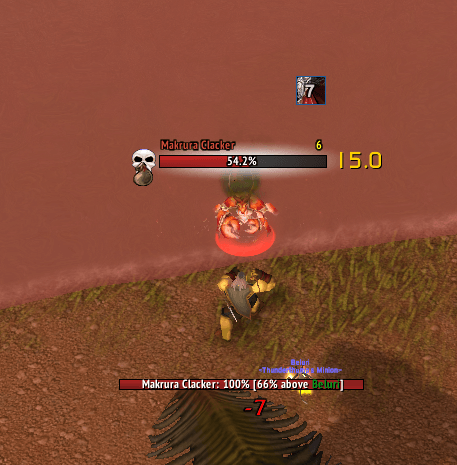
NameplateDPS adds a live damage number beside nameplates so you can see how hard a target is being hit without watching the combat log or damage meter. Each visible nameplate gets its own value, updated in real time from combat events.
The addon is built for Classic Era’s nameplate system: lightweight overlays, no clicks on the text (no taint), and settings saved per account in NameplateDPSDB.
What It Does
Enemy DPS (default on)
For every hostile enemy with a visible nameplate, NameplateDPS shows how much damage that unit is taking across a 3-second rolling window (all sources — you, party, pets, other players).
First second after the first hit: the number shows the size of that first hit (so you immediately see impact).
After that: the display is total damage in the last 3 seconds divided by 3 (trailing DPS).
When damage stops, the number decays toward zero as old samples fall out of the window.
This answers: “Which mob is actually dying?” and “Am I hitting the right target?” in crowded pulls.
Friendly damage taken (optional)
When enabled, the addon can show damage taken by friendly players (party members, other players, and yourself) on their nameplates. The value uses the same rolling-window logic as enemies.
Text is crimson red by default so it is easy to tell apart from enemy DPS.
This mode only works when the game itself is showing friendly and/or your own nameplate (Esc → Interface → Names). If those nameplates are off, friendly DPS stays hidden even if the addon option is on.
This helps tanks and healers spot who is taking pressure, and helps everyone notice when a friendly is getting focused.
Why Players Use It
Target swapping |
Confirm the mob you switched to is the one taking damage |
Open world / dungeons |
Quick read on whether a pull is melting or if a stray mob is untouched |
Tanking & healing |
Optional friendly “damage taken” view highlights who is getting hit |
Minimal setup |
Works with default nameplates; no unit-frame replacement required |
The overlay sits on the nameplate frame, scales with plate visibility, and updates about ten times per second so numbers feel responsive without heavy CPU use.
Opening the Options Menu
Esc → Options → AddOns → NameplateDPS
Or in chat: /npdps options (also accepts config / settings).
Slash commands:
|
Enable enemy DPS |
|
Disable enemy DPS |
|
Clear combat tracking data |
|
Open the addon options panel |
Adjustable Options
Settings are grouped for enemies and friendlies. Enemy and friendly controls are independent unless noted.
Enemy nameplates
Enemy font size |
Text size for enemy DPS: 8, 10, 12, 14, 16, or 18. Default: 11. |
Enemy whole numbers only |
When on, values show as integers (e.g. |
Enemy DPS position |
Places text relative to the nameplate: Top Left, Left, Bottom Left, Top Right, Right, or Bottom Right. Default: Right (beside the right edge of the plate). |
Enemy text color |
Preset dropdown (White, Yellow, Crimson, etc.) plus Red / Green / Blue sliders (0–100%) for custom colors. Default: White. |
Enemy distance from nameplate |
Slider 0–24 pixels — how far the text sits from the plate edge along that anchor. 0 = touching the plate; 4 = default spacing. |
Friendly nameplates (damage taken)
Friendly font size |
Same size choices as enemy (8–18). Default: 11. |
Friendly whole numbers only |
Same behavior as enemy: integers vs one decimal. Default: off. |
Friendly DPS position |
Same six positions as enemy, independent placement. Default: Right. |
Friendly text color |
Same preset + RGB slider controls as enemy. Default preset: Crimson. |
Friendly distance from nameplate |
Same 0–24 distance slider as enemy. Default: 4. |
Not in the menu (saved automatically)
Base UI font |
|
Underlying font; on-screen size comes from the font size options |
Requirements
Classic Era client matching the addon interface version in
NameplateDPS.toc.Enemy nameplates enabled for hostile DPS (Esc → Interface → Names).
For friendly damage taken: friendly player and/or self nameplates enabled in the same menu.
Addon enabled on the character select AddOns list, then
/reloadafter install or updates.
Install / Update
Copy the NameplateDPS folder to:
World of Warcraft\_classic_era_\Interface\AddOns\NameplateDPS\
Enable the addon, /reload, and configure under Esc → Options → AddOns → NameplateDPS.
Version History (summary)
1.1.0 |
In-game options panel: enable, font size, whole numbers, text position |
1.2.0 |
Distance-from-plate slider; friendly damage-taken display (crimson); full friendly option set; respects game friendly/self nameplate CVars |
1.2.1 |
Fixed distance slider applying pixel offsets; enemy/friendly text color presets and RGB sliders |
The NameplateDPS Team
