MythicSim - Forever Sim Exporter
Sim your World of Warcraft: Forever character. Click the minimap button, copy, paste at mythicsim.com, get your DPS for your talent spec. Free, no account.
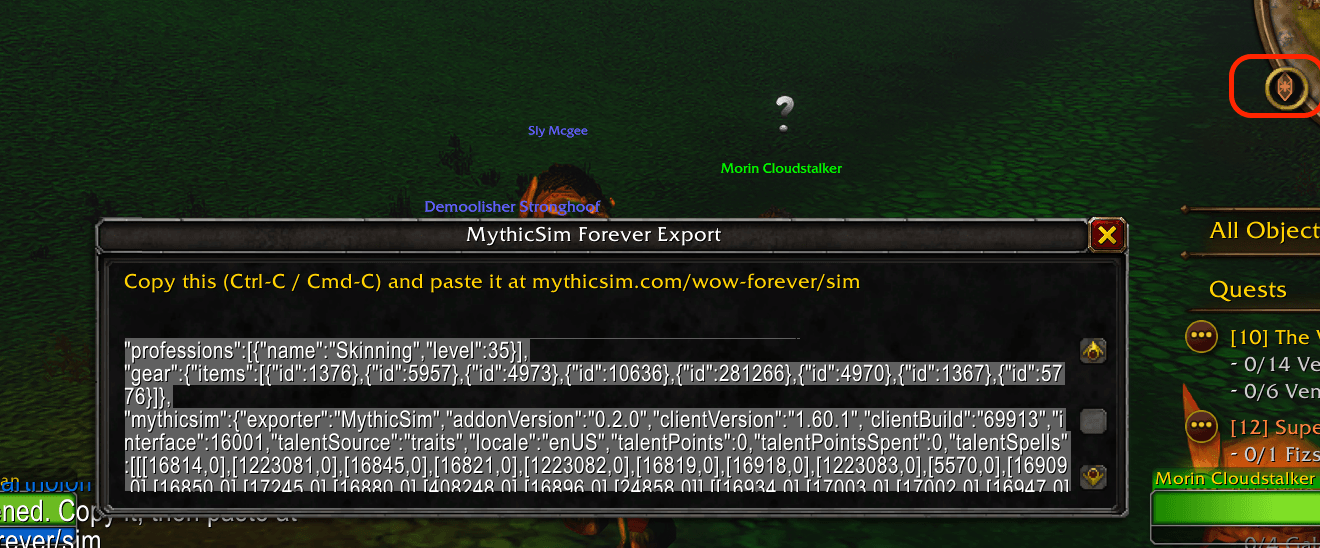
Screenshot 2026-09-20 at 8.15.31â¯pm.png
Description
MythicSim exports your character so you can sim it at mythicsim.com.
Experimental. WoW Forever is in beta, and so is this addon. It can break when the game updates. Sim results are a guide, not a final answer. If something looks wrong, please tell us on Discord or with the "Report a problem" link at the bottom of any page on mythicsim.com.
WoW Forever has no SimulationCraft addon and no /simc text. This addon fills that gap. It reads your gear, talents, race and professions and gives you text to copy. Paste it on the site and you get a DPS number for your spec. No account needed.
How to use it (WoW Forever)
- Click the MythicSim button on your minimap. Or type
/msim. - A window opens with the text already selected. Press Ctrl-C (Cmd-C on Mac). The window closes.
- Paste at mythicsim.com/wow-forever/sim and run the sim.
That is all. There is nothing to set up.
What it reads
- Equipped items, with enchants and random suffixes
- Talents, from the new Forever talent trees, for all nine classes
- Race, class, level and professions
It reads your own character only. It sends nothing anywhere: addons cannot use the network, so the text only leaves the game when you paste it.
Commands
/msim- same as clicking the button/msim export- open the character export/msim minimap- show or hide the minimap button/msim probe- a report about your game client, for bug reports/msim help- list the commands
Drag the minimap button to move it. Right-click it for the command list.
Good to know
- This is early software for a game that is still in beta. The game client, the talent trees and the sim engine all change often. Expect rough edges.
- Treat sim results as a guide, not a final answer. Do not throw away gear because of one number.
- Talent reading is checked for all nine classes on client 1.60.1. A new client build can move talents around. If your sim shows the wrong talents, report it and we will fix it.
- Healing specs cannot be simmed yet.
- The export uses the same character format as the WoWSims Exporter addon, with a few extra fields. WoWSims Exporter itself does not load in the Forever client.
- No libraries, no dependencies. Works in English and every other game language.
Report a problem
This addon is new, so reports help a lot. Tell us if the export looks wrong, the sim shows the wrong talents or gear, or you get a Lua error. There are two ways:
- Discord: discord.gg/9c3EnKJcDK
- mythicsim.com: use the "Report a problem" link at the bottom of any page. No account needed. Use this one if Discord does not work where you live.
Before you report, run /msim probe and copy the text into your message. It shows us what your game client looks like, so we can fix it fast. It holds your character's gear and talents and nothing else.
The sim engine is the open-source ElliotWood/Forever, a fork of wowsims/classic. MythicSim hosts it and adds the front end.
The MythicSim - Forever Sim Exporter Team