MythicRivals Decurse
- By
Capture d'écran 2026-09-01 194542.png
Capture d'écran 2026-09-01 194431.png

Capture d'écran 2026-09-01 194616.png
Description
# MythicRivals Dispel Grid
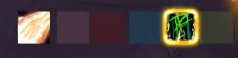
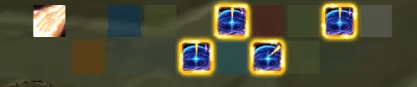
A Decursive-style dispel grid built for World of Warcraft: Midnight one square per
group member, which lights up the moment that player catches something you can remove.
Left click the square to dispel it. That is the whole idea.
Why this addon exists
Midnight changed how addons read auras. In combat, debuff information is secret : the
game refuses to hand it to addon code. Dispel addons that scan auras go quiet exactly when
you need them — mid-pull, mid-boss, mid-everything.
This addon does not scan. It asks the game's own secure aura containers to draw the
debuffs, and builds its grid around what the engine renders. Your squares light up in
combat, in dungeons and in raids.
The bell works the same way. An addon can no longer hear an aura land during a fight, so
the sound is registered with the engine itself, through the API Blizzard added for exactly
this purpose.
What you get
- One square per group member, party or raid, laid out in columns or rows — as many
per column as you like.
- The square itself lights up : coloured fill plus a border, so you catch it in
peripheral vision without reading anything.
- Left click casts your widest dispel. Right click casts the second one, if your
class has two. Both are detected from your class and specialisation — nothing to
configure.
- A bell on application, including in combat. Four game sounds to choose from, or set
your own sound file id.
- The debuff icon on the square, with its stack count.
- Your dispel spell and its cooldown shown next to the grid. The grid dims while the
spell is recharging, so you know at a glance whether the square is actionable.
- An ignore list : shift-click any spell icon in the game, or type its ID, and it will
never light up your grid or ring again. Bleeds you cannot remove, curses your spec does
not cover — gone.
- Locked by default. Right click the minimap button to unlock; the grid turns cyan
while it can be dragged, so it never ends up moved by accident mid-key.
- English and French, picked up from your client.
How the bell learns
Worth understanding, because it explains the one thing that might surprise you.
The engine will only ring for a debuff it has been told about. So the addon remembers every
dispellable debuff it reads out of combat — the moment the game still allows a look —
and registers it. From then on the engine rings on application, combat included, forever.
Your list grows on its own as you run dungeons. The addon also ships with a starter list
built from real combat logs, so the bell is useful from the first pull rather than after a
week of silence.
Supported classes
Every class in the game that can remove something from an ally:
| Class | Left click | Right click |
|---|---|---|
| Paladin | Cleanse — Magic, Poison, Disease | Cleanse Toxins — Poison, Disease |
| Priest | Purify — Magic, Disease | Purify Disease — Disease |
| Druid | Nature's Cure — Magic, Curse, Poison | Remove Corruption — Curse, Poison |
| Shaman | Purify Spirit — Magic, Curse | Cleanse Spirit — Curse |
| Monk | Detox — Magic, Poison, Disease | Detox — Poison, Disease |
| Evoker | Naturalize — Magic, Poison | Cauterizing Flame — Curse, Poison, Disease, **Bleed** |
| Mage | Remove Curse — Curse | — |
| Warlock | Singe Magic — Magic *(Imp)* | — |
Spells you have not learned are skipped, and the grid only ever lights up for types your
character can actually remove. Preservation Evokers get Naturalize on left click and
Cauterizing Flame on right; Devastation and Augmentation get Cauterizing Flame on left and
Expunge on right.
Warrior, Rogue, Hunter, Death Knight and Demon Hunter have no ally dispel, so the grid
stays dark for them.
---
Commands
Every command word works in English or French.
| Command | What it does |
|---|---|
| `/mrdec` | status, and this list |
| `/mrdec on` / `off` | show or hide the grid |
| `/mrdec lock` | lock or unlock the position |
| `/mrdec size 16..48` | square size in pixels |
| `/mrdec sound` | toggle the bell |
| `/mrdec sound ` | use a specific sound file id |
| `/mrdec ignored` | open the ignored-spells window |
| `/mrdec exclude [id]` | ignore the last debuff seen, or one by id |
| `/mrdec include ` | stop ignoring a spell |
| `/mrdec repair` | rebuild everything after an error |
Left click the minimap button for the settings panel: size, spacing, layout, name, debuff
icon, stack numbers, border style and thickness, background opacity, class colours, sound.
---
Notes
No external files and no dependencies. The bell uses the game's own sounds. An embedded
audio file would only be recognised after a full client restart, and anyone installing
mid-session would think the bell was broken.
Nothing is sent anywhere. The addon reads your group and your own spellbook, and writes
your settings to your own SavedVariables. That is all.
Credit where it is due: the idea is Decursive's, and it has served healers for twenty
years. This is a fresh implementation for Midnight's secure aura system, not a fork — no
code is shared.
Built by reverse-engineering Midnight's aura container system through in-game measurement.
Bug reports and dungeon debuffs the bell missed are welcome.
MythicRivals Decurse Team