MythicPlusBox
- By
All-in-one Mythic+ HUD for World of Warcraft Retail. Bundles the dungeon-score overlay, weekly/season history panel, one-click dungeon teleport buttons and a live party keystone tracker into one addon with a full settings UI and localisation.
4.png
5.png
Description
# MythicPlusBox
All-in-one Mythic+ HUD for World of Warcraft Retail. Bundles the dungeon-score
overlay, weekly/season history panel, one-click dungeon teleport buttons and
a live party keystone tracker into one addon with a full settings UI and
localisation.
## Features
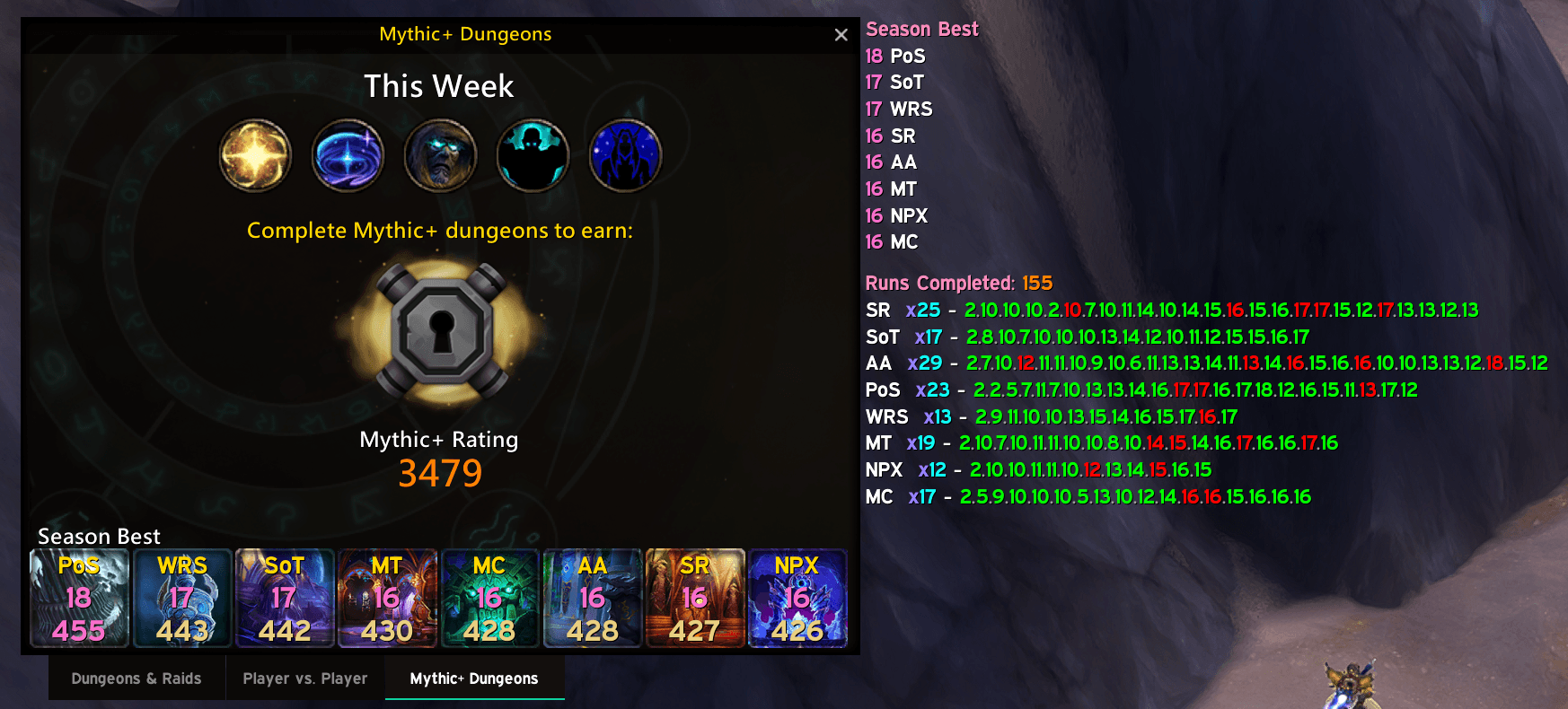
- **Dungeon score overlay** — draws dungeon name, best level and season score
directly on top of each Blizzard dungeon icon in the Group Finder.
- **Weekly / season history panel** — anchored next to the Group Finder. Hold
Alt/Shift/Ctrl to switch between "this week" and "season best" views. Font,
size, per-row spacing and anchor are all user-configurable.
- **Dungeon teleport buttons** — every dungeon icon becomes a secure teleport
button. Optionally announces the cast to party or instance chat with a fully
editable template (`{spell}`, `{dungeon}` placeholders).
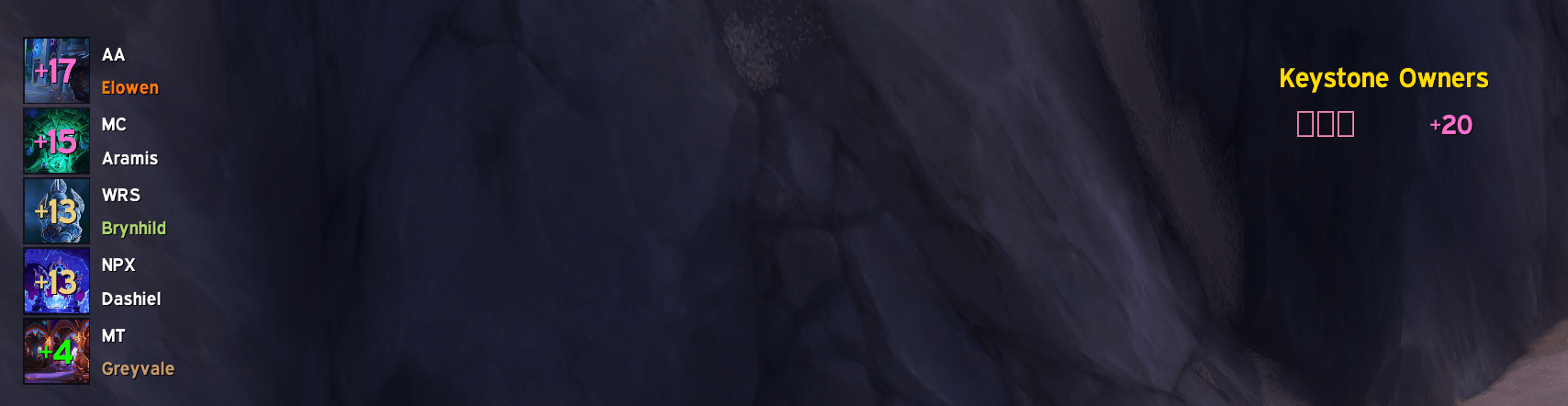
- **Party keystone list** — a movable panel on the left of the screen showing
every party member's keystone (level, dungeon abbreviation).
- **In-dungeon center banner** — the moment a Mythic+ run starts, a short
banner in the middle of the screen announces the key holder + dungeon +
level, then fades out.
- **Full localisation** — English, Simplified Chinese, Traditional Chinese.
Dungeon abbreviations toggle on/off; the abbreviations themselves are
localised.
- **Settings UI** — AceGUI TabGroup with General / Score Overlay / Weekly
Panel / Teleport / Keystone Panels / Profiles tabs. LibDualSpec profile
support.
## Slash commands
| Command | Result |
| --- | --- |
| `/mpb` (or `/mpbox`) | Open the settings window |
| `/mpb unlock` | Unlock the keystone panels so you can drag them |
| `/mpb lock` | Lock the keystone panels again |
| `/mpb reset` | Reset the current profile to defaults |
## Installation
Extract the `MythicPlusBox` folder into
`World of Warcraft/_retail_/Interface/AddOns/`. Restart the client or
`/reload`.
---
# 大秘境工具箱
大秘境一站式面板。将副本得分覆盖、每周/赛季记录、副本传送按钮、队伍钥石追踪
整合到一个插件中,并提供完整的设置界面和多语言支持。
## 主要功能
- **副本得分覆盖** — 在英雄面板每个副本图标上直接显示副本名、最高层数与
赛季得分。
- **本周/赛季面板** — 停靠在英雄面板旁,按住 Alt/Shift/Ctrl 切换本周与赛季
最佳。字体、字号、每行间距、锚点均可配置。
- **副本传送按钮** — 每个副本图标变成安全传送按钮。可选择向队伍/团队广播
施放的传送法术,广播模板可自定义(`{spell}`、`{dungeon}` 占位符)。
- **队伍钥石列表** — 屏幕左侧可移动的面板,显示队伍中每位成员的钥石(层数、
副本缩写)。
- **副本内中央横幅** — 大秘境副本开启时,屏幕中央出现短暂横幅,显示钥石
持有人、副本、层数,随后自动淡出。
- **完整多语言** — 英文、简体中文、繁体中文。副本名可切换缩略/全名显示。
- **设置面板** — AceGUI TabGroup:常规、副本得分、本周面板、副本传送、
钥石面板、配置文件。支持 LibDualSpec 双专精配置。
## 斜杠命令
| 命令 | 作用 |
| --- | --- |
| `/mpb`(或 `/mpbox`) | 打开设置窗口 |
| `/mpb unlock` | 解锁钥石面板以便拖动 |
| `/mpb lock` | 重新锁定钥石面板 |
| `/mpb reset` | 将当前配置重置为默认 |
## 安装
把 `MythicPlusBox` 文件夹解压到
`World of Warcraft/_retail_/Interface/AddOns/`,重启客户端或 `/reload`。
MythicPlusBox Team