MythicMates
- By
Capture d'écran 2026-09-22 113854.png
Capture d'écran 2026-09-22 111845.png
Capture d'écran 2026-09-22 111926.png
Capture d'écran 2026-09-22 113504.png
Capture d'écran 2026-09-22 113734.png
Description
MythicMates is a Mythic+ group finder that runs inside the game, plus a reputation system so you know who you're about to invite.
The in-game half works on its own. Availability travels straight between players who run the addon, with no account and nothing to install outside WoW. The companion app and the website add the verified global rating on top, and both are optional.
In game
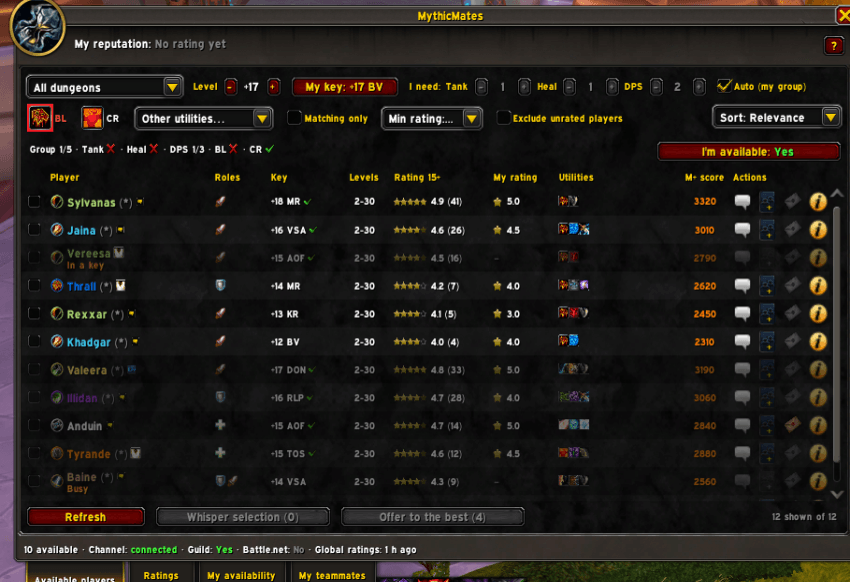
- Available players: who said they're free, with their roles, key levels, utilities and ratings. Whisper them, invite them or offer a spot in one click.
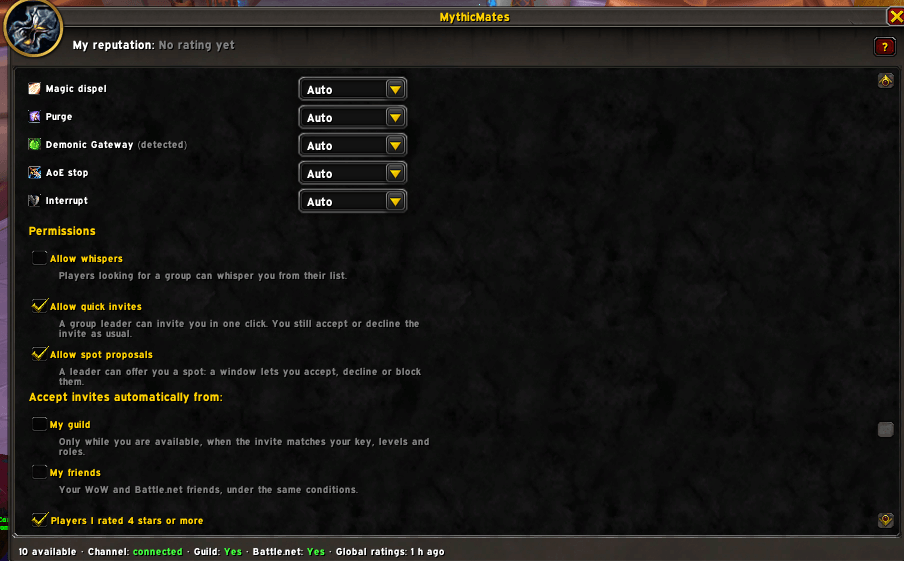
- Search for what your group is actually missing: role, key level, Bloodlust or Heroism, combat res, dispels, raid buffs.
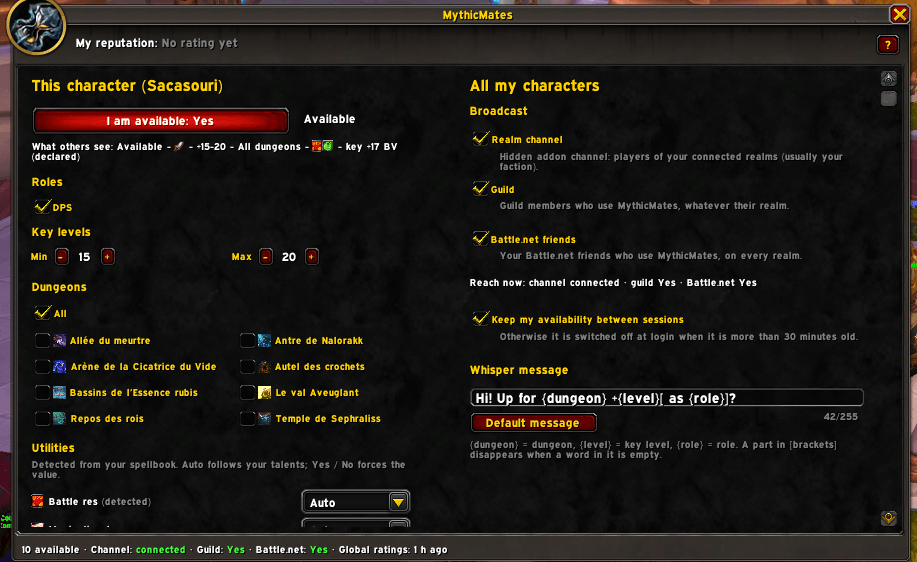
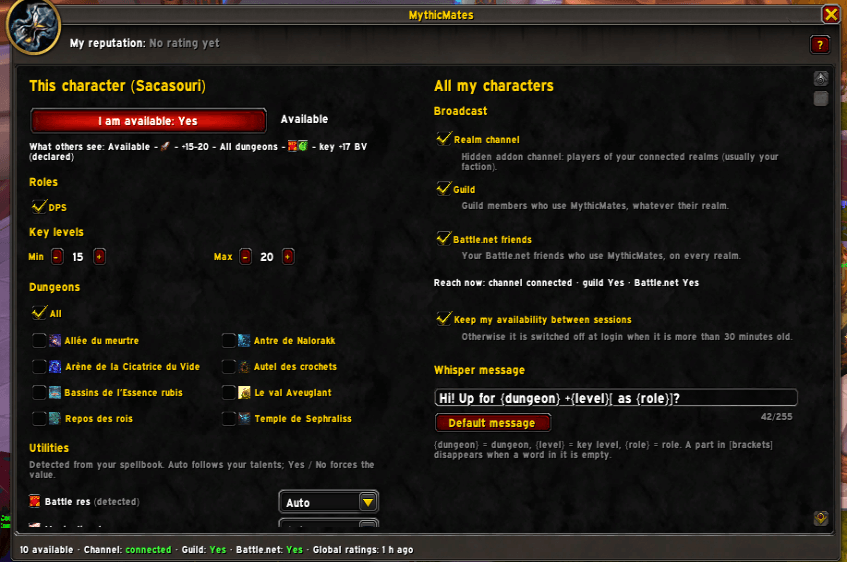
- Your own availability: say when you're free and what you accept. Nothing leaves your client until you switch it on, and it switches itself off 30 minutes after you log out.
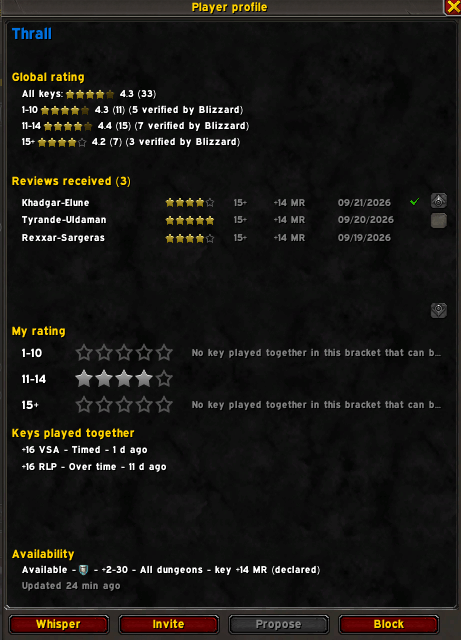
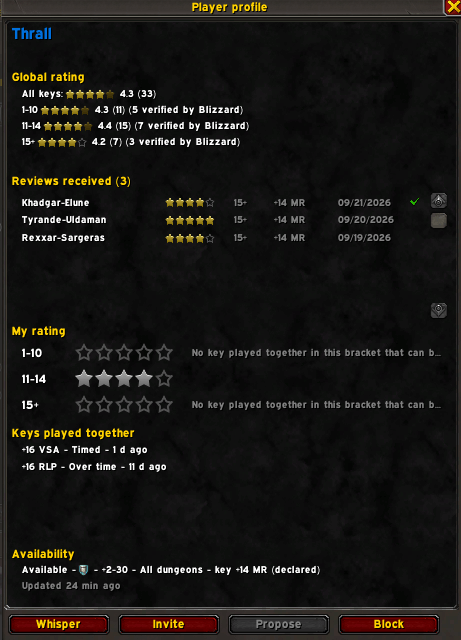
- Ratings: after a key you finished together, give each teammate 1 to 5 stars, in the bracket you played (1-10, 11-14, 15 and up).
- Ratings show up where you already look: unit tooltips, right-click menus and the Group Finder.
- English and French.

Who can see you
Availability never touches a server. It travels through a hidden channel on your connected realms, through your guild, and through your Battle.net friends. Players from other realms only reach you via friends or guild. During a key, a boss fight or a rated match the game blocks addon traffic, so MythicMates holds the messages and sends them once it's over.
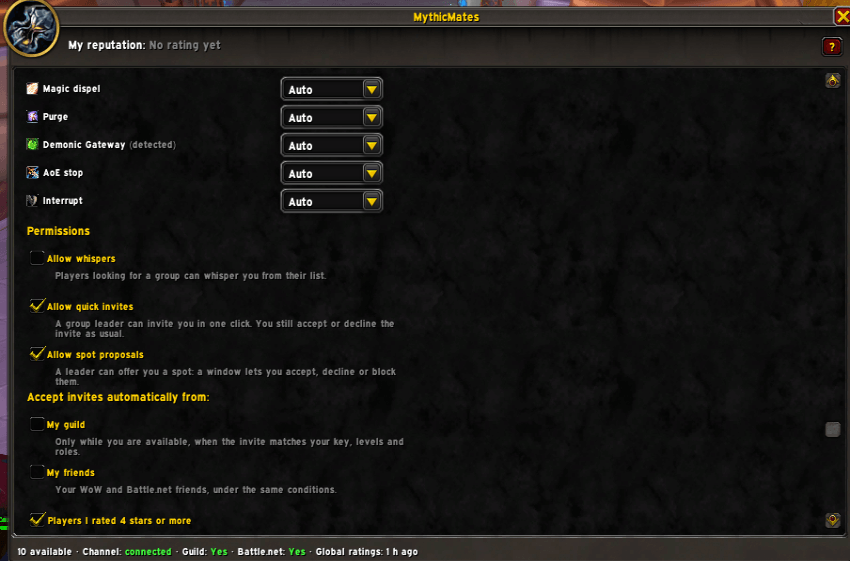
The companion app
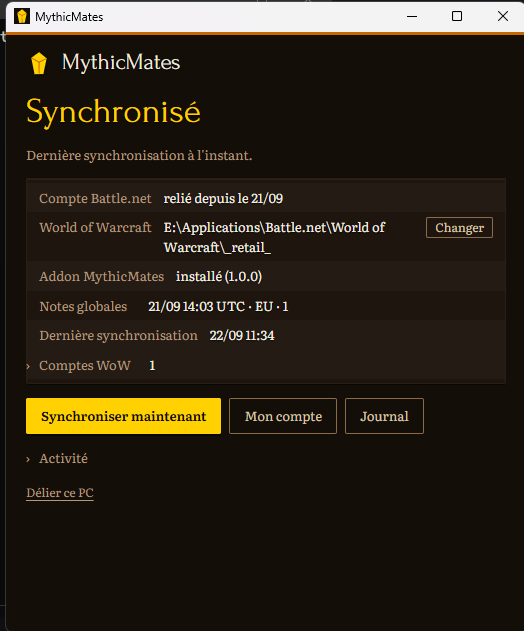
A WoW addon can't talk to the internet. The companion app is what carries your ratings out and the global ratings back in. It uploads the keys you played and the ratings you gave in game, then downloads the published global ratings and writes them into the data addon, which the game picks up at your next /reload.
There's a Windows build. Start it when you play, close the window when you're done. It never installs itself into your Windows startup folder and it never updates itself without asking first. You link it to your Battle.net account once, on the website: the app never sees your password, only a token issued for that one PC.
Skip it and you keep availability, search and your own private ratings. You just won't be able to send your reviews.
Download: https://hotscompanion.com/mythicmates
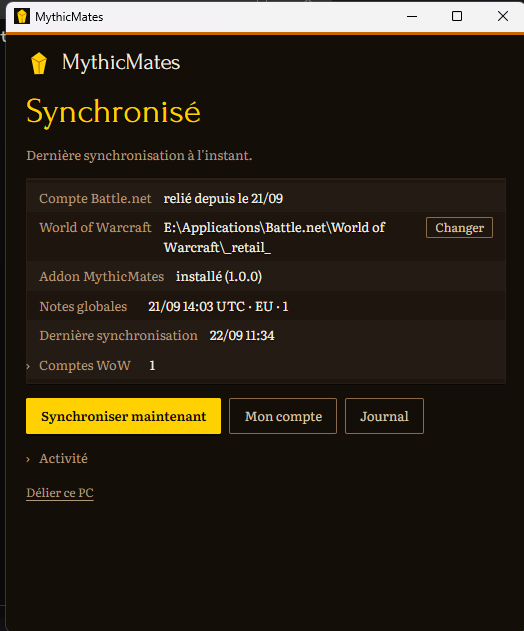
The website
hotscompanion.com/mythicmates is the account side of things.
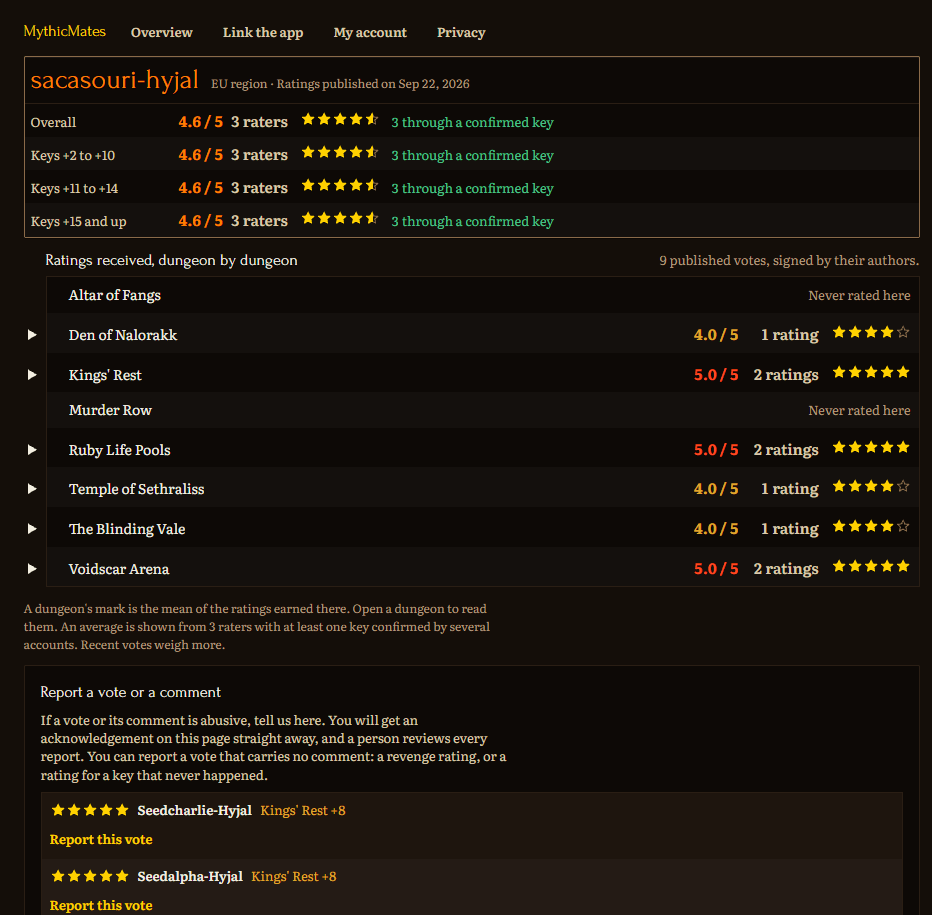
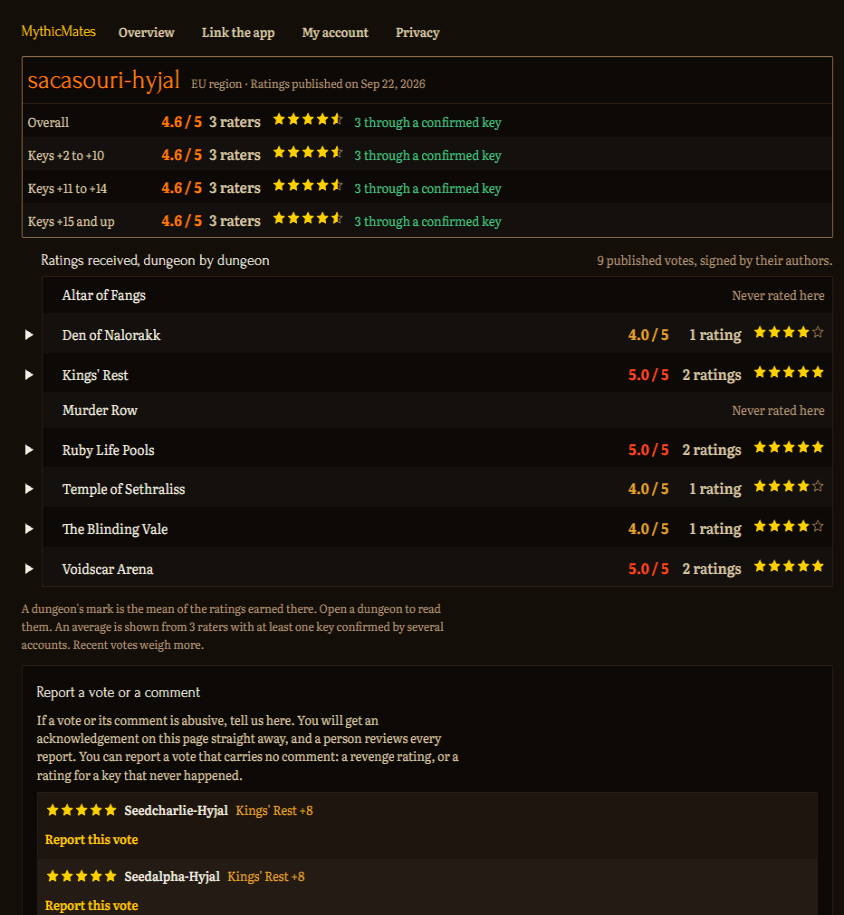
/linkconnects this PC to your Battle.net account and your WoW characters./accountis where you hide your reputation, reconnect characters, or delete your MythicMates data and your votes.- Every character gets a public page with its global rating and the reviews it received.
/privacyhas the full notice.
Data addons. Your AddOns list may show two data addons. Neither does anything on its own, and you should never delete them or install them by hand:
- MythicMates (CurseForge data) comes with MythicMates and is refreshed every day through CurseForge updates. It gives you the global ratings, reviews and leaderboard even without the companion app.
- MythicMates (data) only appears if you use the companion app, which writes it and keeps it up to date within minutes.
MythicMates always uses the most recent of the two. Your own ratings are only sent (and only count) through the companion app.
How the rating stays honest
You can only rate someone you played a whole key with. The server checks that key against Blizzard's best runs, or against several players reporting the same run. An average only appears once three different people have rated you. One Battle.net account is one voice, and every character on an account shares a single rating.
Votes are public and signed. Everyone sees who rated whom, with the character, the stars, the bracket, the dungeon, the key level, the date, and the short comment when there is one. A vote goes live with the next update of the global ratings.
If someone writes something they shouldn't have, report the comment from their public page. Moderation takes the text down and leaves the rating untouched, so a nasty review is never a way to dodge a bad score.
Privacy
Your ratings sit on your computer until the companion app sends them. The service makes exactly one request to Blizzard, for the list of your characters, and only after you've consented to it. From "My account" you can hide your reputation: your characters then read "Reputation hidden", the reviews you received stop being displayed, and your own votes stop counting. You can also wipe your MythicMates data outright. Full notice: hotscompanion.com/mythicmates/privacy
Getting started
- Install MythicMates, then
/reload. - Type
/mm, open the window, switch your availability on. - Grab the companion app from hotscompanion.com/mythicmates and link it to your Battle.net account.
/reload. Global ratings appear.
Commands
/mmopens the window/mm dispo [on|off]switches your availability/mm notesopens the Ratings tab/mm profil <Name-Realm>opens a player's profile, or your target's if you give no name/mm configopens the settings/mm refreshasks for available players again/mm statusprints where things stand/mm helplists the commands
The MythicMates Team