


image.png
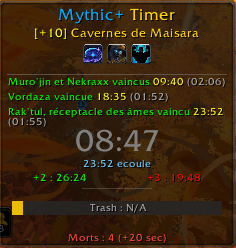
image2.png
3B3382EF-52F6-4403-A8C9-CC3394B456D8.png
Capture d'écran 2026-05-01 085427.png
Capture d'écran 2026-04-17 102959.png
Description
MythicTimer is a lightweight Mythic+ tracker for World of Warcraft: Midnight (patch 12.1 / 12.1.5).
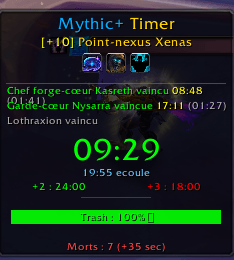
It shows a clean, movable overlay that keeps the look and feel of the game:
- Live timer with a time bar marking the +3 and +2 thresholds. Each marker fades once that upgrade is out of reach
- Dungeon name, key level, dungeon icon and affix icons (hover an affix for its description)
- Boss tracking: pull time, kill time, fight duration and wipe count for each boss, updated live during the fight
- Trash progress updated in real time, shown as a bar or as large text (your choice), with an estimate of when trash will be done
- Death counter with time penalty and a per-player death log (hover the counter)
Death alerts
A sound plays and a large on-screen banner appears whenever a party member dies during a run. Both can be turned on or off separately, and a Test button lets you preview them.
Results window
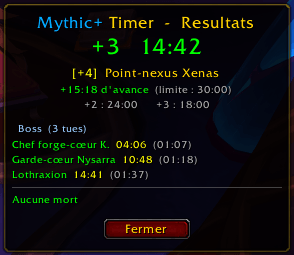
Opens automatically at the end of a run: final result (+3, +2, timed or failed), time ahead or over, boss times, and the full death log. It remembers its position, can be locked in place, and can be opened anytime with /myt result to move it.
Run history
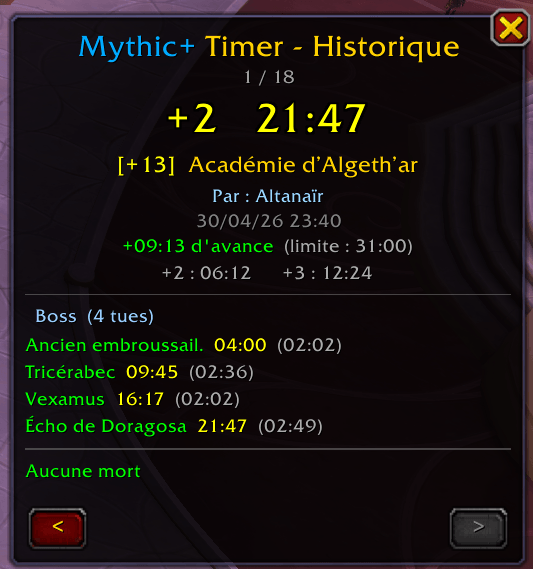
Browse your last 50 runs with the arrows or the mouse wheel. Each run shows its result, dungeon, character, date, boss times, wipes and death log. Entries are color-coded by result.
M+ Forces panel (requires MythicDungeonTools)
Open with /mtef or middle-click on the minimap button. It lists every mob in the current dungeon with its forces % and point value, sorted by weight and color-coded (green / gold / red). Mob names appear in your client language.
Options
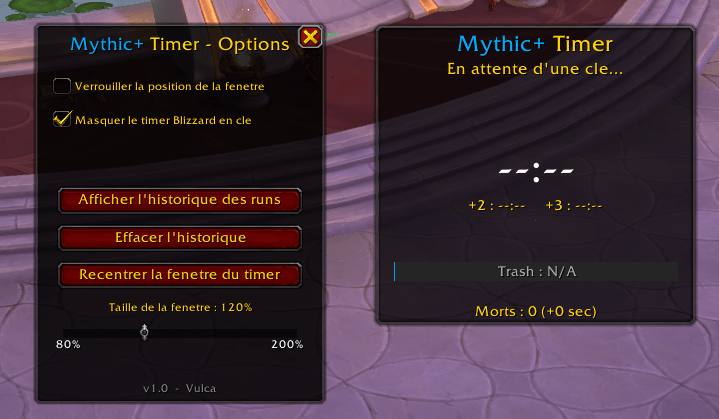
Open the options with a left-click on the minimap button, or from Esc > Options > AddOns. You can:
- Lock the timer window and change its size and background opacity
- Hide the default Blizzard Mythic+ timer during keys
- Choose bar or text for trash progress
- Turn the death sound and death banner on or off
- Show or hide the minimap button, lock the results window
- Open the history, recenter the timer, clear the history (with confirmation)
General
- Minimap button: left-click for options, right-click to show/hide the timer, middle-click for the Forces panel
- Every window can be closed with Escape
- Type /myt to see all chat commands
- Available in English, French and German
Built for Midnight 12.x. No required dependencies. MythicDungeonTools is optional and only needed for the Forces panel.
Mythic + Timer Team
