Mythic+ & Raid META
- By
coverage.png
filters.png
keys.png
loot table.png
popular gear.png
Description
🔷 Mythic+ & Raid META
Mythic+ and Raid insights, gear planning, damage and healing profiles, group-building tools, and quality-of-life features directly inside World of Warcraft.
Mythic+ & Raid META is a vibe-coded addon made by me for myself and my friends, built around the features we wanted while playing.
The addon combines processed data from top players with practical tools for comparing stats, exploring popular gear and talents, planning a wishlist, reviewing damage and healing profiles, preparing groups, checking party utility, and managing keystones—all without leaving the game.
Any feedback, suggestions, translation improvements, or bug reports are always welcome.
🔀 Mythic+ or Raid
One switch at the top of the main window picks the dataset: top Mythic+ players or top Mythic raiders of the current tier. Stats, gear, talents and profiles follow it; your wishlist and settings are shared. Each mode has its own accent colour.
📋 In the main window
- Stats — your Crit, Haste, Mastery and Versatility against the range top players use, with the rating you need. Bag items show an arrow when they would be an upgrade.
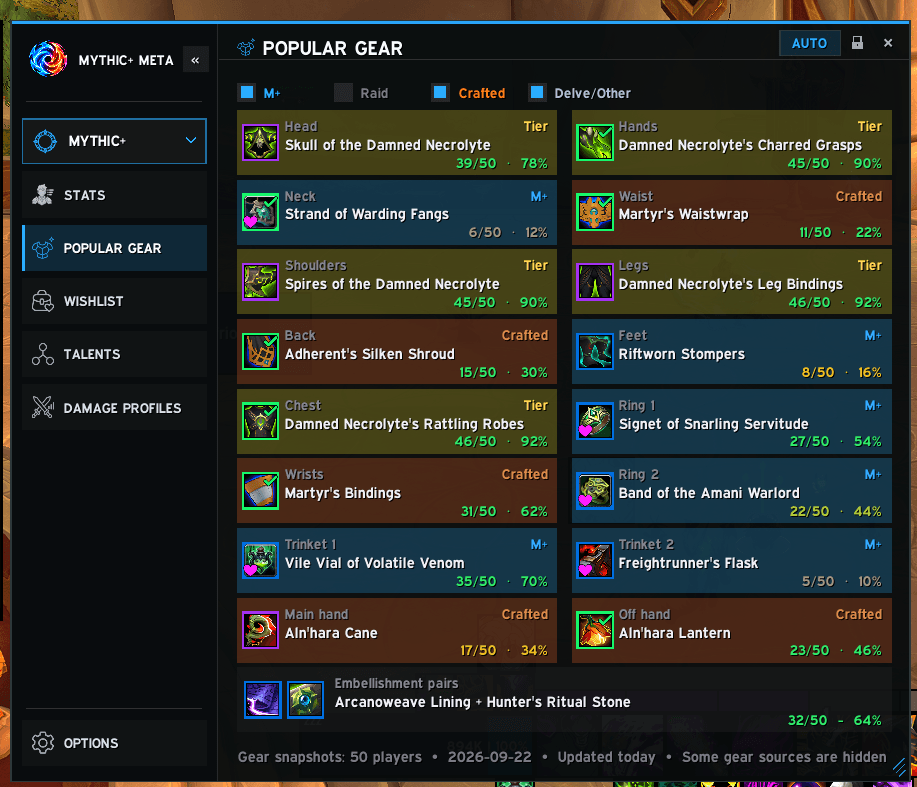
- Popular Gear — the most worn items per slot, with trinket pairs, embellishments, enchants and gems, and their upgrade track. All Season lists every item your spec can get.
- Gear Wishlist — your items by dungeon and raid boss, each on the track you want (Champion, Hero or Myth), with Catalyst goals, bonus-roll odds per source and loot alerts when someone else gets one of your items.
- Talent Builds — complete builds by Hero Talent tree, with Preview and Load through Blizzard's own import window. The Talents window also shows how popular every talent is.
- Damage & Healing Profiles — how top players split their damage or healing across abilities, by Hero tree: overall, on bosses and, in Mythic+, on trash.
- Tier Lists — specs and group compositions ranked every week, with a selector for past weeks of the season.
- 🆕 Scoreboard — a full scoreboard when each key ends (damage, healing, avoidable damage, interrupts, dispels, deaths, loot and a timeline), with combat details per fight, your most frequent causes of death, and a run history you can filter, sort, lock and clean up. It only loads when you use it.
⚔️ Mythic+ tools
- Week Summary and Rating Goal beside the Group Finder: weekly runs, Great Vault slots, your rating against the Raider.IO cutoffs.
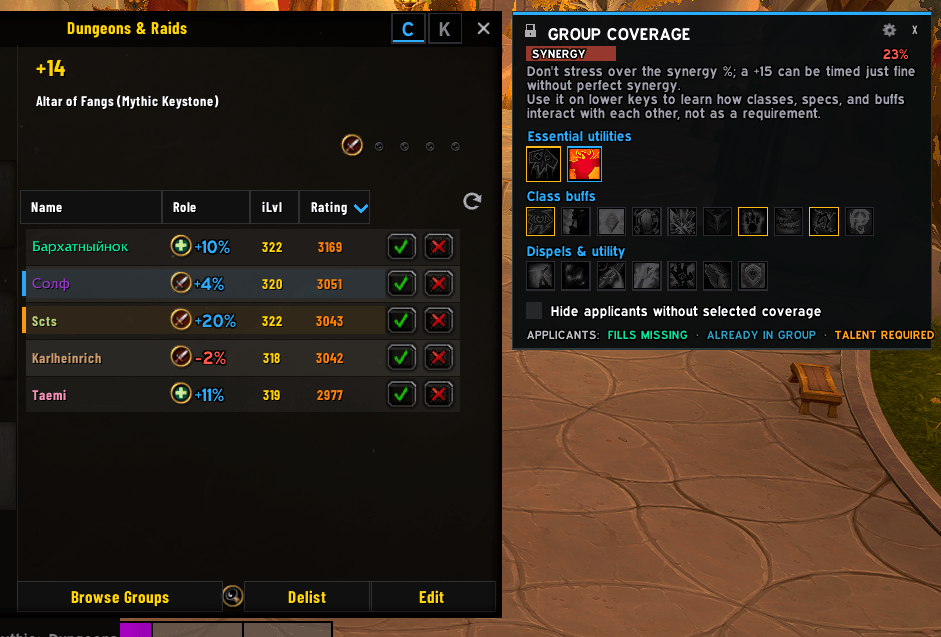
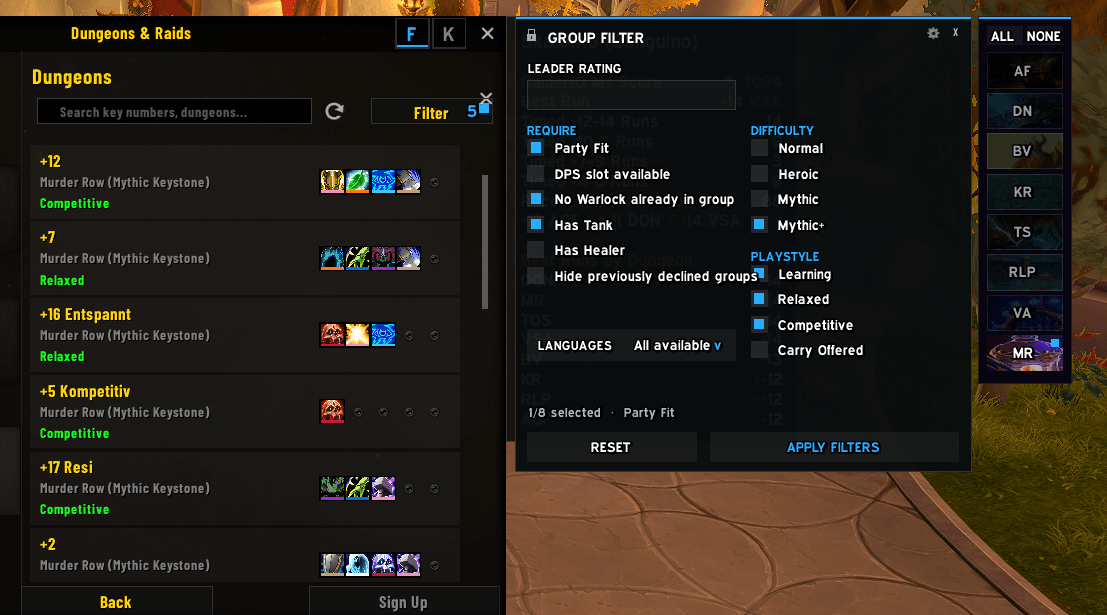
- Group Filter and Group Coverage: find listings that fit your party and see what utility each applicant brings.
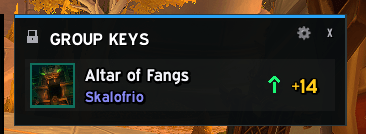
- Group Keys, Who Has the Key and Group Join Alert: party keystones, one-click listings and teleports.
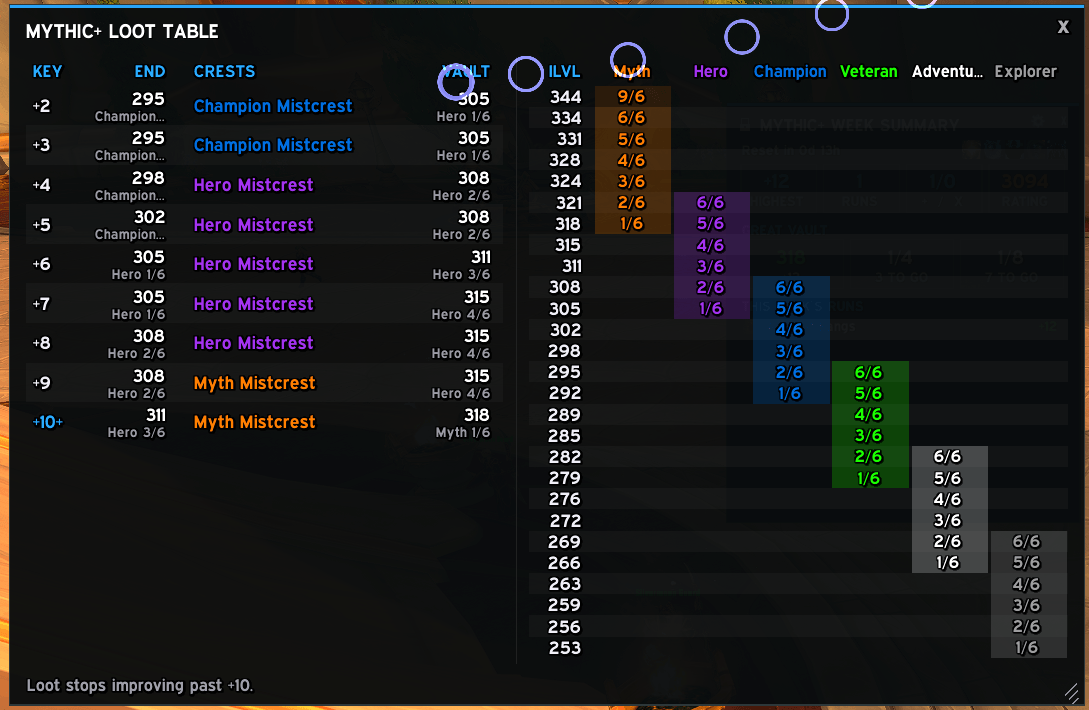
- Loot Table, Mob % on nameplates and a wishlist recap after each dungeon.
Every module can be turned on or off on its own.
✨ Everywhere else
- Upgrade-track icons and borders on your character, bags and gear lists.
- Great Vault reminder of your loot specialization while rewards are generated.
- Difficulty selector at dungeon and raid entrances.
🎨 Look and languages
Three window styles (META, WoW Modern and WoW Classic), a resizable main window and a collapsible sidebar.
English, Spanish, German, French, Italian, Brazilian Portuguese, Russian, Korean and Simplified and Traditional Chinese. The addon follows your WoW client language.
Translations were made with the help of AI. Native-speaker corrections are very welcome; all strings are in the Locales folder.
📊 Data and performance
- Data comes from Warcraft Logs, Raider.IO and the Blizzard Armory. It is processed beforehand and bundled with the addon; nothing is downloaded while you play, and no API keys or collection tools are included.
- Up to 100 top characters per spec and mode. Off-meta specs ship fewer samples rather than weaker data, and the sample count is always shown.
- Lightweight: the raid database and Scoreboard only load when you need them, and nothing heavy runs during combat.
⚠️ Keep in mind
Popular does not always mean optimal. Stat targets and upgrade arrows come from observed players, not simulations; profiles describe sampled play, not fixed rotations; raid data is Mythic only. A patch or a new season can change the meta before the next database update.
🛠️ Feedback and bug reports
Please include your class and spec, the mode (Mythic+ or Raid), what you were looking at, a screenshot, and the full Lua error if there is one.
Discord: soul of ska#1961
Mythic+ & Raid META Team