MyBo
- By
The addon allows you to see orders list from sellers that can create this item on order table
MyBo is an addon that simplifies the use of the order table. The addon allows you to create sell orders, which can be seen by all users of the addon, allowing you to form a list of sellers for specific lots. In turn, the buyer only needs to click on the cheapest order for a specific item and place an order. IMPORTANT - ONLY THE SAME FRACTION CHARACTERS CAN SEE THE ORDERS. If you notice an any bug while using the addon, please report it in the comments on this addon page.
Features
- Creating sell orders
- Improved tracking crafting orders
- New messenger to quick contact with seller
- Tracker window with your all sell orders
- Quick scan to see the undercut prices
- Movable tracker window with saved position
- Circular draggable minimap button
- Full SavedVariables support
How to Use
- Left-click minimap button: show the window with all your sell orders
- Right-click minimap button: Open the pop down menu
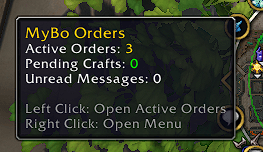
- Mouse-over to addon icon: tooltip with all information
- Drag main window: Move the tracker anywhere on the screen
- Drag minimap button: Reposition around the minimap
For buyers:
To place an order, do the following. Open the order window and find the item you are interested in. To the right of the window with the item, you will see an addon window with a list of orders from other users. All you need to do is click on the order lot at the price you are interested in and click on the “place order” button. Also, to clarify the details, there is a button to the left of the lot that opens a chat with the seller.
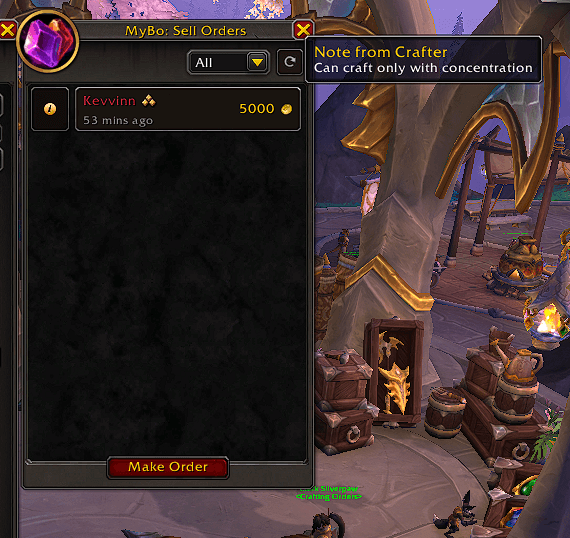
Creating orders:
First of all, you need to open the profession window only once so that the addon can scan all your recipes. After that, the recipe data is memorized. The next step is to open the order table and find the item you want to list on it.
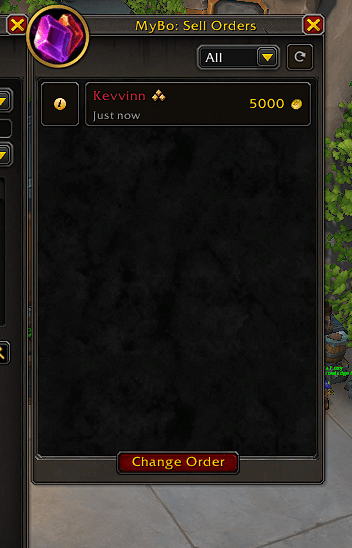
Click the “create order” button, enter the commission you want to receive for crafting, select the quality of the item you can craft, and sign a short description of the order if necessary. After successful listing, a lot will appear in your item list that can be seen by all other users of the addon.
Quality of Life features:
Active orders:
When you left-click on the addon icon, a window will open with active orders, which are formed as lots containing all the important information (lot weight, crafting commission, time when the lot was posted, nickname of the character who formed the lot). If necessary, lots can be deleted from the order list, scanned for a undercut price, and the price can be reduced by clicking on the Pop Up button. When you click the left mouse button on the lot with the order table window open, the addon will immediately find the desired item.
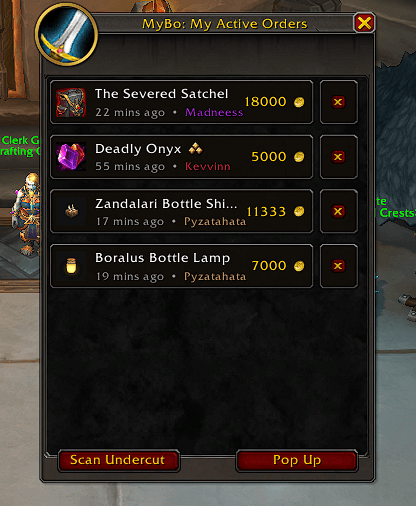
Crafting List:
When you right-click on the addon icon, a pop-up menu will appear. Clicking on the crafting list will open a window displaying information about the crafting order you have placed. Information about sent orders is pulled up regardless of which character you are playing, even if you created the order on your twink and are now playing your main character, you will still see a message that you have a crafting order.
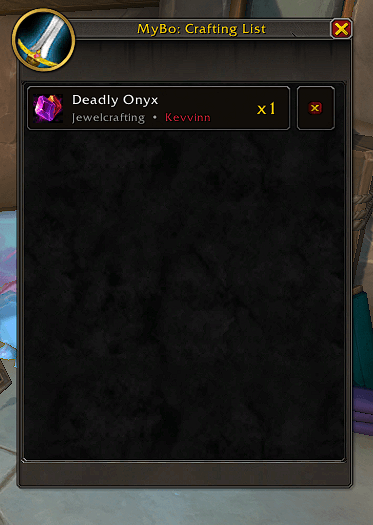
Messenger:
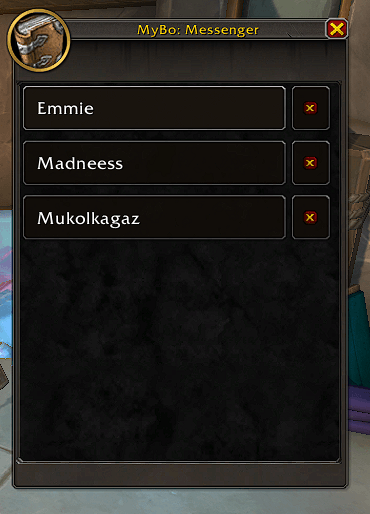
Clicking on Messenger in the drop-down menu will open a window with chats from users who have written to you or whom you have written to. Clicking on any item in this list will open a chat with that specific user.
Hovering over the addon icon displays all important information about the order.
MyBo Team