MyBiS
- By
Plan your BiS lists, sources of where to get the item and track progress through stats. Share progress and BiS lists with your guild.
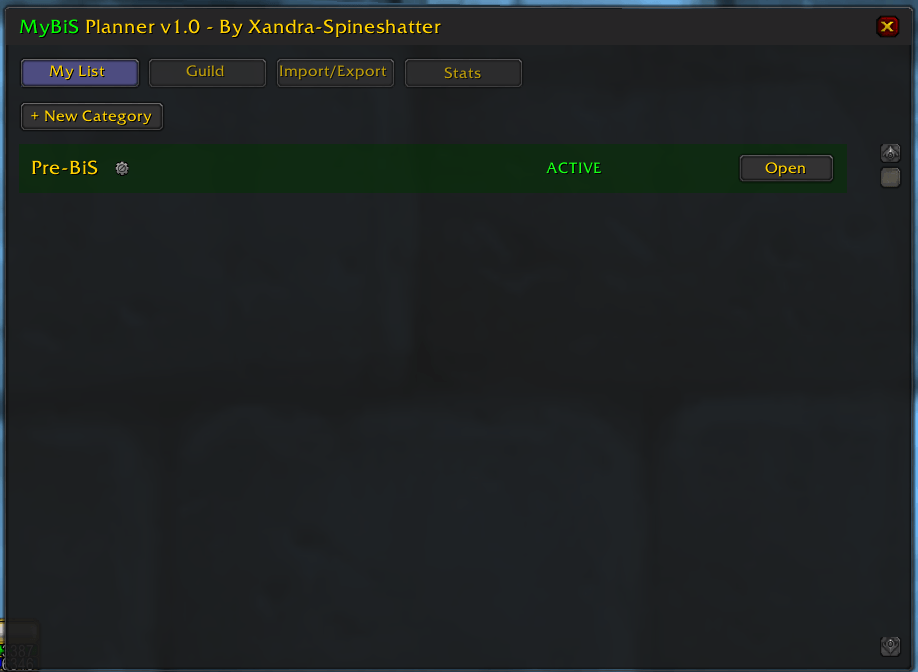
My List UI
Description
MyBiS - Visual Gear Planner & Tracker
MyBiS is a lightweight, visual Best-in-Slot (BiS) planner designed for World of Warcraft Classic. It allows you to create custom gear sets, track your acquisition progress, and sync your lists with guildmates, all within a clean interface that mimics the native character inspect window.
🌟 Key Features
- Visual "Paper Doll" Interface: Plan your gear using a familiar character sheet layout, complete with a 3D DressUp model of your character wearing your planned items.
- Multi-Item Slots: Have multiple options for a trinket or ring slot? MyBiS allows you to stack multiple items in a single slot.
- Phase/Category Management: Create unlimited lists (e.g., "Phase 1", "Phase 2", "PvP", "Fire Resist") and easily switch between them.
- Guild Synchronization: Automatically share your "Active" list with guildmates. View other players' lists, check their progress, and one-click copy their setups to your own.
- Automatic Tracking:
- Loot Detection: Automatically marks items as "Collected" when they enter your bags or inventory.
- Kill Tracking: Tracks how many times you've killed specific bosses based on your planned item sources. (Source must contain example: Ragnaros / Boss name)
- Item seen X amount of times tacking, the addon will track how many times you have seen an item in your active tab.
- Stats Tab: View a summary of your total items collected and boss kill history.
- Smart Search: Features a lightweight search engine that scans your local game cache to find items without requiring massive library dependencies.
🛠️ How to Use
Open the Planner: Type /mybis or click the minimap button.
Create a List: Go to the "My List" tab. A default category is created, but you can add more (e.g., "Naxxramas").
Add Items:
Switch to "Inspect" view (top right button).
Right-Click any empty slot to open the item entry dialog.
Type an Item ID or use the Spyglass icon to search for items by name.
(Optional) Add a note or source (e.g., "Ragnaros").
Manage Progress: As you loot items, the addon will check them off automatically. You can also manually check boxes in the list view.
🤝 Guild Features
Data Sharing: Your active list is automatically available to other guild members using MyBiS.
Inspect Others: Go to the Guild tab to see a list of guildmates. Click a name to see their visual BiS list and progress percentage.
Copy Lists: Like a guildmate's setup? Click "Copy BiS List" to import their items into a new category on your profile.
⚡ Slash Commands
/mybis - Toggles the main window.
/mybis reset - Resets the main window position if it gets lost.
Example import (My Own BiS List):
MYBIS1|28190:Trinket2:Black Morass (Aeonus):Other:|24393:Hands:Blood Furnace (Broggok):Other:|29183:Wrist:Reputation (Keepers of Time - Exalted):Other:|29354:Back:Auchenai Crypts (Exarch Maladaar):Other:|29170:Off Hand:Reputation (Cenarion Expedition - Exalted):Other:|27885:Ranged:Shadow Labyrinth (Ambassador Hellmaw):Other:|21873:Waist:Tailoring (Trainer):Other:|29376:Trinket1:Vendor (41 BoJ):Other:|27780:Ring1:Underbog (Heroic - The Black Stalker):Other:|21875:Chest:Tailoring:Other:|32090:Head:Vendor (50 BoJ):Other:|29168:Ring2:Reputation (Thrallmar - Revered):Other:|27411:Feet:Auchenai Crypts (Exarch Maladaar):Other:|21874:Shoulder:Tailoring:Other:|30543:Legs:Steamvaults (Heroic - Warlord Kalithresh):Other:|29353:Main Hand:Shadow Labyrinth (Heroic - Murmur):Other:|30377:Neck:Quest (Aldor):Other:
Note on Search: MyBiS uses a lightweight search system. If an item does not appear in the search, link the item in chat or encounter it in-game once, and it will be added to your local cache for future searches. Using AtlasLoot to find the item, should also work to cache it.
MyBiS Team