


My Forever Recipe Book
- By
4.png
3.png
2.png
1.png
5.png
Description
My Forever Recipe Book
A profession recipe companion for World of Warcraft Forever. Browse recipes in a spellbook-style interface, track your character’s collection, and discover where to learn the recipes you’re missing.
Features
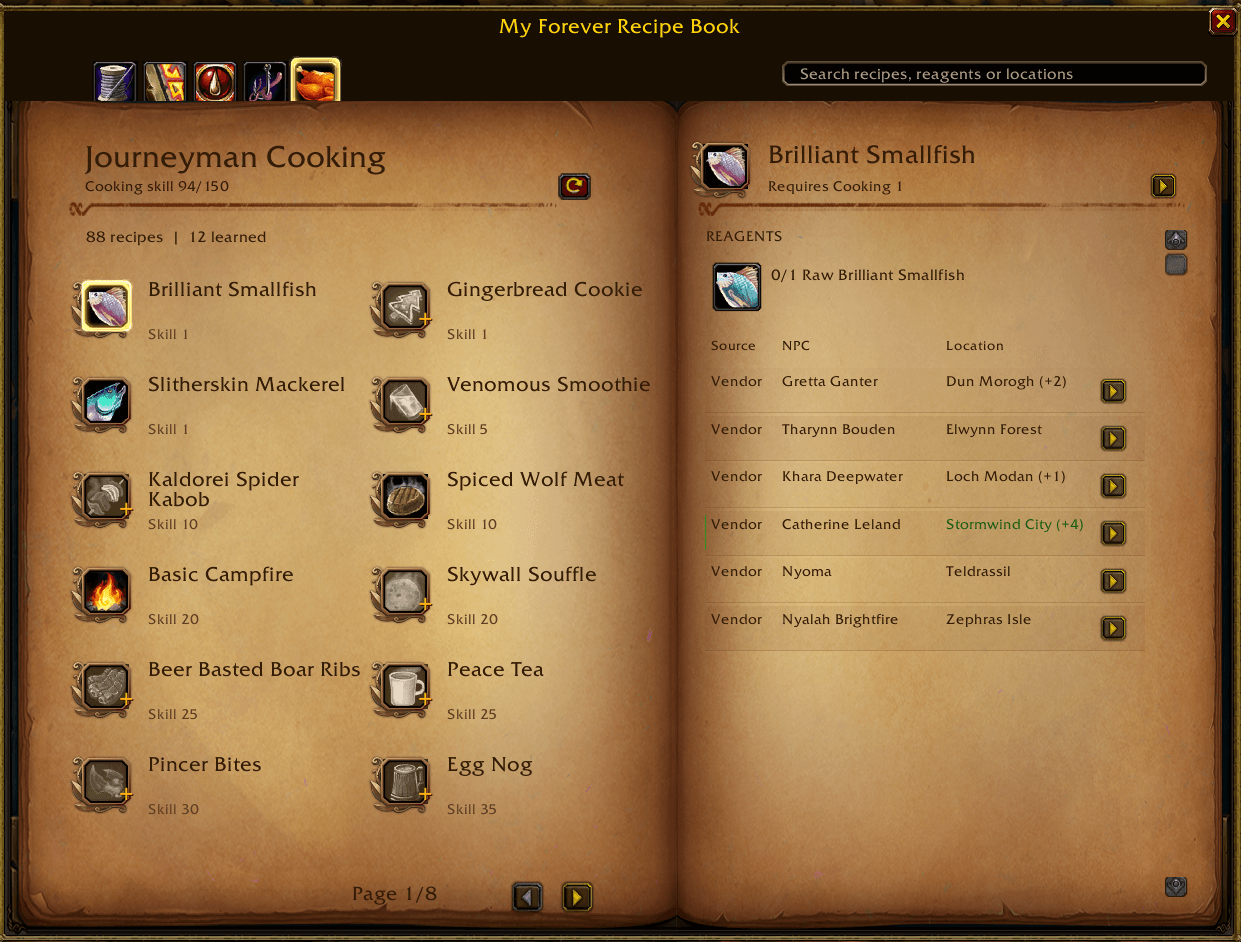
Your professions, together
The book displays tabs for your character’s professions and shows your current skill, maximum skill, and profession rank.
Recipe catalogs cover:
- Alchemy
- Blacksmithing
- Cooking
- Enchanting
- Engineering
- First Aid
- Leatherworking
- Mining
- Tailoring
Fishing and gathering profession tabs are also supported. Catalog contents depend on the recipes available in the source data; some professions have few or no listed recipes.
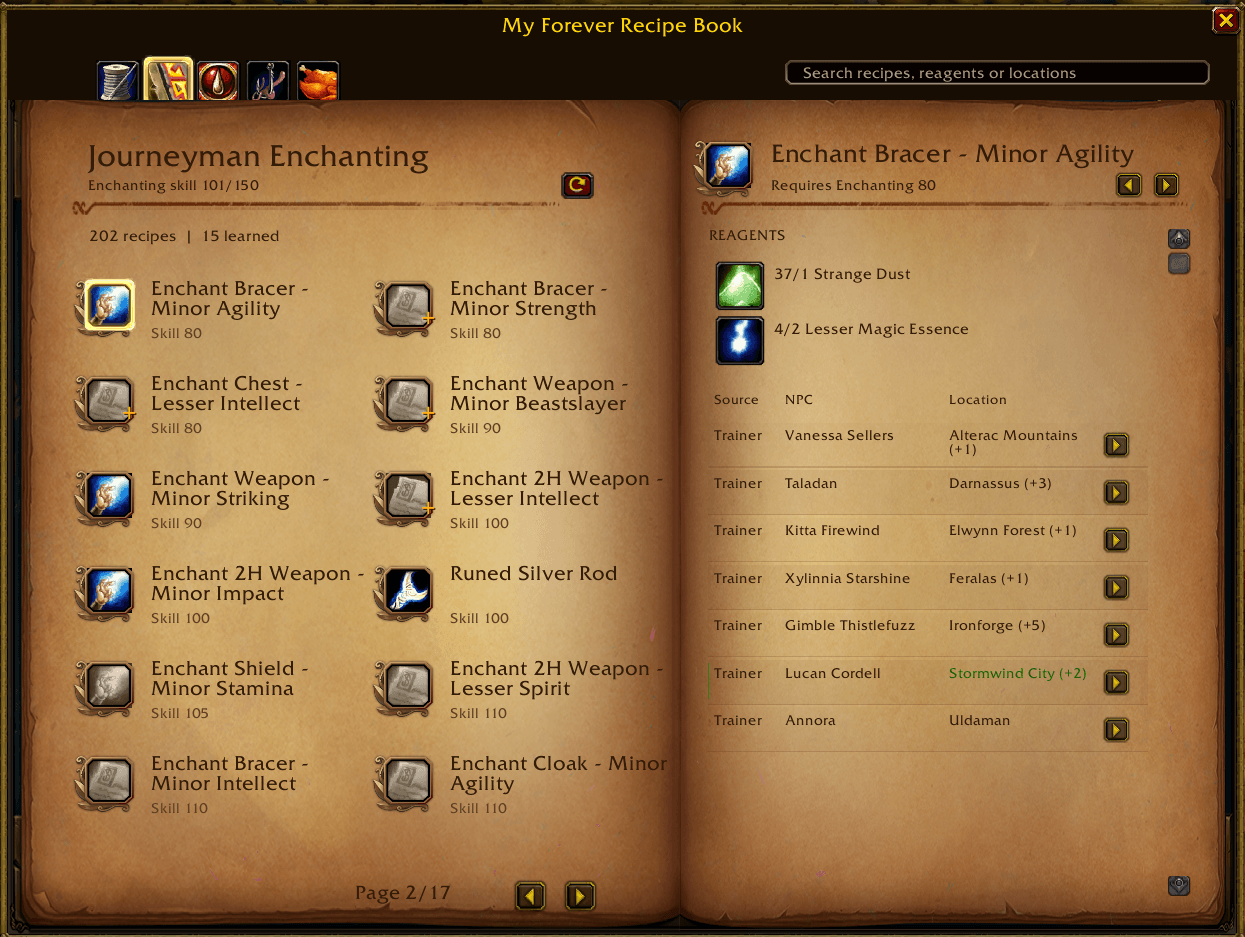
Track your recipe collection
- See the total number of available recipes and how many you’ve learned.
- Learned recipes appear in color; missing recipes are greyed out.
- A small gold + marks unlearned recipes whose skill requirement you meet.
- Recipe progress is saved separately for each character.
The gold marker indicates that you meet the skill requirement. Reputation, quests, availability, and other acquisition conditions may still apply.
Find recipe sources
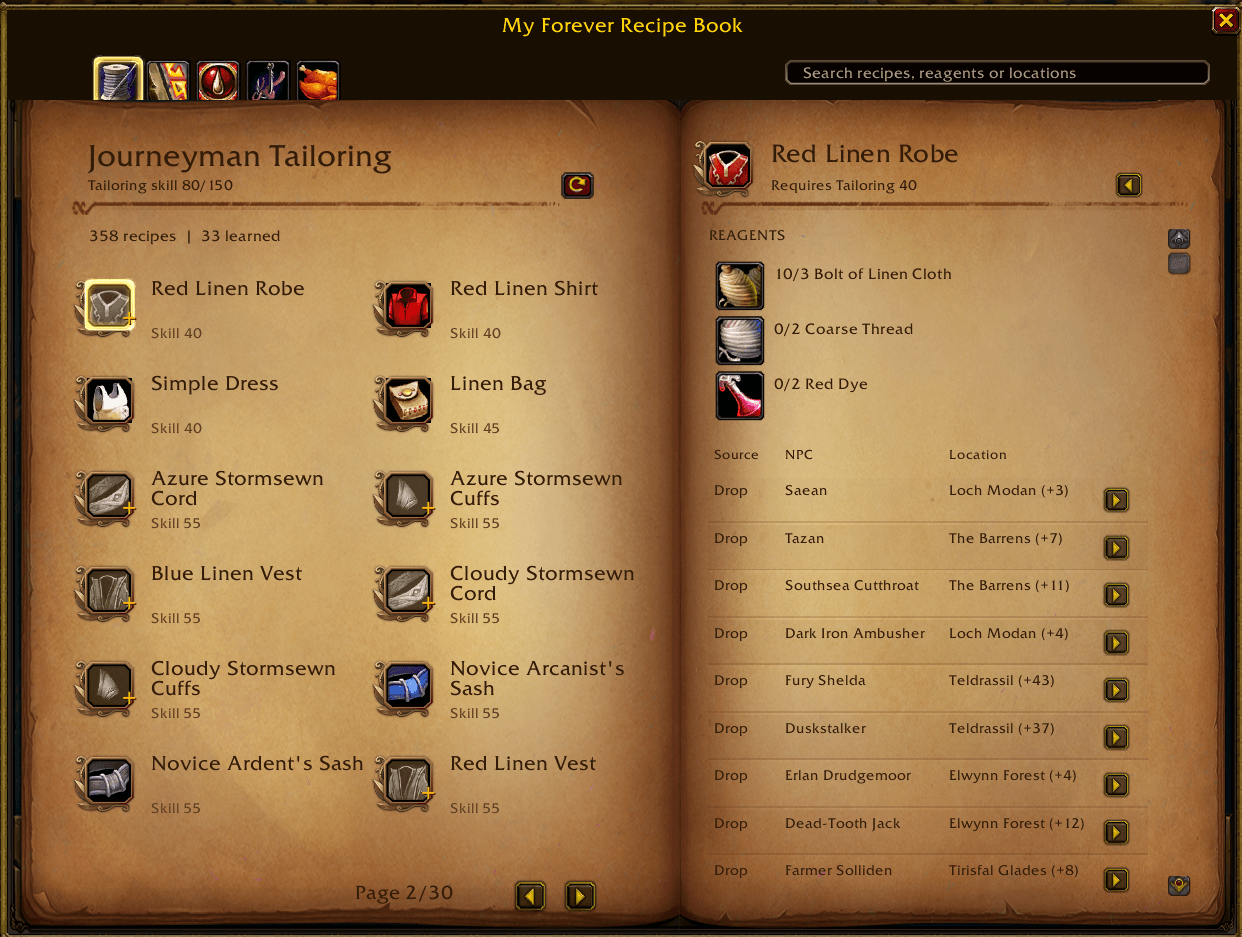
Recipes include available acquisition information for:
| Source | Information |
|---|---|
| Trainer | The NPC who teaches the recipe |
| Vendor | The NPC who sells the recipe |
| Drop | The recorded drop source and drop rate, when available |
| Quest | The quest that rewards the recipe |
Sources are filtered for your character’s faction. Recipes without an available source for your faction are hidden from the main list.
Drop sources are sorted by descending recorded drop rate. Sources in your current location are marked to help you spot nearby options.
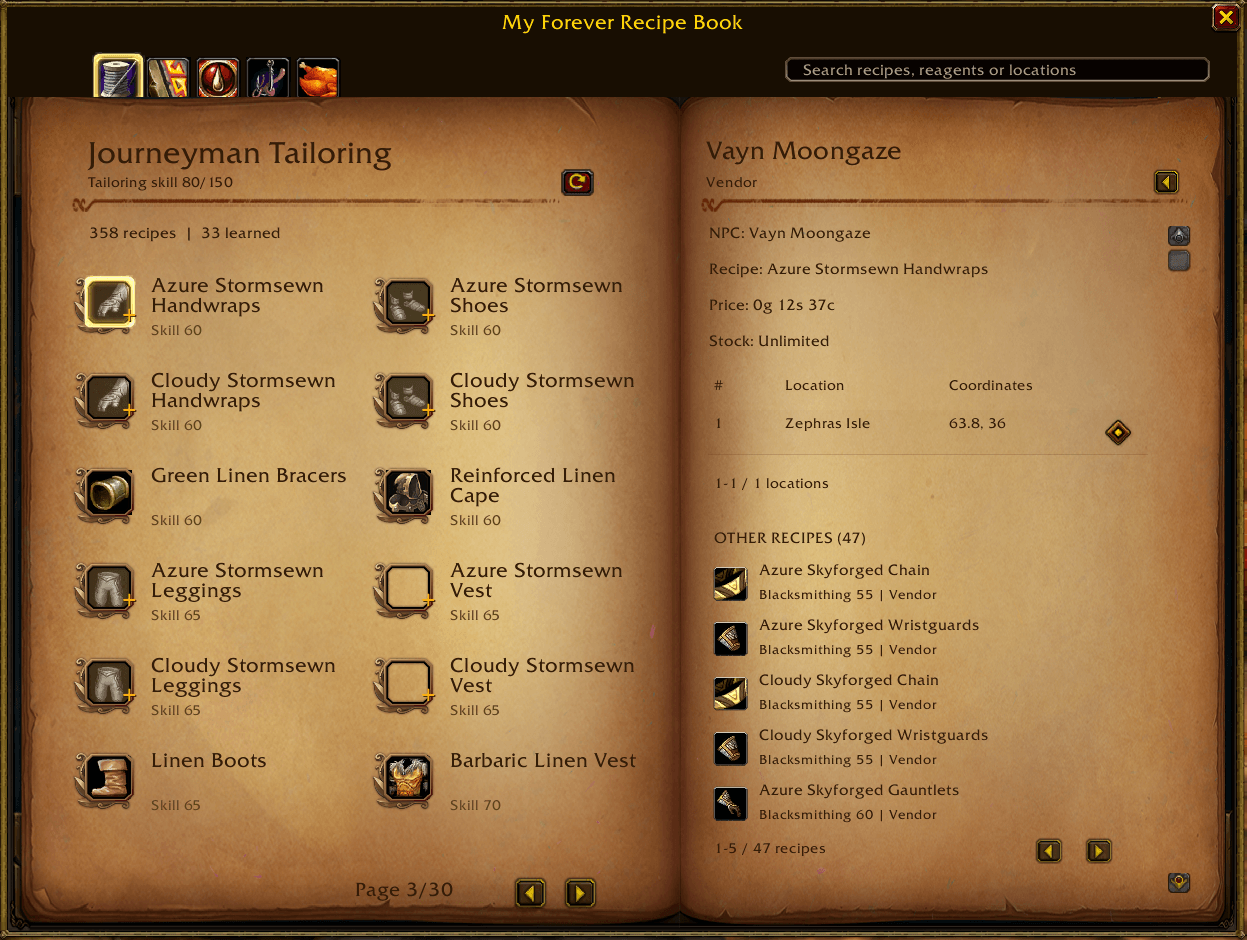
Explore NPC details
Use the arrow button at the end of a source row to open its detail page.
This page shows:
- Additional acquisition information
- Known locations and coordinates
- Map-pin buttons for supported locations
- Other recipes sold, dropped, or taught by that NPC
Click another recipe to view its details. The Back arrow retraces your previous recipe and source pages.
Check ingredients
The recipe detail page displays reagents with their in-game icons and your bag count.
For example, 0/4 Mild Spices means you have none in your bags and need four.
Hover over recipe and reagent icons to view their in-game tooltips. For learned recipes, the header also provides a shortcut to the recipe in the game’s profession interface.
Search naturally
The search box accepts free text and matches:
- Recipe names
- Reagent names
- Source location names
Try searching for Stormwind, Mild Spices, or a recipe name. Searches are case-insensitive.
NPC Tooltips
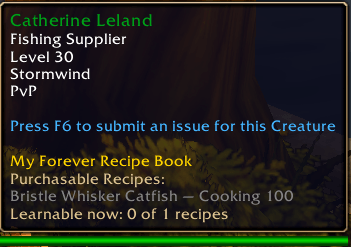
Hover over an NPC to see relevant recipes without opening the recipe book: Recipe drops, including recorded drop rates in parentheses. Recipes available as quest rewards from recorded quest starters. A summary of how many recipes you are missing and trainer teaches.
NPC recipe lists and tooltips include only recipes for professions your character currently has.
Getting Started
- Install the addon and enable it on the character selection screen.
- Log in and type
/frb, or click the book button beside the minimap. - Select a profession tab.
- Use the sync button in the left page’s heading to open that profession and refresh its recipe information.
- Select a recipe to view its reagents and acquisition sources.
Your saved recipe progress is restored when you log in again. After learning new recipes, use sync if the displayed collection needs refreshing.
You can drag the addon window to move it. The minimap button can also be dragged around the minimap.
Navigating the Book
The interface uses two pages:
- Left page: Recipe list, collection totals, required skill, and page controls.
- Right page: Selected recipe details or an NPC/source detail page.
Recipes are ordered by required skill without separate skill-group pages. The first visible recipe is selected automatically.
To locate a source:
- Select a recipe.
- Find an acquisition source in its source table.
- Open the source’s details with the arrow button.
- Choose a location and click its map-pin icon.
Map pins require a supported map and recorded coordinates. Some sources have multiple known spawn points; their location lists use pagination.
Data and Availability
Some recipes or sources may have incomplete information. Prices, drop rates, coordinates, and other details are shown when recorded in the dataset. Vendor stock and actual drops are determined by the game.
This addon is intended for WoW Forever.
The My Forever Recipe Book Team
