MusicSCAN
- By
Play Blizzard's built-in zone music anywhere in Azeroth with MusicSCAN, a standalone WoW Retail addon. Choose a track and press Play. Press Stop to restore normal zone music. Less configuring. More listening.
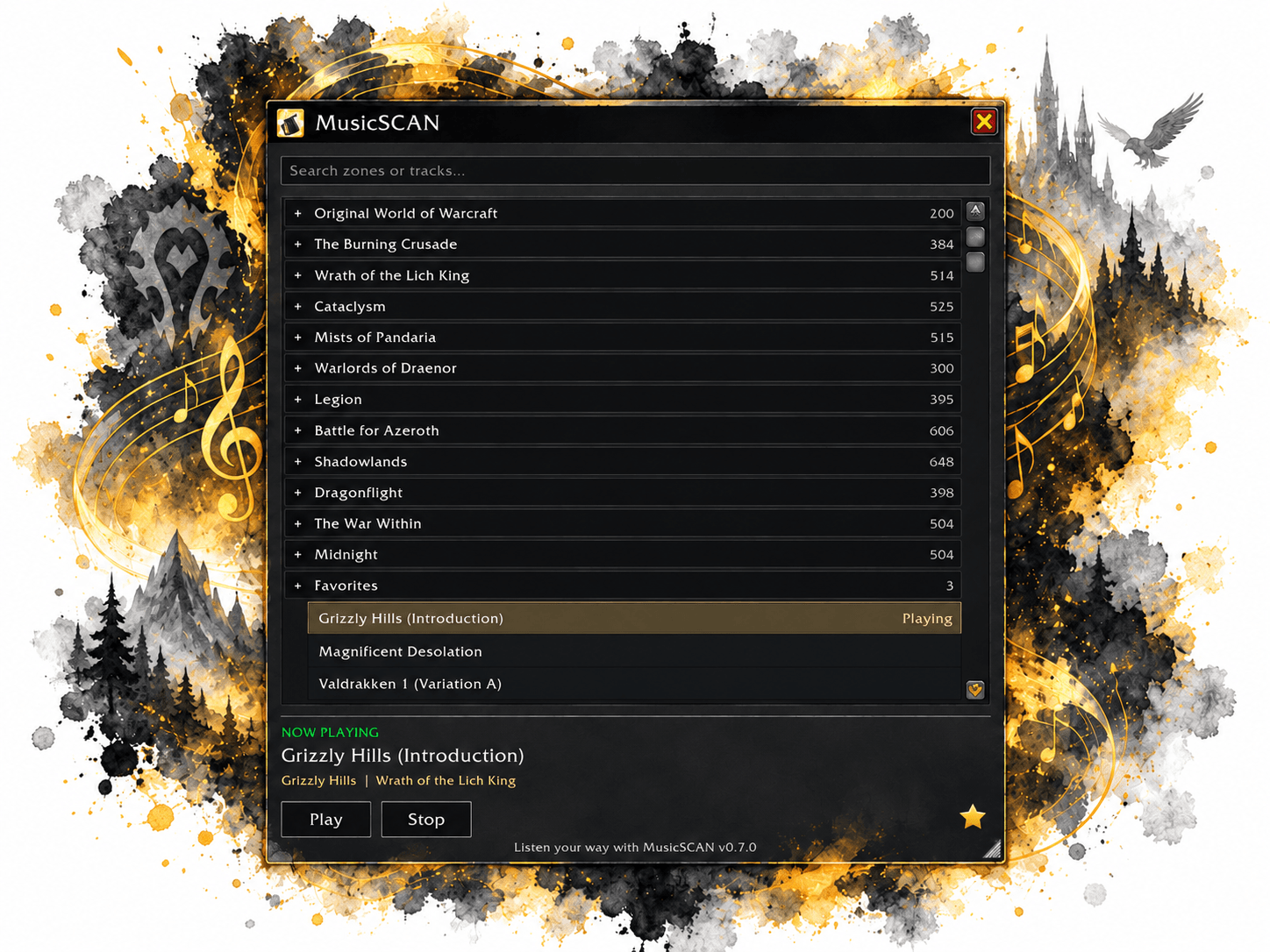
MusicSCAN-Fantasy-UI-Splash-Compressed.png
Description
MusicSCAN
0.7.1 BETA | World of Warcraft Retail
SCAN | Kilobytes Development | www.kilobytes.dev
Bring your favorite Blizzard zone music with you. MusicSCAN is a standalone World of Warcraft Retail addon that lets you choose built-in music wherever you are in Azeroth. Listen to Grizzly Hills while standing in Stormwind, or settle in with Magnificent Desolation from Warlords of Draenor.
Choose a track and press Play. Press Stop to return control to WoW's normal zone music. Less configuring. More listening.
Features
· Browse across expansions. Explore 5,493 individual music-file entries across 12 expansion categories, from Original World of Warcraft through Midnight.
· Find music quickly. Expansions follow release order; zones and tracks are alphabetical. Expand or collapse categories and search by title, zone or expansion.
· Keep your favorites. Click the star to save the highlighted track. The alphabetical Favorites category sits below the expansions and remembers your saved tracks across reloads.
· Restore music after loading. The active track restarts about one second after loading finishes, including when another track is highlighted. Pressing Stop or Play cancels a pending restoration.
· Make room for listening. Move the compact charcoal player by its title bar and resize from the bottom-right grip. The minimap launcher is draggable too.
· Pick up where you left off. Account-wide preferences remember your selection, favorites, category folds, window layout, and minimap placement. Login and reload do not start playback automatically.
· Use the music already in WoW. No addon dependencies or bundled audio. MusicSCAN makes no network requests and leaves your global audio settings unchanged.
|
Command and alias |
Action |
|
/musicscan |
Open or close the player. |
|
/musicscan play |
Start or restart the highlighted track. |
|
/musicscan stop |
Release the MusicSCAN override and return music control to WoW. |
|
/musicscan reset |
Restore the default window size and position and minimap placement; show the player. Keep favorites and selection. |
|
/musicscan help |
Print the command summary. Unknown command text also shows help. |
Manual Installation Instructions
1. Download MusicSCAN-0.7.1-BETA.zip, the installable release asset.
2. Exit World of Warcraft.
3. Extract the MusicSCAN folder into World of Warcraft/_retail_/Interface/AddOns/.
4. Check that the final path is AddOns/MusicSCAN/MusicSCAN.toc, without an extra nested folder.
5. Launch Retail and enable MusicSCAN in the character-selection AddOns list.
6. Open the player using its minimap button or /musicscan. Select a track, then click Play.
Use the installable release ZIP rather than GitHub's automatic source-code archive.
MusicSCAN Team