MurlocsRUs PVP Companion
- By
icon-512.png
Screenshot 2026-11-16 223919.png
Screenshot 2026-11-16 224819.png
Description
Description
MurlocsRUs PvP Companion keeps a record of your PvP. It watches for enemy players around you, records each fight you get into, and remembers everyone you have met. Everything is stored and shown inside the game. You do not need anything else to use it.
Enemy radar
A small movable list of enemy players near you, with class, level and roughly how far away they are. Anyone targeting you is marked and moved to the top. Tagged rivals show their tag and your record against them. Click a name to open what you know about that player.
The speaker button reports what is on the radar to a chat channel of your choice: say, yell, party, raid, guild, or any channel you have joined such as LocalDefense. Hover it to preview the message first. A report looks like this:
5 Horde near Alexston Farmstead, Westfall (37.8, 49.6): 2x Warrior, 1x Druid, 1x Hunter, 1x Mage - lvl 15-31 - 2 on me - KOS: Angus Zone [Map Pin]The map pin is a normal chat link other players can click.
Fights and duels

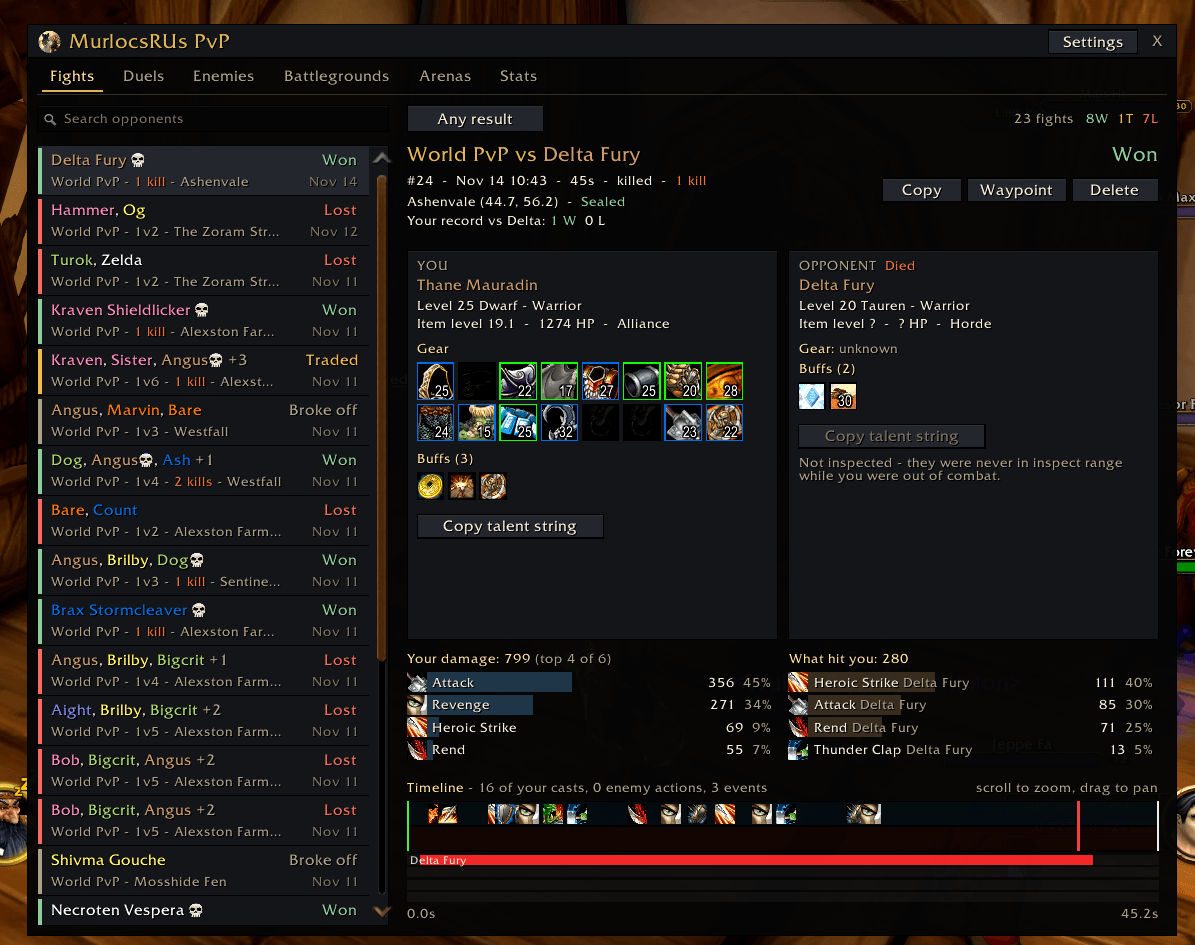
Every world PvP fight and duel gets its own page. It shows the result, every enemy who took part, who died and who you killed, and how the fight ended. You also see both players' gear with item tooltips, spec, item level, talents and the buffs they had before combat started. Damage you dealt and took is broken down by spell, and a zoomable timeline shows your casts against what the enemy did. Third parties are recorded too, such as a healer helping your opponent or someone who jumps into your duel.
Results are Win, Trade (you both lost someone), Loss, or Broke off. In a group fight each enemy
gets their own result. You can set a waypoint to where the fight happened, copy a text summary, or
delete it. Fights also appear as pins on the world map.

Enemies and rivals
Everyone you have seen or fought is remembered: when you first and last saw them, where, your win and loss record, battlegrounds you shared and the last gear you saw on them. Tag players as kill on sight, rival, ganker or friendly, and write notes. When a tagged or previously fought enemy comes into view you get an alert. Rival sightings are shared with guildmates who also run the addon, in the open world.
Battlegrounds and arenas
One row per match with both teams' rosters, who joined and left over time, the full scoreboard, who you actually fought and your own stats. Arena matches show each round.
Stats
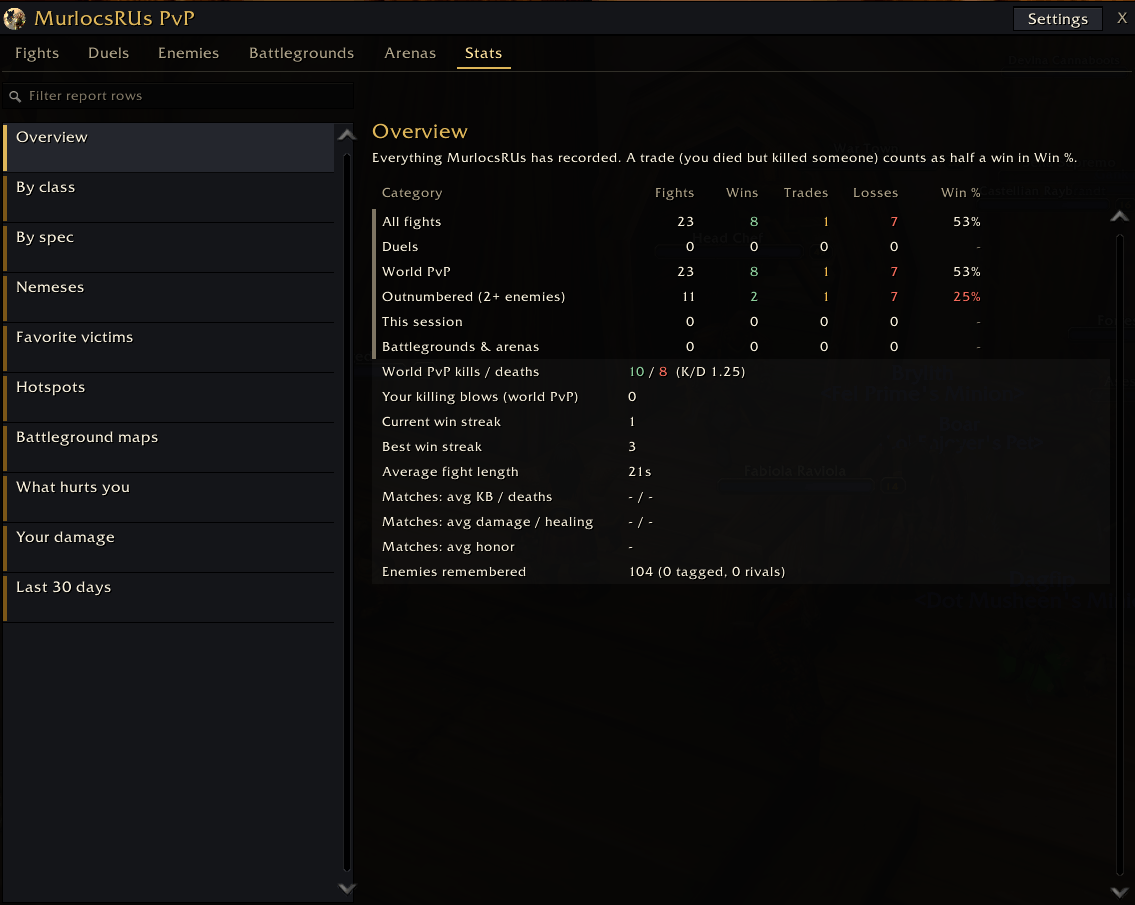
Your overall record and streaks, win rate by class and spec, your nemeses and favorite victims, the zones where you fight most, battleground maps, the enemy spells that hurt you most, your own damage, and a 30 day chart. World PvP kills, deaths and K/D are on the overview.

Setup
After logging in, open Options, AddOns, MurlocsRUs PvP Companion. The setup checklist marks anything that needs turning on in red (the damage meter, advanced combat logging and enemy nameplates) and fixes each with one click.
Open the window with /mru, the minimap button, or the addon compartment.
| Command | What it does |
|---|---|
/mru |
Open or close the window |
/mru duels, enemies, bg, arenas, stats |
Open a tab |
/mru kos, rival, ganker, friendly, untag |
Tag your current target |
/mru vs <name> |
Your record against a player |
/mru settings |
Settings and the setup checklist |
/eradar call <channel> |
Send a radar report from the chat box |
/eradar preview |
Show the radar report to you only |
Game versions
Works on WoW Forever.
Optional companion app
There is also a separate desktop companion app. It is not needed to use the addon. For WoW Forever players it reads the combat log file while you play, which gives deeper fight reviews than an addon can build in game, and it can sync your fights to murlocsrus.com for ladders and a shared map. The addon works the same with or without it.
MurlocsRUs PVP Companion Team