mUI - Unleash your real potential
- By
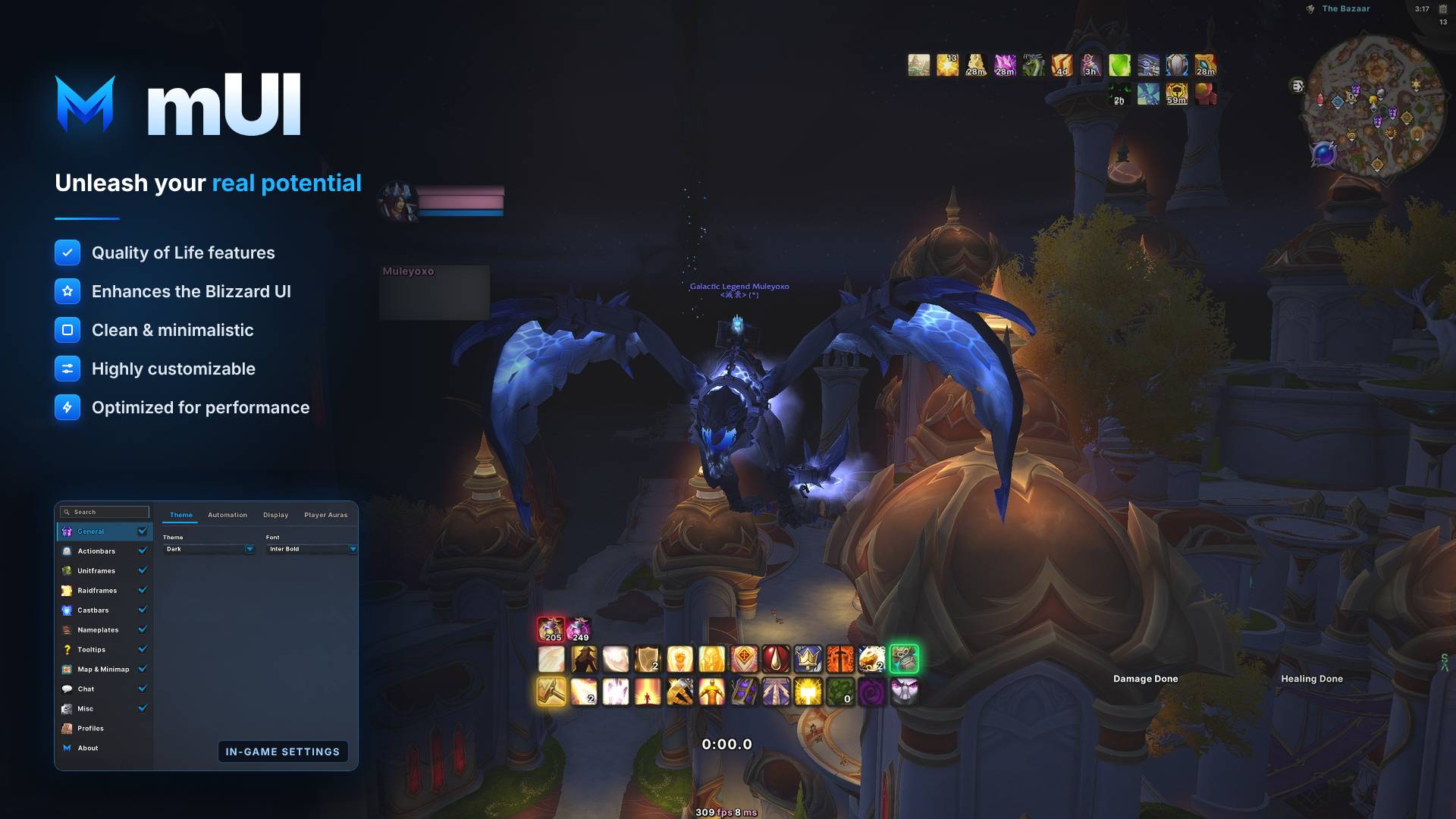
mUI enhances the default Blizzard UI with a fresh dark (or custom color) theme and offers several quality of life features.
Description

mUI
A fresh dark theme and quality-of-life features for the default Blizzard UI.



✨ Overview
mUI enhances the default Blizzard UI instead of replacing it: a clean dark theme plus several small features that make everyday play nicer.
🎮 Supported Versions
Retail · Mists of Pandaria Classic · TBC Classic · Classic Era · WoW: Forever
Available options vary slightly between versions.
🚀 Features
- 🎨 Dark theme – a consistent dark look for the default UI, with custom colors or class colors if you prefer
- 🧍 Unit frames – class colors, class icons, aura and debuff sizing, and more
- 🎯 Nameplates – class/reaction colors, NPC type colors, combat indicator, adjustable debuff count and size
- ⚡ Cast bars – icons, cast time, custom position and scale for target and focus
- 🗡️ Action bars – hotkey, macro and font size options, mouseover fading, range indication, cooldown text
- 💬 Chat – restyled chat frame, copy chat, clickable links, whisper alerts, adjustable font size and background
- 🗺️ Map & minimap – clock, coordinates, calendar and tracking options
- 💡 Tooltips – extra information and aura tooltips
- 🤖 Automation – auto sell junk, repair, accept quests, fast loot, skip cinematics, auto-decline duels and more
- 🛡️ Raid frames – custom raid auras and debuff colors (Retail)
- 👤 Profiles – create, copy, delete, import and export profiles
- 🔧 Config GUI – a searchable settings window with Edit Mode support
⚙️ Settings
Open the settings GUI in-game with:
/mUI
🐛 Issues
Found a bug, an error, or have a suggestion? Don't hesitate to open an issue.
🙏 Credits
- mMediaTag textures by Blinkii
💬 Support
Questions, feedback or just want to hang out? Join the Discord, catch a stream on Twitch, or donate to support development. Thank you! ❤️
mUI - Unleash your real potential Team

Owner