MSBR Enchanting Buddy
- By
MSBR Enchanting Buddy is a beta addon for WoW Classic/TBC enchanters, featuring recipe tracking, orders, trade assistance, material management, advertisements, income tracking, and market statistics.
MSBR_01.jpg
MSBR_02.jpg
MSBR_03.jpg
MSBR_04.jpg
MSBR_05.jpg
Description
# MSBR Enchanting Buddy
**MSBR Enchanting Buddy** is an all-in-one workspace for enchanters in **WoW Classic Era / Anniversary** and **TBC Anniversary**.
Keep customer requests, recipes, materials, trades, queue positions and market activity together in one interface. The addon helps you run a clear, reliable enchanting workflow without losing track of multi-enchant customers or customer-supplied materials.
## Highlights
- Create and manage customer orders with **one or more enchants**.
- Track an active customer and an ordered queue at the same time.
- Combine material requirements across every enchant in an order.
- Record customer-provided materials and safely return unused amounts.
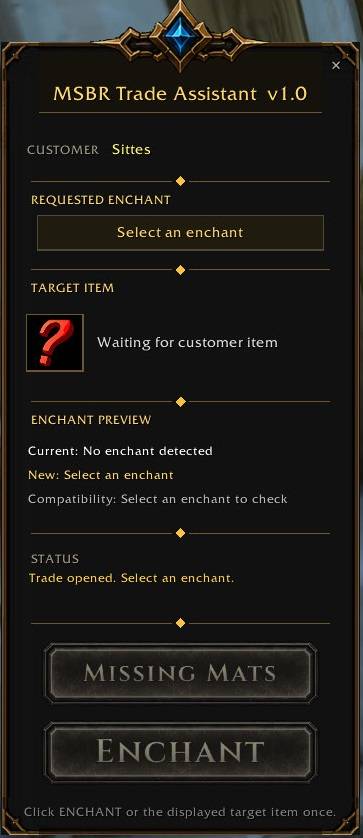
- Connect the active order to the Blizzard trade window with the Trade Assistant.
- Send ready-to-use customer messages for confirmation, queue status, missing materials and completion.
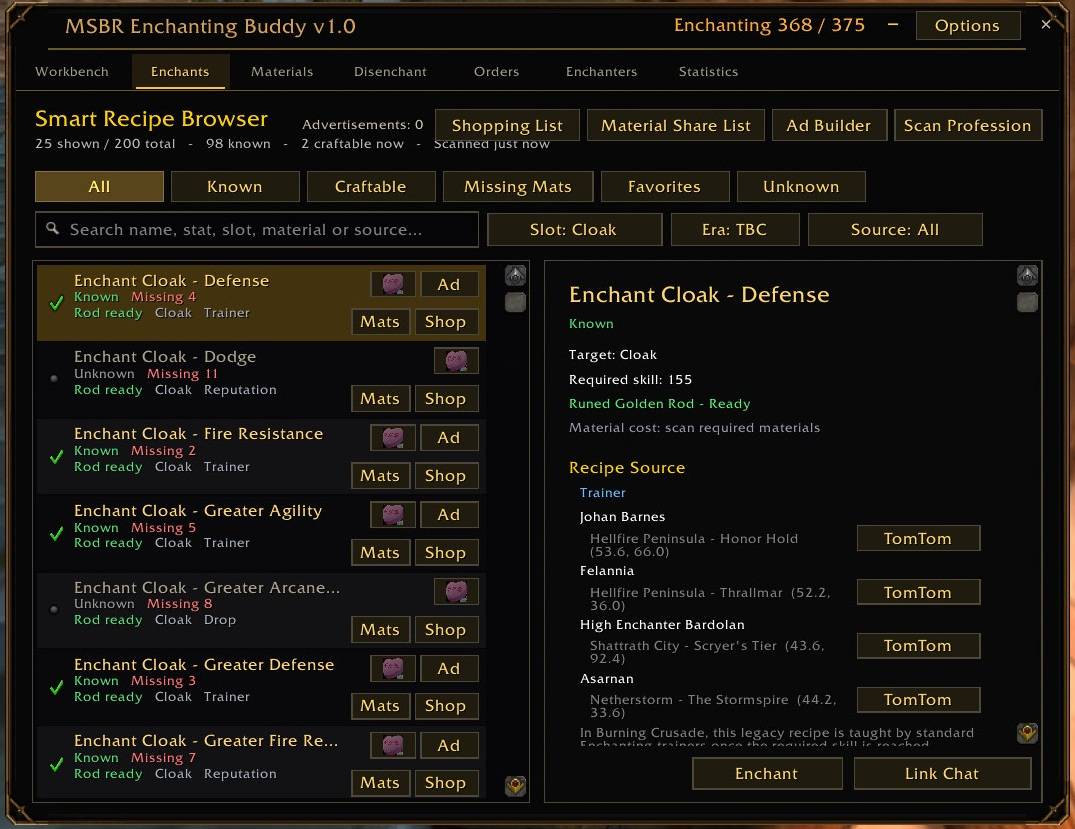
- Search your recipe database, including known/unknown status, materials and recipe sources.
- Track observed enchanting advertisements, requests and market activity.
## Orders and Multi-Enchant Workflow
One customer can request several enchants in a single order. The Quick Order Creation panel shows every selected enchant in a readable list, lets you remove selections before creating the order, and uses alternating rows for easier scanning.
While an order is active, you can also add a further enchant or remove an unfinished one when the customer changes their mind. Material requirements are recalculated immediately, including received, missing and returnable customer materials.
The order system includes:
- Manual and detected order creation
- Active order and customer queue
- Queue reordering
- Pause: return the active order to the queue and promote the next customer
- Requested enchants, target item and order notes
- Combined required, received, missing and unused customer materials
- Service fee, tip and payment tracking
- Completed-order history
- Optional completion messages that include every completed enchant and its item
## Trade Assistant and Material Returns
The Trade Assistant links the active order to the Blizzard trade window. It helps you review the customer, requested enchant, target item, supplied materials and payment before enchanting.
When an order uses fewer customer materials than were supplied, the addon can return the unused amount. Returns use a protected staged workflow: exact stacks are preferred, stacks are only split when needed, and a return already in progress is locked to prevent repeated clicks from splitting multiple stacks.
After the return trade finishes, the order continues to the correct next step instead of opening an unnecessary new trade.
## Enchant Database
Browse and narrow down enchants with fast search. Available information can include:
- Enchant name and required profession skill
- Required materials
- Recipe source and acquisition details
- Trainer, vendor, reputation, quest, drop and world-drop information
- Known and unknown recipe status
- Clickable recipe and item links where available
- Optional TomTom waypoints for recipe locations
## Customers, Enchanters and Chat Detection
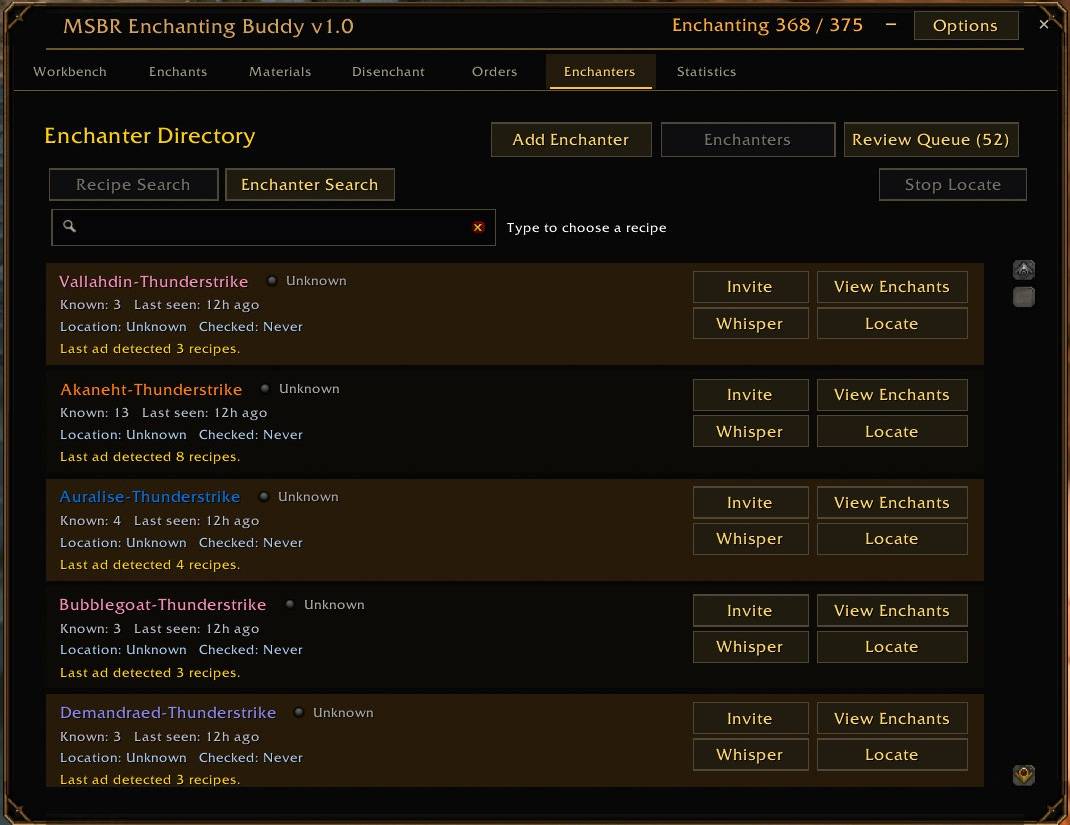
MSBR Enchanting Buddy can detect relevant enchanting requests and advertisements in chat, then organize them into local customer and enchanter lists.
Tracked data can include player name, advertised or requested enchants, last observed activity, trusted status and recipe coverage. The addon prepares messages for common moments in the workflow, such as order confirmation, queue position, readiness to trade, missing materials and completed work.
## Materials and Share Lists
The Materials tools provide an overview of inventory, reserved materials, missing amounts and active-order requirements. Identical materials from multiple enchants are combined into one total.
Share Lists can prepare readable material summaries for a single enchant, multiple selected enchants, an active order or only the currently missing materials. Long messages are split when necessary while preserving clickable item links.
## Workbench and Statistics
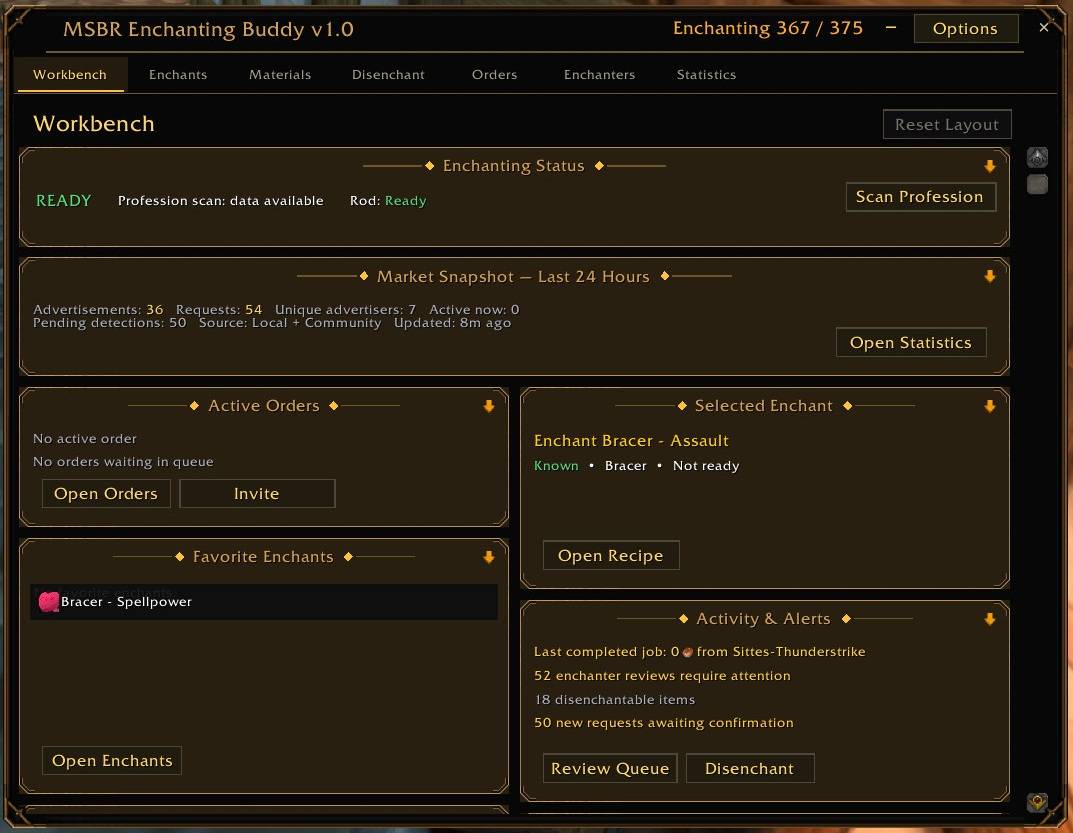
The Workbench is the central dashboard for current enchanting work. Depending on the selected module and available data, it can show the active order, next action, queue, selected enchant, material summary, recent activity, income information and quick navigation.
The Market Statistics module analyzes structured observations from relevant chat channels. It can help identify active advertisers, recent competition, customer demand, active hours and enchants that appear to have demand with limited observed competition.
Market statistics represent **observed activity**, not a guaranteed complete view of your realm.
## Community Data Sharing and Privacy
Compatible MSBR Enchanting Buddy users can exchange limited structured market information. The communication uses fingerprints, targeted requests, duplicate filtering and rate limits to avoid unnecessary traffic. Trainer recipes and complete raw chat messages are not exchanged.
Online market-data sharing can be disabled. Local chat observation and local statistics remain available while sharing is off. Basic version communication remains active so users can be informed when a newer addon version is observed.
## Optional Integrations
- **TomTom:** create waypoints for recipe-source locations.
- **SharedMedia / SharedMediaAdditionalFonts:** additional visual and font options when installed.
MSBR Enchanting Buddy Team