I wanted some help identifying MOBs and how to deal with them. I compiled a summation of the abilities of each MOB and created a means to display them in-game. In addition to the abilities, a bit of strategy is included. Use mouseover to activate these features. The frames are interactive, so if an ability is highlighted, it has a tooltip that will further explain the ability.
The frame can be resized by selecting the lower right corner. The size of the text will coincide with the size of the frame: the larger the frame, the large the text.
A quick search ability is provided. If you know any part of the MOB's name, enter it into the search and press 'Enter'. If that MOB exists in the dungeon, it will be shown on the frame.
Priority targets is a new feature. MOBs that the group need to focus will be automatically marked, no more than two and marks are Skull and X. This decision is based on the many articles strategizing these encounters. It may or may not be your strategy. Also, the tank and healer automatically get marks: Blue Square and White Moon, respectively.
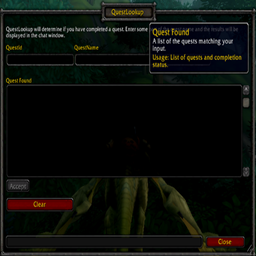
As with any frame-related dialog, there are methods to start, clear, stop actions and resize displays. This is accomplished using the buttons:
- Clear - This will clear the current addon content, not just the display. It will require another load using the 'Zone' button. The label for this button will change to 'Icons' for the purpose of removing all Target Markers.
- Mark Off - Target Markers are used to identify individual MOBs so the lead can call-out instructions. This functionality is still being worked on but does work, but not always as expected. Normal functionality is 'Mark Off' but when marking is active, this button's label will be 'Mark On'.
- Bosses - This feature has been discontinued as the strategy is now in the dungeon annotation.
- Zone - When pressed, a drop-down is shown in the middle of the screen. The drop-down is a list of available dungeons. Select the one you are interested in.
- Close - Stops and hides the addon.
- Hide MPA - Collapses the addon to the top left of screen.
Some of the slash commands are:
/MPAssist on - Activates the addon
/MPAssist off - Disables the addon
To select the dungeon, click on the 'Zone' button and choose the dungeon from the drop down list.
You can clear all content and restart by pressing clear button twice (after you press clear, the button label becomes 'Icons'. Just press it again.) or press the Close button.
Marks are still a work in progress but has functionality. It can get confused and a clear is required. Work continues on this.
MPAssist Team