MoveAltPower
- By
MoveAltPower hides Blizzard's fixed Alternate Power Bar (PlayerPowerBarAlt) and replaces it with a clean, lightweight StatusBar that you can move, resize, and style freely. Includes smooth animations and profiles!
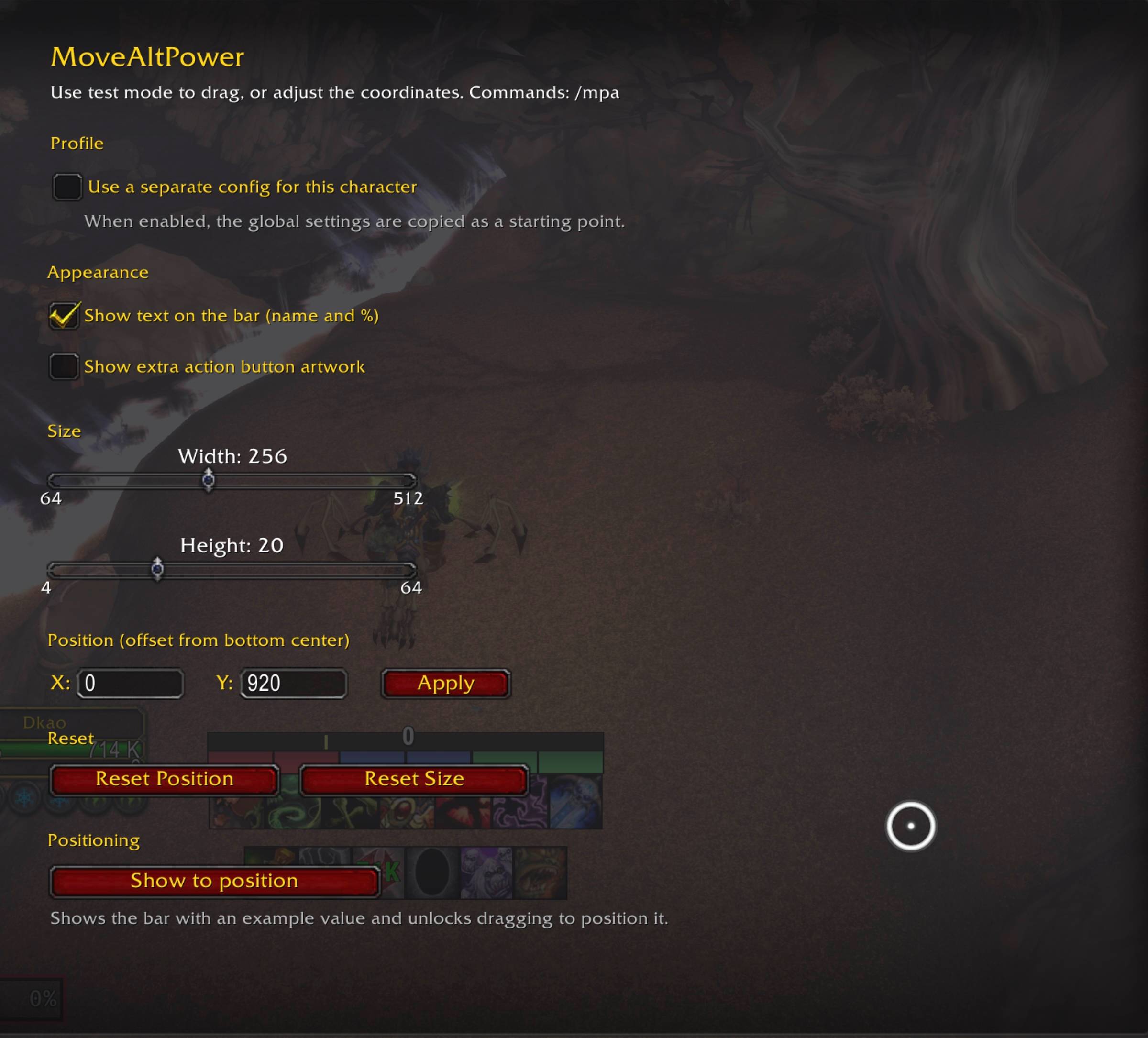
movealt_power_ss1.jpg
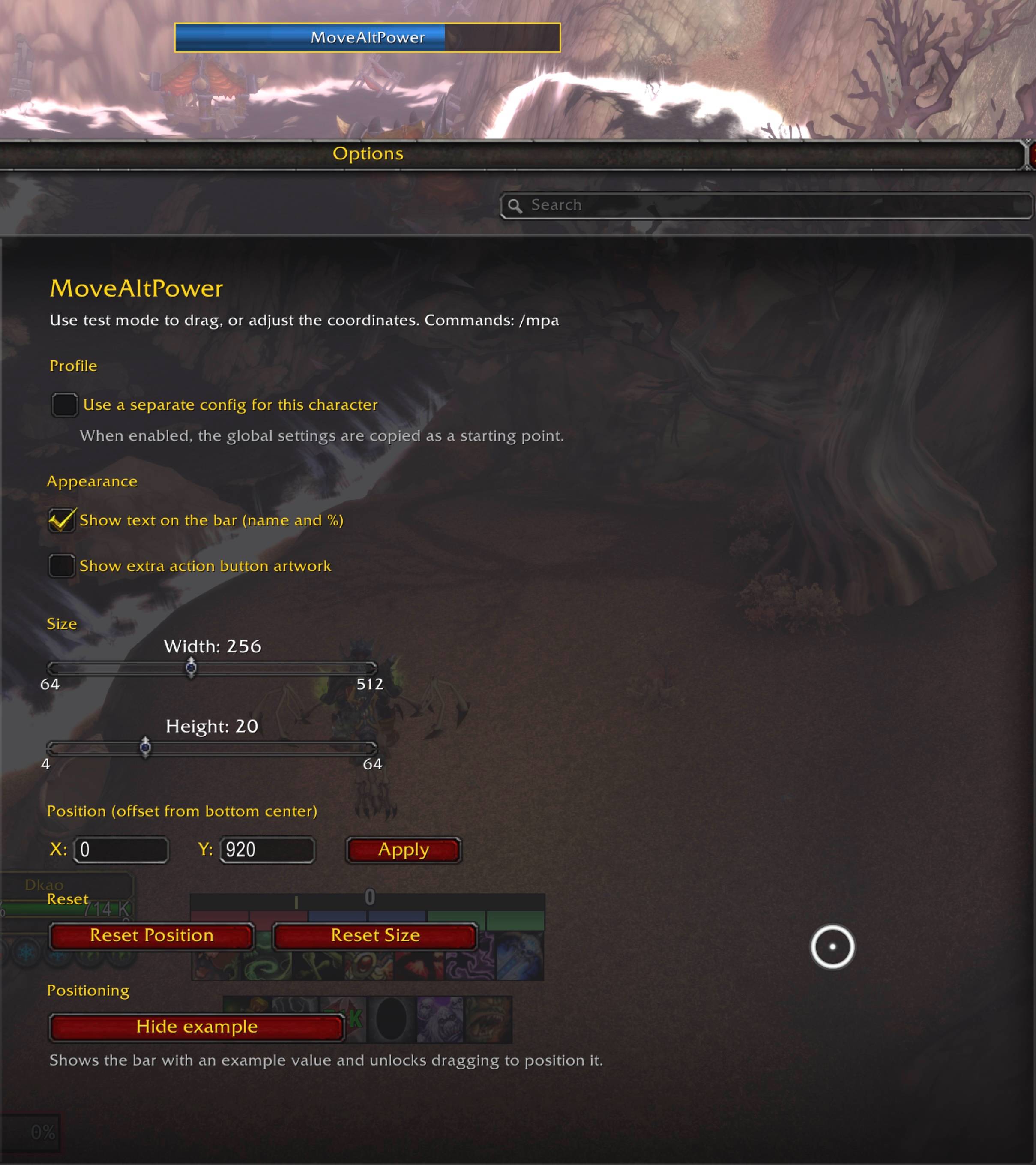
movealt_power_ss2.jpg
Description
# MoveAltPower
A lightweight replacement for the Blizzard **Alternate Power Bar**
(`PlayerPowerBarAlt` — e.g. *Celestial Influence*). Instead of fighting with
Blizzard's fixed artwork, MoveAltPower hides the original bar and draws its own
clean StatusBar that you can **move, resize, and style** freely.
*(Versão em português logo abaixo / Portuguese version below.)*
---
## 🇺🇸 English
### Features
- **Custom bar** (ElvUI-inspired): hides Blizzard's alternate power bar and draws
its own, so it scales correctly at any size.
- **Move & resize** the bar anywhere on screen.
- **Locked by default** — dragging is only enabled in **test mode**, so you never
move it by accident during combat. Outside test mode, position changes only via
coordinates (panel fields or `/mpa`).
- **Smooth fill** animation instead of value jumps.
- **Bar text** with the power name and percentage (e.g. `Celestial Influence 70%`),
centered and trimmed to the bar width. Can be toggled off.
- **Tooltip** on hover with the power name and description.
- **Profiles**: global settings, or a separate config per character.
- **Extra action button artwork** toggle (`ExtraActionButton1`).
- **Multi-language**: English by default, Portuguese (ptBR) when the game client
is in Brazilian Portuguese.
### Usage
Open the config panel from the AddOns options, or type `/mpa`.
To position the bar: click **"Show to position"** in the panel (or `/mpa test`).
The border turns **gold** while unlocked — drag the bar where you want it, then
turn test mode off to lock it again. You can also type exact X/Y coordinates in
the panel.
### Slash commands
| Command | Description |
|---|---|
| `/mpa` | Open the config panel |
| `/mpa reset` | Reset position and size to default |
| `/mpa value` | Show/hide the bar text (name and %) |
| `/mpa size <w> <h>` | Set size manually (e.g. `/mpa size 256 14`) |
| `/mpa test` | Toggle test mode (unlock dragging) |
| `/mpa info` | Show the current settings |
`/movealtpower` works as a full alias for `/mpa`.
---
## 🇧🇷 Português (Brasil)
Um substituto leve para a **barra de poder alternativo** da Blizzard
(`PlayerPowerBarAlt` — ex.: *Influência Celestial*). Em vez de brigar com a arte
de tamanho fixo da Blizzard, o MoveAltPower esconde a barra original e desenha a
sua própria StatusBar, que você pode **mover, redimensionar e estilizar** à
vontade.
### Recursos
- **Barra própria** (inspirada no ElvUI): esconde a barra alternativa da Blizzard
e desenha a sua, escalando corretamente em qualquer tamanho.
- **Mover e redimensionar** a barra em qualquer lugar da tela.
- **Travada por padrão** — o arraste só é liberado no **modo de teste**, então
você nunca a move por acidente em combate. Fora do modo de teste, a posição
muda apenas pelas coordenadas (campos do painel ou `/mpa`).
- **Preenchimento suave**, em vez de saltos de valor.
- **Texto na barra** com o nome do poder e a porcentagem (ex.:
`Influência Celestial 70%`), centralizado e limitado à largura da barra.
Pode ser ocultado.
- **Tooltip** ao passar o mouse, com o nome e a descrição do poder.
- **Perfis**: configuração global ou própria por personagem.
- Opção de **artwork do botão de ação extra** (`ExtraActionButton1`).
- **Múltiplos idiomas**: inglês por padrão e português (ptBR) quando o cliente do
jogo está em português do Brasil.
### Como usar
Abra o painel pelas opções de AddOns, ou digite `/mpa`.
Para posicionar a barra: clique em **"Mostrar para posicionar"** no painel (ou
`/mpa test`). A borda fica **dourada** enquanto destravada — arraste a barra para
onde quiser e desligue o modo de teste para travá-la de novo. Você também pode
digitar as coordenadas X/Y exatas no painel.
### Comandos
| Comando | Descrição |
|---|---|
| `/mpa` | Abre o painel de configuração |
| `/mpa reset` | Reseta posição e tamanho para o padrão |
| `/mpa value` | Mostra/oculta o texto da barra (nome e %) |
| `/mpa size <l> <a>` | Define o tamanho manualmente (ex.: `/mpa size 256 14`) |
| `/mpa test` | Liga/desliga o modo de teste (libera o arraste) |
| `/mpa info` | Exibe a configuração atual |
`/movealtpower` funciona como atalho completo de `/mpa`.
---
**Author / Autor:** Alex Eduardo Chiaranda
MoveAltPower Team