Move Fast – Travel Guide & Item Finder
- By
1-move-fast.png
2-hearthstone.png
3-training.png
4-item-search.png
5-trail-and-arrow.png
6-weapon-training.png
7-services.png
Description
Move Fast – Travel Guide & Item Finder
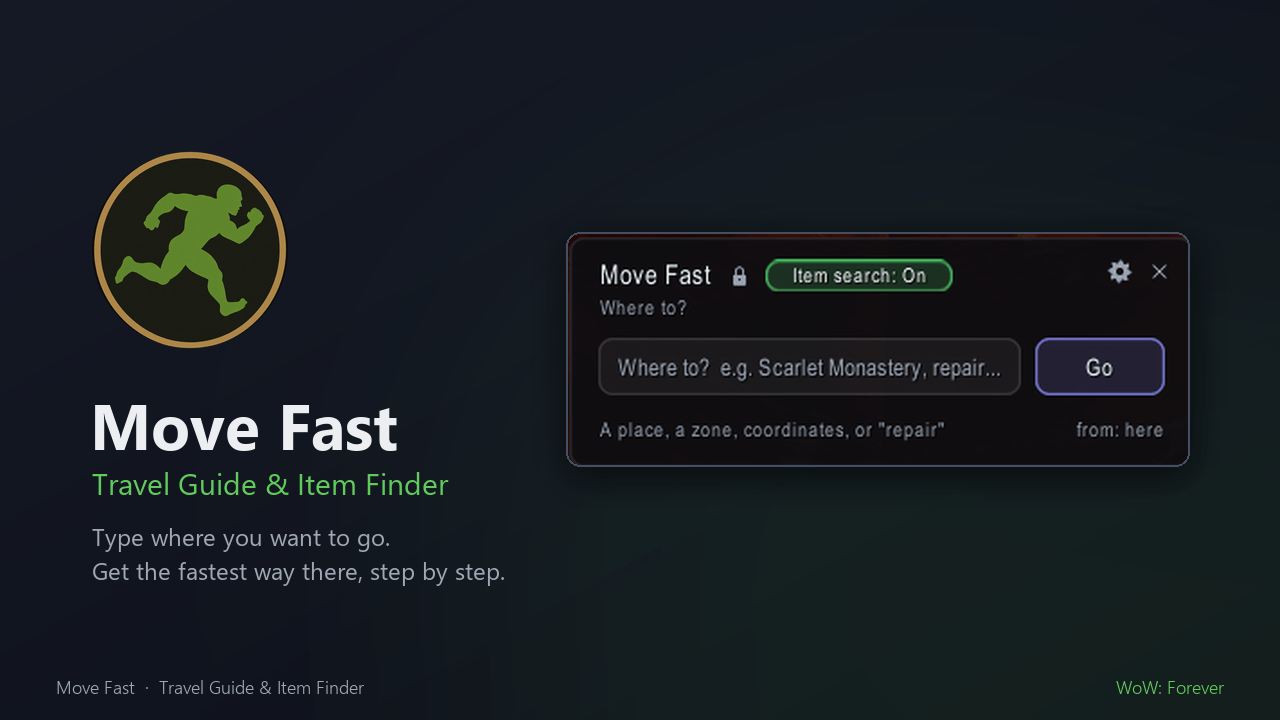
Type where you want to go. Move Fast finds the fastest way there and walks you through it.
New to WoW, or just tired of alt-tabbing to a map site? Type "Scarlet Monastery", "repair" or "melon juice" and Move Fast plans the whole trip for you. It uses flight paths, zeppelins, boats, the Deeprun Tram, your hearthstone and class travel spells, and it only uses the ones your character really has. Then it guides you step by step, with a trail on your map and an arrow on your screen.
Heading to a dungeon? Move Fast can pick up its quests on the way, including the ones that have to come first, and tell you when you're ready.
There are no guides to read and nothing to set up. Your faction, class, race and level are detected automatically.
Built for World of Warcraft: Forever (1.60.1).
Getting there
A plan you can follow. Every trip becomes a short, numbered list of steps:
- Go to the zeppelin tower at 51.0, 13.9 in Durotar
- Board the zeppelin to Tirisfal Glades
- Get off at the tower in Tirisfal Glades
- Walk through the throne room to the elevator
- Take the elevator down into the city
- Follow the trail to Archibald at 57.3, 32.8, Undercity
Steps tick themselves off as you go: when you land, step off the boat or arrive at the spot. You never have to click "next".
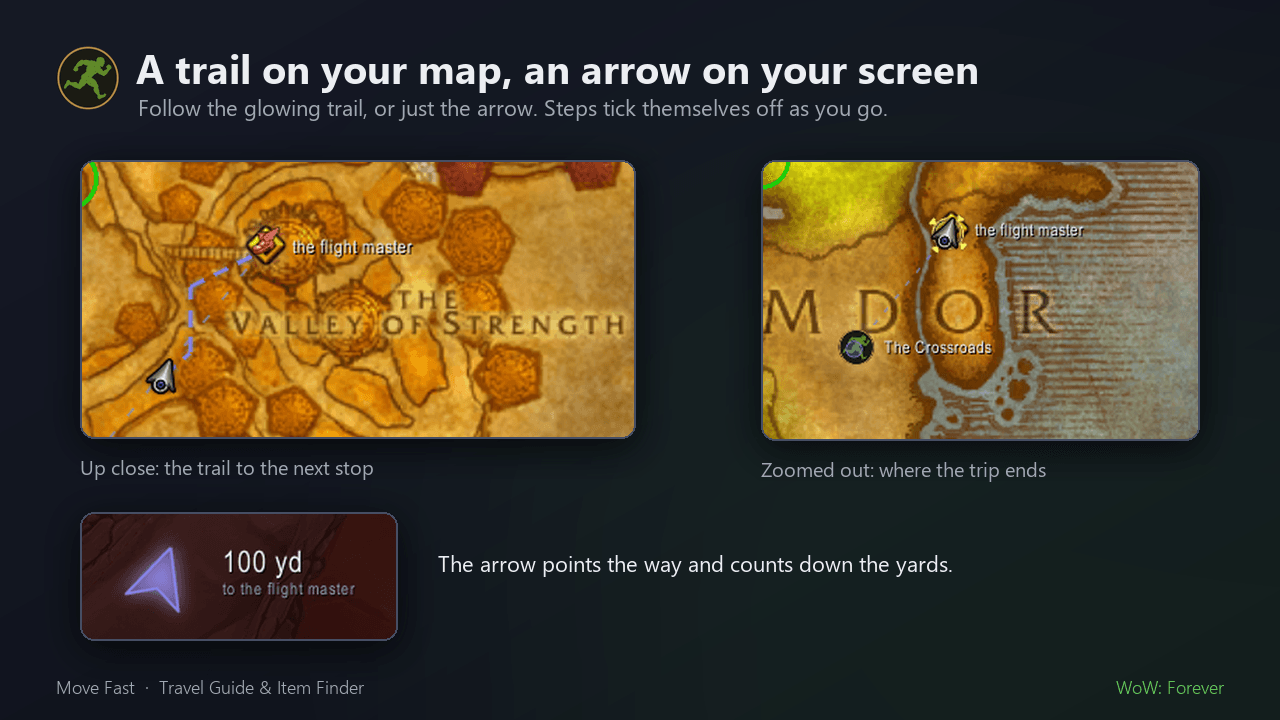
See where to go. You get a pin and a glowing trail on the world map and minimap, and an arrow on screen with the distance. Move Fast can also set Blizzard's own map pin. Every step with coordinates has a copy button.
Your flight paths, not everyone's. Move Fast only flies you to flight paths your character has learned, through connections you actually have. The first time you plan a trip on a continent, it asks you to stop at a flight master once so it can read your real flight map, and then it carries on to where you were going. After that it keeps up on its own as you discover new paths and take flights.
- If a flight master is right next to your trail, you get an optional "pick up the flight path on the way" step.
- Under the steps, "Faster next time" shows which flight paths would make this trip quicker, and by how much.
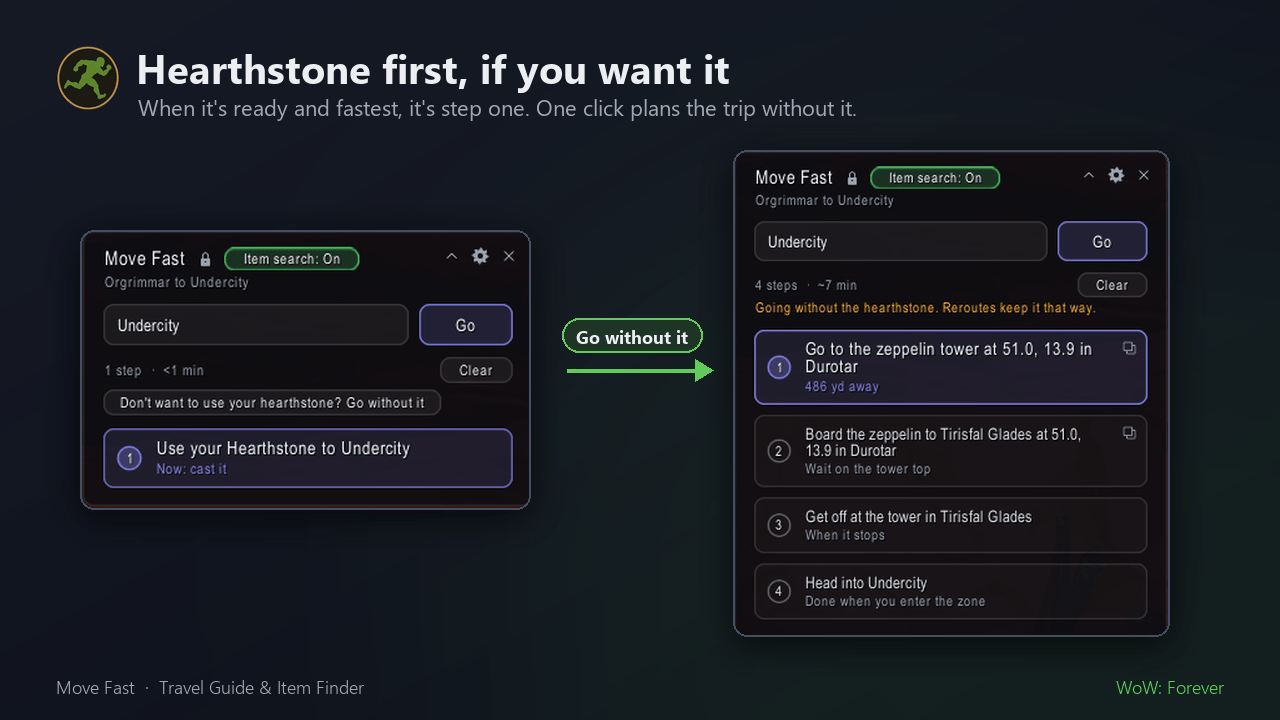
Hearthstone first, if you want it. When your hearthstone is ready and it's the fastest way, it's step one. If you'd rather keep it, click "Don't want to use your hearthstone? Go without it" and the trip is planned again without it. If it's on a short cooldown (10 minutes or less), Move Fast offers to wait for it or go another way. A longer cooldown is simply ignored.
Class travel built in. Mage teleports, Druid Teleport: Moonglade and Shaman Astral Recall are used when they're the quickest way.
It keeps up with you.
- It plans again automatically if you wander off the trail, miss your stop, land somewhere unexpected or get summoned.
- When you die, it points you back to your corpse and then carries on. It pauses inside dungeons.
- By default it avoids danger: enemy towns and zones far above your level. You can turn this off.
Undercity, done properly. Inside Undercity, trails follow the city's real walkways on every level, read from the game's own model of the city. Elevator rides are their own step, and the sewer entrance out in Tirisfal is used when it's the quicker way in.
Trails follow real roads. Move Fast ships with the roads of Kalimdor and the Eastern Kingdoms, so trails follow them from the start instead of cutting straight over mountains. With danger avoidance on, it walks you over to a nearby road to keep you off monster-filled ground. It also learns the paths you take, so towns and cities get better as you play.
Get ready for a dungeon
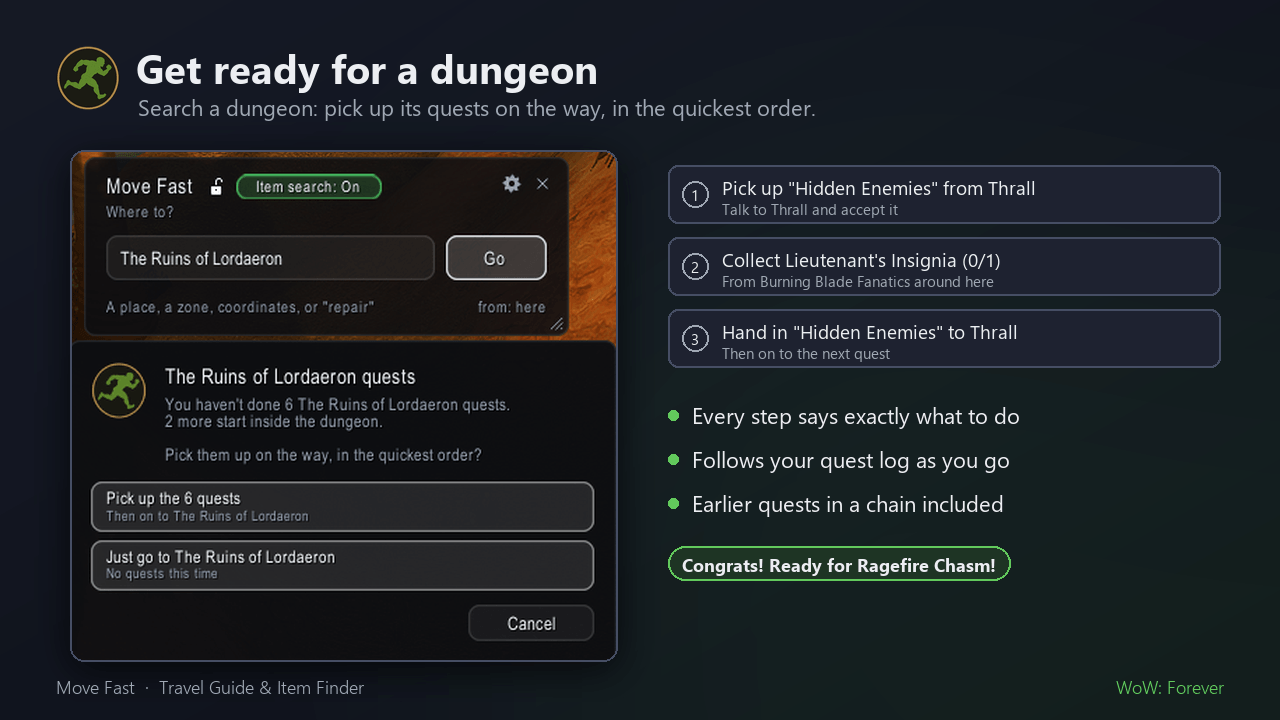
Search for a dungeon, like wailing caverns, and Move Fast asks if you'd like to pick up its quests first:
Wailing Caverns quests You haven't done 8 Wailing Caverns quests. 4 need earlier quests first · 1 more starts inside the dungeon.
[ Just the 4 I can take now ] [ All 8, with the earlier quests ] [ Just go to Wailing Caverns ]
Pick one and Move Fast guides you through it, always heading for the nearest thing you can do next. Every step says exactly what to do:
Pick up "Hidden Enemies" from Thrall Collect Lieutenant's Insignia (0/1): get it from Burning Blade Fanatics around here Hand in "Hidden Enemies" to Thrall
It follows your quest log, so steps move on by themselves as you accept quests, finish objectives and hand them in. When you're set: "Congrats! Ready for Wailing Caverns!", and it takes you to the dungeon.
- It only counts quests your race, class and level can take.
- Quest givers and objectives inside another dungeon take you to that dungeon's entrance. Quest items that nothing drops come from a vendor or the Auction House.
- Works for every dungeon with quests, including Forever's own. For Blackrock Mountain, type
brdorubrsto ask about the part you mean. - Don't want the question? Turn it off in the settings.
Finding things
The nearest service
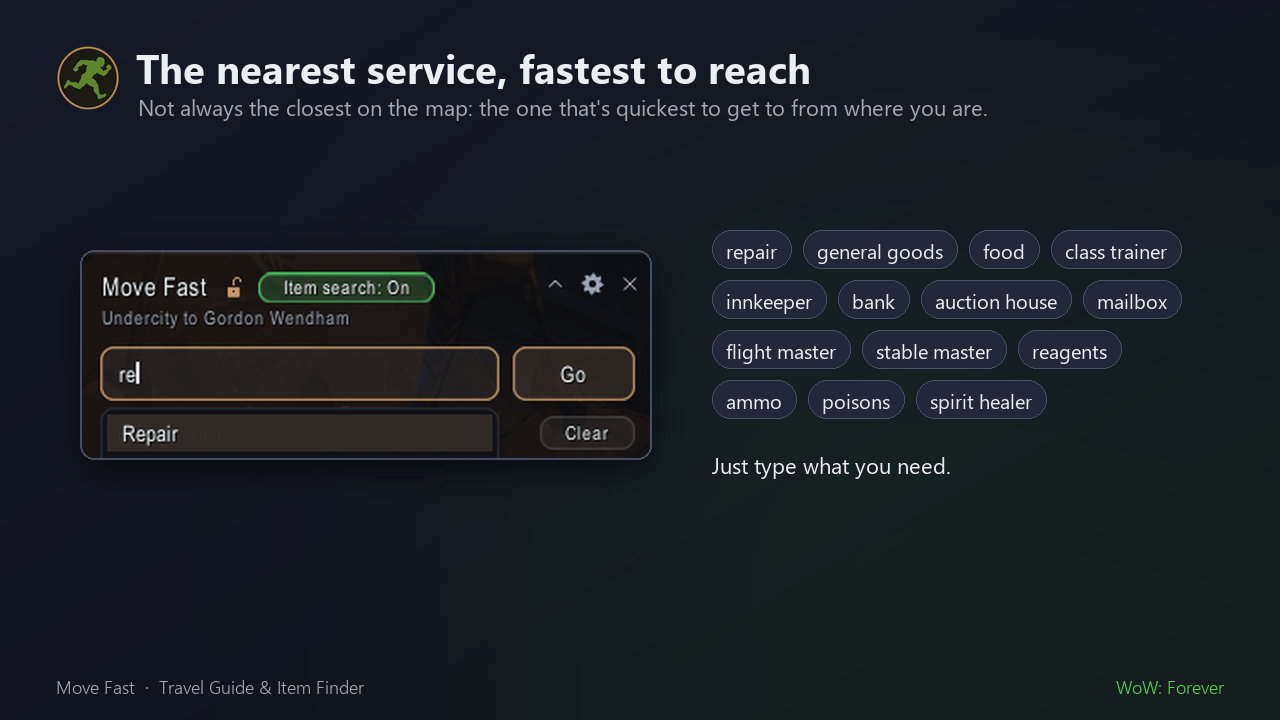
Type what you need, and Move Fast routes you to whichever one is fastest to reach, which isn't always the closest one on the map:
repair · general goods · food · class trainer (your class) · warlock trainer (any class by name) · innkeeper · bank · auction house · mailbox · flight master · stable master · reagents · ammo · poisons · spirit healer · mining trainer · first aid trainer… and more.
Items, with vendor prices
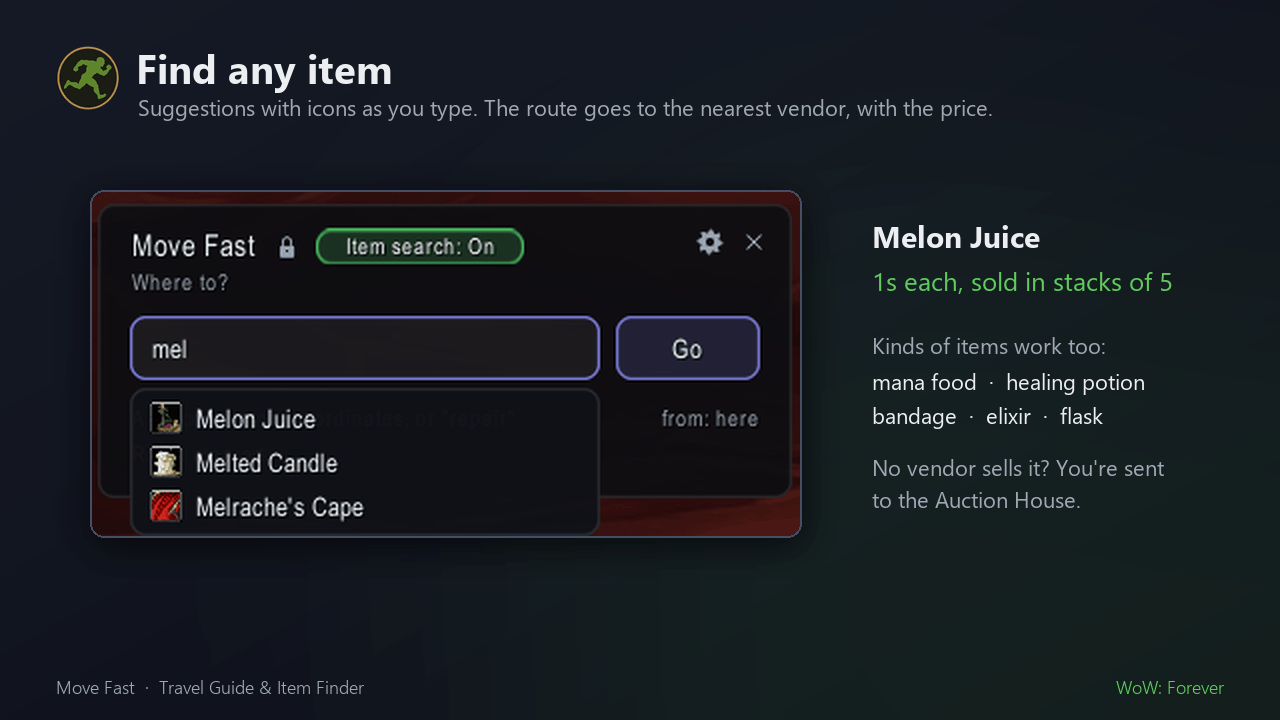
Turn on Item search (the green button at the top of the panel) and type an item:
Melon Juice: 1s each, sold in stacks of 5
Move Fast routes you to the nearest vendor that sells it, and shows the vendor price so you can tell a good Auction House deal from a bad one. Items no vendor sells point you to the Auction House.
Quest items too. Quest items and soulbound items can't go on the Auction House, so Move Fast takes you to where they come from instead: the creatures that drop them, where they're found, or the quest giver. Type Kristof's Report and you're sent to Executor Zygand in Brill, for the quest "Patience".
Kinds of items work too. Type mana food, health food, mana potion, healing potion, elixir, flask, scroll or bandage and Move Fast picks the best one you can use at your level.
Any NPC by name
Type a name, like Executor Zygand, Thrall or a quest target, and Move Fast takes you to the nearest place it stands. Names show up in the suggestions as you type.
Training: the "which one?" searches
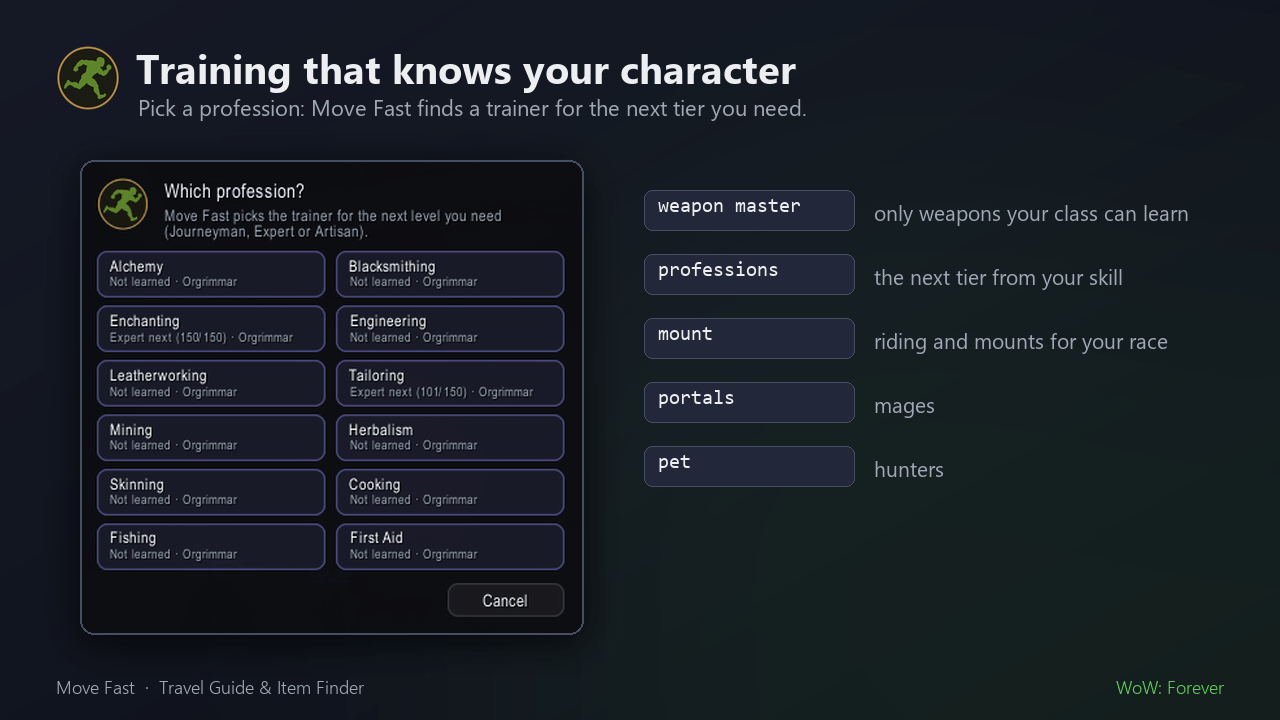
These know your class, race and skills, and ask a question only when they need to:
| Type | What happens |
|---|---|
weapon master |
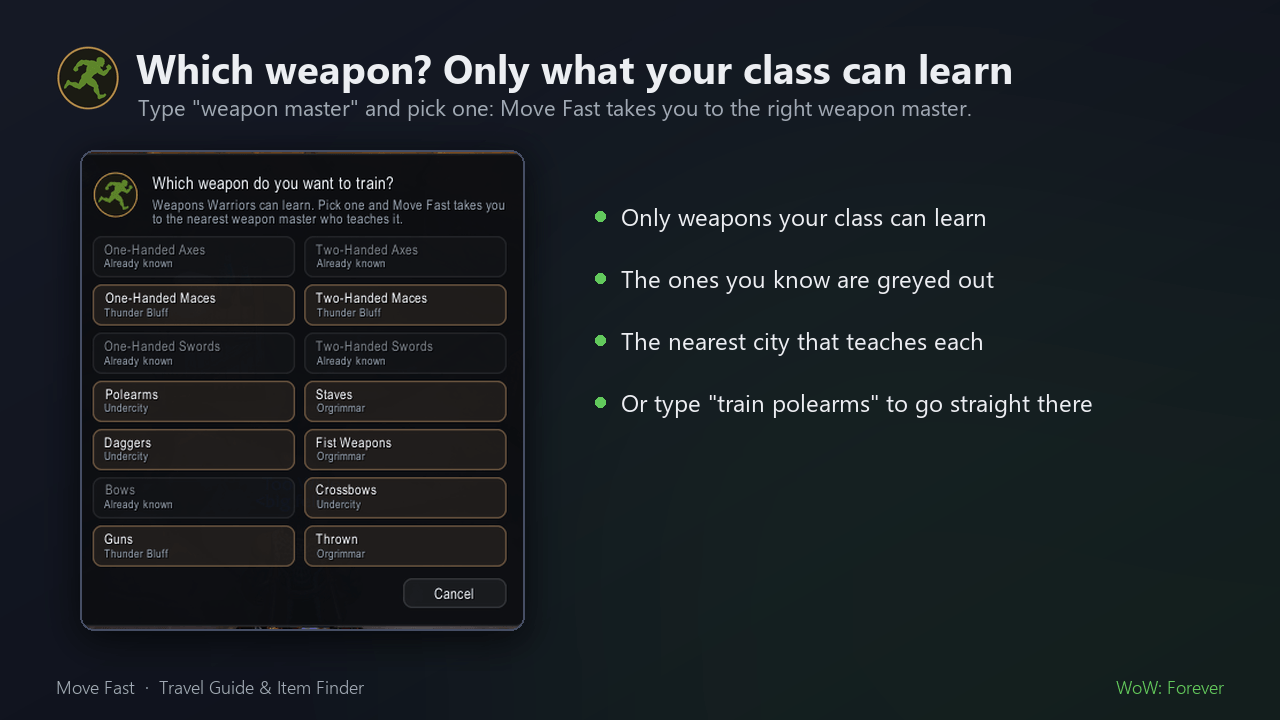
Asks which weapon you want to train, listing only weapons your class can learn (ones you know are greyed out) and the city that teaches each. Then it takes you to the right weapon master. |
professions |
Asks which profession and shows your skill in each, e.g. "Expert next (140/150)". It finds a trainer who teaches the next tier you need. |
blacksmithing, artisan tailoring |
Goes straight to the right trainer. |
mount |
Learn to ride or buy a mount, for your race (Orc → wolves, Night Elf → nightsabers…). |
portals |
Mages: the portal trainer. |
pet |
Hunters: pet trainer or stable master. |
Quick start
- Install, log in, and click the Move Fast badge on your minimap (or type
/mf). - Type where you want to go: a place, a zone, a service or an item. Suggestions pop up as you type.
- Press Enter and follow the steps.
Examples:
/mf scarlet monastery: a dungeon, with an offer to pick up its quests on the way. Short names work too:sm,brd,bb(Booty Bay)…/mf repair: the nearest repair vendor./mf tirisfal 82 33: coordinates in a zone (/mf 45 12uses the zone you're in)./mf booty bay from durotar: plan a trip that starts somewhere else.
| Command | What it does |
|---|---|
/mf |
Open or close the panel |
/mf stop |
Clear the route |
/mf reroute |
Plan again from where you stand |
/mf options |
Settings (also the gear icon on the panel) |
/mf fp |
List the flight paths Move Fast knows you have |
/mf sound |
Choose your arrival sound |
/mf help |
All commands |
Minimap badge: click to open the panel, right-click for settings, Shift-click to clear the route, and drag to move it. It also shows in the minimap's addon list, and button collectors pick it up.
Make it yours
- Panel: unlock it with the padlock, drag it anywhere and drag the corner to change its width. The height always fits the steps. It can collapse to a slim bar while you travel.
- Colours: your class colour (the default), your faction colour, or cyan.
- Arrival sound: a soft ping, map ping, bell, click or no sound. You choose the first time you arrive.
- Switches: avoid danger, reroute automatically, use your hearthstone, use class travel spells, show the arrow, show the minimap trail, show the minimap button, set Blizzard's map pin, hide in combat, animations, sounds, lock position, offer dungeon quests, record travel data. Hover a setting for what it does.
Works great with QuestieDB (optional)
Move Fast works on its own. It remembers every vendor, trainer, banker and auctioneer you talk to, and always knows inns and flight masters.
With QuestieDB installed, it knows every vendor, trainer, banker, mailbox and NPC in the world, plus full item and quest data, from day one. NPC search, quest-item sources and dungeon quest prep need it. Move Fast reads QuestieDB through its public API and copies nothing.
FAQ
It asked me to visit a flight master. Why? WoW doesn't let addons see your flight paths until you open a flight map. Once per continent is enough, and Move Fast takes you to the nearest flight master first.
It sent me the long way, but I know a faster flight.
Open the flight map at any flight master. Move Fast will see the flight paths you have and plan again. /mf fp shows what it knows.
Does it send my data anywhere? No. Move Fast never sends anything over the network. Everything it learns stays in your own saved settings.
Can I stop it asking about dungeon quests? Yes: switch off "Offer a dungeon's quests when I search for it" in the settings, or pick "Just go" when it asks.
Does it work in combat? Routes are planned out of combat. The panel and arrow can hide in combat (a setting) and come back afterwards.
Beta notes
Forever is in beta, and so is Move Fast. Expect rough edges, and please report them!
- On the Forever beta, saved settings and known flight paths can sometimes reset between logins. If that happens, Move Fast just asks you to check a flight master again.
- Forever changed parts of the world. If a route looks wrong somewhere, let us know in the comments.
Bugs and ideas: leave a comment in the Comments tab on this page. Tell us where you were going, where you started and what went wrong, and add a screenshot if you can.
Move Fast is free and open source (MIT license).
Move Fast – Travel Guide & Item Finder Team