Mount Tracker
- By
Your personal mount-collecting roadmap — it surfaces the mounts you can grab right now but didn't know about
🐎 MountTracker
Your personal mount-collecting roadmap — it surfaces the mounts you can grab right now but didn't know about.
There are plenty of addons that list the mounts you're missing. None of them tell you which ones you can already claim.
You've been playing for years. Somewhere along the way you hit Exalted with a faction, finished an achievement, or stockpiled a currency — and the mount tied to it has just been sitting there, unclaimed, because the game never told you.
MountTracker's killer feature: it cross-references your live reputation, renown, currencies, gold and achievements against every mount you don't own, and lights up the ones you're already eligible for with a pulsing green border. No more "wait, I could have had this the whole time?"
It then builds a roadmap of everything else, sorted from easiest to obtain to hardest, with the exact vendor, location, cost, and how much of that currency you currently hold.
📸 Screenshots
The roadmap — every missing mount, easiest first, with source, zone and cost:
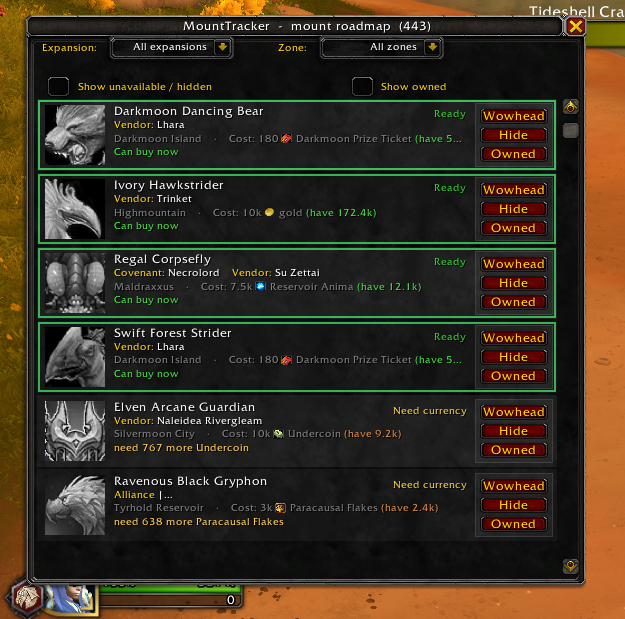
Obtainable-now glow — a pulsing green border means you can get this mount right now:

A single row, explained — name + status, source, zone & cost, and your current standing. Rows are clean and click-to-open:

Click any mount for a detail panel — a 3D model preview, its source/zone/cost, your current standing, and roomy action buttons:
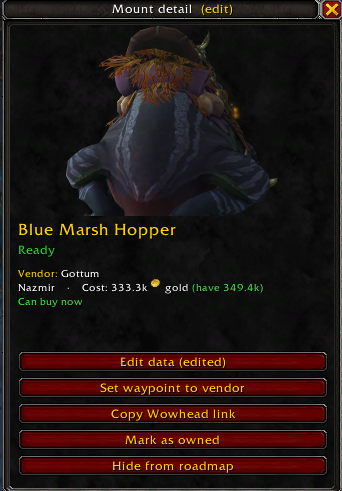
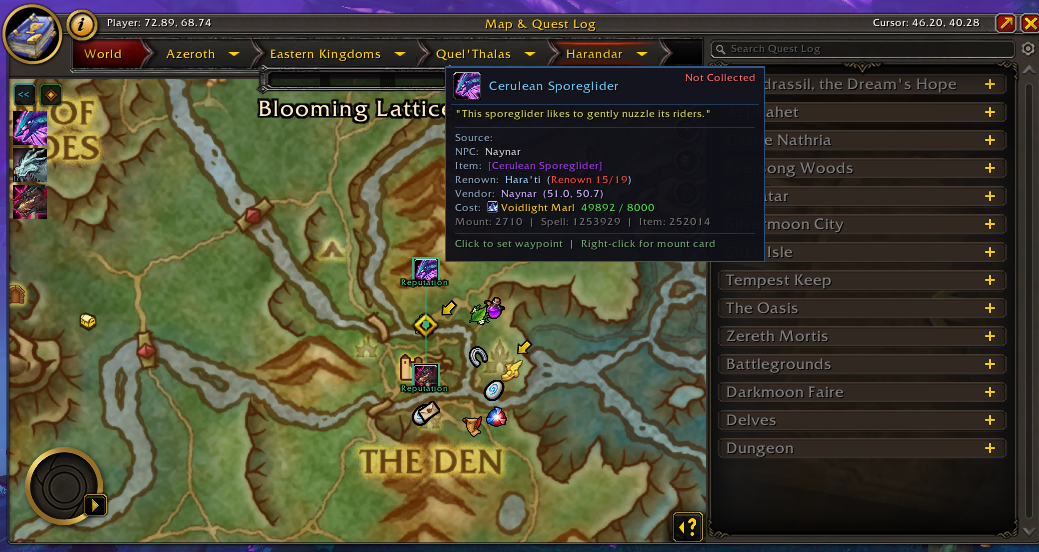
Vendor mounts get a waypoint — one click drops a map pin/arrow at the seller (native, no dependency — plus TomTom if you have it):
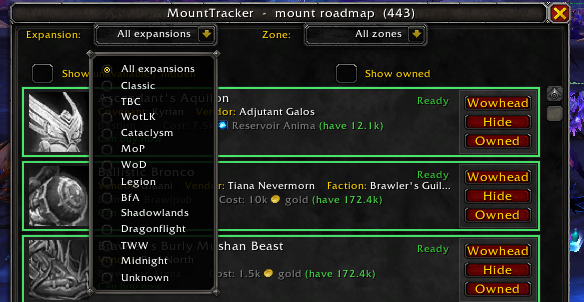
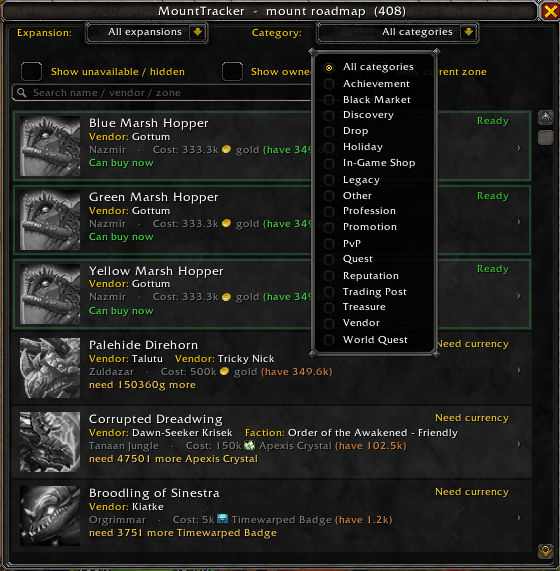
Filter by expansion or by category (Vendor / Reputation / Drop / …):
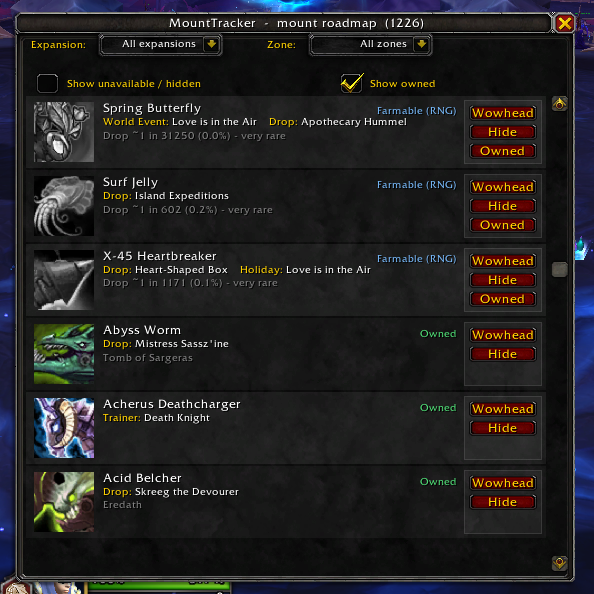
Toggle owned mounts (owned = colored, missing = gray):
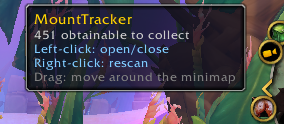
Minimap button — drag it anywhere, click to open:
Search and filter — a free-text box (name / vendor / zone) plus toggles for current zone, owned and unavailable:

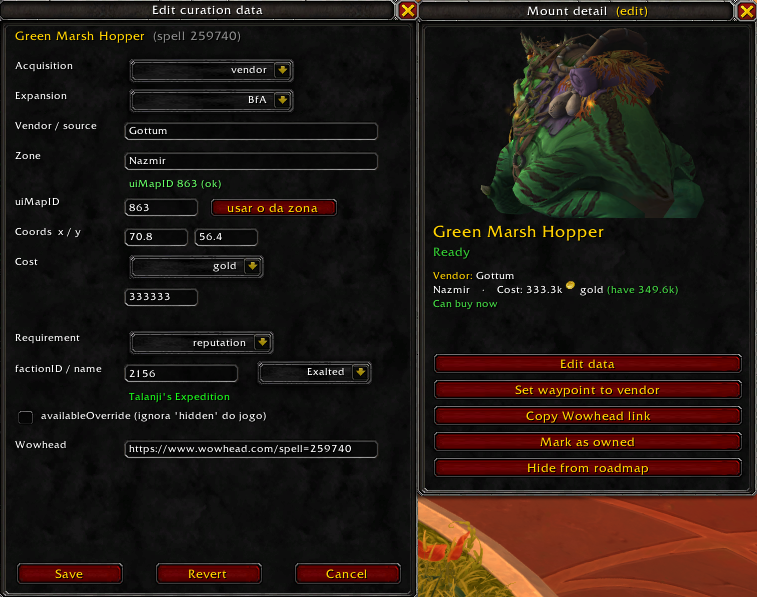
In-game curation editor (contributor tool) — edit a mount's data and validate it live:
🎯 What it does
- Tracks your whole account's collection live from the Mount Journal.
- Builds a prioritized roadmap of missing mounts — easiest first.
- Detects hidden eligibility — the green glow means "you can get this now."
- Shows exactly how to get each mount: vendor name, zone, cost (with the currency icon and how much you own), or the drop source and its rate.
- Tells you what's missing and how far you are — e.g.
Hara'ti: Renown 8 / 14, orHonored / need Revered. - Filters out what you can't get — opposite-faction, class-locked and legacy/unobtainable mounts are hidden by default (one click to reveal).
- Filter by expansion or by your current zone (works in dungeons and raids too).
⭐ Features at a glance
| Feature | What it gives you |
|---|---|
| 🟢 Obtainable-now glow | A pulsing border on any mount whose requirements you already meet (reputation/renown OK + currency/gold OK). |
| 🐉 Detail panel with 3D preview | Click any mount to open a panel with a rotating model, full source/zone/cost details, and all the actions. |
| 🧭 Waypoint to the vendor | One click drops a map pin + on-screen arrow at the seller — native (no dependency), and TomTom too if installed. |
| 💰 Currency "have" tracker | Costs show the icon, name and your current balance — green when you can afford it, orange when you can't. |
| 📊 Current-standing line | Each row spells out the exact requirement and your progress (renown level, reputation standing, achievement, currency). |
| 🎲 Drop-rate grading | RNG drops ranked by odds: 1/25 = "go farm it"; 1/200 sinks to the bottom — each shown with its percentage. |
| ⚔️ Smart faction filter | Hides opposite-faction and class-locked mounts — including account-wide mounts gated by a faction-only reputation (e.g. an Alliance-only vendor faction). |
| 📂 Expansion filter | Classic → The War Within → Midnight. |
| 🗺️ Current-zone filter | Show only mounts obtainable in the zone you're standing in — including its dungeons and raids. |
| 🔎 Text search | A free-text box filters the roadmap by name, vendor or zone — combine it with the other filters to pull up a specific mount fast. |
| 🏷️ Curated overlay | Hundreds of hand-verified entries (from Wowhead) add precise eligibility, drop rates and Wowhead links. |
| ✎ In-game curation editor | Contributor tool: edit a mount's acquisition data in the detail panel and watch the roadmap update live (share fixes via a GitHub Pull Request). |
| 🧭 Minimap button | Drag it anywhere around the ring; click to open. |
| 🔗 One-click Wowhead | Every mount has a Wowhead link — copy it from the detail panel. |
| 🛡️ No mid-screen errors | Every entry point is sandboxed; failures become a quiet chat message, never a Lua error popup. |
| 🪶 Zero dependencies | Pure Blizzard API. No Ace3, no LibDBIcon — nothing else to install. |
📥 Installation
- Install with the CurseForge app (recommended) — it auto-updates.
- Or download manually from GitHub Releases and extract the
MountTrackerfolder intoWorld of Warcraft\_retail_\Interface\AddOns\. /reloador restart the game, and make sure MountTracker is enabled on the character screen.
Targets Midnight 12.0.5 (
## Interface: 120005). On a different build? Edit the## Interface:line inMountTracker.toc, or tick "Load out of date AddOns."
⌨️ Slash commands
Open the window with the minimap button or any of these: /mtrack, /mtr, /mounttracker.
| Command | What it does |
|---|---|
/mtrack |
Open / close the roadmap window. |
/mtrack scan |
Rescan and print a summary (totals, obtainable, overlay coverage). |
/mtrack find <name> |
Find a mount's internal ID by (part of) its name. |
/mtrack check <name> |
Show the live state of a mount (collected? marked? raw source). |
/mtrack zone |
Show the zone names the addon detects and how many missing mounts match (Current-zone diagnostics). |
/mtrack marked |
List the mounts you manually marked as owned. |
/mtrack hidden |
List the mounts you manually hid. |
/mtrack unhide <name> |
Unhide one mount (without wiping all your overrides). |
/mtrack minimap |
Show / hide the minimap button. |
/mtrack enable edit / /mtrack disable edit |
Turn the in-game curation editor on/off (see below). |
/mtrack export |
List your pending manual edits (for contributing). |
/mtrack reset |
Clear your manual overrides (marked-owned / hidden). |
/mtrack help |
List all commands. |
There's also a search box at the top of the window — type part of a name, vendor or zone to filter the roadmap.
Click any row to open its detail panel, where you'll find the action buttons: Set waypoint to vendor (vendor mounts), Copy Wowhead link, Mark as owned / Unmark, and Hide / Unhide.
✎ In-game curation editor (contributors)
With /mtrack enable edit, an "Edit data" button appears on each mount's detail panel — fill in or correct a mount's acquisition data (vendor, zone, map, coords, cost, requirement, expansion) and the roadmap updates live.
Your edits are local until you share them. They're saved only on your client and are not uploaded anywhere. To get a fix into the official addon, open a Pull Request on GitHub with your data — we review and merge it. Until then your local edits override the addon's data and can mask a later official curation, so after your PR is merged use Revert on that mount. This is a contributor tool — regular collectors don't need it.
❓ FAQ
Why doesn't a mount glow even though I think I can get it? The glow only fires when the addon can verify every requirement live. Mounts gated by an achievement are a special case: the game only exposes the achievement's name (not a checkable ID), so they need to be in the curated data. Many are — if you find one that isn't, please report it (see below) and it'll be added.
A mount shows the wrong cost / no zone / wrong expansion. Some of this data comes from the game's own text, which is occasionally sparse or reused across expansions. The curated overlay fixes these case by case. Report it and it gets corrected in the next update.
Only some vendor mounts have a "Set waypoint" button — why? The button appears when a vendor's coordinates are known (harvested from Wowhead). A few vendors don't have a mappable location (e.g. "any Timewalking vendor", or NPCs Wowhead doesn't map), so they show no waypoint. Report any obvious one and it can be added.
I'm missing mounts that I can't actually get (other faction, class, etc.).
Those are hidden by default — including account-wide mounts gated by a faction-only
reputation (e.g. an Alliance character won't see a Horde-rep mount). Tick
"Show unavailable / hidden" to reveal them. Hid something by accident? Use
/mtrack unhide <name> (or the panel's Unhide button).
Current zone shows nothing.
Switch the Zone filter to "All zones", or move to a zone that actually has obtainable mounts. The filter includes the current zone's dungeons and raids — /mtrack zone shows exactly what it detected.
Does it work cross-character / cross-faction? Mount collection is account-wide, so the roadmap is too. Faction- and class-specific eligibility is evaluated for the character you're logged in on.
Is it safe? Any dependencies? Zero dependencies (pure Blizzard API) and every code path is error-sandboxed, so it never throws mid-screen Lua errors.
🐞 Spotted a wrong glow? Please report it
This is the single most useful thing you can do for the project. 🙏
The green "obtainable now" glow is only as good as the data behind it — and some gates are invisible to the game itself. A few mounts are locked behind a hidden reputation, a friendship rank, or a currency-tracked progression that the game never prints in its source text (real examples already fixed: Ivory Hawkstrider needs Exalted with a hidden faction; Preyseeker's Wrath needs Preyseeker's Journey rank 10). When that happens, a mount can glow green even though you can't buy it yet — a false positive.
We track these down through a strict chain of sources, in order of trust:
game data → Wowhead → Wowhead comments → your feedback
When the game doesn't expose a gate we harvest it from Wowhead; when even Wowhead's structured data is silent, the answer often lives only in the page comments — or in your report. Many have to be curated by hand, one mount at a time, so every report genuinely helps.
If a mount glows green that you can't actually get (or one that should glow but doesn't), please open an issue with the mount name, the requirement you're missing, and the output of /mtrack check <name> if you can. We'll curate the fix and ship it in the next version. 💚
🐛 Found a bug or a wrong mount? Want a feature?
This addon is open source and actively maintained. The fastest way to get something fixed is to open an issue with the mount name and what's wrong:
- GitHub repository: https://github.com/lucas-fsousa/MountTracker
- Report a bug / request a feature: https://github.com/lucas-fsousa/MountTracker/issues
- All releases & changelog: https://github.com/lucas-fsousa/MountTracker/releases
- README (English): https://github.com/lucas-fsousa/MountTracker/blob/main/README.md
- README (Português-BR): https://github.com/lucas-fsousa/MountTracker/blob/main/README.pt-BR.md
If you can include the output of /mtrack check <mount name>, that tells me exactly what the game reports for that mount and makes the fix much faster.
🏆 Companion addon — AchievementTracker
Love how MountTracker surfaces the easiest mounts to grab? There's a sibling addon for achievements: AchievementTracker.
It builds the same kind of priority roadmap for the achievements you're missing — sorted easiest first, "can do it solo right now" at the top, with group-required and multi-day grinds pushed to the bottom. Same clean UI, same zero-fuss philosophy.
👉 https://github.com/lucas-fsousa/AchievementTracker
🌍 Language
The interface is in English. The project ships bilingual documentation (English + Português-BR) on GitHub.
📜 License
Released under the MIT License — free to use, study and contribute to.
Made for the WoW mount-collecting community. If MountTracker helped you finally claim a mount you'd been sitting on, consider leaving a comment or a ⭐ on GitHub!
Mount Tracker Team