


MountSense
- By
MountSense2.png
MountSense1.png
MountSense3.png
Description
MountSense is a smart and elegant mount manager that automatically picks the perfect mount based on your current environment, specialization, transmog outfit, and custom rules. Stop relying on one single random mount button and start creating dynamic lists that adapt to your journey!
✨ Key Features
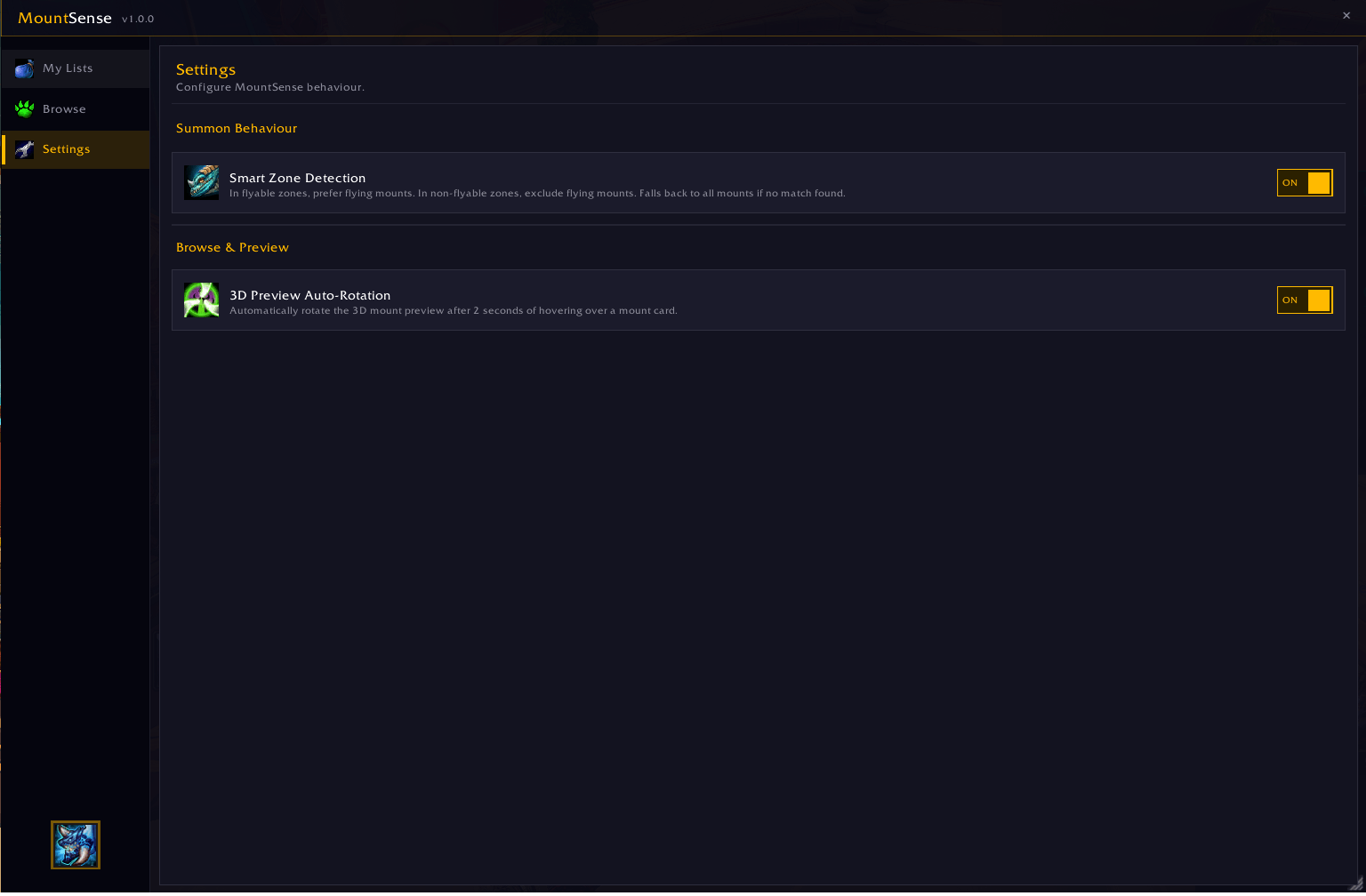
🧠 Smart Zone Detection: Automatically prioritizes flying mounts in flyable areas, and ground mounts in restricted zones or instances.
🌊 Smart Aquatic Detection: Prefers aquatic mounts while you're swimming, and avoids them everywhere else.
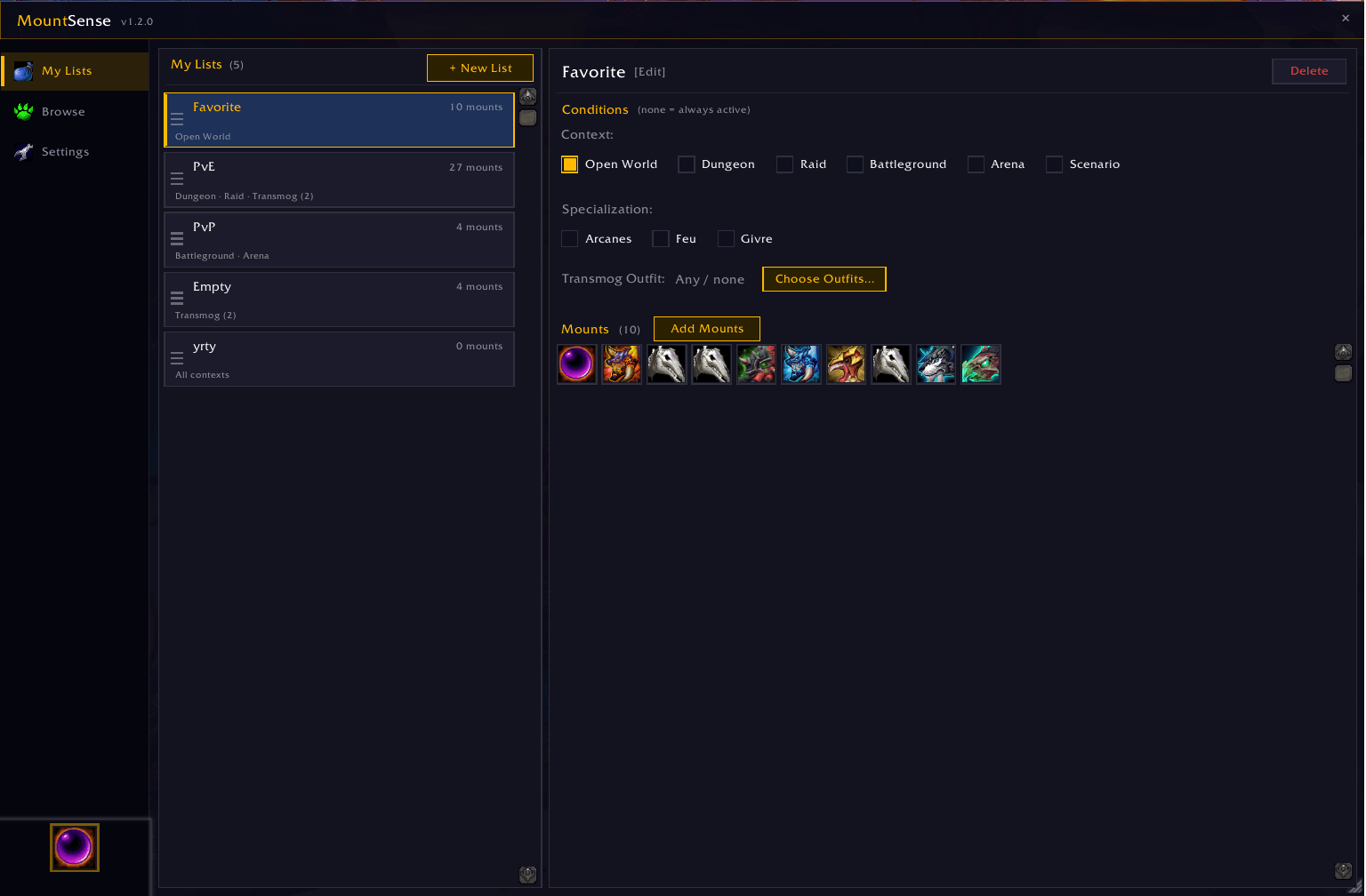
🎯 Context-Aware Summoning: Create custom mount lists that only trigger in specific situations (Open World, Battlegrounds, Arenas, Raids, or Dungeons).
⚔️ Specialization Rules: Bind specific mounts to your character's specializations (e.g., summon your felsteed only when playing Demonology, or a holy charger for Retribution).
👔 Transmog Outfit Rules: Bind mount lists to the Transmog Outfits you've saved at the Transmogrifier NPC — summon a themed mount whenever you're wearing a matching look. Pick your outfits from a dedicated browser with search and a live 3D preview on hover.
🔁 No More Repeats: Avoids resummoning the same mount(s) you just rode, so you see more of your collection.
🔍 Mount Inspector: Spot a mount on another player that you own but haven't listed yet? Mouse over them (or target them) and use the MountSense keybind — set directly from the Settings tab, no need to dig through the game's own keybinding menu — to add it straight to one or more of your lists.
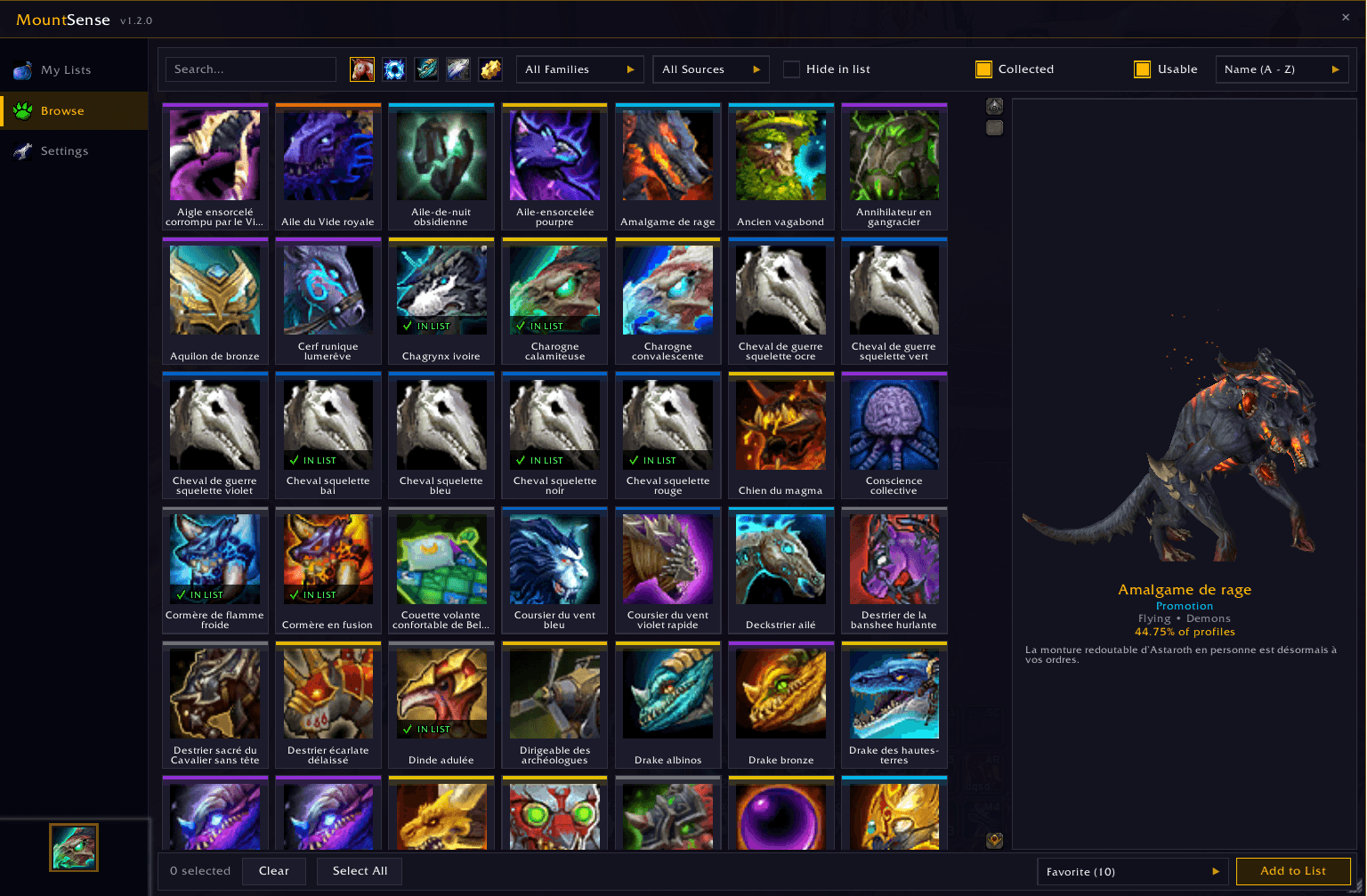
🐾 Browse by Family & Rarity: The mount Browser lets you filter your collection by creature family (Cats, Wolves, Dragons, Dinosaurs, and more) and see each mount's collection rarity (% of players who own it), with sorting options to match.
📋 Priority System (Drag & Drop): Easily reorder your lists in the editor. If multiple lists match your current context, MountSense will smartly prioritize them based on your custom order.
🎨 Modern & Beautiful UI: A fully custom, dark-themed interface with smooth micro-animations, 3D model auto-rotation, and intuitive controls.
🚀 Quick Start
1. Type /ms in the chat to open the MountSense interface.
2. Go to the Browse tab to explore your collected mounts — filter by type, family, source, or rarity — and assign them to your lists.
3. In the My Lists tab, create new lists and set up your conditions (Contexts, Specs, and Transmog Outfits).
4. Drag and drop your lists to set their priority.
5. Use the floating summon button, or type /ms summon in a macro to summon the perfect mount!
⚙️ Settings
You can customize the addon's behavior at any time in the Settings tab: toggle 3D rotation, enable/disable Smart Zone Detection, Smart Aquatic Detection, or Avoid Repeats, and set your Mount Inspector keybind — all in one place.
The MountSense Team
